Pharmacy Stock Management Software: Batch, Expiry & Reorder Control

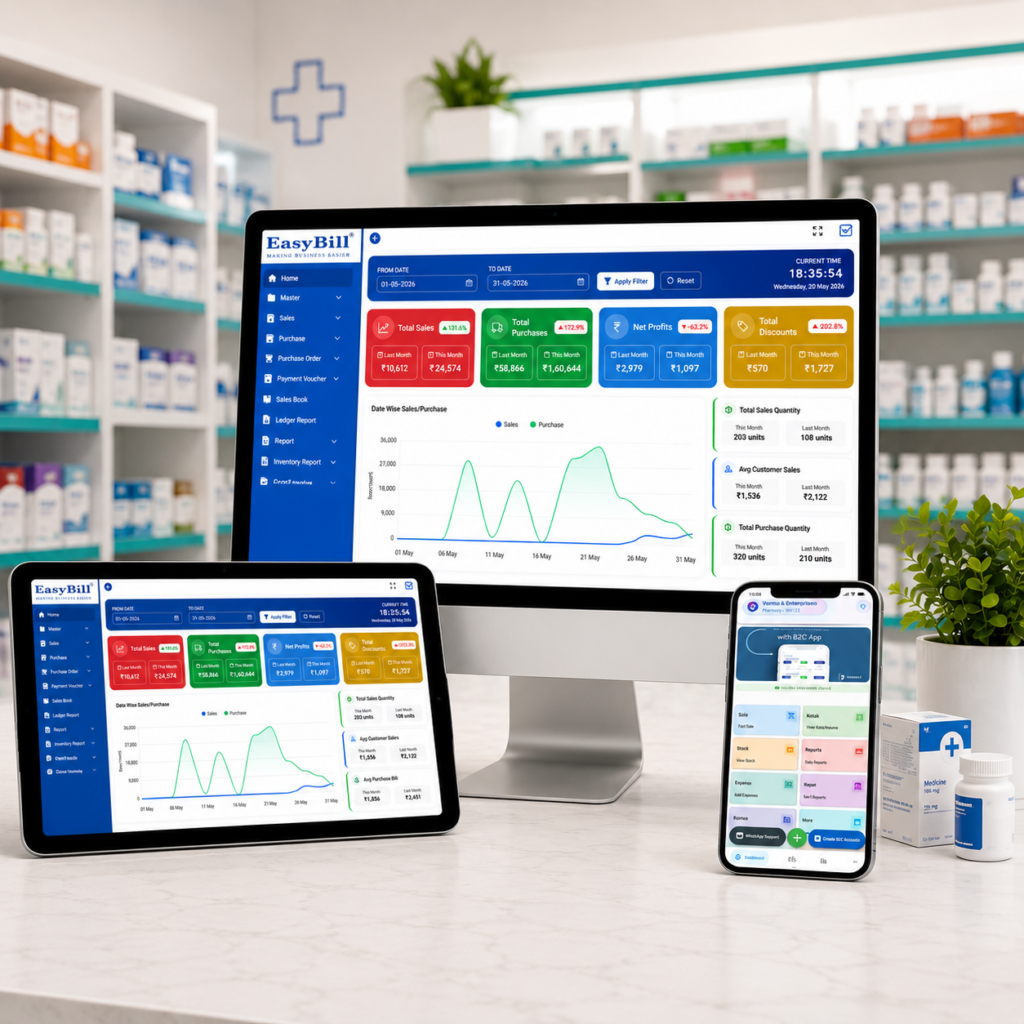
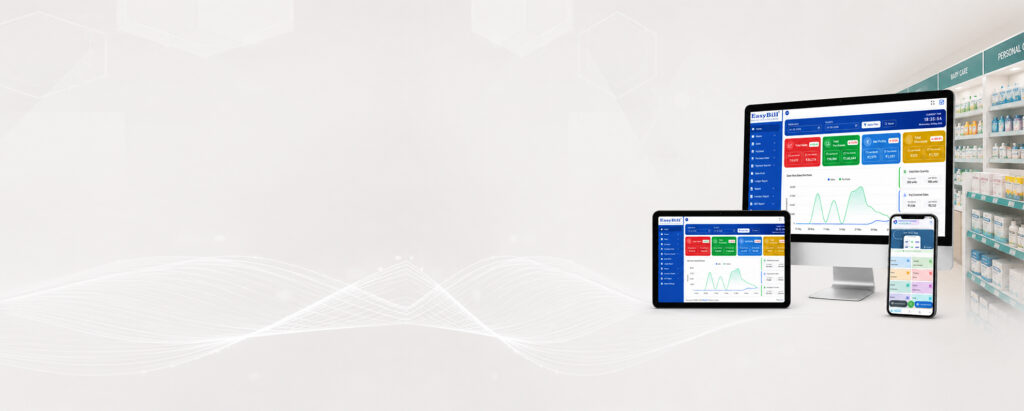
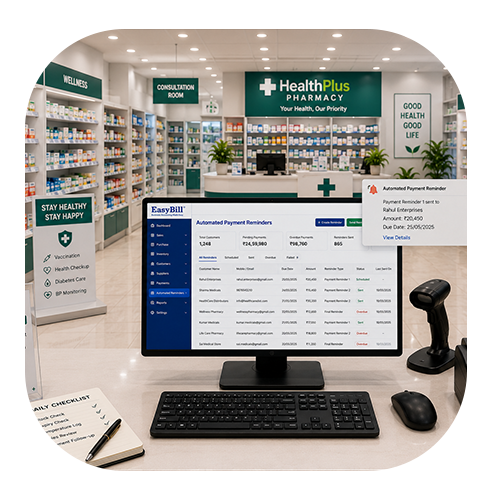
Pharmacy stock management software is most useful when it connects medicine purchases, batch details, expiry dates, sales, billing and stock levels in one workflow. For a medical store owner, the real test is simple: can staff find the right stock quickly, identify ageing batches, see what needs replenishment and keep billing connected to inventory? EasyBill ERP already documents real-time stock monitoring, low-stock alerts, barcode integration, batch and lot management, multiple-warehouse support, and tracking of batch numbers, expiry dates and manufacture dates. See EasyBill inventory features. Who is pharmacy stock management software for? This guide is for retail pharmacies, medical stores, chemists, hospital pharmacies and pharmacy businesses that already understand basic billing but want tighter control over stock. If your team is still using notebooks, spreadsheets or separate purchase and billing records, the first priority should be one connected stock workflow. A pharmacy does not deal with stock as one simple number. The same medicine name can appear in different batches with different expiry dates and purchase details. That is why pharmacy-focused inventory software needs to record more than product name and quantity. What should pharmacy stock management software actually manage? The useful system starts when stock enters the store and continues until it is sold, returned or adjusted. EasyBill describes a workflow that includes product records, batch numbers, expiry dates, manufacture dates, purchases, sales and inventory tracking. Its medical stock management page also lists batch and expiry management, barcode billing, purchase management, low-stock alerts, supplier management, multi-store inventory and reports. Stock activity What the software should record Why it matters Purchase Supplier, product, quantity and purchase details Creates a reliable stock-in record Batch entry Batch number and related product information Helps identify the exact stock held Expiry tracking Expiry date for recorded stock Helps staff review ageing stock Sale Sold quantity and invoice Connects billing with stock movement Low stock Configured stock threshold or alert Supports purchase planning Reports Sales, purchases and inventory information Gives the owner a clearer operating picture Why batch-wise stock control matters Suppose a pharmacy has the same medicine from two purchases. The product name is identical, but the batches and expiry dates are different. A simple quantity figure does not tell the pharmacist which stock should be reviewed first. Batch-level records solve that specific problem. They let the team associate quantity and expiry information with the stock received, rather than treating every unit of the medicine as identical. EasyBill states that its inventory tools support batch numbers, expiry dates, manufacture dates and other product details. Its medical stock management content also describes batch and expiry management as part of the inventory workflow. citeturn1search0turn1search1 How does expiry tracking fit into pharmacy inventory? Expiry control should not be a once-a-month spreadsheet exercise. It belongs inside the stock workflow. When expiry information is recorded with stock, the pharmacy team has a searchable record of products that need attention. This makes it easier to review ageing inventory and decide what action is appropriate under the pharmacy’s own supplier-return and dispensing procedures. EasyBill documents expiry tracking as part of its inventory capabilities and describes expiry-sensitive stock review on its medical-store content. citeturn1search0turn1search4 Do not treat an alert as permission to sell an expired medicine. Software should help staff identify stock that needs review; dispensing and disposal decisions still have to follow applicable pharmacy and medicine-handling requirements. Can stock management software help prevent stock-outs? Yes, if the system uses useful stock thresholds and the team actually reviews them. Low-stock alerts turn a stock check into an action list. Instead of discovering a shortage only after a customer asks for the medicine, the owner has a way to identify products that have reached the configured level and review replenishment. EasyBill lists low-stock alerts as an inventory feature and describes purchase planning as part of its medical stock workflow. citeturn1search0turn1search1 Where does billing fit into pharmacy stock management? This is where separate systems become inconvenient. If billing and inventory are disconnected, the same sale may have to be entered twice: once for the customer invoice and again for the stock record. A connected workflow records the sale while keeping inventory information tied to the transaction. EasyBill positions its pharmacy and medical-store software around connected billing, inventory, purchases and reporting. Its medical-store billing guide describes medicine stock being updated as purchases and sales are recorded. citeturn1search4turn1search9 If you are comparing an easy billing app, a simple billing app or a billing app for shop, do not judge it only by how quickly it prints an invoice. For a pharmacy, ask what happens to stock after that invoice is created. Which features should you check before buying? A long feature list is not enough. Test the workflow with real pharmacy examples. Pharmacy stock software vs manual stock registers Area Manual records Software-based workflow Stock quantity Checked from registers or spreadsheets Centralized stock records Batch information Requires manual lookup Stored with inventory records Expiry review Manual checking Expiry information can be searched and reviewed Billing Separate from stock in some setups Billing can be connected with inventory Purchase planning Based on manual review Uses current stock visibility and alerts Reports Manual compilation Digital sales, purchase and stock reports What is the biggest mistake when choosing pharmacy inventory software? Buying based on the billing screen alone. A pharmacy may have a fast invoice screen and still have a poor inventory workflow. Before choosing software, test the complete path: purchase a medicine, enter its batch and expiry, sell it, check the stock deduction, find the batch again, review the expiry information and generate the relevant report. [YOUR EXAMPLE: Add a real customer/demo scenario showing a pharmacy workflow that was difficult to manage manually and how EasyBill handled it.] Why EasyBill ERP is relevant for pharmacy stock management EasyBill ERP documents pharmacy-focused billing and inventory capabilities including real-time stock monitoring, low-stock alerts, barcode integration, batch and lot management, multiple-warehouse support and purchase/sales tracking. Its medical stock management content also lists batch and expiry tracking, GST billing, supplier management,

Pharmacy Stock Management Software: Batch, Expiry & Reorder Control Read More »

Medical stock management software dashboard for pharmacy inventory and billing; What Is Stock in a Medical Store

Pharmacy Software with Batch Management: Batch & Expiry Alerts

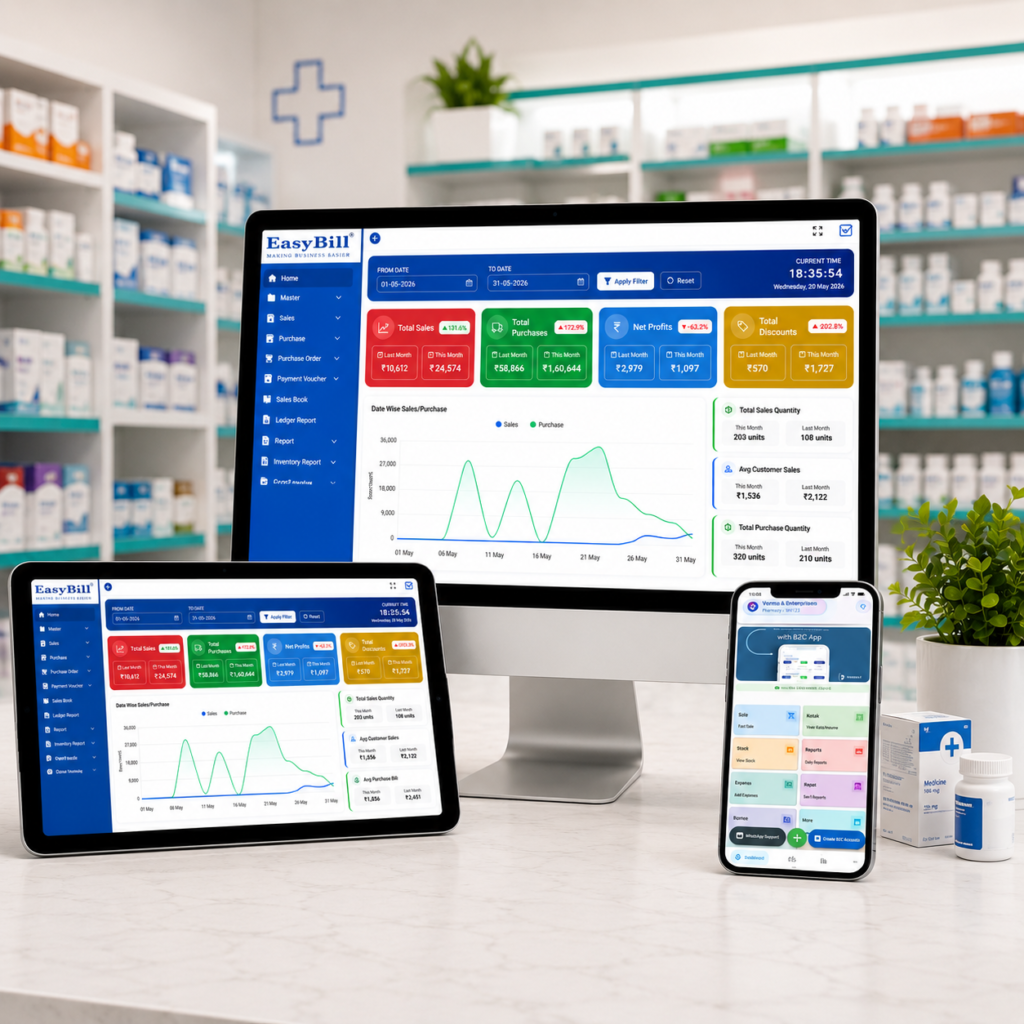
Last updated: October 5, 2026 Quick answer: Pharmacy software with batch management records each medicine batch with stock and expiry details, then connects that information with purchases, sales and billing. For a medical store, the useful test is simple: can staff find the right batch, see what is nearing expiry and keep stock updated without maintaining a second manual register? This guide is for medical store owners, pharmacists and pharmacy managers who already understand basic billing and inventory but need tighter control over batch-wise stock and medicine expiry. Batch management is where ordinary stock counting stops being enough. A pharmacy may have the same medicine in more than one batch, with different purchase dates and expiry dates. If those records are mixed together, the owner has to check the physical shelf or a separate register before deciding which stock needs attention. A connected system keeps the batch record with the medicine inventory. That is the real reason to look for pharmacy software with batch management, rather than choosing a billing program that only prints invoices. What should pharmacy batch management actually do? A practical batch-management workflow should let the pharmacy record a medicine, its batch number, quantity and expiry information when stock is received. The same stock information should remain available when the medicine is sold, reviewed in inventory or included in a report. That connection matters more than a long feature list. If batch information lives in one place and billing lives somewhere else, staff still have to reconcile the two. Why batch-wise inventory matters in a pharmacy Suppose the same product arrives from a supplier twice. The product name is identical, but the batches are different. Treating the medicine as one undifferentiated stock figure hides the information that matters for expiry review and stock decisions. Batch-wise records give the pharmacy a more useful view: product, batch, quantity and expiry information together. This is also why medicine expiry date tracking software works best when expiry is attached to the actual stock batch rather than treated as a separate reminder list. Which features should you check before buying? Batch-wise stock: the same medicine should be distinguishable by batch. Expiry-date recording: expiry information should stay connected to the relevant stock. Purchase-to-stock linkage: incoming stock should update inventory records rather than creating a separate paper trail. Billing integration: sales should be connected to inventory so stock does not have to be updated twice. Expiry review or alerts: staff should have a clear way to identify stock that needs attention before expiry. Stock reports: owners should be able to review quantities and movement without rebuilding the figures manually. Returns and corrections: the workflow should handle common stock adjustments without destroying the original record. How does pharmacy expiry alert billing software help? Pharmacy expiry alert billing software connects the expiry problem with the place where stock is already being managed: the billing and inventory system. Instead of keeping a separate spreadsheet just for expiry dates, the team can review expiry-sensitive stock from the same inventory workflow. The important question is not whether a vendor uses the word “alert.” Ask what actually triggers the alert, where staff see it, whether it is linked to a specific batch, and what report is available for near-expiry stock. If the answer is vague, test the workflow during the demo. Batch management and expiry tracking are not the same thing They work together, but they solve different parts of the problem. Batch management tells you which stock group you are holding. Expiry tracking tells you when that stock needs attention. A useful pharmacy system connects both so the expiry date is tied to the correct batch and remaining quantity. This distinction is easy to miss in software comparisons. A system that stores one expiry date against a product is not the same as a system that stores expiry information against individual batches. What does the workflow look like from purchase to sale? Receive the medicine: record the product and relevant batch information with the incoming stock. Store the batch: keep quantity and expiry information attached to that batch in inventory. Sell the medicine: connect the sale to the inventory workflow so stock is reduced from the recorded quantity. Review ageing stock: use the expiry view or report to identify batches that need attention. Act on the stock: follow your pharmacy’s approved process for sale, supplier return, adjustment or disposal of stock that cannot be sold. The workflow is simple. The value comes from keeping the records connected. What is the difference between manual records and batch-management software? Area Manual approach Batch-management software Batch identification Checked across registers or spreadsheets Stored with product records Expiry review Requires manual checking Can be reviewed from inventory reports or alerts Stock update after sale May require separate entry Connected to billing when the software supports it Purchase history Separate records Linked to inventory in the same workflow Reporting Manual compilation Generated from recorded transactions Who actually needs pharmacy software with batch management? A small chemist does not need software simply because every competitor has it. The stronger case appears when the store has multiple batches of the same medicines, a growing product catalogue, frequent purchases, more than one person handling stock, or regular expiry reviews. It is also useful for pharmacies that want billing and inventory to work as one process rather than maintaining separate records for sales and stock. How EasyBill ERP fits the pharmacy workflow EasyBill ERP positions its pharmacy solution around billing, inventory, purchases, GST invoicing and business reporting. Its published pharmacy and inventory material also describes batch and expiry information as part of the stock workflow. See EasyBill ERP for the current product overview. For the broader stock-management picture, see Medical Stock Management System. For the billing side, see Pharmacy Billing Software for Small Business. If expiry alerts are the main reason you are evaluating software, do not rely on a feature name alone. Ask for a live demo using your own sample medicine batches and check exactly

Pharmacy Software with Batch Management: Batch & Expiry Alerts Read More »

ayurvedic pharmacy billing software

Ayurvedic Pharmacy Billing Software: 7 Powerful Benefits for Modern Stores

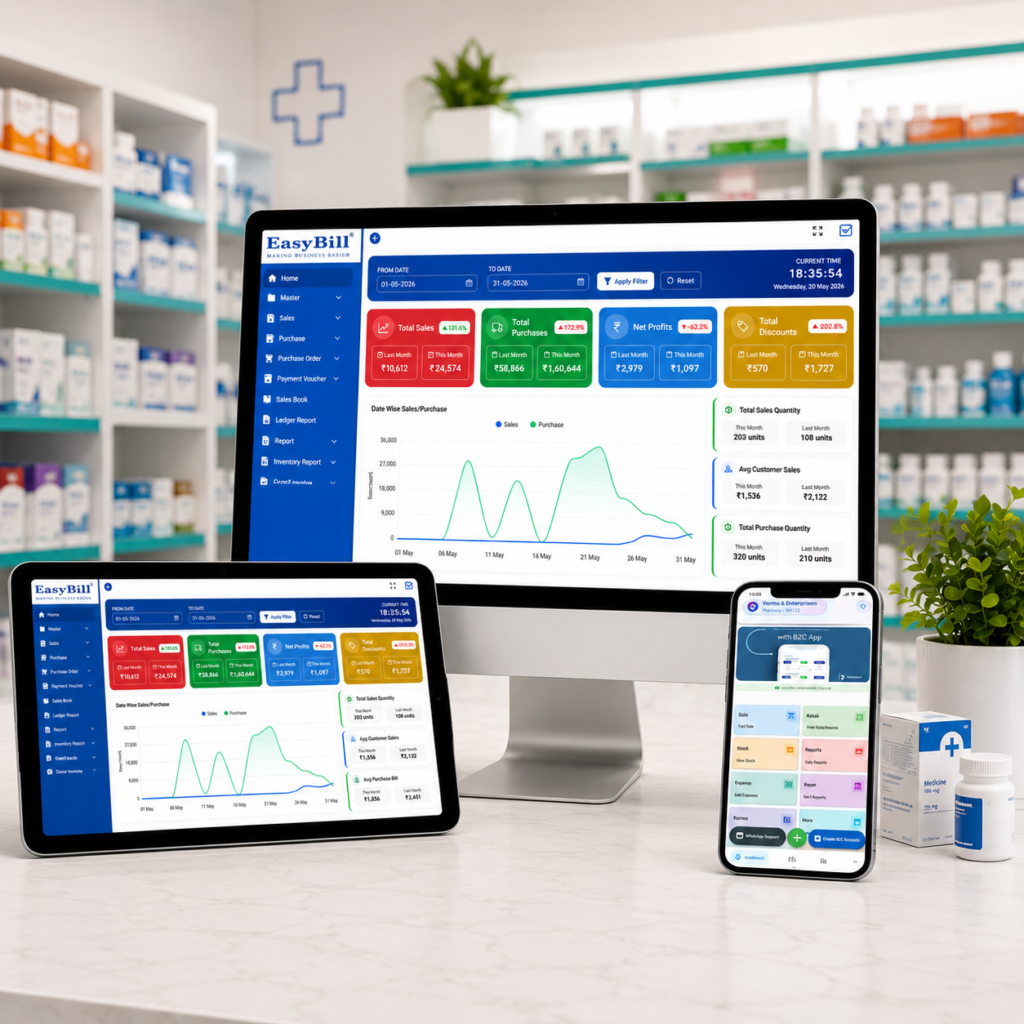
Ayurvedic Pharmacy Billing Software ayurvedic pharmacy billing software helps Ayurvedic stores and wellness businesses manage billing, stock, purchases and customer records in one connected workflow. Unlike a basic invoice tool, pharmacy-focused software can handle batch details, expiry dates, GST billing and inventory movement while keeping daily counter work simple. In simple terms: The right Ayurvedic pharmacy system should make billing faster while keeping medicine inventory accurate. Look for GST-ready invoices, batch and expiry tracking, purchase management, stock alerts, reports, backups and easy staff workflows. Key Takeaway: Choose software based on the complete pharmacy workflow rather than the lowest subscription price. A system that reduces manual entry and gives clear stock visibility can deliver more value every day. Last updated: September 8, 2026 Table of Contents What Is Ayurvedic Pharmacy Billing Software? 7 Powerful Benefits Essential Features to Check How the Workflow Works How to Choose the Right System How EasyBill ERP Can Help Frequently Asked Questions What Is Ayurvedic Pharmacy Billing Software? Ayurvedic pharmacy billing software is a billing and inventory solution designed for stores that sell Ayurvedic medicines, herbal products, wellness items and related healthcare products. It connects sales with stock so that a bill is not treated as an isolated transaction. For a busy store, this connection matters. When an item is sold, inventory should reflect the movement. When new stock is purchased, quantities should be updated. When a batch approaches expiry, staff should be able to identify it quickly. Modern systems may also support barcode billing, GST invoices, supplier records, customer ledgers, purchase returns and business reports. The exact features vary by vendor, so a live demonstration is worth doing before purchase. 7 Powerful Benefits of Ayurvedic Pharmacy Billing Software 1. Faster Counter Billing A clean billing screen helps staff search products, scan barcodes, apply discounts, record payment and generate an invoice without switching between different registers. This is especially useful during busy hours when customers are waiting and staff need to work accurately without unnecessary clicks. 2. Better Batch and Expiry Control Ayurvedic products can have different batches and expiry dates. Manual registers make it difficult to see which stock should move first. Software can keep batch information connected to inventory and sales. Expiry reports and alerts can help staff identify products that need attention before they become dead stock. 3. Accurate GST Billing GST-ready billing can reduce repetitive calculations and make invoice preparation more consistent. The system should allow the business to configure applicable tax information correctly for its products and invoices. Always verify the configuration with your accountant or tax professional because tax treatment can depend on the product and transaction. 4. Real-Time Stock Visibility Instead of waiting for a manual stock count, the owner can use the software to see available quantities, fast-moving items and low-stock products. Clear inventory information makes purchasing decisions easier and can reduce both overstocking and unexpected shortages. 5. Easier Purchase Management Purchasing is a major part of pharmacy operations. A useful system records suppliers, purchase invoices, quantities, rates and stock received. When purchases and sales share the same inventory database, staff spend less time entering the same information twice. 6. Useful Sales and Business Reports Reports turn daily transactions into information the owner can act on. Useful reports can include sales, purchase, stock, low-stock, expiry and tax-related summaries. Owners can use these reports to identify popular products, review purchasing patterns and understand how the store is performing. 7. Better Control as the Business Grows A small Ayurvedic store may begin with one counter, but its needs can change. More employees, another location, online orders or a larger product range can increase operational complexity. A scalable system can reduce the need to replace software as the business expands. Look for user permissions, backups and options that support your expected growth. Essential Features to Check Before Buying Feature Why It Matters Fast POS billing Reduces waiting time at the counter GST invoicing Supports consistent tax invoice workflows Batch tracking Keeps product batches visible Expiry management Helps identify stock nearing expiry Barcode support Makes product entry faster Purchase management Connects supplier purchases with inventory Stock alerts Highlights products that need replenishment Reports Helps owners understand sales and inventory Backup and restore Protects important business records How an Ayurvedic Pharmacy Billing Workflow Works A practical workflow should feel straightforward from purchase to sale. Purchase: Record incoming products, supplier details, quantities and batch information. Stock: Keep available quantities and expiry information connected to each product. Sale: Search or scan products and create the customer invoice. Payment: Record cash, card, UPI or another supported payment method. Stock update: The sale reduces the corresponding inventory. Reporting: Review sales, purchases, stock and expiry information. The goal is simple: enter information once and let connected modules use it throughout the business. Ayurvedic Pharmacy Software vs Generic Billing Software A generic billing application may be enough for a small shop that only needs simple invoices. A pharmacy-focused system becomes more useful when the business needs batch-level inventory, expiry tracking, purchase management and pharmacy-specific reports. The right choice depends on the store’s size and workflow. Do not pay for complex hospital features if you only operate a small retail counter. At the same time, avoid a basic invoice tool if manual stock work is already causing problems. How to Choose the Right Ayurvedic Pharmacy Billing Software Start with the daily problems you want the software to solve. Write down your current billing, purchasing and inventory process before looking at product demos. Test billing with real product names. Check batch and expiry handling. Confirm GST invoice requirements. Test purchase entry and stock updates. Review available reports. Ask about backup and data export. Check user permissions and multi-counter support. Understand support, training and renewal costs. Do not judge software only from screenshots. A short live test can reveal whether the workflow actually suits your staff. Cloud or Desktop: Which Is Better? Cloud software can be convenient when owners need access from multiple locations and want centralized data. Desktop software may

Ayurvedic Pharmacy Billing Software: 7 Powerful Benefits for Modern Stores Read More »

cheapest pharmacy billing software

Cheapest Pharmacy Billing Software: 7 Best Low-Cost Options

Cheapest Pharmacy Billing Software cheapest pharmacy billing software is a common search for medical store owners who want to control costs without giving up essential billing and inventory features. A low price can be attractive, but the cheapest option is only useful when it still handles the daily work of a pharmacy reliably. In simple terms: The best low-cost pharmacy software should cover fast billing, GST invoices, medicine inventory, batch and expiry tracking, purchases, reports and basic user controls. Compare the total cost—not just the advertised subscription—and test the actual workflow before buying. Key Takeaway: Cheap software is not automatically good value. Look for a practical balance between price, pharmacy-specific features, ease of use, support, backups and future growth. Last updated: September 8, 2026 Table of Contents What Does Cheapest Pharmacy Billing Software Really Mean? 7 Features Worth Paying For How to Compare Low-Cost Pharmacy Software What Actually Affects the Total Cost? Is Free Pharmacy Billing Software a Good Idea? Where EasyBill ERP Fits Buying Checklist Frequently Asked Questions What Does Cheapest Pharmacy Billing Software Really Mean? Cheapest pharmacy billing software does not necessarily mean the software with the lowest headline price. A system that looks inexpensive can become costly if it adds charges for extra users, updates, support, data migration, reports or additional devices. For a pharmacy, value comes from how well the software handles real counter and stock tasks. A low-cost system should still make billing quick, keep inventory connected to sales and purchases, and provide useful information about batches and expiry dates. Before comparing prices, write down what your store actually needs. A single-counter medical shop may need a simpler setup than a pharmacy with multiple counters, branches or wholesale operations. 7 Features Worth Paying For in Low-Cost Pharmacy Software 1. Fast Billing and GST Invoices The billing screen should be simple enough for staff to learn quickly. Product search, barcode support, GST calculations, discounts, payment recording and printable or shareable invoices are useful everyday features. A low price does not help if every bill takes longer to create. Ask for a live demonstration and test several common medicines before deciding. 2. Batch-Wise Medicine Inventory Pharmacy inventory is different from ordinary retail stock. The same medicine can have multiple batches, different expiry dates and different purchase rates. Good software should keep these details visible so the team knows which stock is available and how it is moving. This is one area where a generic billing application may not be enough. 3. Expiry Tracking Expiry management can protect a pharmacy from avoidable stock losses. Look for batch-level expiry dates, near-expiry reports and clear ways to identify affected quantities. The exact alert system varies by product, so ask the vendor to demonstrate it using two batches of the same medicine with different expiry dates. 4. Purchase and Supplier Management Purchases should update inventory without forcing staff to maintain another manual register. Useful systems record supplier, invoice, quantity, rate and batch information in the same workflow. Supplier ledgers, purchase history and purchase returns can become important as the store grows. 5. Low-Stock and Sales Reports Affordable software should still provide practical reports. At minimum, look for sales, stock, purchase, low-stock and GST-related information relevant to your business. Reports are valuable because they help the owner make purchasing decisions using actual business records instead of memory or handwritten notes. 6. Customer, Supplier and User Controls Customer and supplier records can make outstanding balances easier to follow. User permissions can also help owners control access when more than one employee operates the counter. 7. Backup and Support Price should never be considered separately from support and data protection. Ask how often data is backed up, how it can be restored and what support is included in the plan. For a pharmacy, losing billing or stock information can cost far more than the difference between two software plans. How to Compare Cheapest Pharmacy Billing Software Options Do not compare only the monthly or annual subscription. Use a simple comparison based on the features your pharmacy actually uses. What to Compare What to Check Billing Speed, barcode, GST, discounts and payments Inventory Stock updates, batches, MRP and expiry Purchases Supplier bills, purchase returns and stock updates Reports Sales, stock, purchases, GST and low-stock reports Users Number of users, counters and permissions Support Training, response time and included support Data Backup, restore and export options Total price Subscription plus setup, renewal and add-on charges What Actually Affects the Total Cost? The advertised price is only one part of the calculation. Before choosing a plan, check these possible costs: Annual or monthly subscription Setup and installation Additional users or counters Extra branches or devices Data migration Training and onboarding Support or annual maintenance Upgrades and future renewals A slightly more expensive plan can sometimes be the better deal if it includes the features and support your pharmacy would otherwise pay for separately. Is Free Pharmacy Billing Software a Good Idea? Free software can be useful for testing the basic workflow, but a free plan may have restrictions on medicines, invoices, users, reports or storage. Check the limits before moving live pharmacy data into it. A good trial should let you test a complete process: enter a purchase, add a batch, create a sale, process a return and check inventory and reports afterward. Also ask whether you can export your data. Data portability matters if the business eventually changes software. Low-Cost Software vs. Cheap Software: What Is the Difference? Low-cost software is designed to deliver the essentials efficiently. Cheap software may simply have a low entry price. The distinction becomes important when the pharmacy starts using the system every day. A practical solution should save time at the counter, reduce duplicate entry and provide reliable stock information. If staff constantly work around limitations, the lower purchase price may not represent real savings. Where EasyBill ERP Fits EasyBill ERP is built to bring billing, GST invoicing, inventory, purchases and business reporting into one connected workflow. Pharmacy-related requirements

Cheapest Pharmacy Billing Software: 7 Best Low-Cost Options Read More »

Pharmacy prescription management software for billing, inventory and prescription records

Retail Pharmacy Billing and Inventory Software: 7 Best Reasons

Retail Pharmacy Billing and Inventory Software retail pharmacy billing and inventory software helps a medical store connect billing, medicine stock, purchases, batches, expiry dates and business reporting in one practical workflow. Instead of maintaining separate records for every activity, pharmacy staff can work from connected information and spend more time serving customers. In simple terms: retail pharmacy billing and inventory software should make counter billing faster while keeping medicine stock, batches, expiry dates, purchases and reports accurate. The best system is simple enough for daily use but detailed enough to handle the realities of a busy pharmacy. Key Takeaway: Choose software by testing your real pharmacy workflow—not just by counting features. Check billing speed, batch tracking, expiry control, stock updates, GST invoices, purchasing, reports and support before making a decision. Last updated: September 8, 2026 In this guide: We explain what pharmacy billing and inventory software does, which features matter, how it improves daily operations, what to test before buying and how EasyBill ERP fits a retail pharmacy workflow. Table of Contents What Is Retail Pharmacy Billing and Inventory Software? Why Retail Pharmacies Need Connected Billing and Inventory 7 Features to Look For How It Works in a Daily Pharmacy Workflow Benefits for Pharmacy Owners How to Choose the Right Software Cloud vs Local Pharmacy Software Where EasyBill ERP Fits Frequently Asked Questions What Is Retail Pharmacy Billing and Inventory Software? Retail pharmacy billing and inventory software is a business management system designed to connect point-of-sale billing with medicine inventory. When a sale is completed, the related stock movement can be recorded as part of the same workflow. When purchases are entered, stock information can be updated for future sales. A pharmacy-focused system also needs to handle details that ordinary billing tools may not cover well. These can include batch numbers, expiry dates, MRP, purchase rates, units, product conversions, suppliers, purchase returns and GST invoice requirements. For a small medical shop, this connected approach can reduce duplicate entry. For a larger retail pharmacy, it can provide a clearer picture of stock movement across counters, users or locations. Why Retail Pharmacies Need Connected Billing and Inventory A retail pharmacy may carry hundreds or thousands of medicines and healthcare products. The same medicine can arrive in different batches, with different expiry dates and purchase rates. Manual records can become difficult to maintain as the product range grows. Retail pharmacy billing and inventory software brings these transactions together. A sale can reduce stock, a purchase can increase stock, and reports can use the same underlying records. That reduces the need to enter the same information repeatedly. The practical benefit is visibility. An owner can check what is selling, what is running low, what has been purchased and which stock needs attention without relying entirely on separate registers or spreadsheets. 7 Features to Look For in Retail Pharmacy Billing and Inventory Software 1. Fast Billing and GST Invoicing A pharmacy counter should not feel slow because staff have to search through complicated screens. Look for quick product search, barcode billing, GST calculations, discounts, payment recording and printable or shareable invoices. Retail pharmacy billing and inventory software should also make it easy to correct common counter situations such as returns, exchanges or invoice adjustments while keeping the underlying records consistent. 2. Medicine Inventory Management Inventory management should show available quantities and make purchases, sales, returns and adjustments easy to follow. Search and filters are especially valuable when a pharmacy has a large medicine catalogue. The goal is not simply to display a stock number. The system should help the team understand where that stock came from and how it is moving. 3. Batch and Expiry Tracking Batch tracking is one of the most important pharmacy-specific requirements. Two batches of the same medicine may have different expiry dates, purchase rates or available quantities. A useful system should make those differences visible. Retail pharmacy billing and inventory software with batch and expiry tools can help staff identify near-expiry stock earlier and review the affected quantities before products become avoidable dead stock. 4. Purchase and Supplier Management Purchasing is closely connected to inventory. The software should capture supplier details, purchase invoices, quantities, rates and batch information. Purchase returns and supplier balances can also help maintain a cleaner record of procurement activity. 5. Low-Stock and Reorder Visibility Popular medicines can move quickly, especially during seasonal demand. Low-stock reports or alerts help staff notice items that may need replenishment before a customer asks for them. This makes retail pharmacy billing and inventory software useful not only at the billing counter but also when planning the next purchase. 6. Sales, Stock and Business Reports A pharmacy owner needs more than a daily sales total. Useful reports can cover sales, purchases, current stock, GST summaries, low-stock items and business performance. Good reports turn routine transactions into information that can support buying and pricing decisions. They also make it easier to spot unusual stock movement or products that are not moving as expected. 7. User Roles and Room to Grow As a pharmacy adds staff, counters or locations, access control becomes more important. User permissions can help separate everyday billing from sensitive business functions. When evaluating retail pharmacy billing and inventory software, also ask whether it can support additional users, counters, branches or warehouses if the business expands. How Retail Pharmacy Billing and Inventory Software Works in a Daily Workflow Purchase: Enter medicines received from a supplier with quantities, rates, batch and expiry details. Stock update: Purchased quantities become available in inventory. Billing: Search or scan the medicine, select the relevant stock and create the invoice. Stock deduction: The sold quantity is reflected in inventory. Monitoring: Review sales, low-stock and expiry information. Reordering: Use stock movement and purchase history to plan replenishment. This connected workflow is one of the main reasons pharmacies consider retail pharmacy billing and inventory software. It reduces the gap between what happens at the counter and what appears in the stock records. Benefits of Retail Pharmacy Billing and

Retail Pharmacy Billing and Inventory Software: 7 Best Reasons Read More »

Pharmacy prescription management software for billing, inventory and prescription records

Cloud Based Pharmacy Management Software: 7 Powerful Benefits for Modern Pharmacies

Cloud Based Pharmacy Management Software Cloud based pharmacy management software is becoming a practical choice for pharmacies that want billing, inventory, purchasing and business reports to work together instead of living in separate systems. The real value is not simply putting pharmacy data online; it is creating a smoother daily workflow for the people who actually run the store. For a busy medical store, a good system should help staff find products quickly, keep stock records accurate, identify batches and expiry dates, create GST invoices and give the owner a clear view of sales. It should also feel simple enough that the team can use it confidently during a busy counter rush. Quick answer: This type of software is best suited to medical stores, retail pharmacies, pharmacy chains and growing businesses that want billing, inventory, purchasing, batch, expiry and reporting workflows connected in one system. Bottom line: Choose software by testing your real pharmacy workflow—not just by counting features. Billing speed, stock accuracy, batch and expiry controls, user permissions, backups, connectivity and support should all work together. Last updated: September 8, 2026. Features, plans and software capabilities can change, so confirm the current plan details before purchase. Table of Contents What Is Cloud Based Pharmacy Management Software? Short answer: Cloud based pharmacy management software is a digital system for managing pharmacy operations through an online-connected environment. Depending on the provider and plan, it can bring billing, stock, purchasing, customer records, supplier information, medicine batches, expiry tracking and reports into one workflow. The important distinction is that “cloud based” does not automatically mean “better.” A pharmacy still needs reliable billing, accurate inventory controls, sensible user permissions, data backup practices and useful reports. The technology should support the business rather than make the counter process more complicated. Why Pharmacies Need a Connected System Best fit: This advice is aimed at independent medical stores, retail pharmacies, pharmacy chains, pharmacy owners, managers and counter staff who need a practical system for daily billing and inventory work. It is especially useful when a business is moving away from paper registers or disconnected spreadsheets, adding users, or planning additional counters or branches. A pharmacy handles thousands of small decisions every month: which batch to sell, what stock needs reordering, which medicines are close to expiry, what a supplier charged last time and how much the business sold today. When these details are maintained manually, even a small mistake can create extra work. A well-designed cloud based pharmacy management software setup can connect these routine tasks. Staff can work from the same operational data according to their assigned access, while the owner can use reports to understand what is happening without depending on several disconnected spreadsheets or registers. 7 Key Features to Look For in Cloud Based Pharmacy Management Software 1. Fast Billing and GST Invoicing With cloud based pharmacy management software, the billing counter is where software quality becomes obvious. Look for barcode or quick item search, sensible invoice creation, discounts, GST calculations and easy bill printing or digital sharing. The fewer unnecessary clicks a cashier needs, the easier the system is to use during peak hours. 2. Medicine Inventory Management Good cloud based pharmacy management software should not treat inventory as a simple quantity list. A pharmacy needs visibility into product movement, low-stock items, purchase history and available stock. Good inventory controls can reduce the risk of ordering blindly or discovering a shortage only after a customer asks for the product. 3. Batch and Expiry Tracking Cloud based pharmacy management software is especially useful when batch and expiry information needs to stay connected to everyday pharmacy operations. A useful system should make it easier to identify medicines approaching expiry and understand which batch is being sold. This can support more disciplined stock rotation and reduce avoidable inventory losses. 4. Purchase and Supplier Management Purchasing is closely connected to stock accuracy. The software should make it practical to record purchases, purchase returns, supplier details and relevant product rates. This gives the team a cleaner trail from purchase entry to stock availability. 5. Useful Business Reports A pharmacy owner should not have to calculate everything manually. Look for sales, profit, stock, GST, customer, supplier and outstanding reports that answer real business questions. Reports are valuable when they are easy to understand and tied to daily decisions. 6. User Roles and Access Controls Not every employee needs the same level of access. User roles and permissions can help a pharmacy control who can view or change particular business information. Before choosing a provider, ask how users, roles, permissions and activity records are handled. 7. Support for Growing Pharmacies A system that works for one counter may not be enough when the business expands. If you expect more users, counters, branches or warehouses, check whether the software has a practical upgrade path. It is better to understand these limits before implementation than after the business has outgrown the setup. Practical Benefits of Cloud Based Pharmacy Management Software for a Medical Store The biggest benefit of cloud based pharmacy management software is usually not a single feature. It is the way connected workflows reduce repeated work. A sale can update stock, purchase information can support inventory records, and reports can use the same underlying transactions. Cloud vs Local Pharmacy Software: What Is the Difference? Area Cloud-Based Approach Local Approach Access model Designed around connected access supported by the provider Usually centered on locally installed systems Data environment Online-connected infrastructure Primarily local infrastructure Multiple locations Can be convenient when centralized access is supported May need additional setup or synchronization Maintenance Some infrastructure responsibilities may be handled by the provider More local maintenance may be required Best fit Businesses wanting connected workflows Businesses preferring greater local control Short answer: Neither approach is automatically right for every pharmacy. A cloud based pharmacy management software setup can be a good fit when connected access and centralized workflows matter; a local system may suit businesses that prioritize local infrastructure control. Ask about internet dependency,

Cloud Based Pharmacy Management Software: 7 Powerful Benefits for Modern Pharmacies Read More »

medical shop billing software price

Medical Shop Billing Software Price: Plans, Features & Cost Guide

Medical Shop Billing Software Price: Plans, Features & Cost Guide Looking for medical shop billing software price? EasyBill ERP offers pharmacy and medical shop billing plans with billing, GST invoicing, inventory, batch and expiry management, reports, and higher-tier business management features. The displayed plans start from ₹699 for the 1-year Mobile App plan, while the 1-year Smart, Prime and Supreme plans are displayed at ₹2,499, ₹3,999 and ₹4,999 respectively. Enterprise pricing is available on request. Bottom line: Medical shop billing software price depends on plan duration, billing needs, inventory controls, number of users and branch requirements. EasyBill ERP offers plans for mobile billing, small shops, advanced inventory and multi-branch operations. In simple terms: Medical shop billing software is business software used by pharmacies and medical stores to create bills, manage GST, track medicine inventory, batches and expiry dates, and monitor sales and reports. Pricing can vary by plan duration and requirements, so compare the features you actually need before choosing a plan. For medicine expiry workflows, see our medicine expiry date tracking software guide. Last updated: September 8, 2026. Prices and features should be verified on the EasyBill pricing page before purchase. Medical Shop Billing Software Price at a Glance Plan 1 Year 3 Year 5 Year Best For Mobile App ₹699 ₹1,999 ₹2,999 Mobile billing Smart ₹2,499 ₹6,999 ₹9,999 Small medical shops Prime ₹3,999 ₹10,999 ₹16,999 Billing + advanced inventory Supreme ₹4,999 ₹14,999 ₹19,999 Advanced business management Enterprise Contact Us Contact Us Contact Us Multi-branch and custom requirements Prices shown above are the displayed EasyBill plan prices and should be verified on the pricing page before purchase. What Is Included in Medical Shop Billing Software Price Plans? A medical shop needs more than a basic billing screen. The right software should help manage sales, purchases, stock, batches, expiry dates, GST and business reports from one system. Which Medical Shop Billing Plan Should You Choose? If you are also comparing alternatives and software models, see our guide to pharmacy billing software open source options before making a final decision. Mobile App The Mobile App plan is designed for mobile billing and includes sales, sales return, purchase, purchase return, payment, collection and reports. It is suitable when mobile access is the primary requirement. Smart Smart is positioned for small businesses and adds web billing, inventory management, expiry management, batch management, GST billing, low-stock alerts, purchase workflows and business reports. Prime Prime is designed for businesses that need more advanced billing and inventory workflows. It adds business analysis, additional user support, sales analysis, hold/resume billing, returns and exchanges, purchase orders, supplier rate comparison, stock ageing and offer management. Supreme Supreme adds advanced business management features such as loyalty points, customer purchase history, SMS/WhatsApp alerts, expense tracking, DayBook, Cash Book, Bank Book, outstanding reports, user log audit and role-based permissions. Enterprise Enterprise is intended for larger or multi-branch operations. The pricing page lists features such as multi-branch/multi-counter management, centralized control, branch-wise reports, stock transfer, central purchasing, consolidated dashboards, warehouse management and centralized staff management. What Affects Medical Shop Billing Software Price? The medical shop billing software price you pay should be evaluated against the operational features included in the plan. A lower price may be suitable for basic billing, while a higher plan can make sense when you need deeper inventory, reporting, user or branch controls. Number of users: More staff members may require a plan with additional user controls. Inventory complexity: Pharmacies handling many batches, expiry dates and MRP records benefit from stronger inventory features. Reporting needs: Sales, profit, stock, GST and business-analysis reports can influence which tier is practical. Business scale: A single medical shop has different requirements from a multi-counter or multi-branch operation. Medical Shop Billing Software Price: What Should You Compare? Book a Demo for Medical Shop Billing Software Not sure which plan is right for your medical shop? Use the form below to request a demo. Share your requirements and the EasyBill team can help you understand the suitable plan and workflow. EasyBill Medical Shop Billing Software Price Comparison For general guidance on evaluating software quality and security practices, you can also review the NIST Cybersecurity Framework when assessing the security expectations for business software. You can review the detailed plan comparison, pricing periods and feature matrix on the EasyBill ERP pricing page. The pricing page currently presents 1-year, 3-year and 5-year options and compares features across Mobile App, Smart, Prime, Supreme and Enterprise plans. Frequently Asked Questions

Medical Shop Billing Software Price: Plans, Features & Cost Guide Read More »

pharmacy billing software open source

Pharmacy Billing Software Open Source: A Practical Guide for 2026

Pharmacy Billing Software Open Source: Best Options for 2026 In practice: Pharmacy billing software open source can be a good choice for pharmacies that need flexibility and customization, but it is important to compare billing, GST, inventory, batch, expiry, reporting, security, support, and total ownership costs. This guide is for pharmacy owners, medical stores, and pharmacy teams evaluating open-source and ready-to-use billing systems. Choosing the right pharmacy billing software open source solution can help pharmacies reduce manual billing work, improve inventory accuracy, and gain more control over business data. Open-source pharmacy software can be attractive for businesses that want flexibility, customization, and lower licensing costs. However, open source does not automatically mean free or easier to manage. Pharmacies should evaluate billing, GST invoicing, inventory, batch tracking, expiry management, reporting, security, support, and scalability before selecting a solution. What Is Pharmacy Billing Software? Pharmacy billing software is a business management system designed to handle sales invoices, taxes, products, inventory, customer records, payments, and reports. A pharmacy-focused system can also manage medicine batches, expiry dates, purchase records, and stock movement. What Does Open Source Mean? Open-source software generally provides access to its source code, allowing users or developers to inspect, modify, and extend the software according to its license. For a pharmacy, this can be useful when standard billing software does not fit a particular workflow. Before choosing an open-source solution, check its license, maintenance activity, security practices, documentation, integrations, and availability of technical support. For general open-source licensing information, see Open Source Initiative. Pharmacy Billing Software Open Source: Key Features to Look For For a pharmacy, the right feature set should support daily counter billing as well as stock control. Use this checklist when comparing solutions: GST billing: Generate accurate tax invoices and support applicable GST workflows. Batch management: Track medicine batches and stock movement. Expiry date tracking: Identify medicines approaching expiry and reduce avoidable stock losses. Inventory management: Monitor current stock, purchases, sales, and adjustments. Barcode support: Speed up product identification and billing. Purchase management: Record supplier purchases and maintain purchase history. Reports: Review sales, purchases, stock, profit, and business performance. User permissions: Control access for cashiers, managers, and administrators. Backup and security: Protect important billing and inventory data. Open Source vs. Pharmacy ERP Software Open-source software may provide greater customization, but the total cost can include hosting, development, maintenance, updates, security, and technical support. A ready-to-use pharmacy ERP can be easier for businesses that want a supported system with pharmacy-specific workflows already built in. Factor Open Source Ready-to-Use Pharmacy ERP Customization Usually high with development skills Depends on the platform Setup May require technical work Usually faster Maintenance Often managed by the business or developer Typically handled by the provider Support Community or third-party support may be needed Provider support is generally available Total cost Includes hosting, development and maintenance Usually based on plan, setup and support costs Is Open Source Pharmacy Billing Software Right for You? Open source may be a good fit for pharmacies with in-house technical expertise or a developer who can maintain and customize the system. If you need quick deployment, ongoing support, regular updates, and pharmacy-specific features without managing the codebase yourself, a commercial pharmacy ERP may be more practical. EasyBill ERP for Pharmacy Billing EasyBill ERP is designed to help businesses manage billing and inventory workflows, including pharmacy-related requirements such as GST billing, stock management, batch tracking, and medicine expiry monitoring. Learn more about medicine expiry date tracking software and how better expiry visibility can support pharmacy inventory management. You can also explore EasyBill ERP for broader billing and inventory workflows. If your priority is a pharmacy billing system that can be deployed and used without maintaining an open-source codebase, EasyBill ERP can be an alternative worth evaluating. Frequently Asked Questions Is pharmacy billing software open source free? In simple terms: Not necessarily. The software license may be free, but hosting, customization, maintenance, support, and implementation can still create costs. Can open-source pharmacy software support GST billing? In simple terms: It can, depending on the software and its configuration. Always verify the specific GST invoicing and reporting capabilities before implementation. What is the most important feature in pharmacy billing software? In simple terms: For many pharmacies, accurate billing combined with inventory, batch, expiry, purchase, and reporting capabilities is essential. Should a small pharmacy choose open-source software? In simple terms: It depends on the pharmacy’s technical resources and workflow. Small pharmacies without technical support may prefer a ready-to-use solution with ongoing assistance. How to Choose the Right Pharmacy Billing Software List your billing, GST, inventory, batch, expiry, and reporting requirements. Compare open-source licensing and ongoing technical costs with commercial plans. Test billing speed, stock updates, barcode workflows, and reports using realistic pharmacy data. Check backup, security, integrations, support, and update processes. Choose the system that is easiest for your staff to operate consistently. Conclusion The best pharmacy billing software open source solution is not simply the one with the lowest licensing cost. Look for reliable billing, GST support, inventory control, batch and expiry tracking, reporting, security, updates, and dependable support. Compare the total cost of ownership and choose the platform that fits your pharmacy’s daily operations and future growth.

Pharmacy Billing Software Open Source: A Practical Guide for 2026 Read More »

what pharmacy management software does Walgreens use;Medicine Expiry Date Tracking Software

What Pharmacy Software Does Walgreens Use? Plus Options for Indian Pharmacies

What Pharmacy Management Software Does Walgreens Use? What pharmacy management software does Walgreens use? The short answer is Intercom Plus (IC+), Walgreens’ proprietary pharmacy computer system. But the more interesting story is what sits behind that name: a long-running digital workflow built to move prescriptions from intake to verification, fulfillment, billing and pickup across a huge retail pharmacy network. What Is the Best Alternative for an Indian Pharmacy? If you run an independent pharmacy in India, you do not need a proprietary enterprise platform like Walgreens. A practical alternative should connect pharmacy billing, GST invoicing, medicine inventory, batch and expiry tracking, purchasing, reports and day-to-day stock control. Explore EasyBill Pharmacy Billing Software or the broader EasyBill Pharmacy Management Software for an India-focused workflow. You can also explore Medicine Expiry Date Tracking Software and Chemist Inventory Software. Walgreens says its first Intercom computers went live in five pharmacies in Des Moines in 1981. The company later rolled out Intercom Plus across its stores in 1997, describing it as an advanced computer system designed to speed prescription filling and improve patient counseling. That makes IC+ more than a typical pharmacy POS. It is a core piece of Walgreens’ pharmacy-management infrastructure—and one reason the answer to what pharmacy management software does Walgreens use is surprisingly different from the software a small independent pharmacy might buy off the shelf. What Is Intercom Plus? Intercom Plus is Walgreens’ proprietary pharmacy management system. Public records and Walgreens materials show that it is used for pharmacy workflows involving prescription records, patient information and other operational processes. Walgreens job postings also continue to reference experience with Intercom Plus, while a Walgreens corporate history page identifies the platform as its proprietary electronic pharmacy system. In practical terms, the system sits at the center of the pharmacy workflow. Staff interact with it while prescriptions move through different stages, and Walgreens has historically trained pharmacy employees on dedicated IC+ workflows for prescription entry, patient registration, filling, pickup and pharmacist verification. Important: Walgreens does not publicly document every component of its current pharmacy technology stack. Intercom Plus is the clearest publicly documented core pharmacy-management system, but other systems and services may support specific functions, locations or newer workflows. Why Walgreens Built Its Own Pharmacy Software Understanding what pharmacy management software does Walgreens use starts with the company’s scale and the need for consistent pharmacy operations across a large retail network. For readers interested in the wider pharmacy technology landscape, see our guide to chemist inventory software and our pharmacy billing software guide for Indian pharmacies. For a small pharmacy, buying commercial pharmacy software can be enough. Walgreens operates at a very different scale. Its system has to support standardized pharmacy workflows across many locations while handling prescription information, insurance-related processes, patient records and operational queues. That scale helps explain why Walgreens developed a proprietary platform instead of simply adopting a generic pharmacy-management package. The company’s own history describes Intercom as the foundation for connecting pharmacy departments, and Intercom Plus was later rolled out across all stores. What Does Intercom Plus Actually Do? The exact capabilities exposed to Walgreens employees can vary by workflow, but publicly available Walgreens materials provide a useful picture of the system’s role. If you are researching what pharmacy management software does Walgreens use, these workflows show why a pharmacy-management platform needs more than basic billing. 1. Prescription processing For readers asking what pharmacy management software does Walgreens use, prescription processing is the clearest place to see the role of the system. Intercom Plus is deeply connected to prescription workflow. Training materials identify dedicated IC+ processes for prescription entry, filling, pickup and pharmacist verification. That means the software is not simply recording a sale after the medicine has been dispensed; it supports the operational steps that happen before the customer reaches the counter. 2. Patient records The answer to what pharmacy management software does Walgreens use also involves patient information and pharmacy records. Walgreens documentation shows that patient registration is performed in Intercom Plus and can include identifying information, contact details, prescription preferences and communication choices. This illustrates why pharmacy-management software has to be designed around both medication workflows and patient information. 3. Safety and clinical checks This is another reason the question what pharmacy management software does Walgreens use goes beyond ordinary retail billing software. Intercom Plus has also been associated with drug-utilization review and clinical information. A Pharmacy Times report described the system as providing clinical pharmacology information that pharmacists could use to review drug interactions and other medication-related information. Older Walgreens communications similarly described drug-utilization alerts as part of the pharmacist verification process. 4. Prescription records and data history For anyone researching what pharmacy management software does Walgreens use, data history is another important part of the answer. Public legal records describe Intercom Plus as Walgreens’ primary proprietary pharmacy-management system and indicate that prescription orders and related dispensing records are maintained within the system and its associated data warehouse. This is a useful reminder that enterprise pharmacy software is also a major recordkeeping environment. 5. Operational queues Understanding what pharmacy management software does Walgreens use is incomplete without looking at how work moves through pharmacy queues. A large pharmacy cannot treat every prescription as a single transaction. Work has to move through queues and verification stages. Walgreens training materials explicitly reference IC+ system and queue fundamentals, reinforcing how the software organizes work behind the counter. Does Walgreens Use AI in Intercom Plus? The question of what pharmacy management software does Walgreens use is also relevant when looking at how established pharmacy systems connect with newer automation and analytics tools. This is where the story needs some caution. It is tempting to describe every modern pharmacy workflow as “AI-powered,” but Walgreens does not publicly document Intercom Plus as an AI system in the same way that a modern generative-AI product is marketed. What can be said with confidence is that Walgreens has continued developing technology around pharmacy operations, analytics and automation. Walgreens job postings reference analytics

What Pharmacy Software Does Walgreens Use? Plus Options for Indian Pharmacies Read More »

Cheap Pharmacy Billing: 7 Smart Ways to Save Without Cutting Essentials

Cheap Pharmacy Billing: 7 Smart Ways to Save Without Cutting Essentials Last updated: August 25, 2026 Quick answer: Cheap pharmacy billing can work well for a small store when the software still provides essential billing, inventory, purchase, batch and expiry-management functions. In simple terms: Cheap pharmacy billing refers to lower-cost billing software designed to cover the core transaction and stock-management needs of a pharmacy. For a small pharmacy, software cost matters. Every monthly expense has to make sense, especially when the store is still growing. But choosing cheap pharmacy billing should not mean settling for software that makes billing, stock management or daily work harder. The better approach is to look at the complete value. A pharmacy needs billing that is easy to use, inventory records that stay organized and features that support the work staff actually do. If the software handles those basics at a sensible price, it can be a practical choice for a growing medical store. Table of Contents What Does Cheap Pharmacy Billing Really Mean? Cheap pharmacy billing does not necessarily mean choosing the lowest-priced software you can find. A low price is useful only when the software still covers the everyday needs of your pharmacy. For example, if a cheap system saves a little money but forces staff to maintain separate stock registers, purchase records or expiry notes, the store may spend more time and effort elsewhere. A sensible pharmacy billing solution should balance affordability with usability and the features your business genuinely needs. 7 Smart Benefits of Choosing Affordable Pharmacy Billing Software 1. Lower Software Cost A budget-friendly billing system can make digital pharmacy management more accessible to small medical stores. This is especially helpful for businesses that are moving away from manual billing for the first time. 2. Faster Counter Billing Affordable software should still make common billing tasks simple. Quick medicine search, saved product information and barcode support can reduce repetitive work at the counter. 3. Better Stock Visibility Billing and inventory often go hand in hand. When sales are connected with stock records, the owner can get a clearer idea of what is available instead of relying entirely on manual updates. 4. Less Paperwork Digital records can reduce dependence on notebooks and scattered spreadsheets. That can make it easier to find previous transactions, purchase details and business information when required. 5. Room to Grow A pharmacy may start with a few daily transactions and become much busier over time. Choosing affordable software that can support increasing billing and inventory needs can prevent the business from having to change systems too quickly. 6. Better Inventory Decisions When billing, purchases and stock information are connected, owners can make purchasing decisions using recorded information rather than memory alone. Features such as batch, expiry and low-stock tracking can add further value when available. 7. Predictable Business Spending Knowing the software cost in advance makes it easier to plan business expenses. Before choosing a plan, check what is included, what your store actually needs and whether additional costs apply to the features you expect to use. Features Worth Paying For in Cheap Pharmacy Billing Software A low-cost system should still handle the basics well. When comparing options, look for features such as: You do not necessarily need every advanced feature from day one. The right choice is the one that covers your current workflow without making the software unnecessarily complicated. How to Compare Pharmacy Software Cost Price is only one part of the decision. Before buying, consider what the software actually gives your pharmacy in return. What to Compare Why It Matters Software price Helps you plan your regular business expense Billing features Should cover the store’s daily counter workflow Inventory Helps keep medicine stock connected with sales Batch and expiry Useful for pharmacy-specific inventory control Reports Helps owners review recorded business activity Support Useful when staff need help using the system EasyBill ERP Pricing and Pharmacy Billing If you are specifically looking for an affordable pharmacy billing option, check the current EasyBill ERP pricing page for the available plans and pricing details. Reviewing the pricing page directly is the best way to compare the current offering instead of relying on an old price mentioned in a blog post. You can also explore EasyBill Pharmacy Billing Software to see the pharmacy-focused billing and inventory workflow. For broader stock requirements, read our Chemist Inventory Software guide. If low-stock monitoring is a priority, the Stock Alert Software for Medical Shop guide can help you understand that workflow. Cheap Does Not Have to Mean Basic A small pharmacy does not need to buy the most expensive system available. What matters is getting the features that solve real problems without paying for things the team will never use. For one store, simple billing and stock control may be enough. A larger pharmacy may need batch management, expiry tracking, purchase controls, reports or more advanced inventory features. The right budget depends on the way the business actually operates. Budget Pharmacy Software vs Manual Billing Area Manual Billing Affordable Pharmacy Software Billing More handwritten or repeated entry Digital billing workflow Stock records Separate registers Can connect sales with inventory Purchase history Manual record keeping Digital purchase records Reports May require manual calculations Based on recorded transactions Data search Can take longer Digital product and transaction search Who Should Consider Affordable Pharmacy Billing? Affordable pharmacy billing software can be a practical option for independent chemists, neighborhood medical stores, small retail pharmacies and businesses that are moving from manual billing to digital management. It can also make sense for a growing pharmacy that wants to control software costs while still keeping billing and inventory organized. Frequently Asked Questions What is cheap pharmacy billing software? It refers to affordable pharmacy billing software that helps medical stores manage everyday billing without requiring a large software budget. The important point is to compare price with the features and support included. Is cheap pharmacy billing software good for a small medical store? Yes. A small store can

Cheap Pharmacy Billing: 7 Smart Ways to Save Without Cutting Essentials Read More »