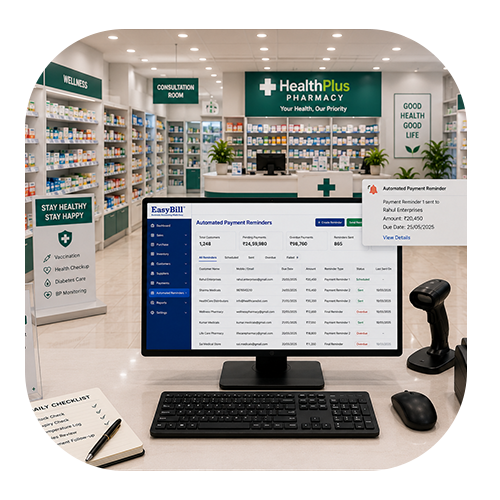
which software is used for billing in pharmacy

Which Software Is Used for Billing in Pharmacy? 7 Powerful Benefits for Better Billing

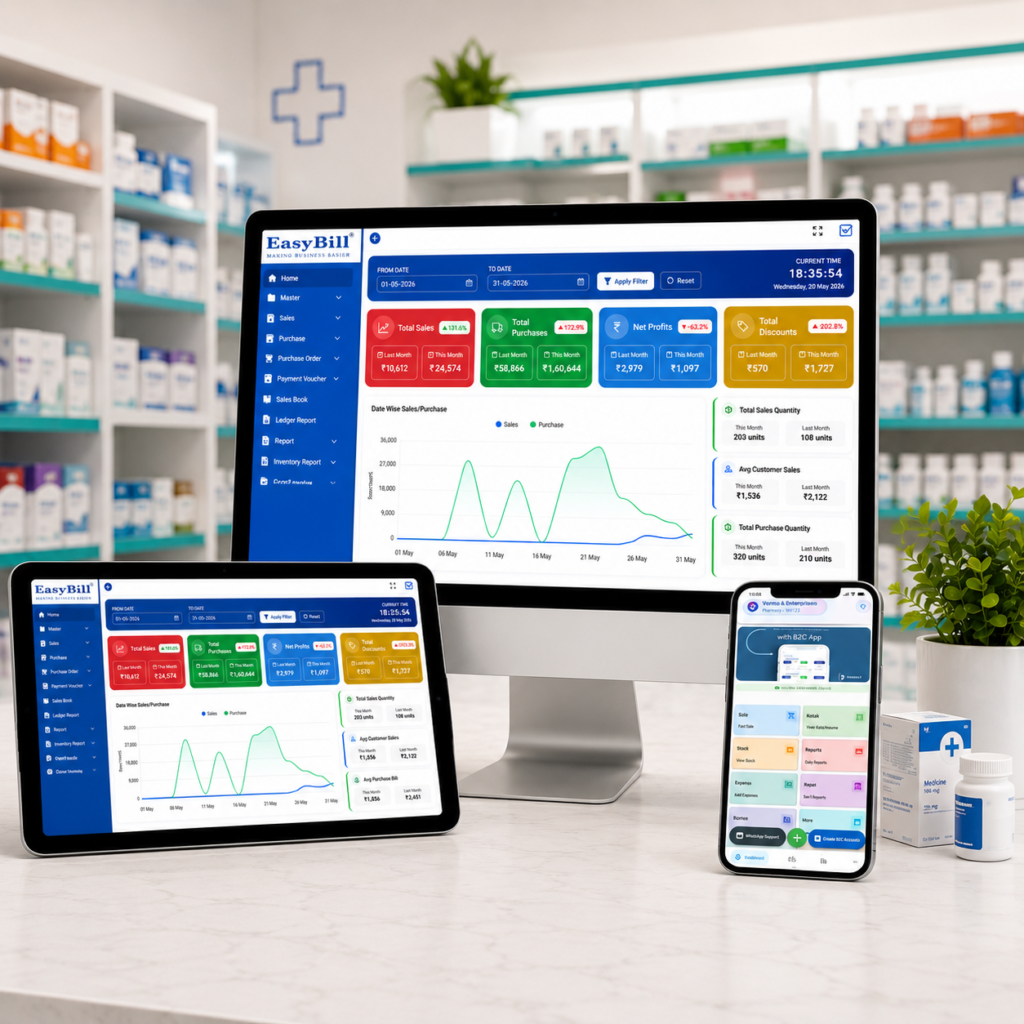
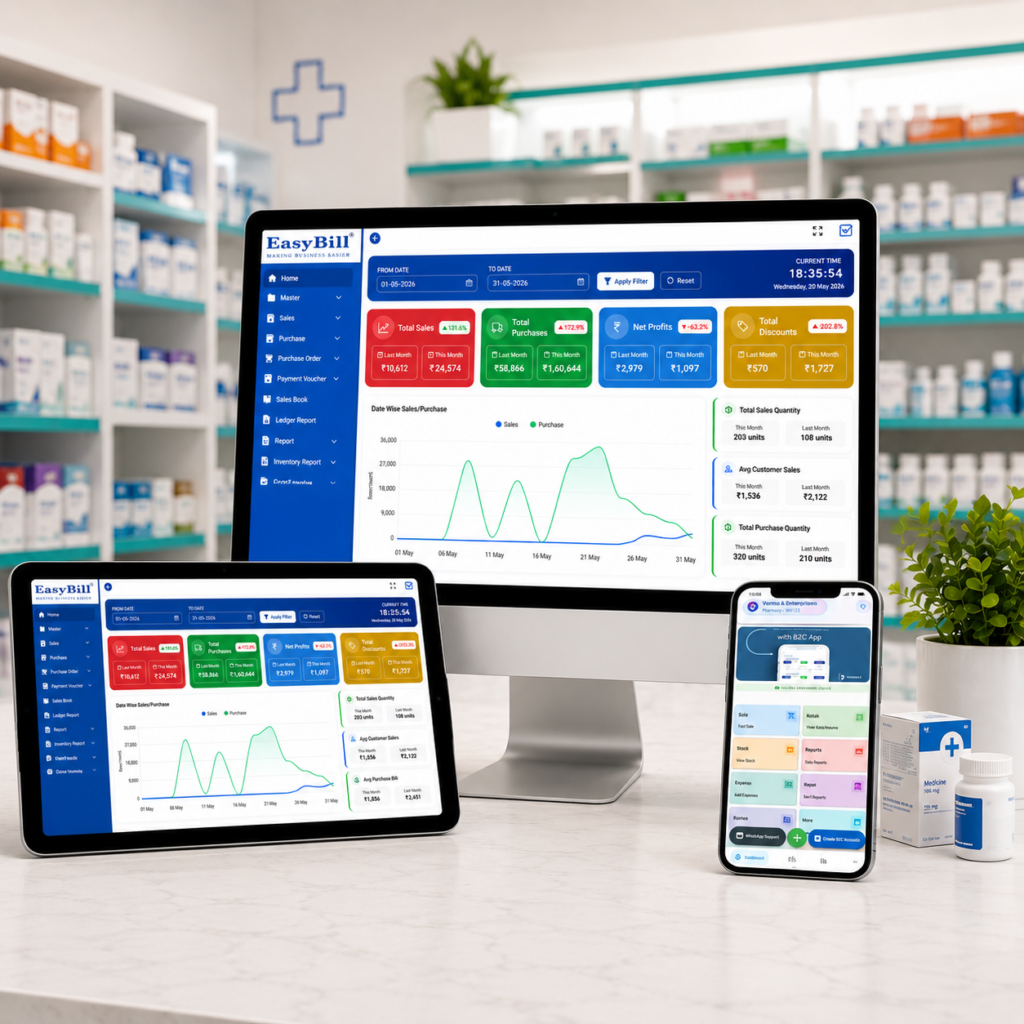
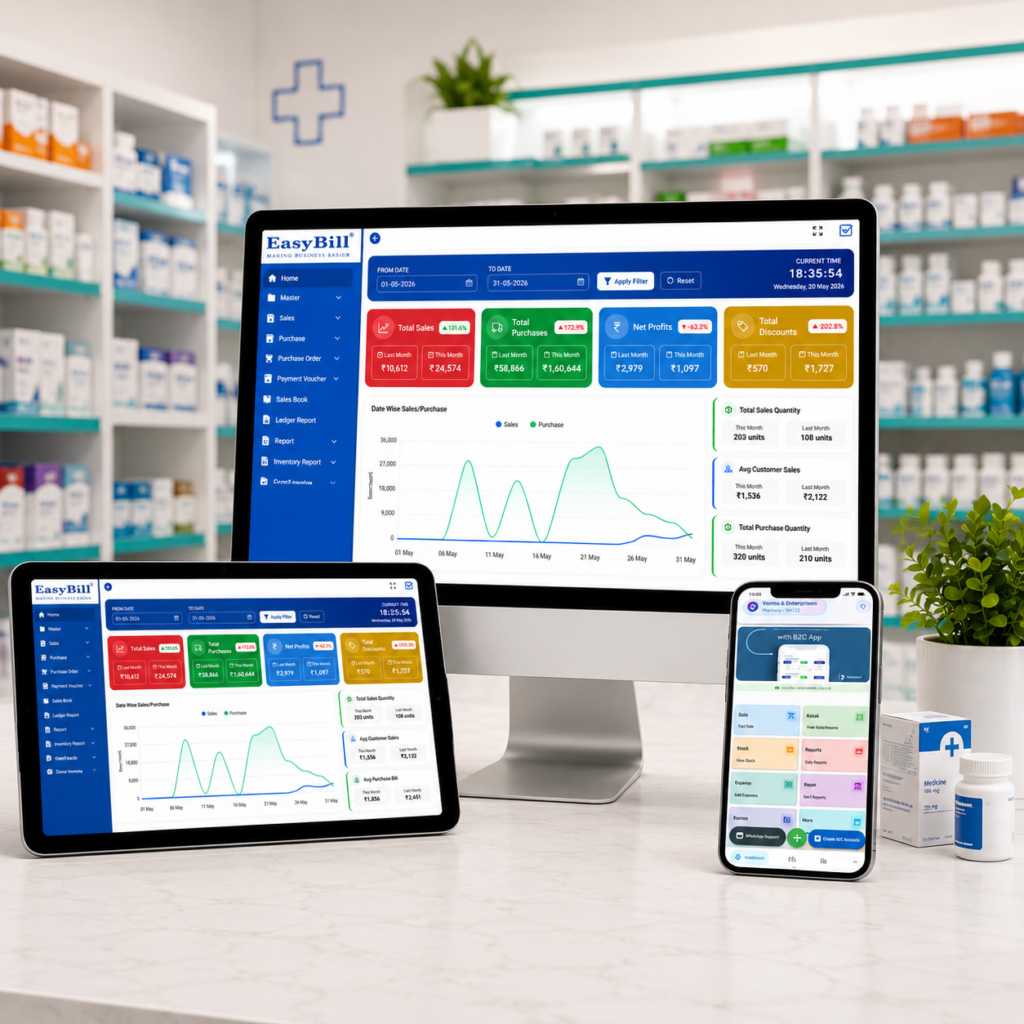
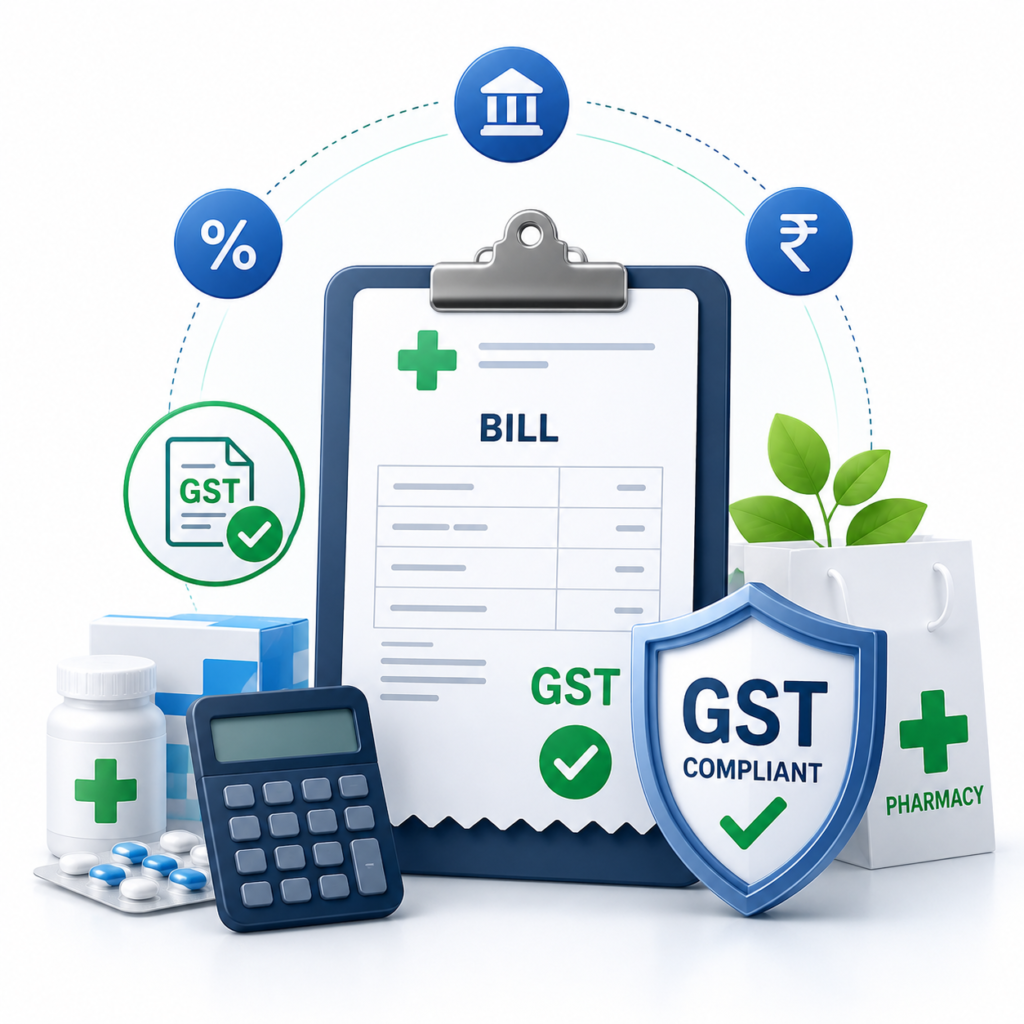
Which software is used for billing in pharmacy? For most modern medical stores, the answer is dedicated pharmacy billing software that connects invoicing with inventory, medicine batches, expiry dates, purchasing, and reporting. The right system can replace repetitive manual work with a faster, more organized workflow. But choosing software should not be about getting the longest feature list. A pharmacy needs a system that works smoothly at the counter and still gives the owner reliable visibility into stock, sales, purchases, and business performance. Table of Contents Which Software Is Used for Billing in Pharmacy? 7 Features to Look For What Is the Best Pharmacy Billing Software? What Are the Top 5 Billing Software Options in India? Is There Free Software for Pharmacy Billing? Why EasyBill ERP Is Worth Considering How to Choose the Right Software Frequently Asked Questions Which Software Is Used for Billing in Pharmacy? Which software is used for billing in pharmacy? A pharmacy normally uses a billing application built for retail medicine sales or a broader pharmacy ERP. Basic billing software can create invoices, while an integrated pharmacy ERP can connect billing with inventory, batch tracking, expiry monitoring, purchasing, suppliers, customers, and reports. This distinction matters because a pharmacy sale does not happen in isolation. When a medicine is sold, the available stock changes. When new stock arrives, the purchase record changes. When a batch approaches expiry, the team needs to know before that inventory becomes a problem. A well-designed system keeps these activities connected. That means fewer duplicate entries, better records, and less dependence on paper registers or spreadsheets. 7 Features to Look For in Pharmacy Billing Software If you are asking which software is used for billing in pharmacy, start with the features that affect daily work rather than choosing based only on price or brand name. 1. GST-Ready Invoicing Billing should be quick, clear, and capable of handling the tax information relevant to your business. GST-ready invoices can reduce repetitive calculations and make transaction records easier to maintain. For official tax information, pharmacies should always refer to the GST Portal and applicable government guidance rather than relying solely on software documentation. 2. Batch and Expiry Tracking Medicine inventory is different from ordinary retail stock. Batch numbers and expiry dates can matter during receiving, selling, stock checks, and returns. Good pharmacy software should make these details easy to find. Expiry alerts can also help staff identify products that need attention before they turn into avoidable losses. 3. Barcode Scanning Barcode scanning can make counter billing noticeably faster. Instead of manually searching for every medicine, staff can scan the product and bring up its stored details. This can also reduce typing mistakes and make the checkout process more consistent during busy hours. 4. Real-Time Inventory Updates One of the biggest reasons to move beyond a basic billing tool is inventory visibility. When a sale is completed, stock should be updated without another manual entry. That gives the pharmacy a more useful view of available quantities and helps reduce the stock mismatches that often appear when sales and inventory are maintained separately. 5. Purchase and Supplier Management Pharmacy operations involve regular purchasing. A practical system should help record suppliers, purchase invoices, incoming stock, and payment information in an organized way. When purchasing and sales data are connected, owners can make better decisions about replenishment and fast-moving products. 6. Multi-User Access A busy medical store may have cashiers, pharmacists, managers, and owners using the same system. Multi-user access can let each person work without creating separate records or duplicate data. Where available, role-based permissions can also help control which actions different users can perform. 7. Secure Backup and Reports Billing and inventory records are important business data. Reliable backup can reduce the risk of losing information because of a device failure or accidental deletion. Reports are equally useful. Sales, purchases, stock, expiry, and profit reports can turn day-to-day transactions into information that helps an owner run the business more confidently. What Is the Best Pharmacy Billing Software? There is no single answer for every store. The best option depends on the pharmacy’s size, number of users, inventory complexity, reporting needs, budget, and preferred workflow. When comparing which software is used for billing in pharmacy, look for a solution that can handle both the counter and the back office. A system that only prints invoices may leave the owner managing stock, purchases, and expiry information somewhere else. For pharmacies that want these functions connected, EasyBill ERP is a practical option to evaluate. It combines billing with inventory management, GST invoicing, batch and expiry workflows, barcode support, supplier management, reporting, and multi-user operations. You can also read our guide on pharmacy billing software for small business to see how these features can fit into everyday medical-store operations. What Are the Top 5 Billing Software Options in India? A top-five list can be useful, but rankings can become misleading when every pharmacy has different needs. Instead, create your own shortlist using measurable criteria. Feature Why It Matters GST billing Supports structured tax invoices and records Batch management Makes medicine stock easier to identify Expiry alerts Helps staff act before stock expires Barcode billing Speeds up product identification Inventory tracking Connects sales with available stock Supplier management Keeps purchasing information organized Reports Helps owners understand sales and stock Backup and security Protects valuable business records So, when someone asks which software is used for billing in pharmacy, the better question is: which system fits the pharmacy’s workflow without creating extra work? That approach produces a more useful shortlist than choosing software simply because it appears on a generic ranking. Is There Free Software for Pharmacy Billing? Free and low-cost billing applications do exist. They may be useful for testing a basic workflow or for very small operations, but pharmacies should check the limitations carefully before relying on one for daily business. Important questions include: Does it support backups? Can it track batches and expiry dates? Does it provide the reports you

Which Software Is Used for Billing in Pharmacy? 7 Powerful Benefits for Better Billing Read More »

pharmacy 2

Professional मेडिकल स्टोर बिलिंग सॉफ्टवेयर: 7 Powerful Benefits for Smarter Pharmacy Management

Last updated: August 25, 2026 Quick answer: Professional medical store billing software can connect medicine billing, inventory, purchases, expiry tracking, customer records and reporting in one workflow. Definition: Medical store billing software is a digital system for managing pharmacy invoices, stock, purchases, medicine records and related business reports. Running a pharmacy is not just about selling medicines. You also need accurate invoices, stock visibility, purchase records, expiry tracking, customer information and smooth day-to-day operations. A Professional Medical Store Billing Software solution can bring these tasks together and make the billing counter easier to manage. Modern pharmacy owners want software that is simple for staff, reliable during busy hours and useful for business decisions. A Professional Medical Store Billing Software system can bring these everyday tasks into one practical workflow. The right system can reduce repetitive manual work while helping the store maintain better records. Table of Contents Why a Professional Pharmacy Billing System Matters A pharmacy handles products that often require more attention than ordinary retail goods. Medicine names, batches, expiry dates, quantities, purchase prices, selling prices and tax information all need to be handled carefully. Manual billing and disconnected spreadsheets can make routine work slower. A dedicated pharmacy billing platform gives staff one place to create invoices, manage products and review business information. 7 Powerful Benefits of Professional Medical Store Billing Software 1. Faster Billing at the Counter Quick checkout matters when customers are waiting. Barcode-based product selection, saved product details and streamlined invoice creation can help staff complete routine sales with fewer manual steps. 2. Better Medicine Inventory Control Inventory management becomes easier when sales and stock records are connected. Store owners can monitor product movement and identify items that need attention instead of maintaining separate manual records. 3. Batch and Expiry Management Medicine inventory often requires batch-level visibility. A suitable system can help staff identify batches and monitor expiry information so that products can be managed more systematically. 4. More Accurate GST Billing Pharmacy invoices may need appropriate tax information and clear transaction records. Billing software can reduce repetitive calculations and make invoice preparation more consistent, while businesses should still verify their tax setup with their accountant or official guidance. 5. Easier Purchase and Supplier Tracking Purchases affect stock, cost and future sales. Keeping supplier and purchase records together makes it easier to review what was purchased, from whom and when. 6. Useful Sales and Business Reports Reports can turn everyday transactions into useful information. Owners can review sales activity, stock movement and other available metrics to understand how the store is performing. 7. Less Manual Work for Pharmacy Staff When product information, billing and inventory are connected, employees spend less time copying the same information between notebooks, spreadsheets and billing screens. This leaves more time for serving customers. Key Features to Look For Before choosing a pharmacy billing solution, look beyond the invoice screen. The software should match your store’s real workflow. How It Improves Daily Pharmacy Work Imagine a busy evening at a medical store. Several customers are waiting while staff search for medicines, check prices and prepare invoices. A well-designed billing workflow can keep product information, pricing and stock details available from the same system. When a sale is completed, the transaction can contribute to the store’s records according to the software’s configuration. This creates a more organized workflow from billing to inventory review and reporting. Why Ease of Use Is Important Powerful features are useful only when staff can operate them confidently. A pharmacy should prefer an interface that is clear, responsive and easy to learn. Professional Medical Store Billing Software should make common pharmacy tasks easy to understand for both owners and counter staff. Shorter workflows can reduce training time and make counter operations more consistent. It is also worth testing common tasks before purchase: create an invoice, search for a medicine, scan a barcode, review stock, check a batch and generate a report. A practical demonstration can reveal whether the software actually fits your team. How EasyBill ERP Can Help EasyBill ERP Pharmacy Billing Software brings billing and pharmacy management tasks into a connected workflow. You can explore its pharmacy-focused features and evaluate the setup according to your store’s requirements. For related information, also explore our pharmacy software with batch management and medicine expiry-date tracking software resources. For official information about GST in India, refer to the official GST portal. This external resource is provided for general reference. Book a Free Demo Want to see how the workflow can fit your medical store? Book a demo and discuss your billing, inventory and pharmacy-management requirements with the team. Frequently Asked Questions What is professional मेडिकल स्टोर बिलिंग सॉफ्टवेयर? It is dedicated billing software designed to help medical stores manage invoices and related pharmacy operations such as products, inventory, purchases, customers and reports. Can pharmacy billing software manage medicine batches? Many pharmacy-focused systems provide batch management. Before purchasing, confirm that the batch fields and workflows match your store’s requirements. Does pharmacy billing software help with expiry tracking? Yes, suitable pharmacy software can provide expiry-related records or alerts. Check the exact expiry workflow offered by the provider. Is GST billing available for medical stores? Many billing systems support GST invoice fields and calculations. Businesses should configure tax settings correctly and verify current requirements using official guidance or professional advice. How can I choose the right pharmacy billing software? Compare billing speed, inventory controls, batch and expiry management, reporting, backups, security, ease of use, support and the ability to handle your store’s transaction volume. Final Takeaway Choosing the right professional मेडिकल स्टोर बिलिंग सॉफ्टवेयर can help a pharmacy move from scattered manual work to a more organized digital workflow. Faster billing, better inventory visibility and useful reports can make everyday management easier. Before making a decision, test the software with real-world pharmacy scenarios and ask for a live demo. This is the easiest way to see whether Professional Medical Store Billing Software matches your counter workflow. The best solution is one that your team

Professional मेडिकल स्टोर बिलिंग सॉफ्टवेयर: 7 Powerful Benefits for Smarter Pharmacy Management Read More »

pharmacy 2

Medical Store Software Software: 7 Powerful Benefits for Smarter Pharmacy Management

Last updated: August 25, 2026 Quick answer: Medical store software can bring billing, stock checks, purchase records, expiry tracking and pharmacy reporting into one organized workflow. Definition: Medical store software is a digital system for managing pharmacy billing, inventory, purchasing, medicine records and business reports. Choosing the right medical store software software can make everyday pharmacy work more organized without making it feel complicated. From quick billing to stock checks, purchase records and expiry tracking, a practical digital system can help a medical store keep routine tasks moving smoothly. Table of Contents Why a Modern Medical Store Needs Better Software A pharmacy handles more than customer invoices. Staff may need to find medicines, check available quantities, receive distributor purchases, review batches and keep expiry information updated while customers are waiting. When these details are spread across notebooks or separate files, small tasks can quickly become time-consuming. A connected medical store software software workflow brings key activities into one place. Instead of repeatedly searching through records, staff can work with organized product, sales, purchase and inventory information. 7 Powerful Benefits of Medical Store Software Software 1. Faster Counter Billing Busy counters need speed and accuracy. Product search, barcode scanning and invoice creation can be handled through a structured workflow, reducing repeated data entry and helping staff serve customers more efficiently. 2. Clearer Medicine Inventory Every sale reduces stock and every purchase increases it. A digital inventory record can give owners a clearer view of what is available, what is moving quickly and which products may need attention. 3. Better Batch and Expiry Tracking Medicine management requires careful attention to batch numbers and expiry dates. Keeping these details with product records makes routine checks easier and can help staff identify stock that needs review before it becomes a problem. 4. More Organized GST Billing Digital billing can keep invoice information structured and make routine tax-related records easier to manage. Tax settings should always be configured according to the store’s applicable requirements. For current tax information, refer to the official GST Portal. 5. Simpler Purchase Management Medical stores often work with multiple distributors. Keeping purchase information, supplier details and received stock together can make it easier to review previous orders and understand where inventory came from. 6. Useful Sales and Stock Reports Owners usually need practical information rather than complicated dashboards. Reports covering sales, purchases, stock and business activity can help them make decisions without manually collecting numbers from several registers. 7. Smoother Customer Service When staff can quickly find a product, check its availability and prepare a bill, the customer experience becomes easier. During peak hours, even small improvements in the workflow can make a noticeable difference. Features to Look For in Medical Store Software Software The best system is not necessarily the one with the longest feature list. Look for tools that match the real work your staff perform every day. How Medical Store Software Software Improves Daily Workflow The real value of software appears during normal working hours. A customer arrives, the staff member searches for the medicine, checks stock and creates the invoice. Later, a distributor delivers products, the purchase is recorded and inventory is updated. At the end of the day, the owner can review sales and stock information from the same system. This connected approach reduces the need to maintain the same information in multiple places. It also gives staff a consistent process to follow, which can be especially helpful as a store grows or adds more employees. How EasyBill ERP Can Help EasyBill ERP Pharmacy Billing Software connects billing, inventory and purchase workflows for medical stores. It can help businesses manage medicine sales, stock, purchases and reports through a centralized platform. If you want to explore related solutions, read the chemist billing software guide or learn more about the pharmacy management system. Frequently Asked Questions What is medical store software software? It refers to a digital workflow designed to help medical stores manage billing, medicine inventory, purchases, batches, expiry information and business reports in an organized way. Is it useful for a small pharmacy? Yes. A small pharmacy using medical store software software can benefit from faster billing, easier stock checking and cleaner purchase records. The system should be simple enough for staff to use comfortably. Can pharmacy software track batches and expiry dates? Pharmacy-focused systems can store batch and expiry information with medicine records, making it easier to review stock and plan routine checks. What should I check before choosing a system? Check billing speed, inventory controls, batch and expiry management, purchase workflows, reports, backups, support and ease of use. A practical system should fit the way your store actually operates. Final Takeaway A good medical store software software solution should make everyday work easier, not add another layer of complexity. When billing, stock, purchases, batch details and reports work together, staff can spend less time searching for information and more time serving customers.

Medical Store Software Software: 7 Powerful Benefits for Smarter Pharmacy Management Read More »

Pharmacy Billing Software in Pune dashboard for medical store billing and inventory management; Pharmacy Billing Software in Lucknow; Pharmacy Billing Software in Kanpur; Pharmacy Billing Software in Gurgaon; Pharmacy Billing Software in Ghaziabad; Pharmacy Billing Software in Jammu and Kashmir; Pharmacy Billing Software in Lucknow ;Medical Shop Software Deals; Multi Branch Pharmacy Inventory System; Automatic Reorder Pharmacy Software; Stock Alert Software for Medical Shop; Pharmacy Software with Batch Management; Medicine Expiry Date Tracking Software; pharmacy software software; Cheap Accounting Software; Professional मेडिकल स्टोर बिलिंग सॉफ्टवेयर; Professional Medical Store Billing Software

Ultimate Pharma Billing Software Guide: Drug Inventory, GST & Pharmacy Management

Last updated: August 25, 2026 Quick answer: Pharma billing software connects pharmacy invoices with medicine inventory, purchases, batches, expiry dates, GST records and reports to create a more organized workflow. Definition: Pharma billing software is a digital system designed to manage pharmaceutical billing together with related inventory and business records. Running a pharmacy is about much more than creating invoices. Every day, a medical store has to manage medicines, batches, expiry dates, purchases, suppliers, GST billing, stock levels, customer accounts and fast service at the counter. That is why choosing the right pharma billing software can make a major difference. Modern pharmacy businesses need more than a basic billing screen. They need a connected system that links sales with inventory, purchasing and reporting. The right drug inventory management software can help a pharmacy owner know what is in stock, which batch is moving, which medicines are nearing expiry and when replenishment may be needed. What Is Pharma Billing Software? Pharma billing software is software designed for pharmacies, chemist shops, medical stores and medicine retailers. It helps create sales invoices while connecting billing with medicine inventory, purchases, batches, expiry dates, customers and business reports. In simple terms, when a medicine is sold, the system can generate the bill and update the relevant stock record. This reduces repetitive data entry and gives the pharmacy team a clearer view of daily operations. What Is Drug Inventory Management Software? Drug inventory management software is a pharmacy-focused inventory system used to organize medicine stock from purchase to sale. It can help businesses maintain product details, quantities, batches, expiry dates, purchase prices, selling prices and stock movement. For a pharmacy, inventory is not simply a count of products. The same medicine can have different batches, expiry dates and purchase costs. A good system therefore needs to make stock information easy to search, update and review. Why Do Pharmacies Need Pharma Billing Software? Manual billing and spreadsheet-based stock management can become difficult when a pharmacy handles hundreds or thousands of products. A pharmacy billing system brings repetitive tasks into one workflow and helps staff work faster with fewer manual steps. 10 Powerful Features of Pharma Billing Software 1. Fast Pharmacy Billing A busy pharmacy cannot afford a slow checkout process. A focused billing workflow helps staff search medicines, enter quantities, apply applicable tax details and generate invoices quickly. 2. Medicine Inventory Management Inventory management keeps product quantities connected with sales and purchases. Instead of manually updating registers, pharmacy teams can review current stock from the software. 3. Batch Tracking Batch information is important for medicine businesses. A pharmacy management system can keep batch details connected with products and transactions so records are easier to find when required. 4. Expiry Management Expiry tracking helps pharmacy owners identify medicines approaching their expiry dates. Better visibility can support timely stock review and reduce avoidable inventory losses. 5. Barcode Billing Barcode scanning can speed up product selection and reduce errors caused by manually typing medicine names or codes. It is particularly useful for pharmacies with a large product range. 6. Purchase Management Record purchases, supplier information and incoming stock in the same system. This creates a useful link between procurement, inventory and sales. 7. Supplier Management Organized supplier records make it easier to review purchase history, outstanding information and frequently purchased products without depending on paper files. 8. Sales and Business Reports Reports can help owners understand sales, purchases, stock movement and other business metrics. Decisions become easier when they are based on current records instead of manual calculations. 9. Customer and Credit Management Where pharmacies offer credit sales, organized customer balances can make account tracking and follow-up easier. Customer history can also help staff find previous transactions quickly. 10. Multi-User and Multi-Branch Support Growing pharmacy businesses may need multiple users, branches or counters. Role-based access and centralized records can help owners maintain better operational control. Pharma Billing Software vs Manual Billing Area Manual Billing Pharma Billing Software Billing More manual work Faster workflow Stock updates Manual entry Connected with transactions Batch tracking Difficult to maintain Organized records Expiry monitoring Easy to miss Easier to review Reports Manual calculations System-generated reports Barcode billing Limited Available with compatible setup How Does Pharma Billing Software Work? The important part is the connection between these activities. A medicine sale affects billing, inventory and reporting at the same time. This connected workflow is one of the biggest advantages over separate registers or spreadsheets. How to Choose the Best Pharma Billing Software Do not choose software only because it creates invoices. Before buying, check whether it matches your pharmacy’s actual workflow. Why EasyBill ERP for Pharmacy Businesses? EasyBill ERP Pharmacy Billing Software brings billing, inventory and pharmacy operations together. The platform is designed to help businesses manage pharmacy billing, POS sales, inventory, purchases and related business records from one system. If you are comparing options for a chemist shop, you can also read our complete guide to chemist billing software. For businesses that need broader billing and inventory functionality, explore EasyBill ERP. For pharmacy businesses in different locations, our related resources such as pharmacy software in Delhi can also help you compare local requirements and workflows. GST Billing and Pharmacy Compliance Pharmacy businesses should configure billing and tax settings according to their applicable requirements. For authoritative GST information, always verify current rules and guidance on the official GST portal. Frequently Asked Questions About Pharma Billing Software What is pharma billing software? Pharma billing software is a pharmacy-focused system that helps create medicine invoices while managing related tasks such as inventory, purchases, batches, expiry dates, customers and reports. What is drug inventory management software? Drug inventory management software helps pharmacies track medicine stock, batches, expiry dates, purchases, sales and stock movement in an organized digital system. Can pharma billing software manage medicine inventory? Yes. Pharmacy-focused billing systems can connect sales and purchases with inventory records and may include batch, expiry and low-stock management features. Does pharma billing software support GST billing? Many pharmacy billing systems provide

Ultimate Pharma Billing Software Guide: Drug Inventory, GST & Pharmacy Management Read More »

Chemist Billing Software: Complete Guide for Faster Pharmacy Billing & Inventory

Last updated: August 25, 2026 Quick answer: Chemist billing software connects billing with medicine stock, batches, expiry dates, purchases, GST invoices and reports to simplify daily chemist-shop operations. Definition: Chemist billing software is a digital billing system designed for medicine retailers and chemist shops, with related inventory and purchasing functions. Running a chemist shop means dealing with more than just billing. You also have to keep medicine stock accurate, track batches and expiry dates, manage purchases, handle GST invoices, and serve customers quickly. Chemist billing software brings these everyday tasks into one place so you can spend less time on paperwork and more time running your store. In this guide, we explain what chemist billing software is, which features matter most, how it helps a medical store, and what to check before choosing a solution. What Is Chemist Billing Software? Chemist billing software is a pharmacy-focused system that helps medical stores create invoices, manage medicine inventory, track batches and expiry dates, record purchases, manage suppliers, and view sales reports from a single dashboard. Unlike basic invoicing tools, pharmacy billing software is designed around the way chemist shops actually work. A good system connects billing with stock, so a sale can update inventory and business records without repeated manual entry. Why Do Chemist Shops Need Billing Software? Manual billing can become difficult as the number of medicines, customers, suppliers and daily transactions grows. A digital system can reduce repetitive work and give the owner a clearer view of what is selling, what is running low and what needs attention. Key Features of Chemist Billing Software 1. Fast Pharmacy Billing Search a medicine, scan its barcode, select the quantity and generate the invoice quickly. This is especially useful during busy hours when customers do not want to wait in a long billing queue. 2. Medicine Inventory Management Track medicine quantities, purchases, sales and stock movement from one system. This helps reduce the chance of relying on notebooks or disconnected spreadsheets. 3. Batch and Expiry Tracking Medicine businesses need visibility into batch numbers and expiry dates. A pharmacy-focused system can help staff identify products approaching expiry and manage stock more carefully. 4. GST Billing and Invoices GST-enabled billing makes it easier to create structured invoices and maintain transaction records. For current GST information and official guidance, refer to the official GST portal. 5. Barcode Billing Barcode scanning can speed up product selection and reduce manual typing. It is particularly useful for stores with a large medicine catalogue. 6. Purchase and Supplier Management Record purchases, suppliers and stock received so the store owner can understand where products came from and how inventory is moving. 7. Reports and Business Insights Useful reports can show sales, purchases, stock movement and other business information. Instead of checking multiple registers, owners can use reports to make quicker operational decisions. Chemist Billing Software vs Manual Billing Task Manual Process Chemist Billing Software Invoice creation More manual work Faster digital billing Stock updates Manual entry Linked with transactions Batch tracking Register or spreadsheet Centralized records Expiry monitoring Manual checking Software-based tracking Barcode billing Limited Supported by compatible systems Reports Time-consuming Generated from business data How to Choose the Best Chemist Billing Software Do not choose software only because it promises “fast billing.” For a chemist shop, look at the complete workflow. Check whether it supports medicine inventory, batch and expiry tracking, GST billing, barcode scanning, purchases, suppliers, reports and user access. EasyBill ERP for Chemist and Medical Stores EasyBill ERP Pharmacy Billing Software is built for pharmacies, chemist shops and medical stores that want to manage billing and inventory together. Depending on the business setup, it can help with GST billing, inventory, barcode billing, purchases, suppliers, sales reports and medicine-related stock management. If you are comparing pharmacy solutions, you can also read our Medical Store Billing Software guide and our Chemist Management System guide for a broader look at pharmacy operations. Frequently Asked Questions About Chemist Billing Software What is the best billing software for a chemist shop? The best chemist billing software is one that fits your store workflow and supports fast billing, medicine inventory, batch and expiry tracking, GST invoices, barcode billing, purchases and useful reports. EasyBill ERP is one option designed for pharmacy and medical-store operations. Can chemist billing software manage medicine inventory? Yes. Pharmacy-focused billing systems can connect sales and purchases with inventory, helping store owners monitor quantities and stock movement. Can it track medicine expiry dates and batches? Yes, a suitable pharmacy system can maintain batch and expiry information so staff can identify stock that needs attention before it becomes a problem. Does chemist billing software support GST billing? Many pharmacy billing systems support GST-enabled invoices and transaction records. Always verify the software’s current features and configuration for your business before implementation. Is chemist billing software useful for a small medical store? Yes. A small store can benefit from faster billing, organized inventory, better purchase records and easier reporting without needing a complex enterprise system. Final Takeaway Chemist billing software is not just an invoice generator. The real value comes from connecting billing, medicine inventory, batches, expiry dates, purchases and reports in one workflow. If your store is spending too much time on manual entries or struggling to keep stock organized, moving to a pharmacy-focused billing system can make daily operations much easier. Looking for a pharmacy billing solution? Explore EasyBill ERP Pharmacy Billing Software or review the EasyBill ERP pricing plans.

Chemist Billing Software: Complete Guide for Faster Pharmacy Billing & Inventory Read More »