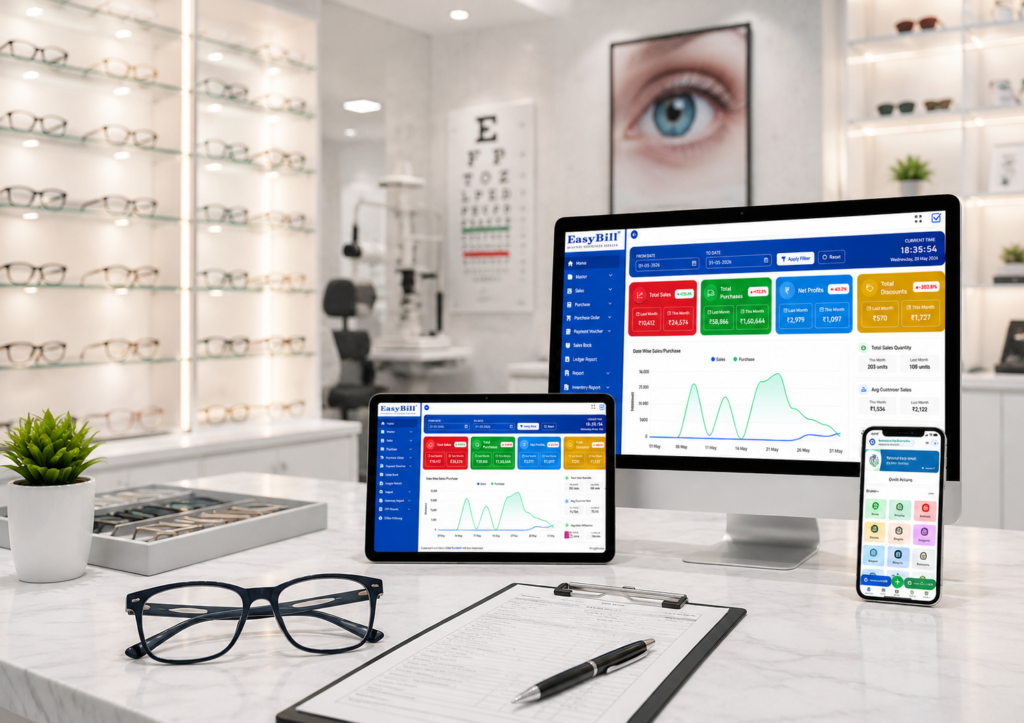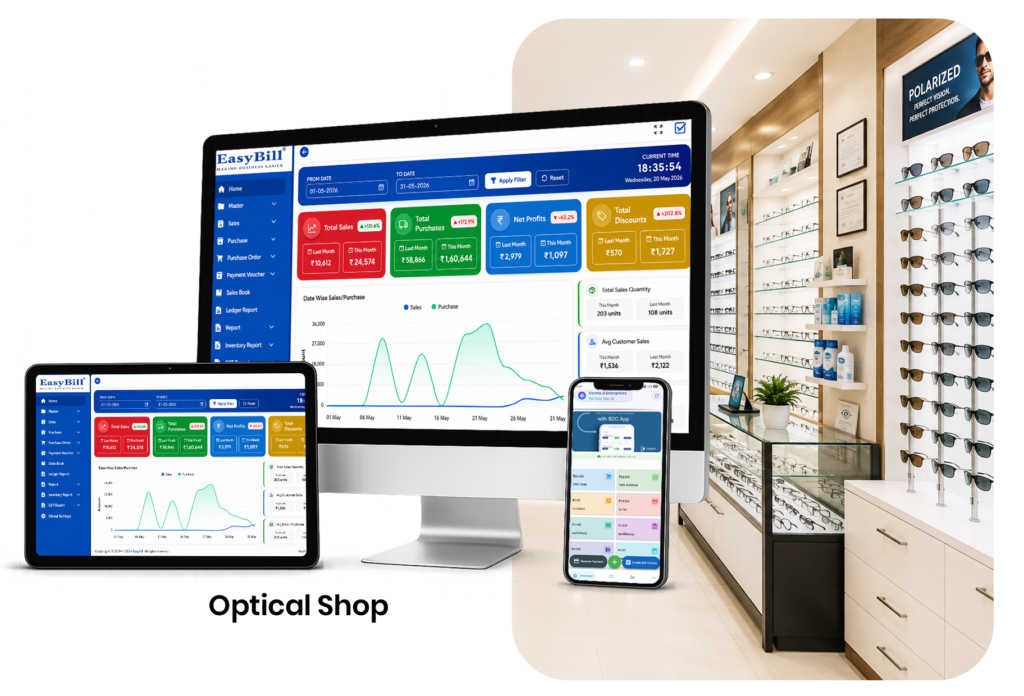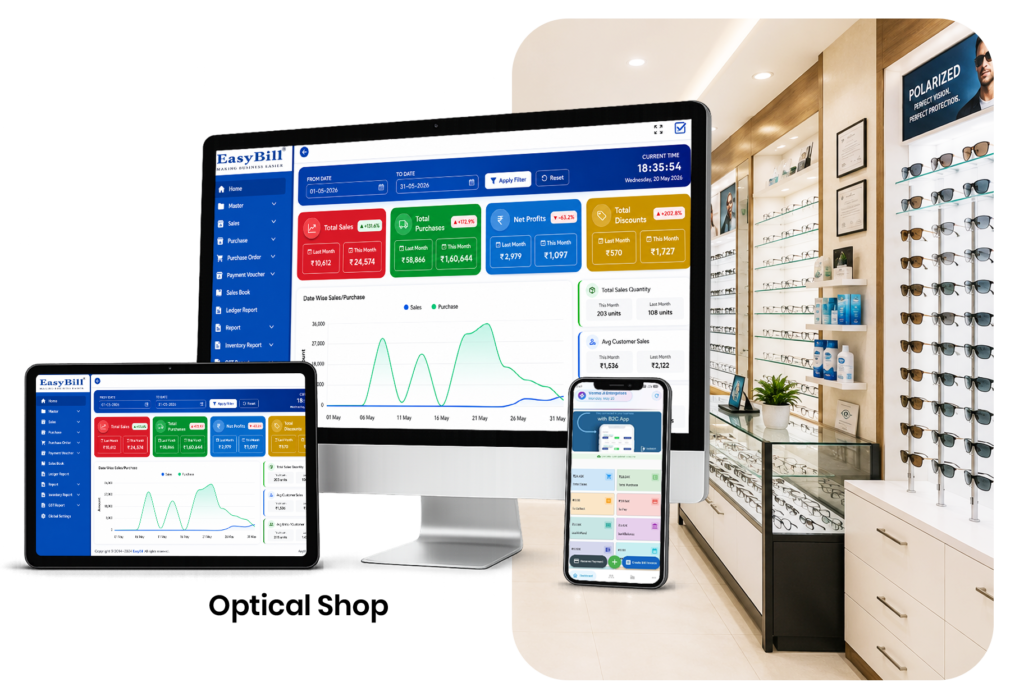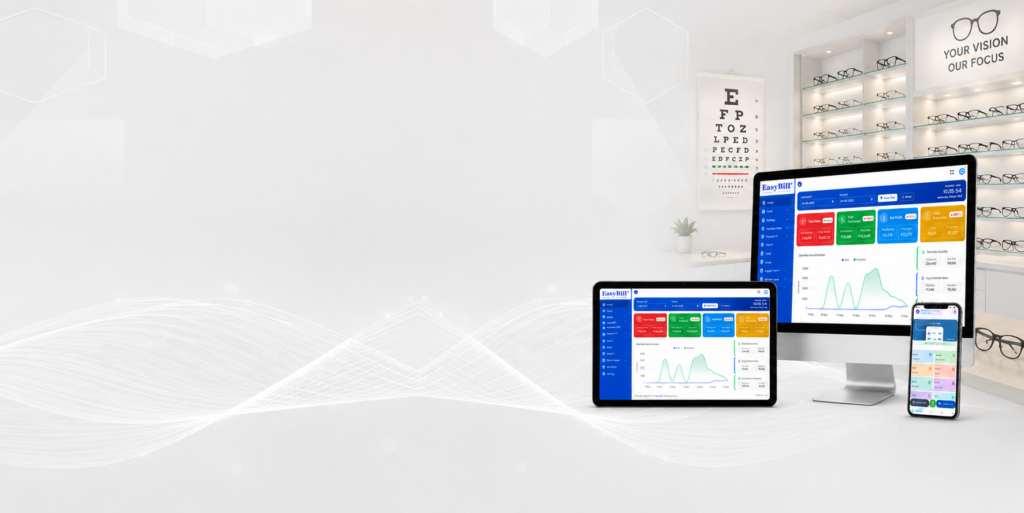

Optical Shop Management Software India: 7 Smart Benefits

Quick answer: Optical shop management software in India can help retailers connect GST billing, inventory, customer records, purchases, payments, orders, and reports. The best setup depends on the store’s size, product range, workflow, and compliance requirements. Definition: Optical Shop Management Software India is a retail management system adapted to the needs of Indian optical businesses. It can combine billing and inventory with customer and operational records in one place. Optical Shop Management Software India image Table of Contents What Indian optical stores need 7 useful features GST and billing considerations How to choose software in India EasyBill ERP FAQs What Do Indian Optical Stores Need From Software? Indian optical retailers may handle GST invoices, local and digital payments, frames, lenses, sunglasses, accessories, customer records, supplier purchases, and day-to-day stock control. A system should support these activities without forcing staff to maintain separate registers for every process. Tax rules and reporting requirements can change. Use the official GST portal as the primary source for current GST information instead of relying on an old blog post. 7 Optical Shop Management Software India Features 1. GST-ready billing workflow The software should let the business configure applicable tax information and generate the required invoice details for its operations. Businesses should validate their own tax treatment with a qualified professional when needed. 2. Inventory for optical products Frames, lenses, sunglasses, and accessories need organized product records. Searchable stock information helps staff find products and owners plan purchases. 3. Customer records Customer profiles can make repeat service easier by keeping contact and transaction history accessible. Only collect and retain information that the business actually needs. 4. Payment tracking Indian stores may accept cash, UPI, cards, and other configured modes. Clear payment records make daily reconciliation easier. 5. Purchase and supplier management Purchase entries help track incoming products and supplier history. When purchases and sales share the same inventory records, stock visibility improves. 6. Reports Useful reports can include daily sales, purchase history, current stock, product movement, outstanding payments, and other management views. 7. Scalability Choose a system that can handle growth in products, users, transactions, or branches. Moving software later can be more disruptive than choosing a scalable system early. What Should You Know About GST and Optical Billing? Software can automate calculations and invoice workflows, but it does not replace the business owner’s responsibility to use the correct tax configuration. GST rates, applicability, registration requirements, and filing obligations should be checked against current official guidance. For businesses that become subject to e-invoicing requirements, the official GST ecosystem provides current information and services. Check the relevant GST e-invoice registration and guidance resource before configuring a production workflow. How Should You Choose Software in India? Example of a Practical Indian Optical Workflow A customer visits the shop, selects a frame, and orders lenses. Staff create or find the customer, add the products, record the order and payment, and generate the relevant invoice or transaction record. Inventory and reports then reflect the transaction. The workflow should remain simple enough for busy counter staff. How EasyBill ERP Can Help EasyBill ERP Optical Shop Management Software is designed for optical billing, inventory, customer management, and reporting. You can also review the existing professional optical store software guide for a wider look at optical retail operations. When evaluating a vendor, request a demonstration using Indian billing examples that match your store. Test the complete path from purchase to sale and report generation instead of evaluating individual features in isolation. Explore Optical Software Solutions Explore these related optical software guides to compare billing, POS, inventory, pricing, and complete store-management options: Trusted External Resources For current business and payment guidance, refer to the official GST portal and NPCI UPI resources. These primary sources are better than relying on outdated third-party summaries. Frequently Asked Questions What is optical shop management software in India? It is software that helps Indian optical retailers manage billing, inventory, customers, purchases, payments, orders, and reports in one connected workflow. Does optical software support GST billing? Many retail systems support configurable GST billing features. Businesses should verify that the specific software and configuration meet their current requirements. Can it support UPI and card payments? Payment support depends on the software and integrations. Confirm the payment methods your store needs before purchase. Is this software suitable for small optical shops? Yes. Small stores can use billing, inventory, customer, and reporting features without needing the full complexity of a large enterprise system. Optical Shop Management Software India Form Optical Shop Management Software India Key Takeaway Optical shop management software in India should combine practical optical workflows with accurate billing, inventory visibility, customer records, and useful reports. Always verify current tax and compliance requirements through official sources. Last updated: August 26, 2026.

Optical Shop Management Software India: 7 Smart Benefits Read More »

best optical shop management software

Best Optical Shop Management Software: 7 Powerful Features

Quick answer: The best optical shop management software should connect billing, inventory, customer records, purchases, orders, payments, and reporting in a workflow that staff can actually use. The right choice depends on store size, product range, operating process, and growth plans. Definition: Best optical shop management software is not simply the application with the longest feature list. It is the solution that matches an optical retailer’s daily workflow, keeps records connected, and provides dependable support and reporting. Table of Contents What makes software the best choice? 7 features to compare Decision scorecard What to test in a demo EasyBill ERP FAQs What Makes the Best Optical Shop Management Software? The answer changes from one business to another. A single-location shop may prioritize fast billing and simple stock control. A growing chain may care more about multi-location visibility, user permissions, reporting, and centralized management. Instead of choosing from a generic list of “best” tools, define your required workflow first. Then compare each solution against the same checklist. 7 Features to Compare 1. Optical billing and POS Billing should be quick, clear, and easy for staff. Check product search, barcode support, discounts, payment modes, invoice sharing, and correction workflows. 2. Frame and lens inventory Optical products can have many attributes. The software should help staff organize products and see stock without creating unnecessary complexity. 3. Customer and order management Customer records, purchase history, orders, advances, and follow-up details should be searchable. This becomes especially important for repeat customers. 4. Purchase and supplier control Good management software should not stop at the billing counter. Purchase records and supplier history help owners understand incoming stock and costs. 5. Reporting Look for reports that answer real questions: What sold today? Which products move quickly? What stock is available? What purchases were made? What payments are outstanding? 6. Security and backups Ask how users are controlled, how data is protected, how backups work, and how the business can recover or export its records. 7. Scalability and support A good solution should fit today’s store while leaving room for future users, products, or locations. Support quality matters because software is part of daily operations. Best Optical Shop Management Software: Simple Decision Scorecard Area Weight to consider What to test Billing High Normal sale, discount, payment, return Inventory High Purchase, sale, stock search Customer workflow High New and repeat customer Reporting Medium to high Daily and product reports Support High Response and onboarding process Scalability Medium Users and future branches What Should You Test in a Software Demo? A live test reveals usability issues that a feature page may not show. Ask the vendor to use your own realistic examples whenever possible. How Does EasyBill ERP Compare? EasyBill ERP Optical Shop Management Software focuses on optical billing, inventory, customer management, and reporting. You can also read the existing best optical shop software guide for additional context. The best choice for your business should be based on workflow fit rather than marketing claims. Request a demonstration, test the common tasks, understand the pricing, and check support before making a final decision. Book a Free Demo See how EasyBill ERP can fit your optical store workflow. Request a free demo to explore billing, inventory, customer management, and reporting. Explore Optical Software Solutions Explore these related optical software guides to compare billing, POS, inventory, pricing, and complete store-management options: Trusted External Resources For current tax and payment guidance, use the official GST portal and NPCI UPI resources. Primary sources help verify details before configuring business software. Frequently Asked Questions What is the best optical shop management software? The best solution is the one that reliably matches your store’s billing, inventory, customer, purchase, order, and reporting requirements while fitting your budget and support expectations. Is the most expensive software the best? No. More features do not automatically mean a better fit. Usability and workflow alignment are equally important. What is the first feature I should test? Test the complete billing workflow because it is usually used repeatedly throughout the day. Then test how that transaction affects inventory and reports. Can one system handle multiple optical stores? Some systems support multi-location operations. Confirm location-wise stock, user permissions, reporting, and pricing before selecting one for a growing business. Key Takeaway Best optical shop management software is a decision based on fit, not a universal ranking. Compare real workflows, test the software with realistic transactions, and choose the system that remains easy to use as your business grows. Last updated: August 26, 2026.

Best Optical Shop Management Software: 7 Powerful Features Read More »

optical shop software price

Optical Shop Software Price: 7 Smart Cost Factors

Quick answer: Optical shop software price depends on the product scope, number of users, locations, features, support, setup, and payment model. A useful comparison should look beyond the advertised starting price and calculate the total cost of running the software for your store. Definition: Optical shop software price is the total amount a business may spend to use an optical billing, inventory, POS, or management solution. It can include subscription or license charges plus setup, support, upgrades, integrations, or additional users. Table of Contents 7 factors that affect price Subscription vs one-time cost How to judge value Questions to ask vendors EasyBill ERP FAQs 7 Factors That Affect Optical Shop Software Price 1. Feature scope A basic billing system and a complete optical management platform do not provide the same scope. Inventory, customer management, purchase workflows, reporting, prescriptions, orders, and multi-location features can change the value proposition. 2. Number of users Some plans are priced by user or workstation. Ask whether the price covers all staff who need access or only a limited number of users. 3. Number of locations A single-shop setup may cost less than a system designed to manage multiple branches. If expansion is likely, compare the cost of adding another location before choosing. 4. Support and onboarding Training, data migration, setup assistance, and ongoing support can have real value. A lower software price may not be better if staff cannot get help when they need it. 5. Hardware and integrations Barcode scanners, printers, payment integrations, accounting connections, or other hardware can add to the overall budget. Separate software costs from equipment costs. 6. Data and backup options Understand how data is stored, backed up, exported, and recovered. These details matter when comparing long-term value. 7. Upgrade and renewal terms Ask what happens after the first billing period. Check renewal pricing, feature changes, upgrade policies, and cancellation terms before committing. Subscription vs One-Time Software Cost Model Typical consideration Subscription Lower initial commitment, recurring expense One-time license Higher upfront cost may be followed by maintenance or upgrade costs Custom plan Price depends on users, features, integrations, or locations There is no universally cheaper model. Compare the expected cost over the period you plan to use the software, not just the first payment. How Should You Judge the Value of Optical Shop Software? Start with the problems the software is supposed to solve. If it reduces duplicate entry, makes stock easier to control, speeds billing, and gives owners reliable reports, those operational benefits should be included in the decision. For example, imagine a store spends significant staff time maintaining separate billing and inventory records. A connected system may be valuable even if its price is higher than a billing-only application because it addresses a wider workflow. 7 Questions to Ask Before Buying For GST-related configuration and current tax information, check the official GST portal. How EasyBill ERP Can Help EasyBill ERP Optical Shop Management Software is positioned as an integrated optical billing, inventory, customer, and management solution. If you are comparing options, first define your store’s required workflow and then request a quote or demo based on that scope. You can also review the existing best optical shop software guide to understand which features may matter before comparing plans. Book a Free Demo See how EasyBill ERP can fit your optical store workflow. Request a free demo to explore billing, inventory, customer management, and reporting. Explore Optical Software Solutions Explore these related optical software guides to compare billing, POS, inventory, pricing, and complete store-management options: Trusted External Resources For current tax and payment guidance, use the official GST portal and NPCI UPI resources. Primary sources help verify costs, taxes, and payment considerations before choosing software. Frequently Asked Questions What is the average optical shop software price? There is no single reliable average because pricing models and feature sets vary. Compare the full cost for your users, locations, features, support, and expected usage. Is cheaper optical software always better? No. A lower price can be attractive, but missing inventory, support, reporting, or scalability may create additional costs later. Should I choose monthly or yearly billing? Compare cash flow, discount terms, cancellation conditions, and expected usage period. Choose the model that matches your business needs. What should be included in the quote? Ask for software access, users, devices, support, onboarding, updates, integrations, taxes, and any additional charges to be clearly listed. Key Takeaway Optical shop software price should be evaluated as a total-cost and value decision. Compare what you receive, what you may pay later, and how well the software solves your store’s actual operational problems. Last updated: August 26, 2026.

Optical Shop Software Price: 7 Smart Cost Factors Read More »

eyewear shop management software

Eyewear Shop Management Software: 7 Smart Ways to Grow

Quick answer: Eyewear shop management software helps retailers organize billing, frames, lenses, accessories, customers, purchases, orders, and reports in one workflow. It is designed for businesses where product variety and customer service both matter. Definition: Eyewear shop management software is a retail management system for stores selling optical and eyewear products. It can bring sales, inventory, customer records, purchasing, and reporting together. Table of Contents Why eyewear stores need connected software 7 features to prioritize How software supports growth How to choose it EasyBill ERP FAQs Why Eyewear Stores Need Connected Software Eyewear retail involves many product choices and customer conversations. Staff may need to check a frame, create an order, review customer history, collect an advance, and later complete the sale. When information is spread across notebooks and separate applications, follow-up becomes harder. A connected system creates one operational trail. The goal is not to automate every decision; it is to make the information needed for those decisions easier to find. 7 Eyewear Shop Management Software Features to Prioritize 1. Product catalog management Maintain organized records for frames, lenses, sunglasses, accessories, brands, and categories. A clean catalog helps staff search products quickly. 2. Fast billing The checkout should support quick product selection, pricing, discounts, payments, and invoice generation. Staff should be able to complete common sales without unnecessary steps. 3. Customer history Repeat customers benefit when staff can find previous purchases and order information. Keep customer data organized and accessible according to your business’s privacy practices. 4. Order tracking Some eyewear sales involve work that continues after the initial visit. A clear order status helps staff know which orders are pending, ready, or completed. 5. Inventory control Sales should connect with stock so the store can see product movement. Purchase records can then be compared with sales to support better buying decisions. 6. Reports Sales, purchase, stock, customer, and payment reports help owners move beyond guesswork. A smaller set of useful reports is often better than a dashboard full of unused metrics. 7. Scalability As a store grows, its software may need more users, products, reports, or locations. Check future requirements before selecting a system. How Can Eyewear Shop Management Software Support Growth? Growth usually creates more transactions and more records. Software can help by standardizing product entry, keeping billing consistent, and reducing repeated manual work. Example: From Customer Visit to Completed Order A customer selects a frame and orders lenses. Staff create the customer record, add the selected products, record the order and advance, and keep the transaction available for later completion. When the order is ready, staff can find the record instead of starting again. This kind of continuity is where eyewear software can become more useful than a basic cash register. How Should You Choose Eyewear Shop Management Software? Test the software with real scenarios. Ask the vendor to demonstrate a frame sale, a lens order, a customer lookup, a return, a purchase entry, and a report. Also check support, backups, user permissions, data export, and the total cost of ownership. For an optical-focused option, review EasyBill ERP Optical Shop Management Software. You can also read the existing professional optical store software guide for a broader operational view. How EasyBill ERP Can Help EasyBill ERP brings optical billing, inventory, customer records, and reporting into one workflow. For stores that want to move away from disconnected registers, the main benefit is having common business information in one place. For tax configuration, always verify current requirements through the official GST portal. Book a Free Demo See how EasyBill ERP can fit your optical store workflow. Request a free demo to explore billing, inventory, customer management, and reporting. Explore Optical Software Solutions Explore these related optical software guides to compare billing, POS, inventory, pricing, and complete store-management options: Trusted External Resources For current payment guidance, refer to the NPCI UPI resources. For tax information relevant to Indian retail operations, use the official GST portal. Frequently Asked Questions What is eyewear shop management software? It is software that helps eyewear retailers manage products, billing, customers, purchases, orders, inventory, and reports. Can eyewear software manage frames and lenses? Yes. A suitable system can maintain product records for frames, lenses, sunglasses, and related items. Is it useful for a small eyewear shop? Yes. A small store can start with billing, inventory, and customer management and use additional features as operations grow. What is the most important feature? There is no single feature for every store. The most important requirement is a workflow that handles your actual sales, inventory, customer, and order processes reliably. Key Takeaway Eyewear shop management software should make everyday retail work more organized, not more complicated. Prioritize fast billing, accurate product records, connected inventory, customer history, order tracking, and useful reports. Last updated: August 26, 2026.

Eyewear Shop Management Software: 7 Smart Ways to Grow Read More »

optical billing inventory software

Optical Billing Inventory Software: 7 Powerful Benefits

Quick answer: Optical billing inventory software connects the sale and the stock record so a retailer can invoice customers while keeping product availability easier to track. It is useful for stores that want billing and inventory to work as one workflow rather than two separate tasks. Definition: Optical billing inventory software combines point-of-sale billing with inventory control for optical products such as frames, lenses, sunglasses, and accessories. The value comes from keeping transaction data and stock information connected. Table of Contents Why combine billing and inventory? 7 important features How the process works Comparison guide EasyBill ERP FAQs Why Combine Billing and Inventory? When billing and stock are maintained separately, staff may have to enter the same product information more than once. That creates opportunities for mismatched quantities, outdated prices, and unclear stock reports. With a connected system, the invoice becomes part of the inventory trail. A sale can reduce stock, a purchase can increase stock, and reports can draw from the same underlying transactions. 7 Optical Billing Inventory Software Features 1. Unified product records Maintain one product record for each frame, lens, accessory, or other item. Clear naming and categorization make both billing and reporting easier. 2. Sales-linked stock Completed sales should update available stock. This reduces the need for a second stock-entry step after every invoice. 3. Purchase management Record supplier purchases and incoming stock in the same system. This creates a history that can help owners compare buying patterns and costs. 4. Barcode support Barcode scanning can speed product selection at the counter and reduce manual entry, provided the barcode-to-product mapping is maintained correctly. 5. Customer and order records Optical sales can involve repeat customers and orders. Keeping customer and transaction details together makes follow-up easier. 6. Business reports Owners can use sales, purchase, stock, and customer reports to understand what is happening in the store. Reports should be simple enough to support daily decisions. 7. Tax-ready billing controls Billing software should allow the business to configure applicable tax information correctly. Always verify current requirements with the official GST portal. How Does Optical Billing Inventory Software Work? Set up product and supplier records. Record opening stock and purchases. Search or scan products during a sale. Generate the invoice with the configured pricing and tax settings. Record payment or advance. Update stock through the completed transaction. Review reports for reconciliation and purchasing. The important point is that staff should not have to remember a separate inventory step after every completed sale. Billing-Only vs Billing + Inventory Capability Billing only Connected billing and inventory Invoices Yes Yes Stock visibility Limited or separate Connected Purchase history May be separate Integrated Product movement Harder to trace Easier to review Which Businesses Benefit Most? Optical shops with many frame SKUs Stores selling frames and lenses together Eyewear retailers with regular purchases Businesses that want daily stock reports Growing stores preparing for more than one location How EasyBill ERP Can Help EasyBill ERP Optical Shop Management Software combines optical billing, inventory, customer information, and reporting. If you want a broader feature overview, see the existing best optical shop software article. A practical implementation starts with product cleanup. Before importing or entering stock, decide how frames, lenses, accessories, and brands will be categorized. Consistency at this stage makes later reports much easier to understand. Book a Free Demo See how EasyBill ERP can fit your optical store workflow. Request a free demo to explore billing, inventory, customer management, and reporting. Explore Optical Software Solutions Explore these related optical software guides to compare billing, POS, inventory, pricing, and complete store-management options: Optical Shop Billing Software Optical Inventory Management Software Optical Shop POS Software Optical Store Management Software Optical Billing Inventory Software Eyewear Shop Management Software Optical Shop Software Price Best Optical Shop Management Software Frequently Asked Questions What is optical billing inventory software? It is a combined billing and inventory solution for optical retailers, designed to connect sales transactions with product stock records. Can billing automatically reduce inventory? Yes, integrated systems can reduce available stock when a completed sale is recorded. Why is combined software better than separate tools? It can reduce duplicate entry and give the business a more consistent transaction trail across billing, purchases, and stock. What should I check before choosing a solution? Review product handling, billing speed, stock updates, purchase records, reports, payment tracking, support, security, and scalability. Key Takeaway Optical billing inventory software is useful when the business needs one reliable flow from product purchase to sale and stock reporting. The best system is the one that fits daily store operations without unnecessary complexity. Last updated: August 26, 2026.

Optical Billing Inventory Software: 7 Powerful Benefits Read More »

optical store management software

Optical Store Management Software: 7 Smart Business Wins

Quick answer: Optical store management software brings billing, inventory, customers, purchases, orders, and reporting into one business workflow. It is useful when an optical store wants to replace disconnected registers and spreadsheets with searchable records. Definition: Optical store management software is a broader retail management system for optical businesses. Unlike a billing-only tool, it can connect the front counter with purchasing, stock control, customer information, and business reporting. Table of Contents What does it manage? 7 useful features Who benefits most? Daily workflow How EasyBill ERP fits FAQs What Does Optical Store Management Software Manage? A modern optical business may handle product purchases, frame and lens stock, customer records, sales, payments, orders, returns, and reports. Managing each area separately can create repeated work and make it harder to see the complete picture. A connected system gives the owner one operational view. It does not remove the need for good processes, but it can make those processes easier to follow consistently. 7 Optical Store Management Software Features 1. Billing and POS Fast billing keeps the customer-facing part of the business moving. The checkout should be simple enough for staff to learn without extensive technical training. 2. Inventory management Store owners need to know what is available, what is moving, and what needs attention. Connected stock records are more useful than isolated purchase and sales lists. 3. Customer management Searchable customer profiles can preserve contact details, purchase history, and relevant order notes. This supports repeat business and more consistent service. 4. Purchase and supplier records Tracking purchases helps owners understand supplier costs, incoming stock, and purchase history. It also creates a useful trail for reconciliation. 5. Order and prescription workflow Optical stores often have orders that are not completed at the counter. A structured order workflow can help staff track pending work and reduce forgotten follow-ups. 6. Reports and dashboards Reports can show sales, purchases, stock movement, outstanding amounts, and other business information. The best report is one the owner can understand and act on. 7. Multi-store readiness Growing businesses may need location-wise visibility. Even if a store has one outlet today, choosing a scalable system can reduce migration work later. Who Should Use Optical Store Management Software? The right system depends on store size and workflow. A small shop may need a simple billing and inventory setup, while a growing chain may need deeper location and reporting controls. What Does a Typical Daily Workflow Look Like? Keeping these steps connected creates a cleaner operational trail and makes end-of-day review easier. Software vs Separate Tools Area Separate tools Connected software Billing One record Connected to customer and stock data Inventory May require duplicate updates Can follow transactions Reports Manual consolidation Based on stored transactions Customer history Scattered records Searchable profile How EasyBill ERP Can Help EasyBill ERP Optical Shop Management Software is built around optical billing, inventory, customer management, and reporting. The existing professional optical store software article also explains the broader store-management approach. When evaluating a system, use your actual store scenarios. Test a new purchase, a frame sale, a lens order, a customer lookup, a return, and the end-of-day report. This gives a better decision signal than checking feature names alone. Book a Free Demo See how EasyBill ERP can fit your optical store workflow. Request a free demo to explore billing, inventory, customer management, and reporting. Explore Optical Software Solutions Explore these related optical software guides to compare billing, POS, inventory, pricing, and complete store-management options: Trusted External Resources For current tax and payment guidance, refer to the official GST portal and NPCI UPI resources. These primary sources can help validate business requirements. Frequently Asked Questions What is optical store management software? It is software that connects core optical retail operations such as billing, inventory, customers, purchases, orders, and reporting. Is optical store software different from billing software? Usually, yes. Billing software focuses mainly on transactions, while store-management software can cover a wider set of operational processes. Can a small optical shop use it? Yes. Small stores can start with billing, inventory, customer, and reporting features and expand their workflow as the business grows. How should I choose optical store software? Choose based on your actual workflow, ease of use, inventory needs, reporting, support, data security, scalability, and total cost. Key Takeaway Optical store management software should connect the everyday tasks that keep an optical business running. The goal is a practical system that staff can use consistently and owners can trust for decisions. Last updated: August 26, 2026.

Optical Store Management Software: 7 Smart Business Wins Read More »

optical shop POS software

Optical Shop POS Software: 7 Powerful Ways to Sell Better

Quick answer: Optical shop POS software gives staff one place to search products, create bills, accept payments, update inventory, and review sales. A useful POS should reduce checkout friction while keeping the transaction connected to the store’s wider records. Definition: Optical shop POS software is a point-of-sale system adapted to eyewear retail. Instead of treating the checkout as a standalone cash counter, it connects sales with products, customers, payments, and stock. Table of Contents What makes optical POS different? 7 features that matter How an optical POS workflow works How to choose a POS EasyBill ERP FAQs What Makes Optical Shop POS Software Different? Generic retail POS tools can process a sale, but optical stores often need richer product and customer information. Frames, lenses, sunglasses, accessories, prescriptions, orders, advances, and customer history may all be part of the same business process. The best approach is to keep the checkout screen simple while allowing the back office to store the details needed for purchasing, inventory, reporting, and follow-up. 7 Optical Shop POS Software Features That Matter 1. Fast product search Staff should be able to find a frame, lens, or accessory quickly by a practical product identifier. Search becomes increasingly important as the catalog grows. 2. Barcode support Barcode scanning can reduce manual product entry and help staff select the intended item during a busy checkout. The barcode should remain linked to the correct product record. 3. Integrated inventory A POS becomes more useful when a completed sale updates stock automatically. This keeps the sales counter connected with the back-office inventory view. 4. Multiple payment modes Optical stores may accept cash, UPI, cards, or other configured modes. The POS should record the chosen payment method clearly for reconciliation. 5. Customer records Repeat customers should not have to provide the same information every time. Searchable customer records make repeat purchases and service conversations easier. 6. Returns and corrections Retail transactions sometimes need adjustments. Controlled return and correction workflows help preserve a reliable transaction history instead of encouraging staff to delete records. 7. Sales reporting Owners should be able to review sales by date, product, staff member, or payment mode where the system supports those reports. Reporting turns POS data into a management tool. How Does Optical Shop POS Software Work? Open the customer record or create one. Search or scan the product. Review price, discount, quantity, and configured tax. Confirm the order. Record the payment. Generate the invoice. Let the system update connected stock and reports. This workflow is short enough for the billing counter but still creates useful business records. POS Decision Checklist Question Why it matters Is product search fast? Reduces checkout time Does billing update stock? Reduces duplicate entry Are payment modes reportable? Makes reconciliation easier Can staff find customer history? Improves repeat service Are reports easy to understand? Supports decisions How Should You Choose Optical Shop POS Software? Start with the real counter workflow rather than a long feature list. Ask staff to demonstrate a normal frame sale, a lens order, a discount, a partial payment, and a return. If the system handles those situations without unnecessary screens, it is more likely to be useful in practice. For tax-related configuration and current requirements, use the official GST portal rather than relying on an old software article. How EasyBill ERP Can Help EasyBill ERP Optical Shop Management Software is designed to connect billing, inventory, customers, and reporting for optical businesses. You can also compare its broader workflow with the existing best optical shop software guide. A practical POS rollout should begin with product cleanup, staff permissions, payment modes, invoice settings, and a short training routine. That foundation often matters more than adding every possible feature on day one. Book a Free Demo See how EasyBill ERP can fit your optical store workflow. Request a free demo to explore billing, inventory, customer management, and reporting. Explore Optical Software Solutions Explore these related optical software guides to compare billing, POS, inventory, pricing, and complete store-management options: Optical Shop Billing Software Optical Inventory Management Software Optical Shop POS Software Optical Store Management Software Optical Billing Inventory Software Eyewear Shop Management Software Optical Shop Software Price Best Optical Shop Management Software Frequently Asked Questions What is optical shop POS software? It is point-of-sale software designed to help optical stores process sales while connecting billing with products, customers, payments, and inventory. Can optical POS software manage inventory? Yes, when inventory is integrated. Completed sales can update stock and make product movement easier to track. Is barcode scanning useful in an optical store? Yes. Barcode scanning can make product selection faster and reduce manual entry errors when the product catalog is properly maintained. What should I test before selecting a POS? Test normal sales, discounts, payments, returns, customer lookup, stock updates, and reports using examples that match your store. Key Takeaway Optical shop POS software should make checkout faster without disconnecting the sale from inventory and customer records. Choose the workflow that staff can use accurately every day. Last updated: August 26, 2026.

Optical Shop POS Software: 7 Powerful Ways to Sell Better Read More »

optical inventory management software

Optical Inventory Management Software: 7 Smart Stock Wins

Quick answer: Optical inventory management software helps retailers track frames, lenses, sunglasses, accessories, purchases, sales, and stock movement in one system. It is especially useful when a store has many product variations and wants a clearer view of what is available. Definition: Optical inventory management software is a stock-control solution built around the product and order needs of optical retailers. It can connect purchases and sales so inventory records stay closer to real business activity. Table of Contents Why optical inventory needs structure 7 useful features How the workflow works A practical store example How EasyBill ERP fits FAQs Why Optical Inventory Management Software Is Important Optical stores often carry products that look similar but differ by brand, model, size, power, material, color, or other attributes. A simple quantity register may not give staff enough information to find the right item quickly. A connected inventory system records stock movements as purchases and sales happen. For businesses selling packaged accessories or products subject to labeling requirements, owners should also review current guidance from the Department of Consumer Affairs and follow requirements applicable to their products. 7 Optical Inventory Management Software Features to Check 1. Product master management Each item should have a clear product record with name, brand, category, selling price, purchase price, and stock quantity. Good product organization makes searching faster. 2. Frame and lens tracking Optical businesses need more detail than a generic retail list. The system should support relevant frame and lens attributes and allow staff to find products without depending on memory. 3. Purchase and supplier tracking When new stock arrives, purchase records should increase inventory and preserve supplier information. This gives owners a useful history when checking costs or reordering. 4. Sales-linked stock reduction Stock should reduce when an invoice is completed. Connecting sales and inventory reduces the need to update two separate registers. 5. Low-stock visibility Low-stock indicators help staff notice popular products before they disappear from shelves. The exact reorder level should be based on sales patterns, supplier lead time, and business policy. 6. Stock reports Useful reports include current stock, stock movement, purchase history, sales by product, and slow-moving items. These reports can support better buying decisions. 7. Multi-location readiness If a business plans to open another store, location-wise stock records can become important. A scalable system should make it easier to understand what is held at each location. How Does Optical Inventory Management Software Work? The basic cycle is simple: Create organized product records. Record opening stock or purchases. Sell products through billing. Let completed sales reduce stock. Review stock and movement reports. Reorder products using actual demand and supplier information. This creates a single chain from purchase to shelf to sale. It also makes it easier to investigate a mismatch because the owner can review the transaction history instead of relying on memory. Practical Example: A Frame Sale Imagine an optical shop has ten units of a frame model. Two are sold during the day. In a connected workflow, the completed invoices reduce available stock to eight. The owner can then review sales history and decide whether another purchase is needed. This example is simple, but the same principle becomes more valuable when the store handles hundreds or thousands of product records. Manual Stock Control vs Software Task Manual approach Software approach Product search Paper or memory Searchable database Stock updates Separate entry Connected to transactions Purchases Registers or files Supplier-linked records Stock reports Manual calculation Generated from records How EasyBill ERP Can Help EasyBill ERP Optical Shop Management Software combines optical billing, inventory, customer information, and business reporting. For a broader discussion of retail workflows, you can also read professional optical store software. A good implementation starts with clean product names and categories. Avoid creating multiple product records for the same item just because staff use different spellings. Consistent masters make reports much more useful. Book a Free Demo See how EasyBill ERP can fit your optical store workflow. Request a free demo to explore billing, inventory, customer management, and reporting. Explore Optical Software Solutions Explore these related optical software guides to compare billing, POS, inventory, pricing, and complete store-management options: Optical Shop Billing Software Optical Inventory Management Software Optical Shop POS Software Optical Store Management Software Optical Billing Inventory Software Eyewear Shop Management Software Optical Shop Software Price Best Optical Shop Management Software Trusted External Resources For current tax and payment guidance, use the official GST portal and NPCI UPI resources. These primary sources can help verify tax and payment requirements for optical retailers. Frequently Asked Questions What is optical inventory management software? It is software that helps an optical retailer organize products, purchases, sales, stock quantities, suppliers, and inventory reports. Can it manage frame and lens inventory? Yes. A suitable optical system can organize frame and lens records with the product attributes that matter to the store. Can inventory update automatically after billing? Yes. When billing and inventory are integrated, completed sales can reduce available stock without a separate manual update. Is it useful for a small optical store? Yes. Even a small shop benefits from searchable products, clearer stock records, and easier purchase planning. Key Takeaway Optical inventory management software works best when product records, purchases, sales, and stock reports stay connected. The goal is not more data entry; it is better visibility with less repeated work. Last updated: August 26, 2026.

Optical Inventory Management Software: 7 Smart Stock Wins Read More »

optical shop billing software

Optical Shop Billing Software: 7 Powerful Billing Tips

Quick answer: Optical shop billing software helps optical retailers create accurate invoices, apply configured taxes, manage products, record customer details, and keep sales connected with inventory. The right system should make checkout faster without making the workflow complicated. Definition: Optical shop billing software is a retail billing solution designed for eyewear businesses that sell frames, lenses, sunglasses, contact lenses, and related products. A useful system connects billing with stock, customers, payments, and reporting. Table of Contents Why optical billing needs a focused workflow 7 features to look for A practical billing workflow Software vs manual billing How EasyBill ERP can help FAQs Why Optical Shop Billing Software Matters Billing at an optical store is more than entering a price. A single order can include a frame, lenses, coating, accessories, discounts, advance payments, and customer information. Optical shop billing software brings these details into one transaction so staff do not have to maintain separate notebooks or spreadsheets. For Indian retailers, tax settings should be configured according to the business and current rules. The official GST portal is the appropriate source for current GST information. 7 Optical Shop Billing Software Features to Check 1. Fast POS billing Search products, scan barcodes, apply discounts, accept payments, and print or share an invoice from one screen. A short checkout flow is especially useful during busy hours. 2. Frame and lens product details The system should let you maintain useful product attributes such as brand, model, category, size, selling price, purchase price, and stock quantity. 3. Automatic stock updates When a sale is completed, the related stock should reduce automatically. This keeps billing and inventory aligned and makes it easier to identify fast-moving products. 4. Customer records Keep customer names, contact information, purchase history, and relevant order notes together. This helps staff serve repeat buyers without searching through paper records. 5. Payment and outstanding tracking Record cash, card, UPI, and other configured payment modes. If the store allows credit or advances, outstanding reports become useful for follow-up. 6. Sales and tax reports Daily, monthly, product-wise, customer-wise, and payment-wise reports give owners a clearer view of performance. Reports should be exportable where required. 7. Simple returns and adjustments Retail situations change. A practical system should provide controlled ways to handle returns, cancellations, discounts, and invoice corrections without losing transaction history. How Does Optical Shop Billing Software Work? A simple workflow can look like this: Select the customer or create a new customer. Add the frame, lens, or accessory to the invoice. Review quantity, price, discount, and configured tax. Record payment or advance details. Generate the invoice. Update stock and save the transaction. Use the sales report for daily reconciliation. This connected process reduces repeated data entry and makes the sale easier to trace later. Manual Billing vs Optical Shop Billing Software Area Manual process Software workflow Invoice creation Repeated entry Product-based entry Stock update Often separate Connected to sales Customer history Paper or files Searchable records Reports Manual preparation Generated from transactions How EasyBill ERP Can Help EasyBill ERP Optical Shop Management Software connects optical billing with inventory, customer management, and business reporting. If you are comparing billing tools, also review the existing best optical shop software guide for a broader feature view. For a practical implementation, start with the products you sell most often, define your billing and payment workflow, and train staff on one consistent checkout process. This makes the software useful from the first day rather than turning it into another complicated register. Book a Free Demo See how EasyBill ERP can fit your optical store workflow. Request a free demo to explore billing, inventory, customer management, and reporting. Explore Optical Software Solutions Explore these related optical software guides to compare billing, POS, inventory, pricing, and complete store-management options: Optical Shop Billing Software Optical Inventory Management Software Optical Shop POS Software Optical Store Management Software Optical Billing Inventory Software Eyewear Shop Management Software Optical Shop Software Price Best Optical Shop Management Software Frequently Asked Questions What is optical shop billing software? It is software that helps an optical retailer create invoices and manage related sales, customer, payment, and inventory information in one workflow. Can optical billing software manage frames and lenses? Yes. A suitable system can maintain frame and lens products with pricing, stock, and order details. Is optical billing software useful for a small shop? Yes. Small stores can benefit from faster billing, searchable records, and automatic stock updates without maintaining separate registers. What should I check before buying optical billing software? Check billing speed, inventory integration, customer records, payment tracking, reports, ease of use, support, data security, and the ability to fit your store’s actual workflow. Key Takeaway Optical shop billing software is most valuable when billing, products, customers, payments, and inventory work together. Choose a solution that keeps the checkout simple, gives owners useful reports, and can grow with the store. Last updated: August 26, 2026.

Optical Shop Billing Software: 7 Powerful Billing Tips Read More »