

optical shop billing software

Optical Shop Billing Software: 7 Powerful Billing Tips

Optical Shop Billing Software: 7 Powerful Billing Tips Quick answer: Optical shop billing software helps optical retailers create accurate invoices, apply configured taxes, manage products, record customer details, and keep sales connected with inventory. The right system should make checkout faster without making the workflow complicated. In simple terms: Optical shop billing software is a retail billing solution designed for eyewear businesses that sell frames, lenses, sunglasses, contact lenses, and related products. A useful system connects billing with stock, customers, payments, and reporting. Table of Contents Why optical billing needs a focused workflow 7 features to look for A practical billing workflow Software vs manual billing How EasyBill ERP can help FAQs Why Optical Shop Billing Software Matters Billing at an optical store is more than entering a price. A single order can include a frame, lenses, coating, accessories, discounts, advance payments, and customer information. Optical shop billing software brings these details into one transaction so staff do not have to maintain separate notebooks or spreadsheets. For Indian retailers, tax settings should be configured according to the business and current rules. The official GST portal is the appropriate source for current GST information. 7 Optical Shop Billing Software Features to Check 1. Fast POS billing Search products, scan barcodes, apply discounts, accept payments, and print or share an invoice from one screen. A short checkout flow is especially useful during busy hours. 2. Frame and lens product details The system should let you maintain useful product attributes such as brand, model, category, size, selling price, purchase price, and stock quantity. 3. Automatic stock updates When a sale is completed, the related stock should reduce automatically. This keeps billing and inventory aligned and makes it easier to identify fast-moving products. 4. Customer records Keep customer names, contact information, purchase history, and relevant order notes together. This helps staff serve repeat buyers without searching through paper records. 5. Payment and outstanding tracking Record cash, card, UPI, and other configured payment modes. If the store allows credit or advances, outstanding reports become useful for follow-up. 6. Sales and tax reports Daily, monthly, product-wise, customer-wise, and payment-wise reports give owners a clearer view of performance. Reports should be exportable where required. 7. Simple returns and adjustments Retail situations change. A practical system should provide controlled ways to handle returns, cancellations, discounts, and invoice corrections without losing transaction history. How Does Optical Shop Billing Software Work? A simple workflow can look like this: Select the customer or create a new customer. Add the frame, lens, or accessory to the invoice. Review quantity, price, discount, and configured tax. Record payment or advance details. Generate the invoice. Update stock and save the transaction. Use the sales report for daily reconciliation. This connected process reduces repeated data entry and makes the sale easier to trace later. Manual Billing vs Optical Shop Billing Software Area Manual process Software workflow Invoice creation Repeated entry Product-based entry Stock update Often separate Connected to sales Customer history Paper or files Searchable records Reports Manual preparation Generated from transactions How EasyBill ERP Can Help EasyBill ERP Optical Shop Management Software connects optical billing with inventory, customer management, and business reporting. If you are comparing billing tools, also review the existing best optical shop software guide for a broader feature view. For a practical implementation, start with the products you sell most often, define your billing and payment workflow, and train staff on one consistent checkout process. This makes the software useful from the first day rather than turning it into another complicated register. Book a Free Demo See how EasyBill ERP can fit your optical store workflow. Request a free demo to explore billing, inventory, customer management, and reporting. Explore Optical Software Solutions Explore these related optical software guides to compare billing, POS, inventory, pricing, and complete store-management options: Optical Shop Billing Software Optical Inventory Management Software Optical Shop POS Software Optical Store Management Software Optical Billing Inventory Software Eyewear Shop Management Software Optical Shop Software Price Best Optical Shop Management Software Frequently Asked Questions What is optical shop billing software? It is software that helps an optical retailer create invoices and manage related sales, customer, payment, and inventory information in one workflow. Can optical billing software manage frames and lenses? Yes. A suitable system can maintain frame and lens products with pricing, stock, and order details. Is optical billing software useful for a small shop? Yes. Small stores can benefit from faster billing, searchable records, and automatic stock updates without maintaining separate registers. What should I check before buying optical billing software? Check billing speed, inventory integration, customer records, payment tracking, reports, ease of use, support, data security, and the ability to fit your store’s actual workflow. Key Takeaway Optical shop billing software is most valuable when billing, products, customers, payments, and inventory work together. Choose a solution that keeps the checkout simple, gives owners useful reports, and can grow with the store. Last updated: August 26, 2026.

Optical Shop Billing Software: 7 Powerful Billing Tips Read More »
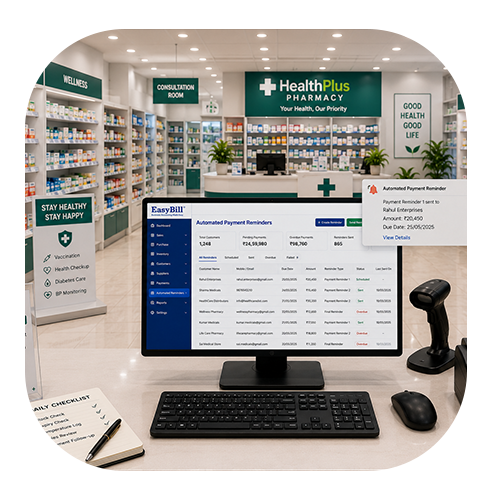
what pharmacy management software does Walgreens use;Medicine Expiry Date Tracking Software

Professional Optical Store Software: 7 Powerful Benefits for Smarter Business

Professional Optical Store Software: 7 Powerful Benefits for Smarter Business Last updated: August 25, 2026 Quick answer: Professional optical store software can connect sales, product inventory, customer records, prescriptions, orders and reporting in one workflow. In simple terms: Optical store software is a digital system for managing optical billing, inventory, customer information, prescriptions, orders and routine business reports. Professional Optical Store Software can make everyday optical retail operations easier by bringing sales, products, customers, prescriptions and inventory into one organized workflow. Instead of relying on notebooks, spreadsheets and separate records, an optical store can manage routine tasks from a central system. Running an optical business involves more than billing a pair of glasses. Staff may need to manage frames, lenses, contact lenses, customer prescriptions, purchases, stock and follow-ups. A well-designed software solution can reduce repetitive work and help the team serve customers more efficiently. Table of Contents Why Professional Optical Store Software Matters Choosing Professional Optical Store Software can simplify the daily work of an optical business by connecting billing, products, customer records, prescriptions and inventory in one practical workflow. Optical retail has its own workflow. A customer may select a frame, require a specific lens, provide prescription details and return later for collection. Keeping all of this information organized manually can become difficult as the store grows. Dedicated optical software helps connect these activities. Staff can spend less time searching through records and more time helping customers choose the right products. 7 Powerful Benefits of Professional Optical Store Software 1. Faster Billing at the Counter Quick billing creates a better customer experience. Product details, prices and applicable taxes can be maintained in the system, reducing the need to enter the same information repeatedly. 2. Better Frame and Lens Inventory Control An optical store can carry many frame styles, lens types and related products. Centralized inventory records make it easier to see available quantities and identify products that need replenishment. 3. Organized Customer Prescription Records Prescription information can be important for repeat customers. A suitable optical management workflow can keep customer records organized so staff can quickly refer to the information available in the system. 4. Easier Order Tracking Optical orders may involve multiple stages, from product selection to fitting and final delivery. A digital workflow can help staff track order information and reduce the chance of losing important details. 5. More Accurate Sales and Purchase Records When purchases and sales are recorded in the same system, business owners can get a clearer view of product movement. This can make routine reconciliation and reporting less dependent on manual calculations. 6. Useful Business Reports Reports can help owners understand sales activity, inventory movement and other available business metrics. Better visibility can support more informed purchasing and operational decisions. 7. Less Repetitive Work for Staff When billing, products, customers and inventory are connected, staff do not need to maintain the same information in multiple places. This can save time and make daily store operations more consistent. Important Features to Look For Before choosing optical store software, focus on the features your team will actually use every day. It is also worth testing common tasks before purchase. Ask the provider to demonstrate a new customer entry, prescription record, frame sale, lens order, payment and final invoice. How It Improves Daily Optical Store Operations Consider a customer who visits the store for new glasses. Staff can record the customer information, select a frame, add the required lens details and prepare the order. Instead of moving between multiple notebooks or spreadsheets, the information can follow one connected workflow. When the order is completed, the transaction can contribute to the store’s sales and inventory records according to the software configuration. This creates a cleaner process from customer interaction to billing and reporting. Why Ease of Use Matters Even feature-rich software is not useful if staff find it difficult to operate. A good optical system should have clear screens, simple navigation and practical workflows for the tasks performed most often. During a demo, test the activities your staff perform every day. A real workflow test can reveal whether the software feels comfortable at the billing counter and back office. How EasyBill ERP Can Help EasyBill ERP Optical Shop Management Software is designed to help optical businesses organize billing, inventory and customer-related operations. Explore the available features and evaluate them according to your store’s requirements. You can also explore our billing software and accounting software guide for related business management information. For official information about India’s GST system, visit the official GST portal. Book a Free Demo Want to see how optical billing and store management could fit your business? Book a quick demo to explore the workflow and discuss your requirements before making a decision. Frequently Asked Questions What is Professional Optical Store Software? It is software designed to help optical retailers manage activities such as billing, inventory, customer records, prescriptions, orders and business reports from an organized system. Can optical software manage frame and lens inventory? Many optical-focused systems provide inventory tools for frames, lenses and related products. Confirm the exact inventory features with the software provider. Can customer prescription details be recorded? A suitable optical management system can provide customer and prescription record functionality. Check the provider’s workflow and data-security features before using it for business records. Does optical store software support GST billing? Many billing platforms provide GST-related invoice fields and calculations. Businesses should configure tax settings correctly and verify current requirements through official guidance or professional advice. How do I choose the right optical store software? Compare billing speed, inventory management, prescription records, order tracking, reporting, security, backups, ease of use and customer support. A live demo is one of the best ways to evaluate the workflow. Final Takeaway Choosing Professional Optical Store Software can help an optical business move from scattered records to a more organized digital workflow. Faster billing, better inventory visibility and structured customer information can make everyday operations easier. Before choosing a solution, test it with real optical-store

Professional Optical Store Software: 7 Powerful Benefits for Smarter Business Read More »