
GST Reports Billing Software for GSTR-1

GST Reports Billing Software: Track Sales and Prepare GSTR-1 Data Bottom line: GST reports billing software should connect your sales invoices with GST calculations and reporting instead of making you rebuild sales data at return time. For a small Indian business, the practical goal is simple: record sales correctly, keep GST details organized, review the relevant report, and give accurate data to the person filing the return. This guide is for shop owners, retailers, wholesalers and small-business operators who already understand GST billing but want a cleaner way to track sales and prepare GST reports. What does GST reports billing software actually do? GST billing software records sales invoices and the tax information attached to those transactions. A useful system then turns that transaction data into reports that help the business owner or accountant review sales and GST information. That distinction matters. A software screen saying “GST report” does not automatically mean the software files your return with the government. For GSTR-1, the GST Portal describes the return as the statement for outward supplies. The portal also provides online and offline methods for preparing GSTR-1. GST Portal: Creation and Submission of GSTR-1 Why should sales data and GST reports stay together? Suppose sales are recorded in one place and GST calculations are maintained in another spreadsheet. The work is split before the return process even starts. A connected billing workflow keeps the invoice, customer details, product information, tax calculation and sales record together. That makes the monthly review easier and gives the accountant a clearer source of transaction data. EasyBill ERP publishes GST billing, inventory, purchase and sales tracking, and GST reporting as part of its business-management platform. Its published information also lists GST sales reports, GST purchase reports, tax reports and HSN/SAC support. See EasyBill ERP What should a GSTR-1 billing software workflow look like? The workflow should begin with the invoice, not with a return spreadsheet. The GST Portal itself allows taxpayers to add or amend GSTR-1 records, generate a summary, review it and then file the statement. cite_placeholder Which GST reports should a small business check? Do not judge software by the number of reports shown in a menu. Look at whether the reports answer the questions you and your accountant actually ask. Report or view Why it matters Sales report Shows sales transactions for the selected period. GST sales report Helps review sales and associated GST information. GST purchase report Helps organize purchase-side GST information. HSN/SAC summary Helps review classification information used in GST reporting. Tax summary Helps review the tax amounts recorded in transactions. EasyBill currently lists sales reports, purchase reports, GST reports, inventory reports and other business reports among its published capabilities. See EasyBill accounting and GST reporting features Does GST billing software automatically file GSTR-1? Not necessarily. This is one of the most important questions to ask before buying software. There is a difference between generating GST reports, preparing GSTR-1 data and filing a return. A billing application might provide reports for review or export while the actual filing still happens through the GST Portal or another supported filing workflow. The GST Portal’s own instructions show that GSTR-1 can be prepared online or through an offline JSON upload process. The portal also says e-invoice details can be downloaded and used for GSTR-1 preparation in applicable cases. Check the current GST Portal GSTR-1 process What should you check before choosing GSTR-1 billing software? Start with a real invoice from your business. Enter it into the demo or trial and then inspect the report generated from that transaction. If a vendor cannot clearly explain how its report becomes usable for your GSTR-1 process, do not assume the feature works just because “GSTR-1” appears on the product page. Can an easy billing app also handle GST reporting? Yes, if the billing application has the reporting layer required by the business. An easy billing app is useful when staff can create accurate invoices without unnecessary steps. But simplicity should not mean removing the information needed later for GST reporting. The same principle applies to a simple billing app or billing app for shop. Test the complete path: invoice → sales record → GST report → review/export. [INTERNAL LINK: Grocery Billing App] What mistakes create GST reporting problems? Most problems start before the report is generated. Incorrect customer details, missing tax information, wrong product classification, duplicate transactions or unreviewed corrections can affect the data that reaches the reporting stage. Software reduces manual work, but it does not remove the need to enter and review business information correctly. That is why the final review should happen before the data is treated as ready for filing. How does EasyBill fit small-business GST reporting? EasyBill ERP is positioned for retail, wholesale, distribution, pharmacy, grocery, optical and other small-business workflows. Its published product information includes GST-compliant invoicing, GST reports, tax calculations, HSN/SAC support, sales and purchase tracking, inventory and business reports. Explore EasyBill ERP For a business evaluating EasyBill specifically for GST reporting, the right test is not a feature checklist. Use your own products and customers, create sample invoices, review the GST reports and confirm the export or filing workflow with your accountant. [INTERNAL LINK: GST Billing Software for Small Businesses] Who benefits most from GST reporting software? A small retailer who creates several GST invoices every day has a different problem from a large accounting team. But both benefit when sales data is structured from the beginning. This type of software is especially useful for businesses that need billing, inventory and GST information to work together. Retail stores, wholesalers, distributors, pharmacies, grocery stores and other product-based businesses fall into this category. What about GSTR-3B? GSTR-3B should be treated as a separate reporting requirement when evaluating software. Do not assume that a system capable of generating a GSTR-1 report automatically provides every GSTR-3B workflow you need. Ask the vendor exactly what it provides: GST summaries, GSTR-1 preparation, GSTR-3B-related reports, JSON/Excel exports, portal integration or only invoice-level records. The GST Portal

GST Reports Billing Software for GSTR-1 Read More »
Retail Billing Software: Complete Guide for Retail Shops

Retail billing software should do more than create a bill. For a retail shop, the right system connects counter billing with GST invoicing, products, inventory, payments, purchases, and reports so the owner and cashier are working from the same records. This guide is for retail shop owners, managers, and staff who already understand basic billing and are comparing software before making a purchase. The goal is not to name a universal “best” product. It is to show what to test before you commit. What is retail billing software? Retail billing software is a digital system used to create sales invoices and record retail transactions. Depending on the product, it can also manage inventory, purchases, customers, suppliers, payments, GST information, barcode billing, POS operations, and business reports. Current retail software guides consistently put billing, GST, inventory, barcode or POS functionality, payment handling, and reporting near the centre of the buying decision.  The important part is how those functions work together. A shop owner does not experience “inventory software” and “billing software” separately during a sale. The cashier sells a product, payment is recorded, an invoice is produced, and the transaction becomes part of the store’s records. Billing Software for Retail Shop What should retail billing software handle every day? Start at the counter. A typical transaction involves finding the product, entering quantity, applying the correct price or permitted discount, calculating the applicable tax, accepting payment, and issuing the bill. If inventory is connected, the transaction also feeds into stock records according to the software’s workflow. That is why a feature list is not enough. Ask the vendor to demonstrate the exact transaction your shop handles every day. Fast product search and billing A cashier should be able to find products quickly, change quantities, review the cart, record payment, and complete the invoice without unnecessary navigation. For a store with hundreds or thousands of products, product search and barcode scanning deserve particular attention. For a smaller shop, a simple search-first workflow may be enough. GST billing and invoice management GST invoicing is a common requirement in Indian retail software. Current buyer guides also distinguish ordinary GST invoicing from features such as e-invoicing and e-way bills, which should be checked separately rather than assumed from a generic “GST billing” claim.  During a demo, create an invoice using your own products and tax setup. Check the invoice fields, tax treatment, numbering, and reports that your business actually requires. Barcode and POS billing Barcode billing is useful when products already carry barcodes. Scanning can reduce manual product entry and make the checkout workflow more direct. Retail POS products commonly combine barcode billing with GST invoices and inventory.  Hardware matters here. If you use a barcode scanner or receipt printer, test the real device with the software before moving to live billing. Inventory management Retail billing creates a record of products sold. A connected inventory system uses that transaction as part of the store’s stock workflow. Purchases matter too. If a product comes into the store through a purchase entry and leaves through a sale, the software should give you a practical way to follow that movement when inventory management is part of the system. Inventory Management Software Payments, customers and credit Every shop handles payments differently. Cash, UPI, cards, and credit transactions may all be part of the daily workflow. Do not assume every payment feature is included in every plan. Test the payment methods your staff actually use and check how the resulting records appear in reports. Customer or credit records deserve the same treatment. A store that sells mostly walk-in purchases may need little customer data, while a shop that manages credit accounts needs a much clearer ledger workflow. Purchase and supplier records Retail software should not stop at the customer invoice if your business also needs to track incoming stock. Check how the system handles supplier information, purchase entries, stock received, and supplier payments if those functions matter to your operation. Reports for the owner Reports should answer business questions, not simply fill a menu. Check whether you can easily review sales, purchases, inventory, payments, customers, and other information relevant to your shop. Current retail platforms also market broader analytics, supplier management, customer loyalty, and multi-store reporting as part of larger retail systems.  How should you compare retail billing software? Use a real-shop test instead of a feature-count contest. Map one normal sale. Write down every step from product selection to payment and invoice. Use real products. Test representative product names, categories, prices, tax information, and units. Test barcode billing. If your shop uses barcodes, connect the scanner and test actual products. Test GST invoices. Verify the invoice fields and tax treatment relevant to your business. Test stock movement. Record a purchase, sell the item, and review the resulting inventory information. Test payments and credit. Use the payment methods and customer-credit process your shop actually follows. Review reports. Find the information you need for daily and periodic business review. Let the cashier use it. The person who works at the counter should be part of the decision. What do current retail billing guides cover — and what should buyers look at more closely? Competitor pages cover the obvious buying criteria well: GST invoices, inventory, barcode POS, payments, reports, customer management, and sometimes multi-store operations.  Many comparison pages also emphasise rankings, prices, ratings, free plans, or promotional claims. Those details change by vendor and date, so they are poor universal benchmarks.  The more useful gap is workflow fit. A retailer should ask: Can my cashier complete a normal sale easily, can my stock records follow that sale, and can I get the reports I actually need? That test matters more than a long list of features that your store never uses. Should you choose cloud, desktop, or offline billing? This is a practical decision, not a software trend. Cloud systems are designed around online access and central data. Desktop or offline-first systems can be useful for businesses where local counter billing is

Retail Billing Software: Complete Guide for Retail Shops Read More »

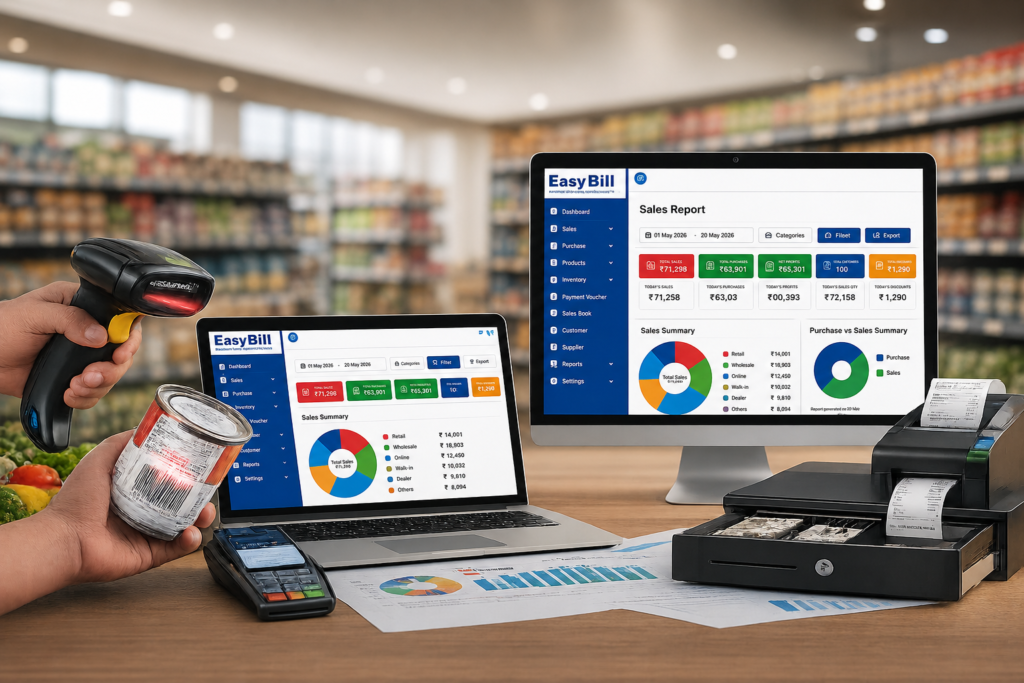
Retail billing software dashboard for GST billing, POS and inventory management

Easy POS Billing Software: Simple GST, Inventory & Retail Checkout

Easy POS billing software should make checkout easier for the person behind the counter and give the owner cleaner sales and stock records. For a retail business, the useful test is not how many features appear on the product page. It is whether staff can find products, create a bill, record payment, update stock, and move to the next customer without unnecessary steps. This guide is for retail shop owners, cashiers, and small-business managers who already understand basic billing but want a simpler POS workflow for everyday sales. What is easy POS billing software? POS billing software is the system used at the point where a customer completes a purchase. It combines the checkout process with product information and, depending on the software, connects sales with inventory, GST invoicing, payments, customers, purchases, and reports. Current POS and retail software pages consistently focus on fast billing, product search, barcode scanning, GST invoices, inventory, payment handling, customer records, and sales reports.  The useful distinction is between feature-rich and easy to operate. A cashier does not need a complicated screen during a busy sale. The important actions should be clear. What should an easy POS billing system do at the counter? Take a normal retail transaction. The cashier selects a product, changes the quantity if required, applies an allowed discount, checks the bill, records payment, and completes the invoice. If the POS is connected to inventory, the sale should also feed into the store’s stock records according to the software’s workflow. That is the core experience to test during a demo. [INTERNAL LINK: Retail POS Software] Quick product search A cashier should be able to find products without remembering complicated navigation. Search is especially useful for stores where products do not all have scannable barcodes. Barcode billing For stores with barcode-labelled products, scanning is a practical way to select items at checkout. Retail POS products commonly include barcode support as part of their billing workflow.  If you use barcode scanners, test your own products during the demo. A feature being listed does not tell you whether the complete hardware-and-software workflow fits your counter. GST billing GST invoicing is a common requirement for Indian retail businesses. POS systems serving this market commonly combine sales invoices with GST-related product and tax information.  Do not judge GST support from a badge or marketing headline. Create a sample invoice using the products and tax setup relevant to your shop and check the resulting invoice and reports. Multiple payment methods The billing screen should match the way customers actually pay. Depending on the store, that might include cash, UPI, cards, or credit transactions. The exact payment options differ by software and configuration, so verify them before implementation. Why inventory matters in POS billing A retail POS transaction is also a product movement. If the POS and inventory system are connected, sales information can be used within the stock workflow. Purchases can also contribute to the inventory record when the software supports that process. That connection is more useful than maintaining one record for sales and another unrelated spreadsheet for stock. Inventory Management Software During a software demo, test a simple sequence: record a product purchase, sell that product, and then check the stock information. You will learn more from that exercise than from a page containing twenty feature icons. How do you choose easy POS billing software? Use your shop’s real workflow as the benchmark. Start with your normal sale. Write down the exact steps a cashier follows from product selection to payment. Load representative products. Include the categories, prices, tax information, and product types your store actually sells. Test product search. See how quickly a cashier can find an item without a barcode. Test barcode scanning. If you use barcodes, connect the scanner and test real products. Create GST invoices. Check the fields and tax treatment required by your business. Test payments. Use the payment methods your counter actually accepts. Check stock movement. Follow a product from purchase to sale and review the inventory record. Let the cashier operate it. The owner may understand software quickly; the counter operator’s experience is the better test of ease of use. What makes a POS system genuinely easy to use? It is mostly about the number of decisions the cashier has to make. A clean product search, visible cart, obvious quantity controls, straightforward payment screen, and simple invoice action reduce confusion. The cashier should not have to understand the entire back-office system just to complete a sale. Competitor products also market “easy” POS experiences around quick checkout, barcode billing, inventory, and simple interfaces. citeturn0search1turn0search8turn0search12 The gap buyers should focus on is testing those claims with their own counter workflow rather than accepting “easy” as a feature by itself. Easy POS billing software vs a basic billing application A basic billing application may focus primarily on invoices. A POS system is built around the point of sale and can connect the transaction with products, inventory, payments, customers, and reports. Requirement Basic billing POS billing workflow Invoice creation Core function Core function Product search Usually available Designed for quick counter use Barcode scanning Depends on software Common POS capability when supported Inventory connection May be separate Can connect sales with stock Payment recording Basic options may be available Built into the checkout workflow when supported Sales reports Usually available Built from POS transactions This is a workflow comparison, not a claim that every product provides every function. Always verify the exact configuration. Which retail businesses can use easy POS billing? POS billing is relevant to businesses where products are sold directly to customers at a counter. That includes retail formats such as grocery and general stores, supermarkets, pharmacy and optical businesses, fashion and lifestyle stores, hardware shops, and other product-based retailers, provided the software fits the business’s specific requirements. The right setup depends on what you sell, how many products you manage, how customers pay, and whether inventory needs to be connected to sales. What about GST, inventory and reports? These

Easy POS Billing Software: Simple GST, Inventory & Retail Checkout Read More »

Billing Solution for Retail Store: A Practical Guide to GST, POS & Inventory

Billing Solution for Retail Store The right billing solution for a retail store should make the counter simpler while keeping sales, stock, purchases, payments, and reports connected. If you are comparing retail billing software, do not start with a long feature list. Start with the actual work your shop needs to complete every day. For Indian retailers, that usually means quick billing, GST invoices, product and inventory management, POS or barcode support, purchase records, payment tracking, and reports. The real difference between software products is how well those pieces fit together. What is a billing solution for a retail store? A billing solution is software used to create sales invoices and maintain the records created by retail transactions. Depending on the product, it can connect billing with inventory, purchases, customer records, payments, POS operations, and business reports. Current retail billing guides repeatedly cover the same core areas: billing and invoicing, inventory, GST, payments, product management, barcode/POS functions, customer or supplier records, and reporting.  But there is a more useful way to evaluate these systems: follow one real transaction from product selection to the final report. That exposes problems a feature list hides. What should a retail billing solution actually solve? Imagine a customer buying five products from your store. The cashier needs to identify the products, enter quantities, apply the correct pricing or discount, calculate the applicable tax, record payment, and issue the invoice. After the sale, the business still needs an accurate transaction record and, where inventory is integrated, an updated stock position. A connected system keeps those activities within one workflow instead of making the owner maintain separate records for every stage. Retail Billing Software Which features matter most for a retail store? Fast billing at the counter Retail billing starts with the cashier. Product search should be straightforward, quantities should be easy to change, and payment recording should not require unnecessary steps. Speed is not just about how quickly software generates an invoice. It is about how many actions the cashier has to understand before moving to the next customer. GST billing and invoice management GST billing is a common requirement for Indian retail businesses, and current retail software pages place GST invoicing among the core capabilities buyers should evaluate.  Do not stop at the words “GST ready.” Create an invoice during the demo using your own products and tax setup. Check the invoice details and the reports your business actually needs. Inventory connected with sales Retail billing and stock management are closely linked. A sale tells you what has moved; purchases tell you what has entered the business. A useful retail billing solution should therefore make it practical to maintain product information, record purchases, track stock, and review inventory-related information. Barcode support becomes particularly useful when the store handles a large product catalogue. Inventory Management Software POS and barcode billing A POS workflow is built around the retail counter. Search, barcode scanning, quantity changes, discounts, payment recording, and invoice generation are common parts of retail POS systems.  If your shop already uses barcodes, test the actual scanner with real products. If your catalogue is small, fast product search might matter more than advanced scanning. Purchase and supplier management Billing is only one side of retail operations. Products arrive through purchases, so the software should fit the way you record incoming stock and supplier transactions. This is where a retail billing system becomes more useful than a simple invoice generator: sales and purchasing information can sit within the same business process when the chosen software supports it. Payments and customer records A store may accept cash, UPI, cards, credit, or other payment methods. The exact mix depends on the business. Customer records also vary by shop. A small counter-sale store may need little customer information, while a business handling credit sales or repeat customers may need more detailed records. Choose based on what your staff actually uses. Reports that help the owner Reports should answer practical questions without forcing the owner to reconstruct the information manually. Review sales, purchases, stock, payments, and customer-related reports during a demo. Then ask a simple question: Can I find the information I need from the system without rebuilding it in a spreadsheet? How should you choose a billing solution for your retail store? Use your own store as the test environment. Write down your normal billing flow. Start with product selection and finish with payment and invoice generation. Use your real product catalogue. Test actual product names, categories, prices, and tax information. Create different sales. Test quantities, discounts, returns if relevant, and the payment methods your store uses. Check inventory movement. Record a purchase and then sell the same product to see how the stock workflow behaves. Test barcode billing. If your store uses barcodes, use the actual scanner and products. Review reports. Check the reports you rely on for daily and periodic business reviews. Let the cashier test it. The owner is not the only person who needs to find the software easy. Why a connected retail solution is different from basic billing software A basic billing application focuses mainly on invoices and sales. A broader retail solution connects the sale with other parts of the store’s operation. Retail requirement Basic billing focus Connected retail workflow Sales invoice Core billing function Core billing function GST invoice Depends on the software Designed as part of the retail billing workflow when supported Inventory May be separate Connected with sales and purchases when supported Barcode/POS May be limited Useful for counter-based retail workflows when supported Purchases May require another record Can be maintained with the retail workflow Reports Basic sales information Broader operational reporting The table describes the difference in approach, not a guarantee that every product provides every function. Confirm the exact capabilities before implementation. What do competitors get right — and where should buyers look closer? Current ranking and competing pages do a good job covering the obvious requirements: GST, POS, barcode billing, inventory, customer management, reports, payments, and product

Billing Solution for Retail Store: A Practical Guide to GST, POS & Inventory Read More »

Retail billing software dashboard for GST billing, POS and inventory management

Billing Solution for Retail Store: A Practical Guide to GST, POS & Inventory

A good billing solution for a retail store should do more than print an invoice. It should make everyday checkout easier while keeping sales, inventory, purchases, payments, customers, and business reports organized in one workflow. For an Indian retailer, that means looking beyond a simple digital bill book. GST invoicing, POS billing, product management, barcode support, stock tracking, and useful reports are the practical areas to evaluate before choosing software. What is a billing solution for a retail store? A retail billing solution is software that helps a store record sales, create customer invoices, manage product information, and maintain business records around those transactions. Depending on the software, it can also connect billing with inventory, purchasing, customer management, payments, and reporting. Current retail software guides consistently focus on the same basic needs: checkout and invoicing, inventory, payments, customer or vendor records, GST-related billing, barcode/POS functionality, and reports.  The better way to judge a solution is simple: take the software through the same process your cashier follows every day and see whether the workflow actually makes sense. Why does a retail store need more than basic billing? Consider a normal sale. A product is selected, quantity is entered, tax or pricing information is applied, payment is recorded, and an invoice is generated. That sale also affects the store’s transaction history and, when inventory is integrated, the product’s stock record. If billing sits separately from inventory and purchasing, staff may have to maintain the same information in multiple places. A connected retail billing system reduces that duplication by keeping related records inside the same business workflow.  Retail Billing Software Which features should a retail billing solution include? Fast counter billing The cashier should be able to find a product, add the quantity, apply the required pricing or discount, record the payment, and complete the invoice without unnecessary steps. This matters most during busy periods. A feature-rich system that makes a basic sale confusing is not a good retail solution simply because the feature list is long. GST billing and invoices GST invoicing is a standard requirement highlighted by retail billing software providers serving Indian businesses. citeturn0search1turn0search7 Before selecting software, test an actual invoice using your store’s product and tax setup. Check the fields, calculations, invoice format, and reports that your business requires instead of relying only on a “GST-ready” label. Inventory management connected to sales For a retail store, the bill is also a record of product movement. A useful system should connect sales and purchases with inventory records so the owner has a clearer picture of stock. Look for practical functions such as product categories, stock quantities, purchase entries, and stock-related reports. Barcode support is useful for stores with a large number of products because products can be selected by scanning instead of repeatedly typing product names. [INTERNAL LINK: Inventory Management Software] POS and barcode billing A POS workflow is built around the retail counter. Barcode scanning, quick product lookup, invoice printing, and payment recording are common parts of modern retail POS systems.  If your shop already uses barcode-labelled products, test the scanner with your real catalogue during the demo. If your store has a small product range, fast product search might matter more than advanced scanning features. Purchase and supplier management Retail stock comes from somewhere. Purchase records help connect incoming products with the store’s inventory and supplier information. This becomes more useful as the catalogue grows. Instead of treating purchasing as a separate spreadsheet exercise, the retailer can keep purchase and sales information within the same system when the chosen software supports that workflow. Customer and payment records Some retail stores need customer histories, credit tracking, payment records, or customer-specific information. Others mainly need a fast cash-and-carry checkout. Choose based on your actual operation. Do not pay for complicated customer features if your store does not use them. Business reports A retail billing solution becomes much more useful when it turns recorded transactions into reports the owner can understand. At minimum, review the reports related to sales, purchases, inventory, payments, and customers that matter to your business. During a demo, ask one practical question: “Can I find the information I need without exporting everything to another spreadsheet?” How should you choose the right billing solution for your store? Do not start with a “best billing software” list. Start with your counter. Map your daily sale. Write down how a normal customer transaction happens from product selection to payment. Test your product catalogue. Use real product names, prices, categories, and tax settings during the demo. Check GST invoicing. Create the invoice formats your business actually needs. Test inventory movement. Record a purchase, sell the product, and review the resulting stock information. Try barcode billing. If your store uses barcodes, test the actual scanner and products. Review reports. Check whether sales, purchase, stock, payment, and other relevant information is easy to retrieve. Let the cashier use it. The person standing at the billing counter should be part of the evaluation. What is the difference between a billing solution and a complete retail management system? A basic billing tool concentrates on invoices and sales transactions. A broader retail management system connects billing with inventory, purchases, customers, payments, and reporting. Requirement Basic billing focus Connected retail solution Sales invoices Core function Core function GST billing Depends on software Common retail requirement Inventory May be separate Connected to sales/purchases when supported Barcode/POS May be limited Designed around counter workflows when supported Purchases May require another tool Can be part of the same workflow Reports Basic sales reports Broader business reporting The exact functions vary by product, so use the table as a way to define what you need rather than as a promise about every billing platform. Where does EasyBill ERP fit? EasyBill ERP is positioned as a billing and business-management solution for product-based businesses, with use cases covering areas such as retail, grocery, pharmacy, optical, wholesale, and distribution. Its website presents billing, inventory, POS, GST billing, purchases, and business reporting as parts

Billing Solution for Retail Store: A Practical Guide to GST, POS & Inventory Read More »

Retail billing software dashboard for GST billing, POS and inventory management

Easy Billing Software for Retail Shop: Simple GST, POS & Inventory Management

Easy Billing Software for Retail Shop: Simple GST, POS & Inventory Management Easy billing software for retail shop owners should make everyday sales simpler, not turn a basic checkout into a software lesson. For Indian retailers, the useful setup brings billing, GST invoicing, inventory, POS, purchases, payments, and business reports into a workflow that staff can actually use. Quick answer: Easy billing software for a retail shop should help a cashier find products, create a bill, record payment, and complete checkout without unnecessary steps. If inventory, purchases, GST invoicing, barcode billing, and reports are part of your needs, those functions should connect to the same retail workflow. Key takeaway: Do not choose software because it simply says “easy.” Test one real sale with your own products, tax setup, payment method, and stock process. Then let the cashier use it. That gives you a much better buying signal than a long feature list. If you run a grocery shop, kirana store, supermarket, pharmacy, optical store, mobile shop, garment store, hardware shop, or another product-based retail business, the right system should be simple enough for staff to learn while still handling the work your shop actually does. What are you actually looking for in easy billing software? Short answer: You need more than a digital bill book. The software should let you select products, apply the relevant tax information, complete a sale, record payment, and keep the transaction available for stock and reporting when those functions are included. That is the practical difference between basic invoicing and retail billing software. Retail work happens at the counter, but the information created there also affects inventory, purchases, customer records, payments, and business reports. Competitor guides commonly group retail billing around POS, GST invoicing, inventory, barcode billing, payments, reports, customer records, and ease of use. The better question is whether those functions fit your counter workflow. Retail Billing Software What should easy billing software for a retail shop handle? 1. How should day-to-day billing work? Short answer: A cashier should be able to find products, add quantities, apply permitted discounts, calculate the bill, record payment, and generate the invoice without unnecessary screens. Use a real product catalogue during the demo. If a normal sale feels complicated, extra features will not fix the counter experience. 2. Does it handle GST billing properly? Short answer: GST billing should be tested with your actual products and tax setup rather than accepted from a “GST-ready” label. Create the types of invoices your shop actually issues. Check the invoice fields, tax treatment, numbering, format, and reports your business requires. For official GST information, refer to the GST Portal. 3. How should inventory connect with sales? Short answer: If inventory matters to your store, sales and purchases should feed into a stock workflow that your team can understand and review. Try one simple test: record a purchase, sell that product, and check the stock record. That tells you more about the software than a generic inventory feature list. Inventory Management Software 4. Is POS and barcode billing necessary? Short answer: Barcode billing is useful when your products carry barcodes; it is less important for a small catalogue where product search is already quick. If your shop uses a scanner, test the actual scanner and real products. The software feature matters only when the complete counter setup works. Easy POS Billing Software 5. What should purchase and supplier records cover? Short answer: The purchase side should make it practical to record incoming products and maintain supplier information when those records are part of your operation. Retail stock moves in through purchases and out through sales. A connected workflow makes both sides easier to review. 6. How should customer and payment records work? Short answer: The billing system should match the payment methods and customer workflow your shop actually uses. That might include cash, UPI, cards, credit sales, or a combination. Test the payment and credit process you need instead of assuming every feature is included in every software configuration. 7. What reports should a retail owner check? Short answer: Reports should help you find useful sales, purchase, stock, payment, and customer information without rebuilding the data manually. During a demo, ask: “Can I find the information I need without exporting everything to another spreadsheet?” Why does “easy to use” matter more than a long feature list? Short answer: Easy-to-use billing software keeps the common counter actions clear so staff can repeat them without unnecessary training or navigation. A retail shop does not need every cashier to become a software specialist. Finding a product, changing quantity, applying a permitted discount, taking payment, and moving to the next customer should feel straightforward. Some retail software products market simple workflows and quick invoice creation. Treat that as a claim to test during a demo, not as a reason to buy on its own. How should you choose easy billing software for your retail shop? Bottom line: Use your own shop as the test case instead of judging software only from a feature comparison table. List your normal products. Include the products staff actually sell. Create sample sales. Test a normal sale, quantity change, discount, and the payment methods your shop uses. Check GST invoicing. Verify the invoice and tax information required for your business. Test stock movement. Add a purchase, sell the product, and check the inventory record. Test barcode billing if needed. Use an actual scanner and real products. Open the reports. Check the sales, purchase, inventory, payment, or other reports you actually use. Let the cashier try it. The person who bills customers should be comfortable with the workflow. Easy billing software vs manual billing: what changes? Short answer: Manual billing keeps more of the record-keeping process outside a connected system, while digital billing can connect sales with product, inventory, payment, and reporting records when those functions are supported. Retail task Manual approach Billing software approach Customer billing Written or manually prepared bill Digital invoice generated from product records Product selection Manual

Easy Billing Software for Retail Shop: Simple GST, POS & Inventory Management Read More »

Billing Software for Retail Shop: GST, POS & Inventory Guide

Billing software for retail shop should do more than print an invoice. For a busy retail counter, the useful setup connects billing with GST invoicing, inventory, purchases, payments and business reports so the same sale does not have to be entered in several places. If you are choosing software for a kirana store, supermarket, general store, apparel shop, electronics store, hardware shop, optical store or another retail business, start with the workflow at your counter—not the length of the feature list. What is the real job retail billing software needs to do? The searcher is usually trying to answer a practical question: How do I bill customers faster while keeping stock, GST records and daily business information organized? That sounds simple, but a retail sale touches several records. A product is sold, the invoice is created, stock changes, payment is recorded and the transaction becomes part of sales and reporting data. Good billing software keeps those steps connected. Current ranking pages commonly compare retail billing products using features such as GST billing, barcode scanning, inventory, offline operation, POS, reports, mobile access and pricing. Some also publish side-by-side comparison tables.  The missing part is the buying workflow. A retailer should not choose software simply because every checkbox says “yes”. The better test is whether the software fits the way the shop actually sells, purchases and manages stock. What should billing software for a retail shop include? Fast POS billing At the counter, the priority is a clean billing process. Staff should be able to find products, enter quantities, apply the relevant tax information and complete the sale without unnecessary steps. Barcode support is useful for stores with many products or SKUs. EasyBill ERP’s published product information includes barcode-based billing and POS functionality for retail businesses.  GST invoicing For a GST-registered retail business, invoices need accurate tax information. A suitable system should let you maintain product and tax details and generate professional GST invoices without repeatedly calculating the same information by hand. EasyBill ERP states that it supports GST and non-GST invoices, automatic tax calculations, HSN/SAC code support and invoice printing or digital sharing.  Inventory connected to sales This is where retail billing software becomes more useful than a basic invoice generator. When a sale is recorded, the retailer needs a reliable way to understand what remains in stock. EasyBill ERP publishes features including real-time stock monitoring, low-stock alerts, barcode integration, product categorization, purchase and sales tracking, and multiple warehouse support.  Before buying any system, test this yourself: add one product, record a purchase, sell part of that stock, and check whether the inventory reflects the transaction correctly. Purchase and supplier management Retail operations do not stop after the sale. Products arrive from suppliers, purchase invoices need recording, and stock needs to move into the available inventory. A connected billing and inventory system should let you trace purchases and sales rather than maintaining separate spreadsheets for each process. EasyBill ERP includes purchase entry, sales invoice tracking, supplier records and purchase history in its published feature set.  Customer and payment records Retailers may need to record customer information, outstanding amounts and payment history, particularly when the business sells on credit. EasyBill ERP lists customer ledgers, supplier ledgers, outstanding payment tracking, transaction history, account statements and payment reminders among its capabilities.  Business reports A billing system should leave you with useful information after the counter closes. Sales, purchases, expenses, inventory and GST-related reports help turn transaction data into something the owner can review. EasyBill ERP publishes sales, purchase, GST, profit and loss, expense, inventory and outstanding reports, along with business performance analytics.  How to choose billing software for your retail shop 1. Start with your busiest billing situation Do not test software only when the shop is quiet. Think about the moment when several customers are waiting and a staff member needs to bill multiple products quickly. Check product search, barcode scanning, quantity changes, discounts, tax calculation, payment entry and invoice printing or sharing. 2. Test one complete stock cycle Create a product. Record a purchase. Sell it. Then check the stock. This simple test reveals more than a long feature list because it checks whether billing and inventory actually work together. 3. Check your GST workflow Review how products are configured, how HSN/SAC information is handled, how GST is calculated and what reports are available for your accounting and compliance workflow. For official GST rules and current requirements, verify details with the official GST portal rather than relying only on software marketing pages. 4. Look at reports before you buy Ask a simple question: “What will I know about my shop at the end of the day?” You should be able to identify the reports that matter to your operation, such as sales, purchases, expenses, inventory and outstanding payments. 5. Test data backup and access Billing data is business data. Before implementation, understand where your information is stored, how backups work, who can access the system and what happens if a computer or device fails. 6. Check whether the software matches your shop size A single-counter general store does not necessarily need the same workflow as a multi-location retail business. Start with what your team actually needs, then check whether the system can support the next stage of the business. Billing software vs manual billing: what changes? Manual billing can work for a very small operation, but the owner or staff has to maintain more information themselves. Sales, stock, purchases, customer balances and reports can become separate records. With a connected billing system, the goal is to record the transaction once and use that data across the relevant parts of the business. Retail task Manual process Connected billing software Sales invoice Written or entered manually Created digitally Stock update Manual record update Connected to sales workflow Purchase records Separate register or spreadsheet Recorded in the same system Customer balances Notebook or separate record Customer ledger and transaction history Business reports Prepared manually Generated from recorded transactions Why EasyBill ERP fits the retail

Billing Software for Retail Shop: GST, POS & Inventory Guide Read More »

Best Billing Software for Businesses in 2026: | GST Ready

Best Billing Software for Businesses in 2026: GST Ready The best billing software for a business in 2026 is not necessarily the cheapest or the one with the longest feature list. It is the software that handles your complete billing workflow—invoice creation, GST, inventory, payments, purchases, customer records and reporting—without making everyday work harder. For Indian small and medium-sized businesses, EasyBill ERP is a strong option when billing needs to connect with inventory and day-to-day business management. If you are comparing the best billing software for businesses, start by checking whether the software fits your actual sales, stock and payment workflow. Other established choices such as Vyapar, myBillBook, BUSY, Marg ERP and TallyPrime make sense for different business types and workflows. Best billing software for businesses in 2026 at a glance Software Best for Key strength Starting price* EasyBill ERP Retail, wholesale, distribution & service businesses Billing + inventory + business management ₹219/month Vyapar Small businesses and retailers Billing, inventory and accounting ₹242/month* myBillBook Small businesses Mobile/web billing and POS ₹349/month* BUSY Accounting-heavy businesses GST accounting + inventory ₹5,000/year* Marg ERP Retail/distribution Inventory + business workflows ₹5,550 + GST* TallyPrime Accounting-focused businesses Accounting + financial management ₹750/month + GST* *Prices are based on currently published vendor pricing and can change. Verify the exact plan and applicable taxes before purchase. Which billing software should you actually choose? Choose EasyBill ERP if your billing system needs to sit alongside inventory, purchases, customer/supplier records, expenses and business reporting. Choose Vyapar if you want a small-business billing solution with inventory, accounting and tax reporting features. Choose myBillBook if mobile, web and desktop access and features such as barcode printing, online store functionality, POS and recurring billing are high on your list. Choose BUSY if accounting and GST management are as important as billing. Choose Marg ERP if your business needs a deeper retail or distribution-oriented ERP workflow, particularly as the operation grows. Choose TallyPrime if accounting is the centre of your operation and billing is part of a broader accounting workflow. The right answer changes once you describe the business. What is billing software? Billing software is a business application used to create invoices, record sales, track payments and maintain billing-related records. EasyBill ERP billing and POS workflow. Modern systems go beyond printing an invoice. A business may use billing software to manage GST invoices, products, stock, customer accounts, supplier transactions, purchase orders, expenses, payment reminders and financial reports. Some systems also connect billing with POS, barcode scanners, online payments or accounting. That distinction matters. A freelancer may only need professional invoices and payment tracking. A supermarket needs fast POS billing and stock control. A distributor needs purchasing, receivables and warehouse visibility. Calling all three requirements “billing” hides the real buying decision. Why the best software for billing should do more than create invoices Creating an invoice is the easy part. The problems start after the invoice. Did the stock quantity decrease correctly? Is the customer payment recorded? What is still outstanding? Was the purchase entered? What did the business sell this month? Which products are running low? How much profit was generated? A good billing system connects these activities instead of forcing the owner or accountant to maintain separate spreadsheets. This is why I would judge best billing software for businesses using the complete workflow rather than invoice design alone. GST Billing Software and POS Guide 7 features to look for before buying billing software 1. GST-ready invoicing For Indian businesses, GST functionality should be checked before anything else. The software should make tax calculations easier and provide the invoice information your business needs. Depending on the business and applicable requirements, you may also need HSN/SAC support, GST reports, e-invoicing or e-way bill functionality. Do not assume that a product advertised as “billing software” automatically gives you every GST feature. Check the exact plan. BUSY, for example, lists GST e-returns, e-invoicing, e-way bills and GST reconciliation in its higher plans. GST Invoice Software 2. Inventory management If you sell physical products, billing without inventory is only half a solution. Every sale should help you understand what is left in stock. Useful inventory functions include product records, stock movement, low-stock alerts, purchase tracking, barcode support and warehouse management. EasyBill ERP lists real-time stock tracking, low-stock alerts, product-wise tracking, barcode integration, batch/lot management and multiple warehouse support among its product capabilities. For a service business, this feature may matter less. For a retailer or distributor, it can be one of the deciding factors. 3. Fast POS and barcode billing A retail counter is different from an office invoice desk. A salesperson needs to find or scan a product, apply the correct price and tax, accept payment and complete the transaction quickly. That makes barcode support, POS workflows and printer compatibility worth checking before purchase. EasyBill ERP supports barcode scanners, barcode printers, thermal printers, POS systems and label printers. myBillBook also lists barcode generation/printing and POS features in its higher plans. 4. Payment tracking and reminders Sending an invoice does not mean getting paid. Look for customer ledgers, outstanding balances, payment history and reminders. EasyBill ERP includes accounts receivable/payable management and automated payment reminders in its published feature set. For businesses selling on credit, this is more useful than another invoice template. 5. Purchase and supplier management If your software records sales but your purchases stay in Excel, your business data is still split. Purchase records should connect with suppliers, stock and payment information. This is particularly useful for wholesalers, distributors, pharmacies, hardware businesses and other product-based companies. Inventory Management Software 6. Reports that answer business questions A report should help you make a decision. Useful examples include sales reports, purchase reports, inventory reports, outstanding payment reports, expense reports, GST reports and profit and loss reports. EasyBill ERP currently lists sales, purchase, GST, profit and loss, expense, inventory and outstanding reports among its reporting capabilities. Do not buy software because it has “100+ reports.” Ask whether the five reports you actually need are easy to

Best Billing Software for Businesses in 2026: | GST Ready Read More »