
Best Billing Software for Businesses in 2026: GST Ready
The best billing software for a business in 2026 is not necessarily the cheapest or the one with the longest feature list. It is the software that handles your complete billing workflow—invoice creation, GST, inventory, payments, purchases, customer records and reporting—without making everyday work harder.
For Indian small and medium-sized businesses, EasyBill ERP is a strong option when billing needs to connect with inventory and day-to-day business management. If you are comparing the best billing software for businesses, start by checking whether the software fits your actual sales, stock and payment workflow.
Other established choices such as Vyapar, myBillBook, BUSY, Marg ERP and TallyPrime make sense for different business types and workflows.
Best billing software for businesses in 2026 at a glance
| Software | Best for | Key strength | Starting price* |
|---|---|---|---|
| EasyBill ERP | Retail, wholesale, distribution & service businesses | Billing + inventory + business management | ₹219/month |
| Vyapar | Small businesses and retailers | Billing, inventory and accounting | ₹242/month* |
| myBillBook | Small businesses | Mobile/web billing and POS | ₹349/month* |
| BUSY | Accounting-heavy businesses | GST accounting + inventory | ₹5,000/year* |
| Marg ERP | Retail/distribution | Inventory + business workflows | ₹5,550 + GST* |
| TallyPrime | Accounting-focused businesses | Accounting + financial management | ₹750/month + GST* |
*Prices are based on currently published vendor pricing and can change. Verify the exact plan and applicable taxes before purchase.
Which billing software should you actually choose?
Choose EasyBill ERP if your billing system needs to sit alongside inventory, purchases, customer/supplier records, expenses and business reporting.
Choose Vyapar if you want a small-business billing solution with inventory, accounting and tax reporting features.
Choose myBillBook if mobile, web and desktop access and features such as barcode printing, online store functionality, POS and recurring billing are high on your list.
Choose BUSY if accounting and GST management are as important as billing.
Choose Marg ERP if your business needs a deeper retail or distribution-oriented ERP workflow, particularly as the operation grows.
Choose TallyPrime if accounting is the centre of your operation and billing is part of a broader accounting workflow.
The right answer changes once you describe the business.
What is billing software?
Billing software is a business application used to create invoices, record sales, track payments and maintain billing-related records.
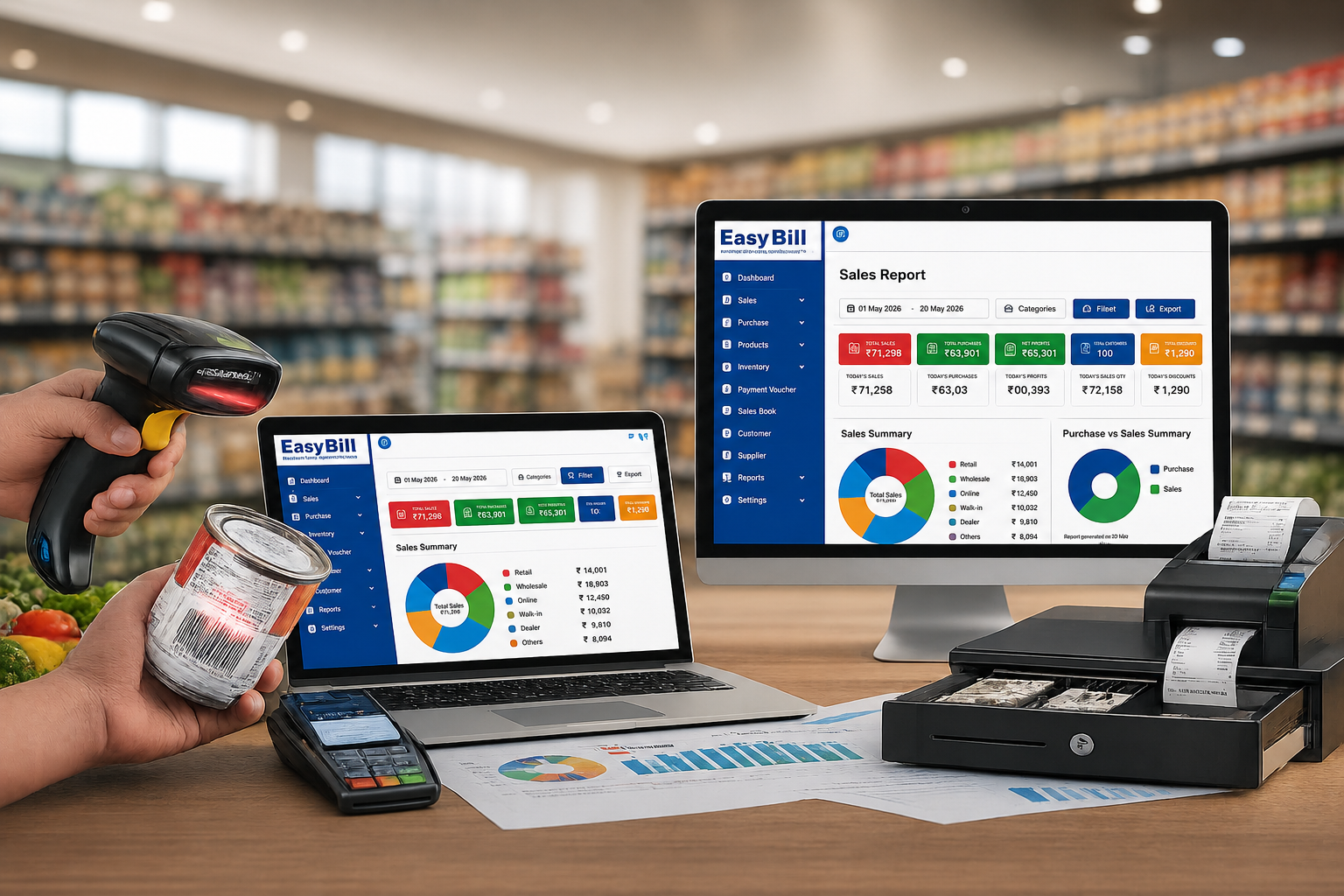
Modern systems go beyond printing an invoice. A business may use billing software to manage GST invoices, products, stock, customer accounts, supplier transactions, purchase orders, expenses, payment reminders and financial reports. Some systems also connect billing with POS, barcode scanners, online payments or accounting.
That distinction matters. A freelancer may only need professional invoices and payment tracking. A supermarket needs fast POS billing and stock control. A distributor needs purchasing, receivables and warehouse visibility.
Calling all three requirements “billing” hides the real buying decision.
Why the best software for billing should do more than create invoices
Creating an invoice is the easy part.
The problems start after the invoice.
Did the stock quantity decrease correctly? Is the customer payment recorded? What is still outstanding? Was the purchase entered? What did the business sell this month? Which products are running low? How much profit was generated?
A good billing system connects these activities instead of forcing the owner or accountant to maintain separate spreadsheets.
This is why I would judge best billing software for businesses using the complete workflow rather than invoice design alone.
GST Billing Software and POS Guide
7 features to look for before buying billing software
1. GST-ready invoicing
For Indian businesses, GST functionality should be checked before anything else.
The software should make tax calculations easier and provide the invoice information your business needs. Depending on the business and applicable requirements, you may also need HSN/SAC support, GST reports, e-invoicing or e-way bill functionality.
Do not assume that a product advertised as “billing software” automatically gives you every GST feature. Check the exact plan.
BUSY, for example, lists GST e-returns, e-invoicing, e-way bills and GST reconciliation in its higher plans.
2. Inventory management
If you sell physical products, billing without inventory is only half a solution.
Every sale should help you understand what is left in stock. Useful inventory functions include product records, stock movement, low-stock alerts, purchase tracking, barcode support and warehouse management.
EasyBill ERP lists real-time stock tracking, low-stock alerts, product-wise tracking, barcode integration, batch/lot management and multiple warehouse support among its product capabilities.
For a service business, this feature may matter less. For a retailer or distributor, it can be one of the deciding factors.
3. Fast POS and barcode billing
A retail counter is different from an office invoice desk.
A salesperson needs to find or scan a product, apply the correct price and tax, accept payment and complete the transaction quickly.
That makes barcode support, POS workflows and printer compatibility worth checking before purchase.
EasyBill ERP supports barcode scanners, barcode printers, thermal printers, POS systems and label printers.
myBillBook also lists barcode generation/printing and POS features in its higher plans.
4. Payment tracking and reminders
Sending an invoice does not mean getting paid.
Look for customer ledgers, outstanding balances, payment history and reminders.
EasyBill ERP includes accounts receivable/payable management and automated payment reminders in its published feature set.
For businesses selling on credit, this is more useful than another invoice template.
5. Purchase and supplier management
If your software records sales but your purchases stay in Excel, your business data is still split.
Purchase records should connect with suppliers, stock and payment information.
This is particularly useful for wholesalers, distributors, pharmacies, hardware businesses and other product-based companies.
6. Reports that answer business questions
A report should help you make a decision.
Useful examples include sales reports, purchase reports, inventory reports, outstanding payment reports, expense reports, GST reports and profit and loss reports.
EasyBill ERP currently lists sales, purchase, GST, profit and loss, expense, inventory and outstanding reports among its reporting capabilities.
Do not buy software because it has “100+ reports.” Ask whether the five reports you actually need are easy to find.
7. Data backup and user controls
Billing data is business data.
Look for backup options, user permissions and access controls, especially when multiple employees use the system.
EasyBill’s published information includes secure data storage, backup options, user access control and data recovery support.
Best billing software compared by business type
EasyBill ERP — best for billing plus business management
EasyBill ERP is designed around a broader business workflow rather than invoice generation alone.
Its published features include GST and non-GST billing, inventory management, barcode billing, customer and supplier management, purchase and sales tracking, expense management, reports, multi-user access and data backup. It also positions separate solutions for retail, pharmacy and distribution businesses.
Pros: GST and non-GST billing; inventory and stock management; barcode/POS support; customer and supplier management; purchase and sales tracking; expense management; business reports; payment tracking and reminders; multi-user access; backup and security features.
Cons: Public pricing and exact plan inclusions should be confirmed before purchase. Businesses looking only for simple standalone invoicing may not need the broader feature set.
Starting price: ₹219/month.
Best fit: Retailers, wholesalers, distributors, pharmacies, grocery businesses, hardware stores, electronics businesses and service businesses that want billing connected to wider operations.
Vyapar — best for small-business billing and inventory
Vyapar is built around billing, inventory and accounting for small businesses. Its current product information includes professional invoices and quotations, stock inventory, tax/business reports, purchase and sales orders, expense and cash-flow tracking and data backup.
Best fit: Small retailers and businesses looking for a familiar billing-and-inventory workflow.
Watch out for: Compare the exact features included in the plan you intend to buy.
myBillBook — best for mobile-first business billing
myBillBook offers billing across Android, iOS and web, with desktop access included in higher plans. Its current plans include custom invoice themes, inventory, barcode functions and online-store features; higher plans add features such as godowns, POS billing, e-invoicing, e-way bills and recurring billing.
Best fit: Small businesses that want mobile/web access and a broad billing feature set.
BUSY — best for accounting-heavy businesses
BUSY is closer to full business accounting software than a simple invoice generator. Its current pricing page lists a free Express option and paid BUSY Magic plans. Higher plans add GST, e-invoicing, e-way bills, inventory, reporting and multi-branch capabilities.
Best fit: Traders, manufacturers, distributors and businesses where accounting, GST and inventory are tightly connected.
Marg ERP — best for growing retail and distribution workflows
Marg ERP offers different plans for small and growing businesses. Its current website lists Nano at ₹5,550 plus 18% GST, Basic at ₹10,300 plus GST, Silver at ₹13,900 plus GST and Gold at ₹26,000 plus GST. Higher plans include features such as unlimited bills and multi-location support.
Best fit: Businesses that need more than basic invoicing and are building a larger retail, distribution or inventory operation.
TallyPrime — best when accounting comes first
TallyPrime is a different proposition. It is primarily an accounting and business-management platform where invoicing is part of the larger financial workflow.
Its current India pricing lists TallyPrime Silver at ₹750 for one month, ₹8,100 for 12 months or ₹22,500 for a lifetime licence, before 18% GST. Gold starts at ₹2,250 for one month and is designed for multi-user access across multiple PCs.
Best fit: Businesses and accounting teams that want established accounting functionality alongside invoicing.
Not the first choice if: Your only requirement is quick, simple billing.
Billing software vs accounting software: which one do you need?
This is where buyers frequently choose the wrong product.
Billing software makes sense when:
You mainly need to create invoices, record sales, track customers, manage products and monitor payments.
Accounting software makes more sense when:
You also need deeper bookkeeping, ledgers, financial statements, reconciliation and broader accounting workflows.
An integrated business system makes sense when:
Billing is directly connected to inventory, purchases, warehouses, customers, suppliers, expenses and operational reporting.
For a growing retail or distribution company, that third category deserves serious attention.
You do not want your sales data in one application, inventory in another spreadsheet and payments in a third system.
What does billing software cost in India in 2026?
There is no single market price.
Current vendor pricing shows a wide range.
EasyBill ERP starts at ₹219/month.
Vyapar publishes paid plans with pricing that varies by product and billing term.
myBillBook’s current pricing page shows monthly and annual plans with different effective monthly rates.
BUSY Magic plans start from published annual pricing, while Marg ERP and TallyPrime use their own licensing structures.
Do not compare these numbers without comparing what is included.
A cheaper plan that lacks inventory, additional users, required GST functions or the workflows you need can become more expensive after add-ons and upgrades.
How to choose the best billing and invoicing software
Before purchasing, write down your actual daily workflow.
Sale → invoice → stock update → payment → customer ledger → report
Then add your business-specific requirements.
A distributor might need:
Purchase → warehouse stock → sales order → invoice → receivable → payment
A pharmacy might need:
Purchase → batch/expiry inventory → sale → invoice → stock update → outstanding
A service business may need:
Quotation → customer approval → service billing → invoice → payment reminder
Now compare software against that workflow.
This is much more useful than ticking boxes beside “invoice,” “GST,” and “reports.”
5 mistakes to avoid when buying billing software
Buying only because the price is low
A low monthly price is attractive until you discover that the feature you need is in another plan.
Choosing software because it has the most features
More features do not automatically mean a better system. If your staff struggle to create a normal invoice, the feature count does not matter.
Ignoring inventory
For product-based businesses, billing and stock should work together.
Forgetting payment collection
A professional invoice is useful. Knowing which customers still owe you money is better.
Not testing the software before implementation
Ask for a demo. Create an actual invoice. Add a product. Record a purchase. Check stock. Enter a payment. Open the reports.
If the workflow feels awkward during the demo, it will not magically become easier after purchase.
Is EasyBill ERP one of the best billing software options in 2026?
For businesses that need billing connected to inventory and daily operations, EasyBill ERP deserves to be on the shortlist.
Its published product information covers GST billing, inventory, barcode/POS billing, customer and supplier records, purchase and sales management, expenses, payment tracking, reports, multi-user access and data backup.
That combination is more relevant to many Indian retail and distribution businesses than a billing tool that only creates invoices.
The right test is simple:
Can it handle the way your business actually works?
If you run a retail store, wholesale operation, pharmacy, grocery business, distribution company or service business, request a demo and test your own workflow before making the final decision.
FAQs about the best billing software for businesses
What is the best billing software for a small business?
There is no universal winner. EasyBill ERP, Vyapar, myBillBook, BUSY, Marg ERP and TallyPrime target different combinations of billing, inventory and accounting requirements. The best choice depends on your business workflow, required features and budget.
Which billing software is best for GST billing in India?
Look for software that supports the GST functions your business actually requires, including appropriate GST invoice fields, tax calculations and, where applicable, e-invoicing, e-way bills and GST reporting. The exact features differ by product and plan.
Which billing software is best for retail shops?
Retailers should prioritize fast POS billing, barcode support, inventory tracking, payment handling and sales reports. Several products in this comparison provide these capabilities, with differences in workflow and plan structure.
Is billing software different from accounting software?
Yes. Billing software focuses primarily on invoicing and sales-related processes. Accounting software covers a broader financial workflow. Some modern business systems combine billing, inventory, accounting, purchasing and reporting.
What should I check before buying billing software?
Check GST functionality, inventory, barcode/POS support, payment tracking, customer and supplier management, purchase management, reports, backups, user permissions, device compatibility, support and the total cost of the plan you will actually use.
Should a business use free billing software?
Free software can be useful when your requirements are simple. But check the limits before moving your complete business workflow into it. Look at users, invoices, inventory, reports, support and compliance-related features rather than judging the software only by its “free” label.