
Last updated: September 7, 2026
Quick Answer: Computer Hardware Inventory Management Software helps computer shops, hardware dealers, wholesalers, distributors and IT retailers manage products, stock, purchases, sales, GST billing, barcodes and inventory reports in one connected workflow.
Key Takeaway: The right hardware inventory software should make it easier to find products, track stock movement, record purchases and sales, create GST invoices, and understand which items need replenishment. Before choosing software, test it with real hardware SKUs and a complete purchase-to-sale workflow.
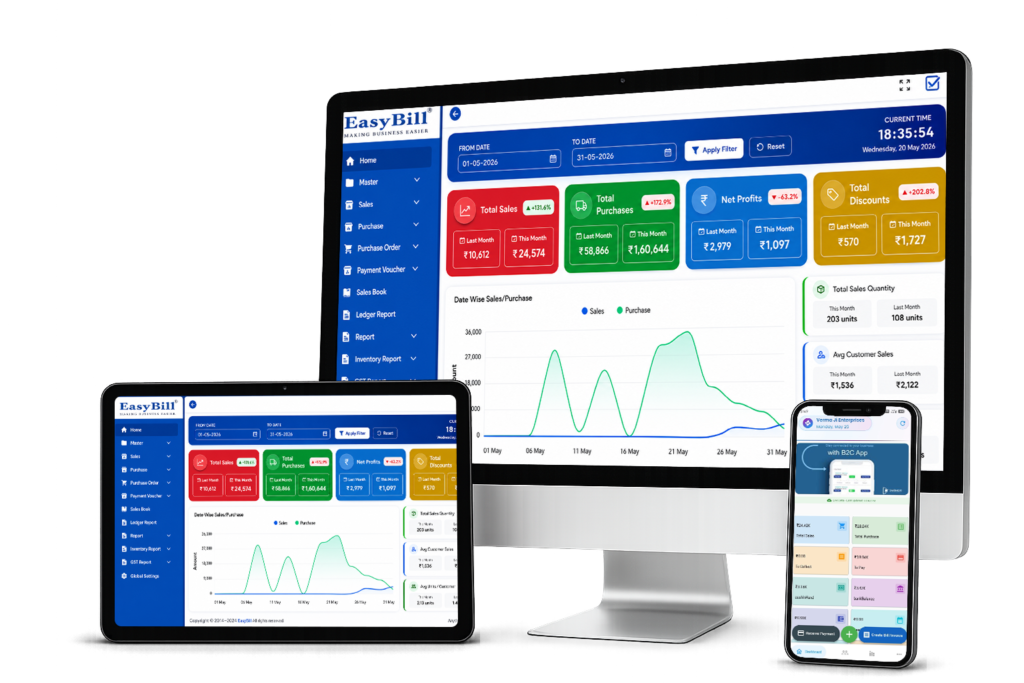
EasyBill ERP is a Computer Hardware Inventory Management Software designed for computer shops, hardware dealers, wholesalers, distributors and IT retailers. It helps you manage computer hardware stock, track purchases and sales, monitor inventory quantities, create GST bills, manage products and barcodes, and review stock movement and business reports from one system.
What is Computer Hardware Inventory Management Software?
Computer hardware inventory management software helps businesses organize products, monitor stock levels, track purchases and sales, manage serial numbers, and keep inventory records accurate. It is useful for businesses handling laptops, desktops, processors, RAM, SSDs, printers, networking products, accessories and other hardware SKUs.
Who should use computer hardware inventory software?
This type of software is useful for computer retailers, hardware shops, IT dealers, distributors, wholesalers and businesses that handle many product SKUs. It is especially helpful when stock changes frequently and staff need to connect purchases, sales and inventory records.
- Computer and laptop retailers
- Computer hardware dealers
- IT and networking product shops
- Hardware wholesalers and distributors
- Businesses managing large numbers of product SKUs and accessories
Key Features of EasyBill ERP
Serial Number Tracking
Track serial-number-based hardware such as laptops, desktops, monitors, storage devices and networking equipment where individual-unit identification is required. Serial-level records can make it easier to identify products during sales, service and warranty-related workflows.
SKU Management
Organize hardware products using SKUs so different models, capacities, specifications and product variants can be identified consistently across purchasing, inventory and sales.
Barcode Management
Use barcode-based product identification to find hardware items quickly and reduce manual product entry during billing and inventory operations.
Purchase Management
Record hardware purchases, supplier transactions and incoming stock so inventory quantities and purchase records stay connected.
Sales Management
Record hardware sales and connect transactions with product and inventory records. This helps businesses maintain clearer sales history and stock visibility.
Stock Transfer
Manage stock movement between locations or inventory points where the business operates more than one stock-holding location. A clear transfer record helps maintain accurate quantities at each location.
Warranty Tracking
Maintain relevant product and warranty information for hardware items where warranty details are important for customer service, replacements and after-sales follow-up.
Repair and RMA Management
Keep repair and return-related information connected with hardware products when items are sent for service, replacement or RMA processing. This can help teams follow the status of returned or serviced equipment.
Supplier Management
Maintain supplier information and connect supplier purchases with inventory activity. This helps businesses review purchasing history and manage vendor-related records more systematically.
Multi-location Inventory
For businesses operating multiple stores, warehouses or stock points, location-wise inventory visibility helps teams understand where products are available and where stock needs to be moved or replenished.
Low Stock Alerts
Monitor stock levels and identify products that are approaching their replenishment threshold. Low-stock visibility can help computer shops avoid unexpected stock shortages for frequently sold hardware.
Inventory Reports
Review inventory, sales, purchases and stock-movement reports to understand product performance, available quantities and purchasing requirements.
Computer Hardware Stock Management
Manage hardware products and keep track of available quantities across your inventory. EasyBill helps you maintain organized stock records and identify low-stock products.
Purchase and Sales Tracking
Record purchases and sales in one system so your inventory is updated with business transactions. Track supplier purchases, customer sales and product-wise activity.
Inventory Quantity Tracking
Monitor available, sold and purchased quantities for hardware products. Better quantity visibility helps reduce stock shortages, overstocking and manual inventory errors.
GST Billing
Create GST invoices for computer hardware sales with applicable tax calculations, HSN codes and GST reporting. For official GST information and government resources, refer to the official GST Portal.
Barcode and Product Management
Manage product information and use barcode-based billing to identify products quickly and reduce manual product entry at the billing counter.
Stock Movement and Reporting
Review stock movement, sales, purchases, inventory and GST reports to understand business activity and make better purchasing and stock decisions.
Practical computer hardware inventory example
Consider a computer shop receiving 20 SSDs and 10 RAM modules from a supplier. The inventory workflow should record the purchase, update available quantities, retain supplier details, and make the products available for billing. When a customer buys one SSD, the sale should reduce the available quantity and appear in the sales and inventory records.
For products that need extra identification, such as laptops, monitors or networking devices, the business can also evaluate whether SKU, barcode, serial-number, warranty or model details can be recorded consistently. This matters when the same product family has different capacities, specifications or warranty terms.
How should you test hardware inventory software before buying?
Direct answer: Test the software with products your business actually sells instead of relying only on a vendor feature list. A practical test should connect product setup, purchase entry, stock update, sale, billing and reporting.
- Add a real hardware SKU such as a laptop, SSD, RAM module or networking product.
- Record a sample purchase and confirm that inventory quantity increases correctly.
- Create a GST invoice for the same product and check the tax and invoice details.
- Verify that the sale reduces the available stock and appears in the sales record.
- Test barcode or product search using the way your staff normally finds products.
- Open inventory, sales, purchase and GST reports and confirm that the test transactions are reflected.
- Ask the vendor to demonstrate corrections, returns, user permissions and stock history before making a final decision.
What should computer hardware businesses compare?
Do not compare software only by the number of features. Compare the daily workflow and how quickly your staff can complete common tasks.
| Decision area | What to check |
|---|---|
| Inventory | Product quantities, stock movement and low-stock visibility |
| Billing | GST invoices, product search, barcode support and payment recording |
| Purchases | Supplier records, purchase entries and stock updates |
| Product control | SKU, barcode and serial-number requirements where applicable |
| Reports | Sales, purchase, inventory and GST reporting |
| Support | Demo, setup, training and technical assistance |
Related EasyBill ERP Solutions
Explore our Inventory Management Software, GST Billing Software, Retail Billing Software and POS Software solutions for related billing and stock workflows.
Frequently Asked Questions
What is computer hardware inventory management software?
Computer hardware inventory management software is a system that helps computer shops and hardware businesses manage products, stock quantities, purchases, sales, billing and inventory reports in one place.
How does EasyBill manage hardware stock?
EasyBill helps you maintain product records, track purchases and sales, monitor inventory quantities, manage stock movement and review inventory reports.
Can EasyBill handle GST billing for computer hardware?
Yes. EasyBill supports GST billing for computer hardware businesses, including GST invoices, tax calculations, HSN codes and GST reports.
Can I track purchases and sales?
Yes. EasyBill lets you record and track purchases and sales so your transaction and inventory records stay organized.
Does EasyBill support barcode inventory?
Yes. EasyBill supports barcode and product management to help businesses identify products faster and improve billing and inventory workflows.
Who is behind EasyBill ERP?
EasyBill ERP is the software brand behind this billing and inventory solution. Businesses should confirm product capabilities, implementation requirements, support arrangements and tax-specific setup with the EasyBill team before deployment.