
Retail billing software should do more than create a bill. For a retail shop, the right system connects counter billing with GST invoicing, products, inventory, payments, purchases, and reports so the owner and cashier are working from the same records.
This guide is for retail shop owners, managers, and staff who already understand basic billing and are comparing software before making a purchase. The goal is not to name a universal “best” product. It is to show what to test before you commit.
What is retail billing software?
Retail billing software is a digital system used to create sales invoices and record retail transactions. Depending on the product, it can also manage inventory, purchases, customers, suppliers, payments, GST information, barcode billing, POS operations, and business reports.
Current retail software guides consistently put billing, GST, inventory, barcode or POS functionality, payment handling, and reporting near the centre of the buying decision.
The important part is how those functions work together. A shop owner does not experience “inventory software” and “billing software” separately during a sale. The cashier sells a product, payment is recorded, an invoice is produced, and the transaction becomes part of the store’s records.
Billing Software for Retail Shop
What should retail billing software handle every day?
Start at the counter.
A typical transaction involves finding the product, entering quantity, applying the correct price or permitted discount, calculating the applicable tax, accepting payment, and issuing the bill. If inventory is connected, the transaction also feeds into stock records according to the software’s workflow.
That is why a feature list is not enough. Ask the vendor to demonstrate the exact transaction your shop handles every day.
Fast product search and billing
A cashier should be able to find products quickly, change quantities, review the cart, record payment, and complete the invoice without unnecessary navigation.
For a store with hundreds or thousands of products, product search and barcode scanning deserve particular attention. For a smaller shop, a simple search-first workflow may be enough.
GST billing and invoice management
GST invoicing is a common requirement in Indian retail software. Current buyer guides also distinguish ordinary GST invoicing from features such as e-invoicing and e-way bills, which should be checked separately rather than assumed from a generic “GST billing” claim.
During a demo, create an invoice using your own products and tax setup. Check the invoice fields, tax treatment, numbering, and reports that your business actually requires.
Barcode and POS billing
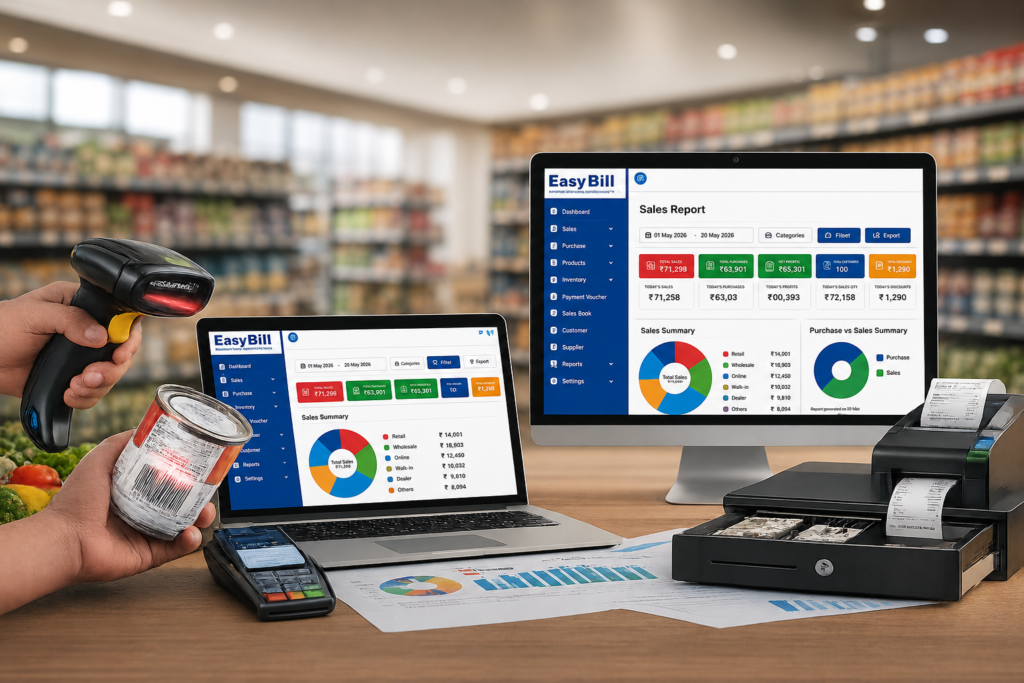
Barcode billing is useful when products already carry barcodes. Scanning can reduce manual product entry and make the checkout workflow more direct. Retail POS products commonly combine barcode billing with GST invoices and inventory.
Hardware matters here. If you use a barcode scanner or receipt printer, test the real device with the software before moving to live billing.
Inventory management
Retail billing creates a record of products sold. A connected inventory system uses that transaction as part of the store’s stock workflow.
Purchases matter too. If a product comes into the store through a purchase entry and leaves through a sale, the software should give you a practical way to follow that movement when inventory management is part of the system.
Payments, customers and credit
Every shop handles payments differently. Cash, UPI, cards, and credit transactions may all be part of the daily workflow.
Do not assume every payment feature is included in every plan. Test the payment methods your staff actually use and check how the resulting records appear in reports.
Customer or credit records deserve the same treatment. A store that sells mostly walk-in purchases may need little customer data, while a shop that manages credit accounts needs a much clearer ledger workflow.
Purchase and supplier records
Retail software should not stop at the customer invoice if your business also needs to track incoming stock.
Check how the system handles supplier information, purchase entries, stock received, and supplier payments if those functions matter to your operation.
Reports for the owner
Reports should answer business questions, not simply fill a menu.
Check whether you can easily review sales, purchases, inventory, payments, customers, and other information relevant to your shop. Current retail platforms also market broader analytics, supplier management, customer loyalty, and multi-store reporting as part of larger retail systems.
How should you compare retail billing software?
Use a real-shop test instead of a feature-count contest.
- Map one normal sale. Write down every step from product selection to payment and invoice.
- Use real products. Test representative product names, categories, prices, tax information, and units.
- Test barcode billing. If your shop uses barcodes, connect the scanner and test actual products.
- Test GST invoices. Verify the invoice fields and tax treatment relevant to your business.
- Test stock movement. Record a purchase, sell the item, and review the resulting inventory information.
- Test payments and credit. Use the payment methods and customer-credit process your shop actually follows.
- Review reports. Find the information you need for daily and periodic business review.
- Let the cashier use it. The person who works at the counter should be part of the decision.
What do current retail billing guides cover — and what should buyers look at more closely?
Competitor pages cover the obvious buying criteria well: GST invoices, inventory, barcode POS, payments, reports, customer management, and sometimes multi-store operations.
Many comparison pages also emphasise rankings, prices, ratings, free plans, or promotional claims. Those details change by vendor and date, so they are poor universal benchmarks.
The more useful gap is workflow fit. A retailer should ask: Can my cashier complete a normal sale easily, can my stock records follow that sale, and can I get the reports I actually need?
That test matters more than a long list of features that your store never uses.
Should you choose cloud, desktop, or offline billing?
This is a practical decision, not a software trend.
Cloud systems are designed around online access and central data. Desktop or offline-first systems can be useful for businesses where local counter billing is a priority. Some products provide both online and offline variants, with different capabilities between them.
Ask what happens when your internet connection fails. Can billing continue? What data is stored locally? How does synchronization work after the connection returns? What happens to printers and barcode devices?
If your store depends on continuous counter billing, these are questions to answer before purchase, not after an outage.
When does a simple billing system become too limited?
A basic invoice tool may be enough for a business that creates occasional bills and has little inventory complexity.
The requirements change as the shop starts managing more products, barcode billing, stock movement, purchases, customer credit, multiple payment methods, or multiple locations.
At that point, a connected retail POS and inventory workflow is usually more useful than keeping separate records for every part of the business.
What are the common mistakes retailers make?
Buying because the software looks cheap. Price is one part of the decision. Hardware, setup, support, data migration, and the functions you actually need also matter.
Choosing by feature count. Ten useful features are better for your shop than fifty confusing ones.
Ignoring the cashier. Owners compare dashboards; cashiers deal with the billing screen all day.
Skipping hardware testing. Barcode scanners, receipt printers, cash drawers, and other devices need to work with the actual setup.
Assuming GST means everything is covered. Confirm the exact GST, e-invoice, e-way bill, HSN/SAC, and reporting functions relevant to your business.
Moving live data without checking recovery. Ask about backup, export, access control, and recovery before importing important business records.
Where does EasyBill ERP fit?
EasyBill ERP is positioned on its website as a billing and business-management solution for product-based businesses, with use cases around areas such as retail, grocery, pharmacy, optical, wholesale, and distribution.
For a retail shop considering EasyBill, evaluate the complete sequence rather than one module:
Product setup → Purchase → Inventory → Retail billing → GST invoice → Payment → Report
That is the useful test. If the workflow matches your shop, then move on to questions about setup, support, data, hardware, and the specific features included in your configuration.
Who is retail billing software actually for?
Retail billing software is relevant to shops that regularly sell products and need more than a handwritten or basic invoice record.
That includes general stores, grocery shops, supermarkets, pharmacies, optical stores, apparel retailers, hardware shops, electronics retailers, and other product-based businesses. The exact software requirements differ by category.
A pharmacy, for example, may need different product and stock controls from an apparel store. A shop with a few hundred products has a different checkout problem from one with a large barcode catalogue. Choose around those differences.
Frequently Asked Questions
What is retail billing software?
Retail billing software helps stores create sales invoices and maintain transaction records. Depending on the product, it also connects billing with GST, POS, inventory, purchases, payments, customers, suppliers, and reports.
Is retail billing software the same as POS software?
There is overlap. Retail POS software is centred on the point-of-sale transaction, while retail billing software may focus more broadly on invoicing and related business records. Many modern products combine both approaches.
Does retail billing software support GST?
Many Indian retail billing products support GST invoicing. Verify the exact tax, invoice, e-invoicing, e-way bill, and reporting requirements relevant to your business.
Can retail billing software manage inventory?
Many retail systems connect sales and purchases with inventory. The exact functions differ, so test product setup, purchase entry, sale, stock update, and reporting during a demo.
Is barcode billing necessary?
No. Barcode billing is useful when the shop handles barcode-labelled products. A smaller catalogue may be easier to manage through product search.
What should I check before buying retail billing software?
Test billing speed, product search, GST invoices, barcode hardware if required, inventory movement, purchases, payments, reports, backup, data export, support, and cashier usability.
Final recommendation
Do not choose retail billing software from a comparison table alone. Put your own products through a real billing workflow, test the GST invoice, follow stock from purchase to sale, and let your cashier operate the system.
For EasyBill ERP, the next practical step is a workflow-based demo using your store’s actual requirements. That will tell you far more than a generic “best billing software” ranking.
Sources and confidence: Competitor and category observations were checked against current retail billing and POS guides from AppAdvisor, Techjockey, Accountune, KOSH, Petpooja, Vyapar, SWIL, Operato, and other current vendor pages. citeturn0search1turn0search18turn0search4turn0search7turn0search8turn0search5 EasyBill-specific product positioning should be confirmed against the current EasyBill product/demo configuration. No competitor pricing, rankings, customer counts, ratings, or promotional performance claims were presented as universal facts.
1
1
1
1