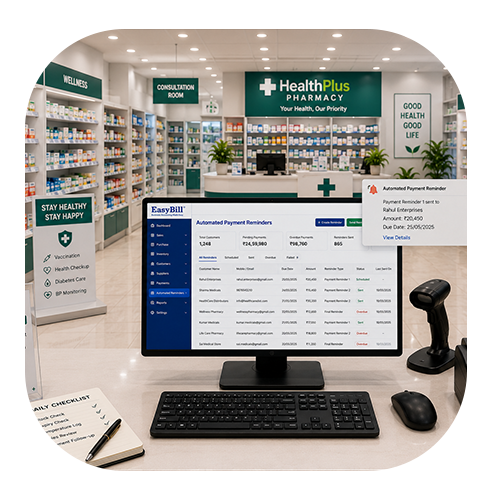
what pharmacy management software does Walgreens use

Retail Billing Software Offline Software: 7 Powerful Benefits

Last updated: August 25, 2026 Quick answer: Offline retail billing software can help stores continue essential billing and sales work when internet connectivity is temporarily unavailable. Definition: Offline retail billing software is a billing system that keeps essential sales operations available without requiring a constant internet connection. Retail billing software offline software can be a practical solution for stores that need reliable billing even when internet connectivity is unstable. A busy counter should not have to stop simply because the network is temporarily unavailable. For many retailers, the real value is continuity. Staff can keep routine work moving, customers spend less time waiting, and the business can maintain more organized transaction records. Table of Contents Why Offline Billing Matters 7 Powerful Benefits Features to Look For How the Offline Workflow Works How EasyBill ERP Can Help Frequently Asked Questions Why Retail Billing Software Offline Software Matters For stores comparing retail billing software offline software, the most important question is how reliably the system handles everyday billing when connectivity is unavailable. Imagine a store during its busiest hour. Customers are ready to pay, but the internet suddenly stops responding. If every billing function depends on a live connection, the queue can grow quickly. A suitable offline setup gives retailers another option. Depending on the product, selected invoices, product information and transaction records can remain available locally until connectivity returns. The exact offline features vary between providers, so it is important to test the workflow rather than relying only on the word “offline” in a product description. 7 Powerful Benefits of Retail Billing Software Offline Software 1. Keep Billing Moving During Network Problems The most obvious benefit is continuity. Supported billing tasks can continue during a temporary internet interruption, helping the counter avoid unnecessary downtime. 2. Reduce Customer Waiting Customers expect checkout to be quick. An offline-capable workflow can help staff process routine sales without waiting for every request to reach an online service. 3. Reduce Duplicate Data Entry Handwritten invoices created during an outage often have to be entered again later. Digital offline transactions can reduce this extra work when the software supports local storage and later synchronization. 4. Maintain Better Product and Stock Records Billing and inventory are connected. A properly designed system can keep supported product and stock information available while offline, helping staff maintain a more consistent workflow. 5. Make Barcode Billing Easier Barcode scanning can speed up product selection in stores with a large catalog. An appropriate offline setup can keep routine scanning and product lookup available when connectivity is temporarily lost. 6. Improve Business Visibility Organized digital transactions make it easier to review sales and inventory activity. After supported data is synchronized, available reports can help owners understand day-to-day performance. 7. Give Staff a Consistent Process When employees know how to switch between normal and offline workflows, they are less likely to create temporary manual processes that later cause confusion or missing records. Features to Look For Do not choose software simply because it advertises offline billing. Check how the feature works in a real retail environment. Offline invoice creation Local transaction storage Clear synchronization process Barcode scanning Product and inventory management GST invoice support Sales and purchase reports Backup and recovery User permissions Customer and supplier records Ask what happens if the computer restarts before synchronization. Also confirm how invoice numbering, stock changes, payments and backup recovery are handled after the connection returns. How the Offline Workflow Works A typical workflow begins with product and billing information stored or made available on the billing device. During an internet interruption, supported transactions are recorded locally. When connectivity returns, the software can synchronize those records according to its design. Some products automate this step, while others may require a user action. Before going live, run a controlled test. Disconnect the internet, create sample invoices, check stock and payments, reconnect, and then verify the synchronized records. Offline Billing vs Manual Billing Manual billing may seem convenient for a short outage, but it creates additional work. Staff have to write bills, calculate totals and later transfer those records into the main system. A properly tested offline workflow can reduce these extra steps. It also gives the team a clearer process for returning to normal operations after connectivity is restored. How EasyBill ERP Can Help EasyBill ERP Billing Software provides billing and inventory tools for businesses looking to organize their daily retail operations. Explore the available features and evaluate the setup according to your store’s needs. For related information, read our GST billing software guide and accounting software guide. For official GST information and updates, visit the official GST portal. Book a Free Demo Want to see how the billing workflow could fit your store? A quick demo can help you understand billing, products, inventory and everyday counter operations before you make a decision. Frequently Asked Questions What is retail billing software offline software? It is a billing solution designed to support defined retail billing tasks without requiring a continuous internet connection. Exact offline capabilities depend on the software. Can I create invoices without internet? If the software supports offline invoice creation, supported invoices can be prepared without an active internet connection. Confirm the available offline functions with the provider. Will offline sales synchronize later? Some systems synchronize locally stored transactions after connectivity returns. The exact process varies, so it should be tested before the system is used in a live store. Is offline billing useful for small shops? It can be useful for stores that experience unreliable connectivity. Smaller businesses should prioritize simple workflows, backups and the features they actually need. What should I check before buying? Check offline invoices, local storage, synchronization, inventory handling, barcode support, backups, security, reporting and customer support. A live demonstration is also useful. Final Takeaway Choosing retail billing software offline software can help a store stay prepared for internet interruptions without immediately falling back to handwritten billing. The right solution should make everyday work easier while keeping data organized. Before choosing a

Retail Billing Software Offline Software: 7 Powerful Benefits Read More »

Cheap Accounting Software: 7 Smart Ways to Save Without Compromising Essentials

Last updated: August 25, 2026 Quick answer: Cheap accounting software can be useful for small businesses when it covers essential invoicing, expense tracking, reporting and record-management needs without unnecessary complexity. Definition: Cheap accounting software is a lower-cost digital accounting solution designed to handle core financial record-keeping tasks for a business. Accounting software does not have to be expensive to be useful. For a small business, the monthly or yearly software bill is one more cost to consider, so choosing cheap accounting software can make sense. The important part is making sure the lower price still gives you the tools needed for everyday accounts, invoices, expenses and business records. A sensible accounting solution should save time rather than create more work. You want a system that is easy to understand, keeps financial information organized and fits the way your business actually operates. Cost matters, but so does what you get for that cost. Table of Contents What Does Cheap Accounting Software Really Mean? Cheap accounting software means an accounting solution that keeps the software cost affordable while still covering the core needs of a business. The cheapest option is not automatically the best option. If important features are missing or the system is difficult to use, the money saved on software may be lost through extra manual work. For many small businesses, a practical low-cost system can be enough to manage invoices, expenses, sales, purchases, customer records and basic business reports. The right choice depends on what your business needs today and how you expect it to grow. 7 Smart Benefits of Choosing Affordable Accounting Software 1. Lower Cost of Getting Started Affordable software makes it easier for small businesses to move from notebooks and spreadsheets to digital accounting without taking on a large software expense. 2. Less Manual Record Keeping Entering the same transaction into different registers takes time. A connected accounting system can keep business records organized in one place and reduce repetitive work. 3. Easier Invoice Management Creating and maintaining invoices becomes simpler when customer and transaction information is stored digitally. This can be especially useful for businesses handling regular sales. 4. Better Expense Visibility Small expenses can add up quickly. Recording them consistently gives business owners a clearer picture of where money is being spent and makes routine financial review easier. 5. Faster Access to Business Information Digital records are easier to search than stacks of paper. Instead of looking through registers, owners can find relevant transactions and available reports more quickly. 6. Useful Reports for Everyday Decisions Reports can turn recorded transactions into information that is easier to understand. Depending on the software, you may be able to review sales, purchases, expenses, receivables or other available business data. 7. More Predictable Software Spending Knowing the price of the plan in advance helps small businesses budget for software. Before buying, check what is included and whether the features you need are covered by the plan. Features Worth Paying For in Cheap Accounting Software A low price is useful only when the software still handles your important tasks. Before choosing a system, look for features that match your day-to-day work: You do not need to pay for features that your business will never use. A good budget solution should give you the essentials without making everyday accounting unnecessarily complicated. EasyBill Pricing: Start at ₹2,499 for 1 Year If you are comparing affordable accounting software, EasyBill ERP offers a plan starting at ₹2,499 for 1 year. This gives small businesses a clear starting point when budgeting for accounting and business management software. Pricing and plan details can change, so it is always best to check the current EasyBill ERP pricing page before making a purchase. The pricing page provides the latest available plan information. Affordable Accounting Software vs Manual Accounting Area Manual Accounting Affordable Accounting Software Invoices Paper or spreadsheet based Digital invoice workflow Expenses Can be scattered across records Organized digital entries Transaction search Can take longer Faster digital search Reports Manual calculations Based on recorded transactions Data storage Registers and files Centralized software records How EasyBill ERP Can Help EasyBill ERP combines billing, accounting and business management functions for businesses that want to manage routine operations from one platform. Depending on the business setup, it can help organize invoices, sales, purchases, inventory and related reports. To understand the broader accounting workflow, visit the Accounting Software for Small Business page. If your business also needs inventory management, you can review the inventory management guide for an example of connected stock workflows. For GST-related information, refer to the official GST Portal. Businesses should configure tax settings according to their applicable requirements and current official guidance. Who Should Consider Cheap Accounting Software? Affordable accounting software can be useful for freelancers, small retailers, service businesses, startups, traders and other businesses that want to move away from manual records without committing to a high software cost. It can also be a sensible option for a business that already uses spreadsheets but wants a more organized way to manage invoices, expenses, purchases and financial information. How to Choose Without Buying the Wrong Software Start with your actual routine. List the tasks you perform every week and then check whether the software handles them. Think about invoicing, expenses, purchases, inventory, GST requirements, reports and the number of people who will use the system. Also check the complete pricing structure rather than looking only at the headline price. A low starting cost is useful when the features you need are already included and the software remains practical as your business grows. Frequently Asked Questions What is cheap accounting software? Cheap accounting software is an affordable digital accounting solution that covers essential business tasks such as invoices, expenses, sales, purchases and reports without requiring a large software budget. How much does EasyBill accounting software cost? EasyBill ERP pricing starts at ₹2,499 for 1 year. Because plans and pricing can change, check the current pricing page for the latest details. Is cheap accounting software suitable for

Cheap Accounting Software: 7 Smart Ways to Save Without Compromising Essentials Read More »