
Key takeaway: CRM for Pharma is most useful when it gives pharmaceutical sales teams one place to manage leads, customers, distributors, follow-ups and sales activity while fitting the existing billing, inventory and operational workflow.
Last updated: October 5, 2026
CRM for Pharma should do more than store contact names. A useful system should give pharmaceutical sales teams one place to organize leads, customers, follow-ups, sales activity and reports. For a business that already uses billing and inventory software, the real question is whether the CRM fits into the existing sales workflow instead of creating another isolated database.
That distinction matters in pharma because the person generating demand, the distributor placing an order and the customer receiving the product are not always the same contact. A sales team needs context, follow-up history and clear ownership—not another spreadsheet with hundreds of names.
What is a CRM for Pharma?
Short answer: A CRM for pharma is customer relationship management software adapted to pharmaceutical sales processes, including leads, customer relationships, field activity, follow-ups and reporting.
A CRM for pharma is a customer relationship management system adapted to pharmaceutical sales processes. It can be used to organize leads, healthcare and business contacts, distributors, sales opportunities, follow-ups, activities and reporting. Pharma-focused CRM products also commonly address field sales, territory management, doctor or healthcare-professional records, samples and visit tracking. citeturn0search0turn0search1turn0search6
The important part is the workflow. A generic CRM assumes a fairly simple journey: lead, opportunity, proposal, sale. Pharma sales can involve repeated visits, distributors, retailers, healthcare professionals and longer relationship cycles. MedicalRep, for example, specifically describes a pharma CRM model built around recurring visits rather than a conventional deal funnel. citeturn0search7
Why do pharma sales teams need CRM software?
Short answer: Pharma sales teams need CRM when leads, customer interactions, distributors, field activities and follow-ups become difficult to manage consistently across spreadsheets, chats and individual records.
Because leads become difficult to manage long before a sales manager notices the problem.
A new enquiry arrives through a website, email, phone call or another channel. Someone speaks to the prospect. A follow-up is promised. Then another salesperson gets involved. If the information lives in WhatsApp chats, notebooks and individual spreadsheets, the manager has no reliable single view of what happened.
CRM for Pharma platforms are designed to centralize customer information and sales activity. Vendor examples in the current market describe lead management, follow-up tracking, distributor management, field activity, reporting and customer records as core workflows. citeturn0search0turn0search8turn0search9
Which CRM for Pharma features should you actually pay for?
Short answer: Prioritize lead capture, ownership, follow-up management, customer and distributor records, field-sales activity, reporting and the integrations your team actually needs.
Do not start with the longest feature list. Start with the sales problems your team has today.
Lead capture and assignment
Every enquiry should have an owner. A CRM should let the team record where the lead came from, who is responsible, what the prospect needs and what should happen next.
This becomes more useful when leads are assigned by salesperson, territory, product or business type. Groweon, for example, describes pharma CRM workflows around lead management, smart assignment and automated follow-up. citeturn0search8
Follow-up management
A lead is not lost because the salesperson forgot the customer’s name. It is lost because the next action was never recorded.
A practical CRM should make the next follow-up visible. That might be a call, meeting, quotation, product discussion or distributor conversation. Managers should be able to see overdue activities without asking every representative for a separate update.
Customer and distributor management
Pharma sales teams deal with different relationship types. Depending on the business model, that could include distributors, stockists, retailers, hospitals, clinics and healthcare professionals.
A good CRM should keep these relationships structured instead of forcing every contact into the same generic customer field. TatvaCRM describes a model that separates distributors and retailers from doctors and buyers, while Vtiger describes CRM use across healthcare providers, hospitals and other pharmaceutical stakeholders. citeturn0search0turn0search6
Field-sales activity
If your sales team works in the field, a desktop-only CRM is a poor fit.
Pharma CRM vendors commonly emphasize mobile access, doctor or chemist visit logging, territory management and field reporting. Some products also include location-based controls. These are specialized requirements, so they should be tested during a demo rather than assumed from the word “CRM” in a product name. citeturn0search1turn0search11
Where does sales automation make the biggest difference?
Short answer: Automation has the most value in repetitive tasks such as lead assignment, follow-up reminders, routing and workflow handoffs, while leaving sales decisions to the team.
Automation should remove repetitive follow-up work—not replace the salesperson’s judgment.
Useful automation includes assigning new leads, creating follow-up tasks, sending reminders, routing enquiries and updating pipeline stages. Groweon’s pharma CRM describes automated follow-up and lead routing, while KudosCRM describes workflow automations for reminders, emails and handoffs. citeturn0search8turn0search5
Practical EasyBill example: A pharma sales team can treat a new enquiry as a lead, assign an owner, record the conversation, set the next follow-up and then connect the sales context with the customer, order and inventory information already managed in EasyBill. The exact automation available should be confirmed in the product demonstration rather than assumed.
CRM is not the same as pharmacy billing software
This is where many buyers get confused.
Pharmacy billing software is mainly concerned with transactions: invoices, purchases, inventory, GST records, customer or supplier records and business reports. CRM is concerned with relationships and sales activity: leads, contacts, follow-ups, opportunities and communication history.
They can work together, but they solve different problems.
| Business need | CRM | Billing / ERP |
|---|---|---|
| Lead capture | Primary function | Usually secondary or outside the core workflow |
| Follow-up reminders | Primary function | May be limited |
| Sales pipeline | Primary function | Usually transaction-focused |
| Billing | Usually not the core function | Core function |
| Inventory | Usually limited or integrated | Core function in ERP/billing systems |
| GST reports | Usually not the core function | Common ERP/billing requirement |
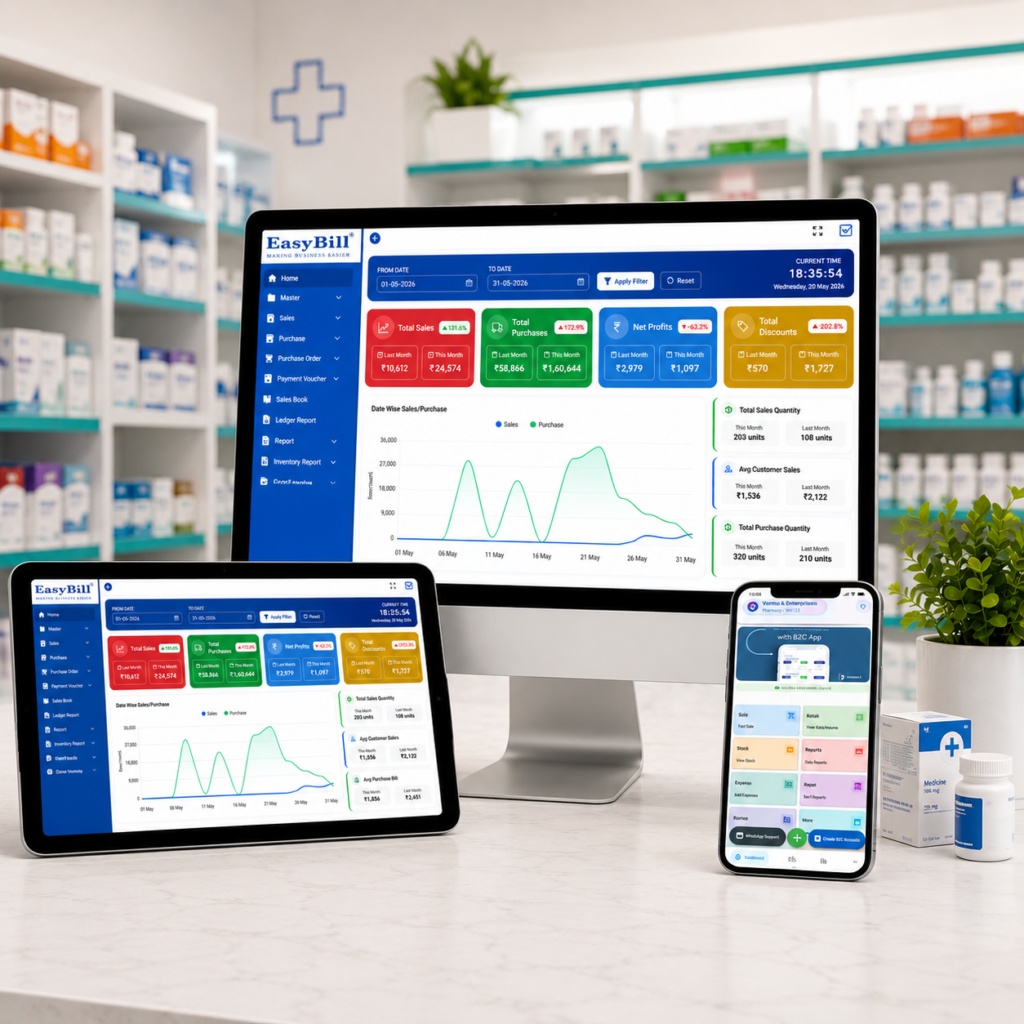
EasyBill ERP documents billing, inventory, customer and supplier management, order management, sales tracking and business reporting as part of its broader business-management platform. It also lists CRM among the features of its asset and inventory management software.
That makes EasyBill relevant when a pharmaceutical business wants sales and customer information connected with its operational records. But if your requirement is a specialized medical-representative CRM with HCP visit cycles, samples, territory coverage or pharma-specific compliance workflows, those requirements should be confirmed directly before purchase.
What should a pharma company check during a CRM for Pharma demo?
Short answer: Test a real lead from creation through assignment, follow-up, pipeline movement, customer history, manager visibility, mobile use and integration with billing or inventory workflows.
Demo checklist: Verify lead capture, ownership, follow-up reminders, customer history, field activity, manager reporting and integration with billing or inventory.
Skip the polished presentation. Ask the vendor to run a real workflow.
- Create a new pharma lead and assign it to a salesperson.
- Record the first conversation and set the next follow-up.
- Move the lead through the actual sales stages your team uses.
- Record a customer or distributor interaction and retrieve the history later.
- Check what the manager sees without requesting a manual report from the salesperson.
- Test the mobile experience if field representatives will use the system.
- Check whether CRM data can connect with your existing billing, inventory or accounting workflow.
If a vendor cannot demonstrate your actual sales process, do not judge the software from its feature list.
Who should use a CRM for Pharma—and who should not?
Short answer: A pharma manufacturer, distributor or field-sales team with many leads and recurring interactions is a stronger CRM candidate than a very small team with a simple sales process.
A pharma manufacturer, distributor, PCD company or field-sales organization with a growing number of leads and customer interactions has a clear reason to evaluate CRM. The value becomes stronger when managers need visibility across representatives, territories and follow-ups. Industry-specific vendors position their systems for manufacturers, distributors, field representatives and pharma sales managers. citeturn0search9turn0search11
A very small business with one salesperson, a short sales cycle and almost no follow-up complexity might not need a specialized pharma CRM yet. A basic customer database plus billing software could be enough.
And if your main problem is medicine stock, batch numbers, expiry dates or pharmacy billing, buy inventory and billing software for that job first. CRM will not fix an inventory-control problem.
How EasyBill fits into the pharma software conversation
EasyBill is positioned as GST billing, inventory and business-management software for retail, wholesale, pharmacy and distribution businesses. Its documented capabilities include customer and supplier management, sales and purchase tracking, order management, inventory reports and business reports. citeturn1search1turn1search8
For a pharmaceutical business, that operational layer matters because sales information eventually connects with orders, stock and billing. If you are already evaluating EasyBill, test the complete workflow instead of looking at CRM as a separate checkbox.
[INTERNAL LINK: Pharmacy stock management software]
[INTERNAL LINK: ERP software for pharmaceutical industry]
[INTERNAL LINK: GST reports billing software]
Common mistakes when choosing CRM for pharma
The first mistake is buying a generic CRM and assuming pharma-specific needs will fit later. A generic system may handle contacts and pipelines perfectly while still being a poor fit for recurring field visits, HCP records, samples or territory-based activity.
The second is automating before the sales process is defined. If nobody agrees who owns a lead, when a lead becomes qualified or what counts as a completed follow-up, automation simply makes a messy process move faster.
The third is ignoring integration. If the CRM contains one customer record and the billing system contains another, your team still has duplicate work.
What is the right next step?
Short answer: Prepare a small set of real leads, contacts and one complete follow-up scenario, then use the same workflow to evaluate each CRM vendor.
Choose CRM based on the sales process your pharma business actually runs. For field-heavy teams, test mobile visits, territory handling, HCP or customer records and follow-up workflows. For manufacturers and distributors, test lead assignment, distributor management, order progression and reporting. If billing and inventory already run through EasyBill, ask how the CRM workflow connects to those operational records before committing.
Next step: prepare five real leads, two customer or distributor records and one complete follow-up scenario. Use them in the software demo. That will tell you far more than a generic feature list.
Frequently asked questions
What is CRM for pharma?
Short answer: CRM for pharma is software that organizes pharmaceutical leads, customer relationships, sales activity, follow-ups and reporting.
CRM for pharma is customer relationship management software adapted to pharmaceutical sales. Depending on the product, it may cover leads, healthcare professionals, distributors, customer records, field visits, follow-ups, sales pipelines and reporting. citeturn0search0turn0search6
What is the difference between pharma CRM and pharma ERP?
Short answer: Pharma CRM focuses on leads, relationships, sales activity and follow-ups, while ERP or business-management software covers wider operations such as inventory, purchasing and billing.
A CRM focuses mainly on relationships, leads, sales activity and follow-ups. An ERP or business-management system covers wider operational processes such as inventory, purchasing, billing, accounting and reporting. Some businesses use both and connect them.
Does every pharma company need a specialized CRM?
Short answer: No. The right choice depends on sales complexity, field activity, territories, follow-up volume and the type of customer relationships being managed.
No. The right choice depends on the sales model. A business with field representatives, territory-based selling and many recurring customer interactions has stronger reasons to use specialized pharma CRM features than a small team with a simple sales process.
Can CRM software automate pharma sales follow-ups?
Short answer: Yes, supported CRM platforms can automate reminders, lead assignment, routing and other repeatable follow-up tasks.
CRM platforms can automate tasks such as reminders, lead assignment, routing and workflow handoffs when those functions are supported by the chosen product. Current pharma CRM vendors document these types of automation. citeturn0search5turn0search8
Should CRM be connected with billing and inventory?
Short answer: Connect CRM with billing and inventory when sales teams need customer, order or stock context without maintaining separate records.
If your sales process depends on customer orders, stock availability or billing records, integration is worth testing. The aim is to avoid maintaining separate customer and transaction records in multiple systems.
Internal reference: For pharmacy operations, see pharmacy stock management software, and for broader pharmacy workflows see advantages of a medical store management system.