
Advantages of Medical Store Management System: 10 Benefits
A medical store management system is worth considering when billing, stock, purchases, expiry dates and business records are becoming difficult to control manually. The biggest benefit is not simply faster billing. It is having connected information about what was purchased, what was sold, what remains in stock and which medicines need attention.
This guide is for medical store owners, pharmacists and pharmacy managers who already understand day-to-day retail pharmacy work but want better control over billing and inventory.
Quick answer: The main advantages of medical store management software are faster billing, better inventory visibility, batch and expiry tracking, purchase control, supplier records, GST-ready billing and reporting. The right system should reduce repetitive entry while making stock movements easier to trace. It should also fit the store’s actual workflow rather than adding unnecessary complexity.
Explore medical store stock management software.
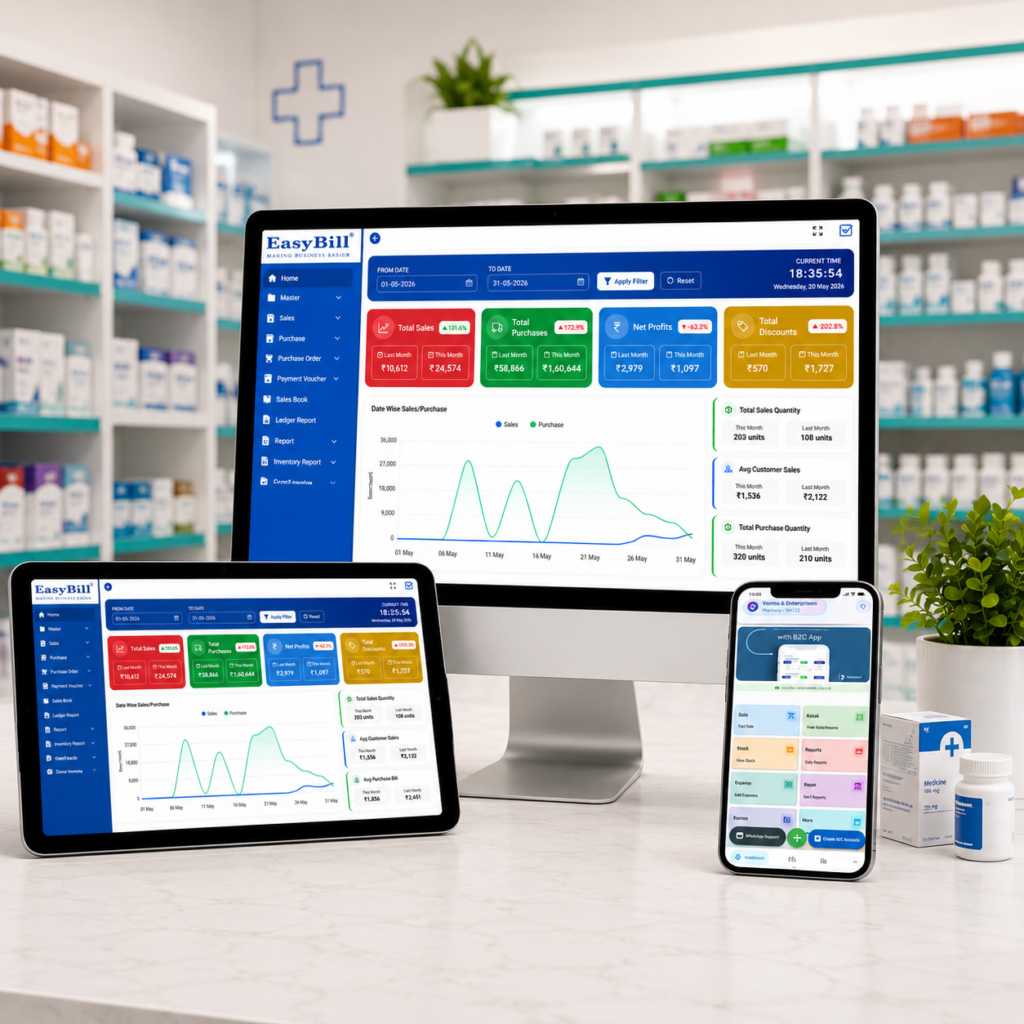
What does a medical store management system actually manage?
A medical store management system brings several daily activities into one workflow. Depending on the product, this may include sales billing, purchases, inventory, batch and expiry information, suppliers, customers, payments and reports.
That matters because pharmacy stock is different from ordinary retail stock. The same medicine can exist in multiple batches with different expiry dates, so a single “quantity available” number is not always enough for practical stock control.
Industry guidance and pharmacy software providers consistently identify billing, inventory, expiry management, purchasing and reporting as core areas where software is used. citeturn0search0turn0search4turn0search5
1. Billing becomes easier to control
A medical store billing management system gives staff a structured way to search products, prepare invoices and record sales. The exact speed depends on the interface, hardware and workflow, so I would not choose software based on a claim such as “billing in X seconds.” Test it with real products instead.
The useful part is what happens after the bill. A sale should update the relevant stock record so the owner does not have to maintain a separate sales register and inventory count manually.
2. You get a clearer view of medicine stock
“How many medicines do we have?” is a simple question. “How many are available by batch, and which ones should move first?” is the question that matters.
Good medical store software keeps stock movements connected to purchases and sales. This gives the owner a better basis for checking current balances and identifying products that need attention.
That is particularly useful when a store handles a large product range or multiple batches of the same medicine.
3. Batch and expiry tracking becomes practical
Expiry tracking is one of the strongest reasons to use pharmacy-focused software.
A useful system should let the store record batch information and expiry dates and then make that information easy to find in reports or stock views. Pharmacy management sources commonly describe batch tracking and expiry monitoring as core pharmacy inventory functions. citeturn0search4turn0search12
There is a business benefit here too: the earlier an approaching expiry is identified, the more time the store has to review the stock and follow its applicable return, transfer or disposal process.
Read: How to Maintain Medicine Stock in a Medical Store.
4. Purchase decisions become based on actual stock
Buying medicine without checking existing stock creates two problems: a product may run out before the next purchase arrives, or too much stock may sit on the shelf.
Medical store software can connect purchase records with current inventory and sales history. That gives the owner a better starting point for deciding what to purchase and when.
The important point is not “automated purchasing” as a buzzword. It is having enough reliable information to make the purchase decision without checking several notebooks or spreadsheets.
5. Supplier records stay connected to purchases
Supplier information becomes more useful when it is linked to actual purchase transactions.
Instead of remembering which distributor supplied a particular item, the system can provide a searchable purchase history, subject to the features of the software being used. This makes routine questions easier: what was purchased, when, at what recorded rate and from which supplier?
Supplier and purchase management are commonly included in pharmacy management systems. citeturn0search3turn0search4
6. GST billing and accounting records are easier to organize
For an Indian medical store, billing is tied to business records. A suitable system should support the tax and invoice workflow required by the business and keep sales information organized for accounting.
Do not assume every product handles GST in the same way. During a demo, check the actual invoice format, tax configuration and reports your accountant expects.
Some pharmacy software providers include GST billing and accounting as part of their product workflow. citeturn0search4turn0search8
7. Reports help owners see what is happening
A billing system becomes much more useful when the recorded transactions can be turned into reports.
Depending on the software, useful reports may cover sales, purchases, stock, expiry, supplier activity, margins or other business measures. The exact report list varies by product.
For a pharmacy owner, the real test is simple: can you answer a business question without exporting several files and rebuilding the answer manually?
8. Stock reconciliation becomes more manageable
Software does not eliminate the need for physical stock checks. It makes differences easier to investigate.
If the system shows one balance and the shelf shows another, the owner needs to find the reason. A disciplined stock process compares recorded movements with physical stock and documents appropriate adjustments.
Pharmacy management references identify physical stock auditing and inventory control as important parts of pharmacy inventory management. citeturn0search4
9. Staff spend less time maintaining duplicate records
Manual work becomes expensive when the same transaction has to be written in multiple places.
With connected billing and inventory, a sale can become part of the stock record without another separate entry. Purchase information can also feed inventory records. The exact amount of time saved depends on transaction volume and workflow, so avoid buying software because of an unsupported time-saving percentage.
The better question is: Which repetitive entries will this system remove from our daily process?
10. The owner gets better control as the store grows
A small medical shop may manage its records manually for a while. As product count, transactions, staff or outlets increase, keeping everything in separate registers becomes harder.
Software gives the business a common record for the activities it supports. Multi-location capability, centralized reporting and stock transfer features are available in some pharmacy systems, but these should be checked product by product rather than assumed. citeturn0search4
What are the disadvantages of medical store software?
Software is not automatically better just because it is digital.
There is a learning period. Data must be entered correctly. Staff need a consistent process. The owner also has to choose a product that matches the store’s requirements.
A system with dozens of features is not necessarily the right system for a single pharmacy. If the billing screen is confusing or batch and expiry information is difficult to use, the feature list does not matter much.
For a small store with very few transactions, the cost and setup effort should be compared with the actual operational problem being solved.
How should you choose a medical store billing management system?
Do not start with the dashboard. Start with a real transaction.
- Enter one medicine purchase with a batch, expiry date and quantity.
- Sell part of that batch and check the remaining stock.
- Find the batch in the expiry or stock report.
- Check how low-stock or reorder information is displayed.
- Generate an invoice and inspect the GST fields relevant to your business.
- Check how stock corrections, returns and damaged or expired products are recorded.
- Ask for the reports your accountant and store manager actually use.
If the vendor cannot demonstrate your normal workflow, do not judge the software from a polished sales presentation.
Who benefits most from medical store software?
The strongest fit is a pharmacy where billing, stock, purchases and expiry control already create repetitive manual work.
It is especially useful for owners and managers who need a current view of inventory, want batch and expiry information easier to access, or need sales and purchase records organized for reporting.
It is less compelling if the store has a very simple operation and the software adds more work than it removes.
Frequently asked questions
What is the main advantage of medical store management software?
The main advantage is connected control of pharmacy operations. Billing, purchases and inventory can be managed in one workflow instead of maintaining separate records for each activity.
Can medical store software track medicine expiry?
Pharmacy-focused systems commonly provide batch and expiry tracking. Confirm the exact expiry reports, alerts and workflows during a demo before choosing a product. citeturn0search4turn0search12
Is medical store software useful for a small pharmacy?
It can be, particularly when manual billing, stock records and expiry checks are taking time. A small store should compare the software’s setup and operating cost with the specific problems it needs to solve.
Does medical store software include GST billing?
Many pharmacy billing systems offer GST-related invoicing and reporting, but the exact tax features vary. Check the invoice and reports against your business requirements before purchase. citeturn0search4turn0search8
What should I check before buying medical store software?
Test billing, batch tracking, expiry management, stock adjustment, purchases, returns, reports and the GST workflow using a realistic transaction from your store.
Final recommendation
Choose medical store software for the operational problem it solves, not for the longest feature list.
For most pharmacy owners evaluating a medical store billing management system, I would start with four tests: billing, batch-wise stock, expiry tracking and reporting. Then check purchase management and GST requirements. If those workflows are clear and easy for your staff to use, the software is worth a serious evaluation.
See EasyBill’s medical store management solution and compare the workflow with your own store before making a decision.