

Optical shop billing software should do more than print an invoice. An optical sale can involve a frame, lenses, prescription or lens-power details, GST, payment and stock, so the billing process needs to fit that workflow.
For an Indian optical retailer, the useful setup connects GST billing, optical POS, frame and lens inventory, customer records and prescription-related information instead of treating every sale like a generic retail transaction.
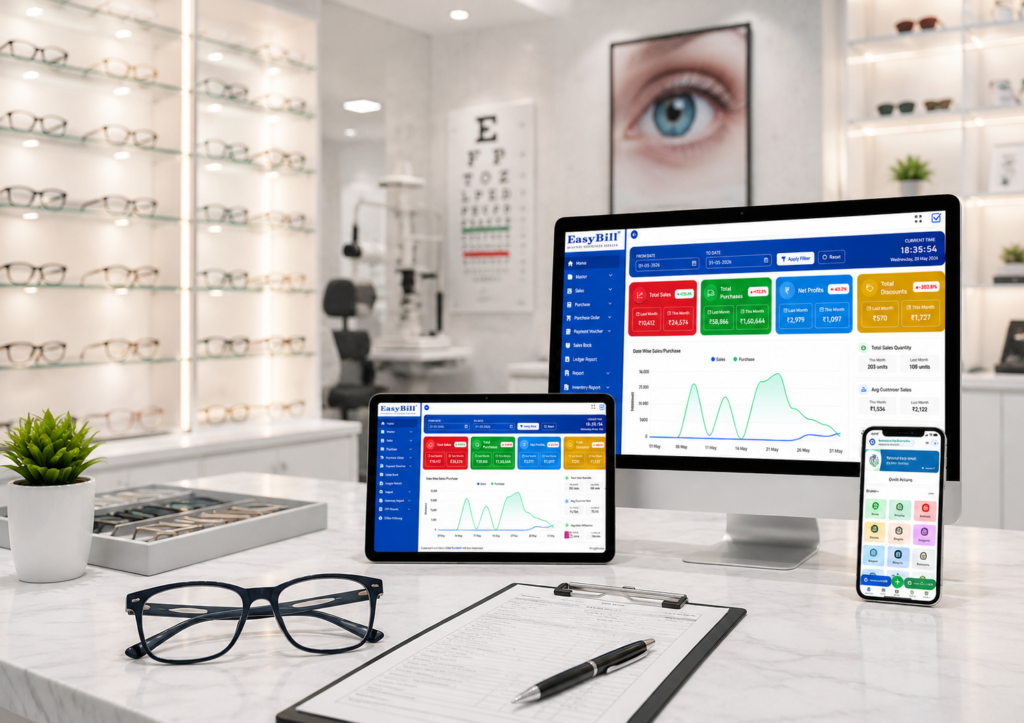
Typical workflow: Customer → Prescription → Frame → Lens → Billing → Payment → Stock → Delivery
What should optical shop billing software actually handle?
The simplest test is practical: can staff complete a normal optical sale without maintaining the same information in multiple places?
GST invoice generation
GST billing should be straightforward at the counter. The software should allow the business to maintain relevant product and tax information and generate an invoice appropriate to the transaction.
Frame and lens billing
An optical order can contain a frame and lenses as separate items. Test one realistic transaction: frame + right lens + left lens + coating + discount + tax + payment.
How should lens power and prescription information fit into billing?
This is one of the main differences between ordinary retail billing and optical billing. A prescription may contain measurements such as SPH, CYL, AXIS, ADD and PD, depending on the prescription and the system being used.
The useful question is: Can the staff find the customer’s prescription information and connect it with the relevant purchase?
What is optical POS software?
Optical POS software is the point-of-sale system used at the optical counter. It should make product selection, pricing, tax handling, payment recording and invoice generation simple for staff.
Read our Optical Shop POS Software guide for a deeper look at the checkout workflow.
Why should frame inventory connect with billing?
The useful workflow is Frame selected → product identified → bill generated → sale recorded → inventory updated. This reduces duplicate entry and gives the business a clearer view of what was sold.
For the stock side, see Optical Inventory Management Software.
Where does barcode billing fit?
Barcode support is useful when an optical store carries a large number of frames, lenses and accessories. Before buying software, test the process with your own products and verify product lookup, pricing, stock updates and sales records.
Can billing software for an optical shop manage purchases and suppliers?
Billing is only one side of an optical store’s stock process. A connected workflow should look like Supplier → Purchase → Stock → Sale → Customer.
What reports should optical billing software provide?
- Sales reports
- Purchase reports
- Inventory and stock reports
- Customer purchase history
- Product-wise sales information
- GST-related reports
Online or offline optical billing software: what should you check?
Choose based on the shop’s workflow and connectivity needs. If internet interruptions are a concern, ask the vendor to demonstrate what happens during an outage and how data is handled afterward.
Who should use optical shop billing software?
Optical billing software makes the most sense for stores that need more than basic invoice creation—especially where frames, lenses, customer records, prescription information, inventory and GST billing all appear in the same daily workflow.
What should you test before buying?
- Create or select a customer record.
- Enter the relevant prescription or lens-power information supported by the system.
- Select the frame.
- Add lens items and other applicable charges.
- Apply the required discount and tax settings.
- Generate the invoice and record payment.
- Check inventory and customer transaction history.
Frequently Asked Questions
What is optical shop billing software?
Optical shop billing software is billing and POS software designed around optical retail transactions. Depending on the product, it can connect GST invoicing with frame and lens products, customer records, prescriptions, inventory and reports.
What is the difference between optical billing software and normal billing software?
Generic billing software focuses mainly on sales transactions. Optical billing software is designed around additional optical requirements such as frame and lens products, prescription information and optical inventory.
Can optical billing software generate GST invoices?
GST invoicing is a common requirement for Indian optical retailers. Verify the exact invoice fields, tax configuration and reporting with the software provider.
Can optical software store lens power?
Some optical systems provide digital prescription records with fields such as SPH, CYL, AXIS, ADD and PD. Check the exact prescription workflow in the product demo.
Does optical billing software manage frames and lenses?
Optical-focused systems commonly connect frame and lens products with inventory and billing. Verify the exact stock, pricing and product-variant workflow.
What is optical POS software?
Optical POS software is the point-of-sale system used to process optical shop transactions. An optical-focused POS may connect billing with products, customer information, inventory and prescription-related workflows.
The practical way to choose
Do not choose optical billing software because the product page has the longest feature list. Put one real order through the system: Frame → Lens → Power/Prescription → GST → Payment → Stock → Customer History.
If that workflow is clear to your staff and the resulting records are easy to retrieve, you have a much better basis for evaluating the software.
GSC opportunity: Your supplied Search Console data shows “optical billing software” with 189 impressions and “billing software for optical shop” with 79 impressions.
Explore the wider Optical Shop Management Software guide or compare the best optical shop management software features.
Next step: Book an EasyBill Demo
Product-specific claims about EasyBill’s prescription fields, barcode workflow, offline behavior and exact optical billing capabilities should be verified before publication.