
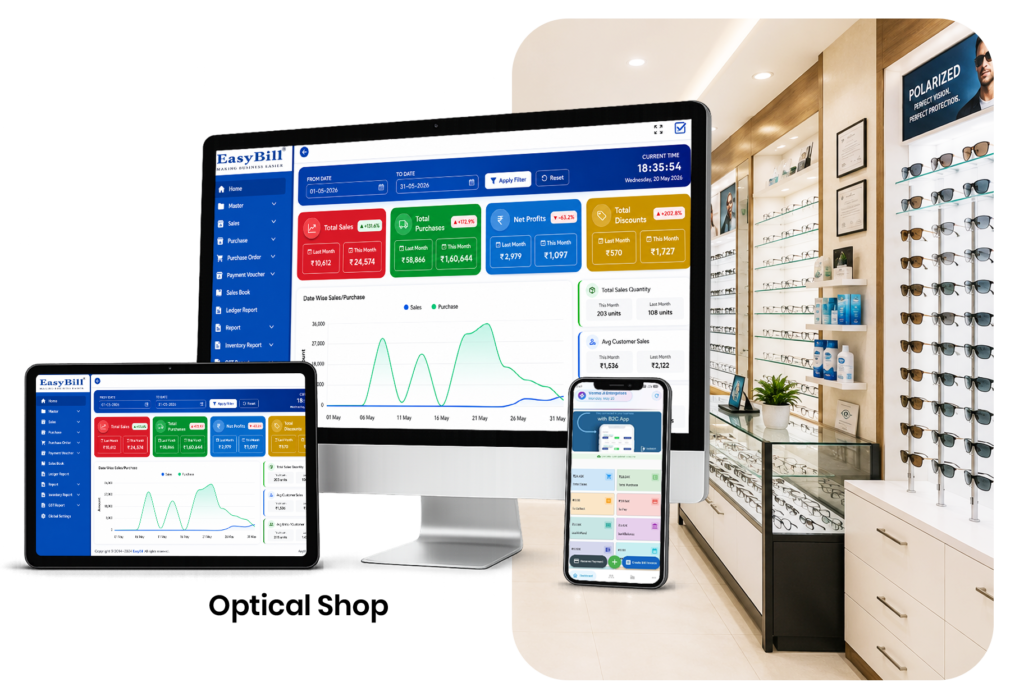
Optical Shop POS Software: 7 Powerful Ways to Sell Better
Quick answer: Optical shop POS software gives staff one place to search products, create bills, accept payments, update inventory, and review sales. A useful POS should reduce checkout friction while keeping the transaction connected to the store’s wider records.
In simple terms: Optical shop POS software is a point-of-sale system adapted to eyewear retail. Instead of treating the checkout as a standalone cash counter, it connects sales with products, customers, payments, and stock.
What Makes Optical Shop POS Software Different?
Generic retail POS tools can process a sale, but optical stores often need richer product and customer information. Frames, lenses, sunglasses, accessories, prescriptions, orders, advances, and customer history may all be part of the same business process.
The best approach is to keep the checkout screen simple while allowing the back office to store the details needed for purchasing, inventory, reporting, and follow-up.
7 Optical Shop POS Software Features That Matter
1. Fast product search
Staff should be able to find a frame, lens, or accessory quickly by a practical product identifier. Search becomes increasingly important as the catalog grows.
2. Barcode support
Barcode scanning can reduce manual product entry and help staff select the intended item during a busy checkout. The barcode should remain linked to the correct product record.
3. Integrated inventory
A POS becomes more useful when a completed sale updates stock automatically. This keeps the sales counter connected with the back-office inventory view.
4. Multiple payment modes
Optical stores may accept cash, UPI, cards, or other configured modes. The POS should record the chosen payment method clearly for reconciliation.
5. Customer records
Repeat customers should not have to provide the same information every time. Searchable customer records make repeat purchases and service conversations easier.
6. Returns and corrections
Retail transactions sometimes need adjustments. Controlled return and correction workflows help preserve a reliable transaction history instead of encouraging staff to delete records.
7. Sales reporting
Owners should be able to review sales by date, product, staff member, or payment mode where the system supports those reports. Reporting turns POS data into a management tool.
How Does Optical Shop POS Software Work?
- Open the customer record or create one.
- Search or scan the product.
- Review price, discount, quantity, and configured tax.
- Confirm the order.
- Record the payment.
- Generate the invoice.
- Let the system update connected stock and reports.
This workflow is short enough for the billing counter but still creates useful business records.
POS Decision Checklist
| Question | Why it matters |
|---|---|
| Is product search fast? | Reduces checkout time |
| Does billing update stock? | Reduces duplicate entry |
| Are payment modes reportable? | Makes reconciliation easier |
| Can staff find customer history? | Improves repeat service |
| Are reports easy to understand? | Supports decisions |
How Should You Choose Optical Shop POS Software?
Start with the real counter workflow rather than a long feature list. Ask staff to demonstrate a normal frame sale, a lens order, a discount, a partial payment, and a return. If the system handles those situations without unnecessary screens, it is more likely to be useful in practice.
For tax-related configuration and current requirements, use the official GST portal rather than relying on an old software article.
How EasyBill ERP Can Help
EasyBill ERP Optical Shop Management Software is designed to connect billing, inventory, customers, and reporting for optical businesses. You can also compare its broader workflow with the existing best optical shop software guide.
A practical POS rollout should begin with product cleanup, staff permissions, payment modes, invoice settings, and a short training routine. That foundation often matters more than adding every possible feature on day one.
Book a Free Demo
See how EasyBill ERP can fit your optical store workflow. Request a free demo to explore billing, inventory, customer management, and reporting.
Explore Optical Software Solutions
Explore these related optical software guides to compare billing, POS, inventory, pricing, and complete store-management options:
- Optical Shop Billing Software
- Optical Inventory Management Software
- Optical Shop POS Software
- Optical Store Management Software
- Optical Billing Inventory Software
- Eyewear Shop Management Software
- Optical Shop Software Price
- Best Optical Shop Management Software
Frequently Asked Questions
What is optical shop POS software?
It is point-of-sale software designed to help optical stores process sales while connecting billing with products, customers, payments, and inventory.
Can optical POS software manage inventory?
Yes, when inventory is integrated. Completed sales can update stock and make product movement easier to track.
Is barcode scanning useful in an optical store?
Yes. Barcode scanning can make product selection faster and reduce manual entry errors when the product catalog is properly maintained.
What should I test before selecting a POS?
Test normal sales, discounts, payments, returns, customer lookup, stock updates, and reports using examples that match your store.
Key Takeaway
Optical shop POS software should make checkout faster without disconnecting the sale from inventory and customer records. Choose the workflow that staff can use accurately every day.
Last updated: August 26, 2026.