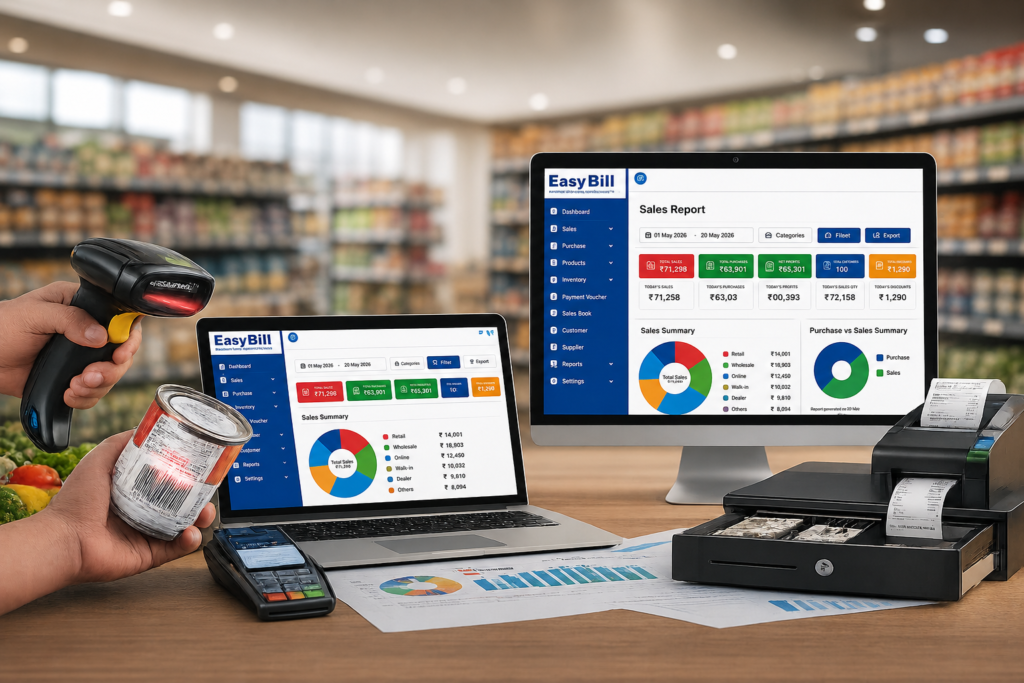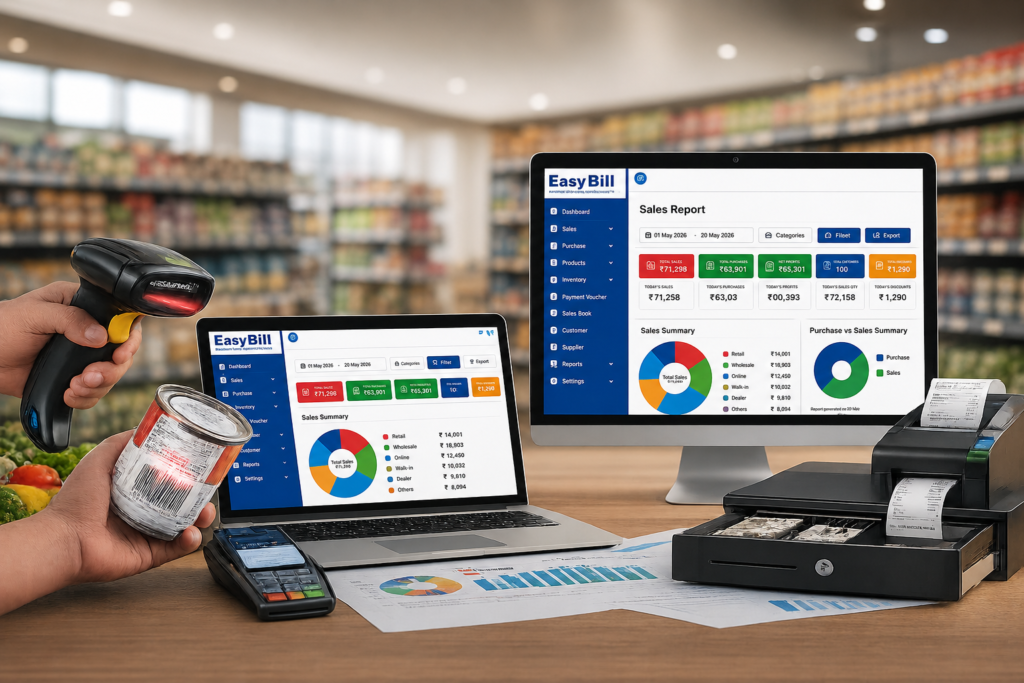
A good billing solution for a retail store should do more than print an invoice. It should make everyday checkout easier while keeping sales, inventory, purchases, payments, customers, and business reports organized in one workflow.
For an Indian retailer, that means looking beyond a simple digital bill book. GST invoicing, POS billing, product management, barcode support, stock tracking, and useful reports are the practical areas to evaluate before choosing software.
What is a billing solution for a retail store?
A retail billing solution is software that helps a store record sales, create customer invoices, manage product information, and maintain business records around those transactions. Depending on the software, it can also connect billing with inventory, purchasing, customer management, payments, and reporting.
Current retail software guides consistently focus on the same basic needs: checkout and invoicing, inventory, payments, customer or vendor records, GST-related billing, barcode/POS functionality, and reports.
The better way to judge a solution is simple: take the software through the same process your cashier follows every day and see whether the workflow actually makes sense.
Why does a retail store need more than basic billing?
Consider a normal sale. A product is selected, quantity is entered, tax or pricing information is applied, payment is recorded, and an invoice is generated. That sale also affects the store’s transaction history and, when inventory is integrated, the product’s stock record.
If billing sits separately from inventory and purchasing, staff may have to maintain the same information in multiple places. A connected retail billing system reduces that duplication by keeping related records inside the same business workflow.
Which features should a retail billing solution include?
Fast counter billing
The cashier should be able to find a product, add the quantity, apply the required pricing or discount, record the payment, and complete the invoice without unnecessary steps.
This matters most during busy periods. A feature-rich system that makes a basic sale confusing is not a good retail solution simply because the feature list is long.
GST billing and invoices
GST invoicing is a standard requirement highlighted by retail billing software providers serving Indian businesses. citeturn0search1turn0search7
Before selecting software, test an actual invoice using your store’s product and tax setup. Check the fields, calculations, invoice format, and reports that your business requires instead of relying only on a “GST-ready” label.
Inventory management connected to sales
For a retail store, the bill is also a record of product movement. A useful system should connect sales and purchases with inventory records so the owner has a clearer picture of stock.
Look for practical functions such as product categories, stock quantities, purchase entries, and stock-related reports. Barcode support is useful for stores with a large number of products because products can be selected by scanning instead of repeatedly typing product names.
[INTERNAL LINK: Inventory Management Software]
POS and barcode billing
A POS workflow is built around the retail counter. Barcode scanning, quick product lookup, invoice printing, and payment recording are common parts of modern retail POS systems.
If your shop already uses barcode-labelled products, test the scanner with your real catalogue during the demo. If your store has a small product range, fast product search might matter more than advanced scanning features.
Purchase and supplier management
Retail stock comes from somewhere. Purchase records help connect incoming products with the store’s inventory and supplier information.
This becomes more useful as the catalogue grows. Instead of treating purchasing as a separate spreadsheet exercise, the retailer can keep purchase and sales information within the same system when the chosen software supports that workflow.
Customer and payment records
Some retail stores need customer histories, credit tracking, payment records, or customer-specific information. Others mainly need a fast cash-and-carry checkout.
Choose based on your actual operation. Do not pay for complicated customer features if your store does not use them.
Business reports
A retail billing solution becomes much more useful when it turns recorded transactions into reports the owner can understand.
At minimum, review the reports related to sales, purchases, inventory, payments, and customers that matter to your business. During a demo, ask one practical question: “Can I find the information I need without exporting everything to another spreadsheet?”
How should you choose the right billing solution for your store?
Do not start with a “best billing software” list. Start with your counter.
- Map your daily sale. Write down how a normal customer transaction happens from product selection to payment.
- Test your product catalogue. Use real product names, prices, categories, and tax settings during the demo.
- Check GST invoicing. Create the invoice formats your business actually needs.
- Test inventory movement. Record a purchase, sell the product, and review the resulting stock information.
- Try barcode billing. If your store uses barcodes, test the actual scanner and products.
- Review reports. Check whether sales, purchase, stock, payment, and other relevant information is easy to retrieve.
- Let the cashier use it. The person standing at the billing counter should be part of the evaluation.
What is the difference between a billing solution and a complete retail management system?
A basic billing tool concentrates on invoices and sales transactions. A broader retail management system connects billing with inventory, purchases, customers, payments, and reporting.
| Requirement | Basic billing focus | Connected retail solution |
|---|---|---|
| Sales invoices | Core function | Core function |
| GST billing | Depends on software | Common retail requirement |
| Inventory | May be separate | Connected to sales/purchases when supported |
| Barcode/POS | May be limited | Designed around counter workflows when supported |
| Purchases | May require another tool | Can be part of the same workflow |
| Reports | Basic sales reports | Broader business reporting |
The exact functions vary by product, so use the table as a way to define what you need rather than as a promise about every billing platform.
Where does EasyBill ERP fit?
EasyBill ERP is positioned as a billing and business-management solution for product-based businesses, with use cases covering areas such as retail, grocery, pharmacy, optical, wholesale, and distribution. Its website presents billing, inventory, POS, GST billing, purchases, and business reporting as parts of its software offering.
For a retailer considering EasyBill, the useful test is not simply whether these modules exist. Test the complete store workflow: product setup → purchase → stock → sale → invoice → payment → report.
[INTERNAL LINK: EasyBill ERP]
What problems should a retail billing solution actually solve?
Repeated manual entry. Product information and transaction details should not have to be re-entered across several unrelated records.
Unclear stock. Sales and purchase records should give the owner a usable view of inventory when inventory management is part of the system.
Slow checkout. The counter workflow should be simple enough for staff to use confidently during busy periods.
Scattered reports. The owner should be able to access the business information needed for routine decisions without rebuilding it manually every time.
Who should not buy a complex retail billing solution?
A full retail management system is not automatically the right choice for every shop.
If you issue only occasional invoices, have a very small product catalogue, and do not need inventory or detailed reports, a larger system may add complexity without solving a real problem.
For a store with regular counter sales, many products, inventory movement, GST invoicing, or growing reporting needs, a connected retail billing workflow is more relevant.
Common mistakes when choosing retail billing software
Buying because of the feature count. More buttons do not mean a better counter experience.
Skipping a real demo. Screenshots do not show how the software behaves with your actual products.
Ignoring inventory. If stock is important to your store, test stock movement before purchase.
Forgetting the cashier’s experience. Owners may like dashboards while staff struggle with everyday billing. Both perspectives matter.
Not checking data handling. Before moving live business information, ask how data is backed up, exported, protected, and recovered.
Frequently Asked Questions
What is a billing solution for a retail store?
It is software that helps a retail business create invoices and record sales while, depending on the product, connecting those transactions with inventory, purchases, customers, payments, and reports.
Does a retail billing solution support GST billing?
Many retail billing products serving Indian businesses provide GST-related invoicing features. Verify the exact invoice, tax, and reporting requirements of your business before choosing one.
Can retail billing software manage inventory?
Yes, many retail systems connect sales and purchase transactions with inventory. The available stock controls differ between products, so test the workflow with your own catalogue.
Is barcode billing useful for a retail store?
Barcode billing is useful when a store handles many products that already have barcodes. It reduces the need to manually search or type product information during checkout.
Can small retail stores use a billing solution?
Yes. Small stores can use retail billing software when they need digital invoices, GST billing, inventory records, or organized sales reporting. The software should match the shop’s actual needs rather than add unnecessary complexity.
What should I test before buying retail billing software?
Test a real sale, GST invoice, product search, inventory update, barcode workflow if required, purchase entry, payment recording, reports, data backup, and the ease of use for your cashier.
Final recommendation
Choose a billing solution for your retail store by testing the complete workflow, not by counting features. Put your own products, pricing, tax setup, stock process, and billing staff through a demo.
If the system keeps checkout simple while giving the owner useful control over sales, inventory, purchases, payments, and reports, it is worth considering. For EasyBill ERP, the next practical step is to test that full workflow against your store’s real requirements.
Sources and confidence: General retail software requirements in this article were checked against current retail billing and POS pages from Techjockey, MyBizSoft, SoftwareSuggest, and other current vendor/category sources. EasyBill-specific positioning is based on the site’s published product information. Vendor-specific pricing, customer counts, ratings, speed claims, and other changing promotional figures were not used. The exact capabilities available in a particular EasyBill configuration should be confirmed in a current product demo.