
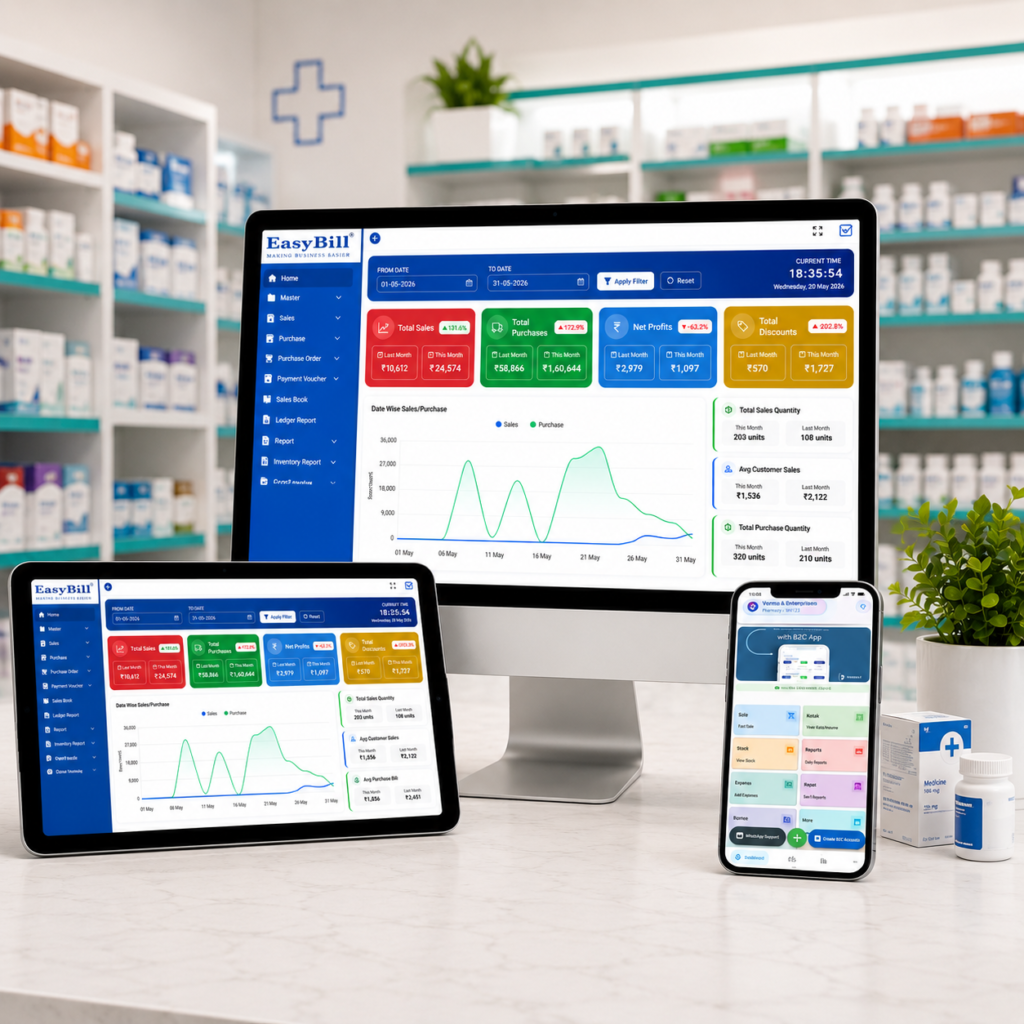
Cheapest Pharmacy Billing Software
cheapest pharmacy billing software is a common search for medical store owners who want to control costs without giving up essential billing and inventory features. A low price can be attractive, but the cheapest option is only useful when it still handles the daily work of a pharmacy reliably.
In simple terms: The best low-cost pharmacy software should cover fast billing, GST invoices, medicine inventory, batch and expiry tracking, purchases, reports and basic user controls. Compare the total cost—not just the advertised subscription—and test the actual workflow before buying.
Key Takeaway: Cheap software is not automatically good value. Look for a practical balance between price, pharmacy-specific features, ease of use, support, backups and future growth.
Last updated: September 8, 2026
Table of Contents
- What Does Cheapest Pharmacy Billing Software Really Mean?
- 7 Features Worth Paying For
- How to Compare Low-Cost Pharmacy Software
- What Actually Affects the Total Cost?
- Is Free Pharmacy Billing Software a Good Idea?
- Where EasyBill ERP Fits
- Buying Checklist
- Frequently Asked Questions
What Does Cheapest Pharmacy Billing Software Really Mean?
Cheapest pharmacy billing software does not necessarily mean the software with the lowest headline price. A system that looks inexpensive can become costly if it adds charges for extra users, updates, support, data migration, reports or additional devices.
For a pharmacy, value comes from how well the software handles real counter and stock tasks. A low-cost system should still make billing quick, keep inventory connected to sales and purchases, and provide useful information about batches and expiry dates.
Before comparing prices, write down what your store actually needs. A single-counter medical shop may need a simpler setup than a pharmacy with multiple counters, branches or wholesale operations.
7 Features Worth Paying For in Low-Cost Pharmacy Software
1. Fast Billing and GST Invoices
The billing screen should be simple enough for staff to learn quickly. Product search, barcode support, GST calculations, discounts, payment recording and printable or shareable invoices are useful everyday features.
A low price does not help if every bill takes longer to create. Ask for a live demonstration and test several common medicines before deciding.
2. Batch-Wise Medicine Inventory
Pharmacy inventory is different from ordinary retail stock. The same medicine can have multiple batches, different expiry dates and different purchase rates.
Good software should keep these details visible so the team knows which stock is available and how it is moving. This is one area where a generic billing application may not be enough.
3. Expiry Tracking
Expiry management can protect a pharmacy from avoidable stock losses. Look for batch-level expiry dates, near-expiry reports and clear ways to identify affected quantities.
The exact alert system varies by product, so ask the vendor to demonstrate it using two batches of the same medicine with different expiry dates.
4. Purchase and Supplier Management
Purchases should update inventory without forcing staff to maintain another manual register. Useful systems record supplier, invoice, quantity, rate and batch information in the same workflow.
Supplier ledgers, purchase history and purchase returns can become important as the store grows.
5. Low-Stock and Sales Reports
Affordable software should still provide practical reports. At minimum, look for sales, stock, purchase, low-stock and GST-related information relevant to your business.
Reports are valuable because they help the owner make purchasing decisions using actual business records instead of memory or handwritten notes.
6. Customer, Supplier and User Controls
Customer and supplier records can make outstanding balances easier to follow. User permissions can also help owners control access when more than one employee operates the counter.
7. Backup and Support
Price should never be considered separately from support and data protection. Ask how often data is backed up, how it can be restored and what support is included in the plan.
For a pharmacy, losing billing or stock information can cost far more than the difference between two software plans.
How to Compare Cheapest Pharmacy Billing Software Options
Do not compare only the monthly or annual subscription. Use a simple comparison based on the features your pharmacy actually uses.
| What to Compare | What to Check |
|---|---|
| Billing | Speed, barcode, GST, discounts and payments |
| Inventory | Stock updates, batches, MRP and expiry |
| Purchases | Supplier bills, purchase returns and stock updates |
| Reports | Sales, stock, purchases, GST and low-stock reports |
| Users | Number of users, counters and permissions |
| Support | Training, response time and included support |
| Data | Backup, restore and export options |
| Total price | Subscription plus setup, renewal and add-on charges |
What Actually Affects the Total Cost?
The advertised price is only one part of the calculation. Before choosing a plan, check these possible costs:
- Annual or monthly subscription
- Setup and installation
- Additional users or counters
- Extra branches or devices
- Data migration
- Training and onboarding
- Support or annual maintenance
- Upgrades and future renewals
A slightly more expensive plan can sometimes be the better deal if it includes the features and support your pharmacy would otherwise pay for separately.
Is Free Pharmacy Billing Software a Good Idea?
Free software can be useful for testing the basic workflow, but a free plan may have restrictions on medicines, invoices, users, reports or storage. Check the limits before moving live pharmacy data into it.
A good trial should let you test a complete process: enter a purchase, add a batch, create a sale, process a return and check inventory and reports afterward.
Also ask whether you can export your data. Data portability matters if the business eventually changes software.
Low-Cost Software vs. Cheap Software: What Is the Difference?
Low-cost software is designed to deliver the essentials efficiently. Cheap software may simply have a low entry price.
The distinction becomes important when the pharmacy starts using the system every day. A practical solution should save time at the counter, reduce duplicate entry and provide reliable stock information. If staff constantly work around limitations, the lower purchase price may not represent real savings.
Where EasyBill ERP Fits
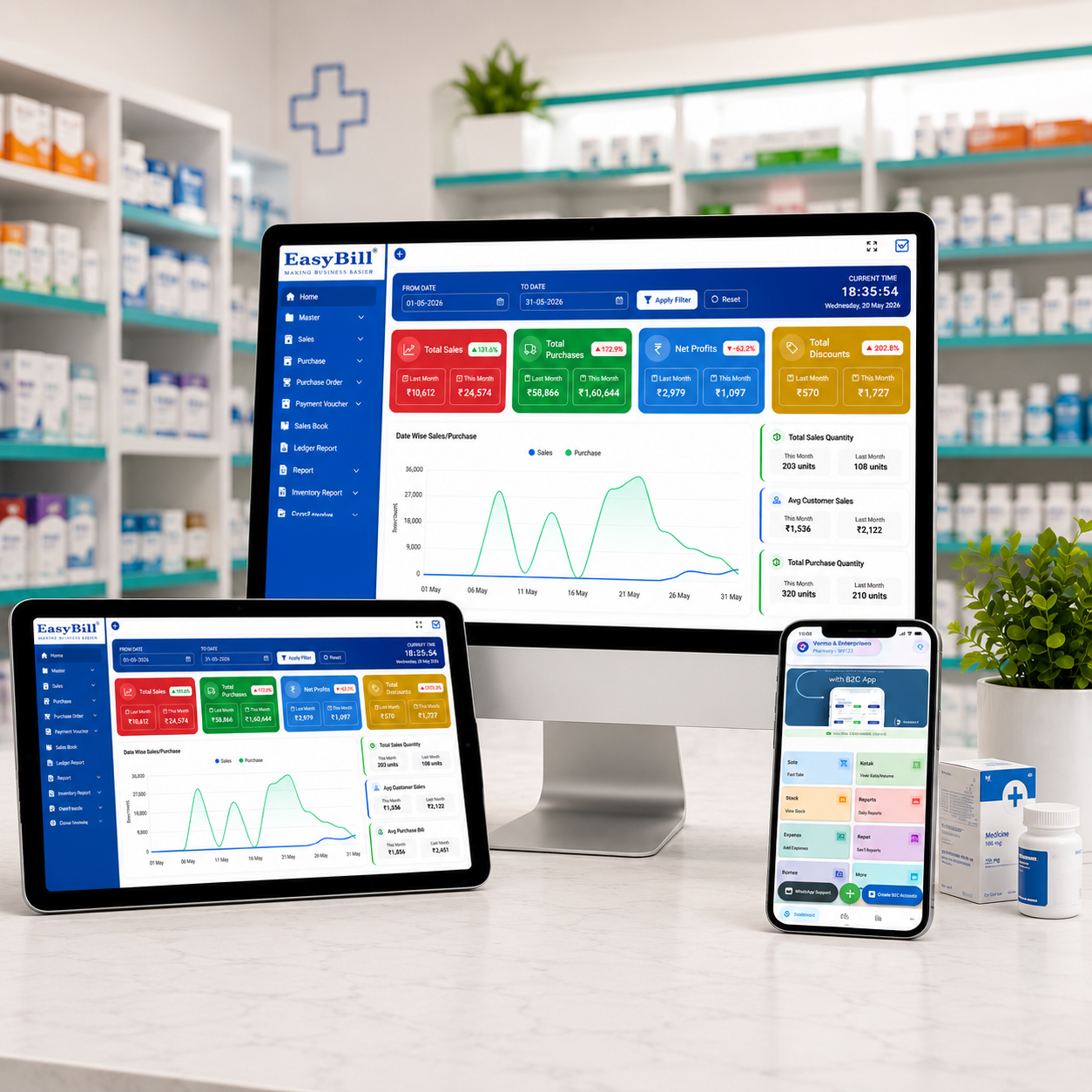
EasyBill ERP is built to bring billing, GST invoicing, inventory, purchases and business reporting into one connected workflow. Pharmacy-related requirements can include medicine stock management, batch and expiry tracking, purchasing and sales reporting.
If you are comparing cheapest pharmacy billing software, review the medical shop billing software price guide to understand available EasyBill plans and features. You can also explore the medical stock management system and medicine expiry date tracking software resources.
Useful External Resources
When evaluating business software, security and data management should also be considered. The NIST Cybersecurity Framework provides general guidance for managing cybersecurity risks. For healthcare technology context, the World Health Organization digital health resources are useful background material.
Buying Checklist for a Small Pharmacy
- Test billing with real medicine names and barcodes.
- Check whether GST invoices match your business requirements.
- Test two batches of the same medicine with different expiry dates.
- Enter a purchase and confirm that inventory updates correctly.
- Check low-stock and expiry reports.
- Review user permissions if multiple staff members use the system.
- Ask for the complete first-year and renewal price.
- Confirm backup, restore and data-export options.
- Ask how support and training are provided.
- Choose a system that can handle your expected business growth.
Frequently Asked Questions
What is the cheapest pharmacy billing software in India?
There is no single cheapest option for every pharmacy because prices and included features change. Compare the complete cost of billing, inventory, support, renewals and additional users rather than choosing only by the lowest advertised price.
What should cheap pharmacy billing software include?
At minimum, look for fast billing, GST invoices, medicine inventory, batch and expiry tracking, purchase management, useful reports, backups and dependable support.
Is free pharmacy billing software reliable?
It can be suitable for testing or very limited use, but check restrictions, data ownership, backup options, support and export capabilities before using it for a live pharmacy.
How much does pharmacy billing software cost?
Pricing varies widely by product, deployment model, users and features. Some vendors publish low-cost annual or one-time plans, while others use monthly subscriptions or customized pricing. Compare the total cost over at least one year.
Is the cheapest software always the best choice?
No. The best value is software that meets your pharmacy’s requirements at a sustainable cost. A slightly higher price can be worthwhile when it includes better inventory controls, support, backups or features that reduce daily manual work.
Key Takeaway
Finding cheapest pharmacy billing software should be about finding the lowest practical total cost—not simply the lowest number on a pricing page. Test billing, inventory, batch and expiry tracking, purchases, reports, support and backups before choosing.
Book a Demo
Want to compare your pharmacy workflow with EasyBill ERP? Use the form below to discuss billing, inventory, pricing and business requirements.