
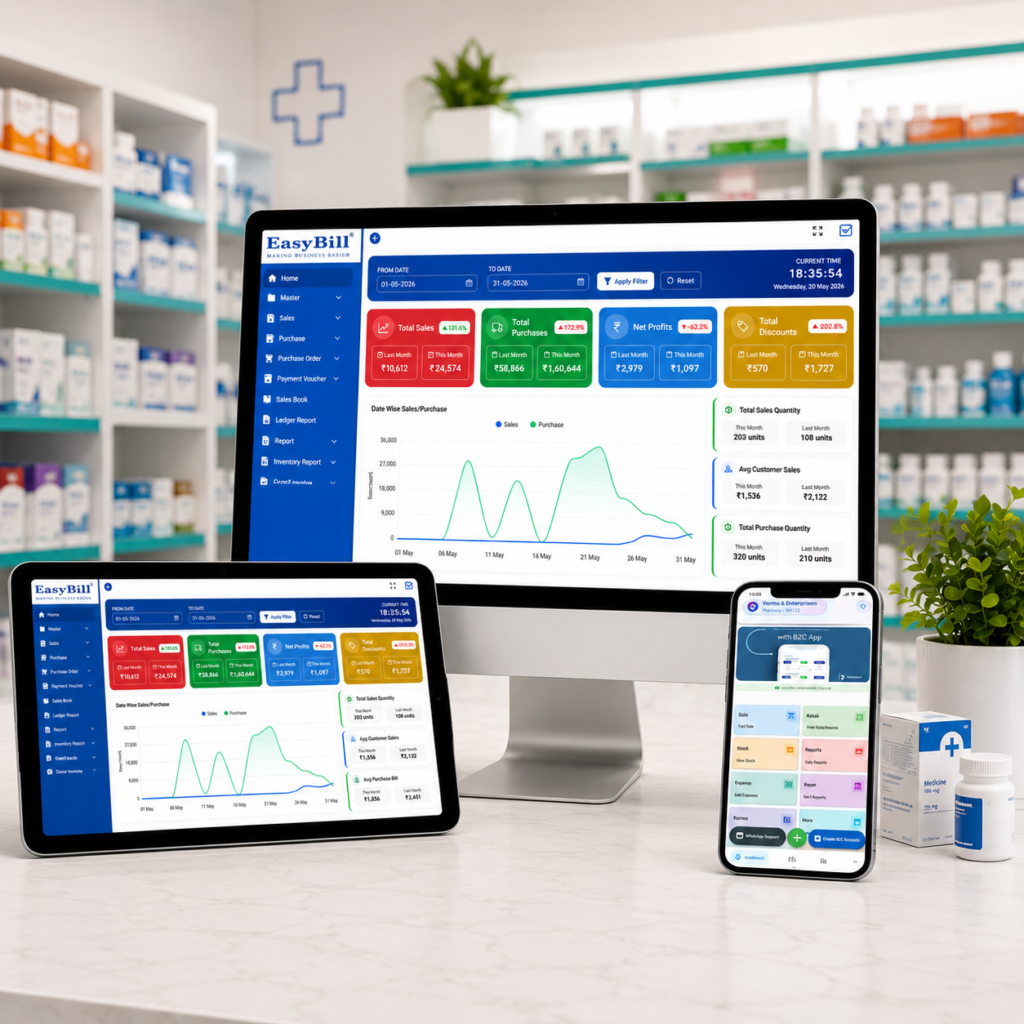
Retail Pharmacy Billing and Inventory Software
retail pharmacy billing and inventory software helps a medical store connect billing, medicine stock, purchases, batches, expiry dates and business reporting in one practical workflow. Instead of maintaining separate records for every activity, pharmacy staff can work from connected information and spend more time serving customers.
In simple terms: retail pharmacy billing and inventory software should make counter billing faster while keeping medicine stock, batches, expiry dates, purchases and reports accurate. The best system is simple enough for daily use but detailed enough to handle the realities of a busy pharmacy.
Key Takeaway: Choose software by testing your real pharmacy workflow—not just by counting features. Check billing speed, batch tracking, expiry control, stock updates, GST invoices, purchasing, reports and support before making a decision.
Last updated: September 8, 2026
In this guide: We explain what pharmacy billing and inventory software does, which features matter, how it improves daily operations, what to test before buying and how EasyBill ERP fits a retail pharmacy workflow.
Table of Contents
- What Is Retail Pharmacy Billing and Inventory Software?
- Why Retail Pharmacies Need Connected Billing and Inventory
- 7 Features to Look For
- How It Works in a Daily Pharmacy Workflow
- Benefits for Pharmacy Owners
- How to Choose the Right Software
- Cloud vs Local Pharmacy Software
- Where EasyBill ERP Fits
- Frequently Asked Questions
What Is Retail Pharmacy Billing and Inventory Software?
Retail pharmacy billing and inventory software is a business management system designed to connect point-of-sale billing with medicine inventory. When a sale is completed, the related stock movement can be recorded as part of the same workflow. When purchases are entered, stock information can be updated for future sales.
A pharmacy-focused system also needs to handle details that ordinary billing tools may not cover well. These can include batch numbers, expiry dates, MRP, purchase rates, units, product conversions, suppliers, purchase returns and GST invoice requirements.
For a small medical shop, this connected approach can reduce duplicate entry. For a larger retail pharmacy, it can provide a clearer picture of stock movement across counters, users or locations.
Why Retail Pharmacies Need Connected Billing and Inventory
A retail pharmacy may carry hundreds or thousands of medicines and healthcare products. The same medicine can arrive in different batches, with different expiry dates and purchase rates. Manual records can become difficult to maintain as the product range grows.
Retail pharmacy billing and inventory software brings these transactions together. A sale can reduce stock, a purchase can increase stock, and reports can use the same underlying records. That reduces the need to enter the same information repeatedly.
The practical benefit is visibility. An owner can check what is selling, what is running low, what has been purchased and which stock needs attention without relying entirely on separate registers or spreadsheets.
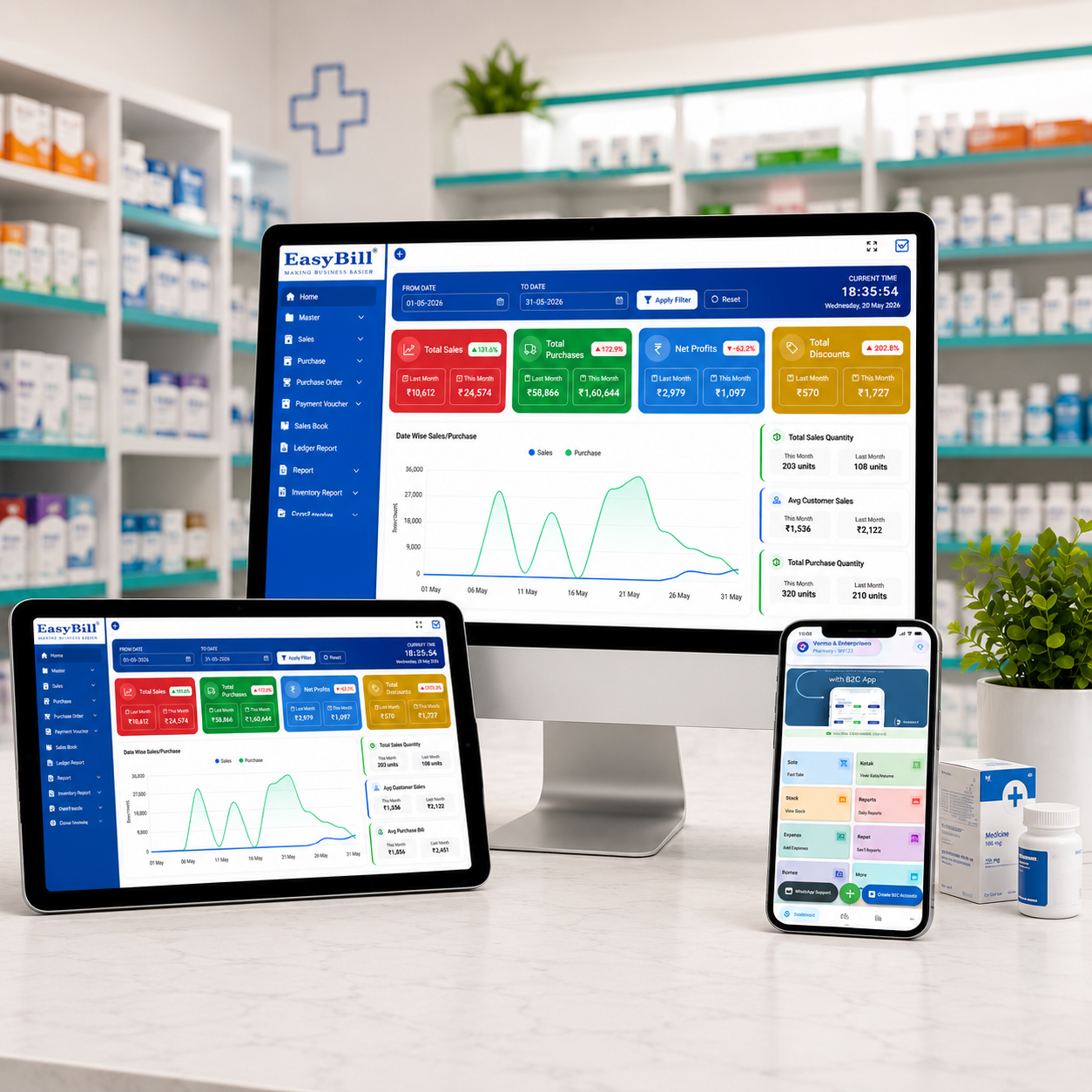
7 Features to Look For in Retail Pharmacy Billing and Inventory Software
1. Fast Billing and GST Invoicing
A pharmacy counter should not feel slow because staff have to search through complicated screens. Look for quick product search, barcode billing, GST calculations, discounts, payment recording and printable or shareable invoices.
Retail pharmacy billing and inventory software should also make it easy to correct common counter situations such as returns, exchanges or invoice adjustments while keeping the underlying records consistent.
2. Medicine Inventory Management
Inventory management should show available quantities and make purchases, sales, returns and adjustments easy to follow. Search and filters are especially valuable when a pharmacy has a large medicine catalogue.
The goal is not simply to display a stock number. The system should help the team understand where that stock came from and how it is moving.
3. Batch and Expiry Tracking
Batch tracking is one of the most important pharmacy-specific requirements. Two batches of the same medicine may have different expiry dates, purchase rates or available quantities.
A useful system should make those differences visible. Retail pharmacy billing and inventory software with batch and expiry tools can help staff identify near-expiry stock earlier and review the affected quantities before products become avoidable dead stock.
4. Purchase and Supplier Management
Purchasing is closely connected to inventory. The software should capture supplier details, purchase invoices, quantities, rates and batch information. Purchase returns and supplier balances can also help maintain a cleaner record of procurement activity.
5. Low-Stock and Reorder Visibility
Popular medicines can move quickly, especially during seasonal demand. Low-stock reports or alerts help staff notice items that may need replenishment before a customer asks for them.
This makes retail pharmacy billing and inventory software useful not only at the billing counter but also when planning the next purchase.
6. Sales, Stock and Business Reports
A pharmacy owner needs more than a daily sales total. Useful reports can cover sales, purchases, current stock, GST summaries, low-stock items and business performance.
Good reports turn routine transactions into information that can support buying and pricing decisions. They also make it easier to spot unusual stock movement or products that are not moving as expected.
7. User Roles and Room to Grow
As a pharmacy adds staff, counters or locations, access control becomes more important. User permissions can help separate everyday billing from sensitive business functions.
When evaluating retail pharmacy billing and inventory software, also ask whether it can support additional users, counters, branches or warehouses if the business expands.
How Retail Pharmacy Billing and Inventory Software Works in a Daily Workflow
- Purchase: Enter medicines received from a supplier with quantities, rates, batch and expiry details.
- Stock update: Purchased quantities become available in inventory.
- Billing: Search or scan the medicine, select the relevant stock and create the invoice.
- Stock deduction: The sold quantity is reflected in inventory.
- Monitoring: Review sales, low-stock and expiry information.
- Reordering: Use stock movement and purchase history to plan replenishment.
This connected workflow is one of the main reasons pharmacies consider retail pharmacy billing and inventory software. It reduces the gap between what happens at the counter and what appears in the stock records.
Benefits of Retail Pharmacy Billing and Inventory Software for Owners
- Faster checkout: Product search and barcode billing can reduce repetitive entry.
- Better stock visibility: Sales and purchases stay connected to inventory.
- Stronger expiry control: Batch-wise information makes ageing stock easier to review.
- Less duplicate work: Staff do not have to maintain separate billing and stock records for every transaction.
- Better purchasing decisions: Sales and stock movement provide useful replenishment signals.
- Clearer business reporting: Owners can review sales, purchases, stock and GST information from connected records.
For a busy store, these improvements can add up. Retail pharmacy billing and inventory software is most valuable when it removes friction from routine tasks rather than simply adding more screens.
How to Choose the Right Retail Pharmacy Billing and Inventory Software
Start with your actual workflow. Write down how your pharmacy purchases medicines, receives stock, bills customers, handles returns, checks expiry and reviews daily performance.
Test the billing screen
Ask for a live demo using products similar to your own. Test barcode scanning, product search, GST, discounts, payments, invoice printing and bill sharing.
Test two batches of the same medicine
This is a simple but useful test. Add two batches with different expiry dates and check whether the software makes the stock distinction clear.
Check inventory after a sale
Complete a sample sale and then open the inventory report. Confirm that the expected quantity and batch information have been updated correctly.
Review reports before buying
Ask for sales, stock, purchase, GST and low-stock reports. Reports should answer real business questions without requiring manual calculations in another spreadsheet.
Ask about support and backups
Find out how onboarding works, where backups are maintained, how support requests are handled and what happens if a device or internet connection fails.
A good demo should let you judge retail pharmacy billing and inventory software using your own daily tasks instead of a generic presentation.
Cloud vs Local Pharmacy Software
Cloud-based pharmacy software can be useful when a business wants supported access across devices or locations. Local software may suit businesses that prefer a traditional desktop setup.
There is no universal winner. Consider internet availability, number of counters, backup requirements, branch plans, user needs and the vendor’s support model. Ask practical questions instead of choosing based only on the word cloud or desktop.
Where EasyBill ERP Fits
EasyBill ERP connects pharmacy billing, GST invoicing, inventory, purchases and business reporting in one system. Relevant pharmacy workflows include medicine stock management, batch and expiry tracking, low-stock visibility, supplier records, sales reporting and user controls.
If you are comparing retail pharmacy billing and inventory software, you can also review the related medical stock management system, medicine expiry date tracking software and EasyBill ERP pricing pages.
Useful External Resources
Technology decisions should also consider data protection and operational security. The NIST Cybersecurity Framework provides a useful reference for cybersecurity practices. For broader healthcare technology context, the World Health Organization digital health resources are another useful starting point.
Frequently Asked Questions
What is retail pharmacy billing and inventory software?
Retail pharmacy billing and inventory software combines pharmacy sales billing with inventory management so a store can manage invoices, medicine stock, purchases, batches, expiry dates and reports in one connected workflow.
Can it track medicine batches and expiry dates?
Yes. Pharmacy-focused systems can record batch numbers and expiry dates and provide ways to review stock approaching expiry. The exact alert and reporting options depend on the software.
Does pharmacy billing software support GST?
A suitable system can support GST invoice creation and related tax calculations. Always test the invoice and reporting workflow against your actual business requirements before purchase.
Can billing automatically update inventory?
When billing and inventory are integrated, completed sales can update stock records. This reduces the need for separate manual stock deductions.
Is pharmacy software useful for a small medical store?
Yes. A small store can benefit from faster billing, better stock visibility and simpler reporting. The key is choosing a system that is easy for staff to use without unnecessary complexity.
Key Takeaway
The right retail pharmacy billing and inventory software should make everyday work easier, not harder. Prioritize fast billing, accurate inventory, batch and expiry control, purchase management, useful reports and dependable support. Then test the complete workflow with real pharmacy examples before committing.
Book a Demo
Want to see how pharmacy billing, inventory, batch and expiry workflows can work together? Use the form below to discuss your pharmacy’s requirements.