
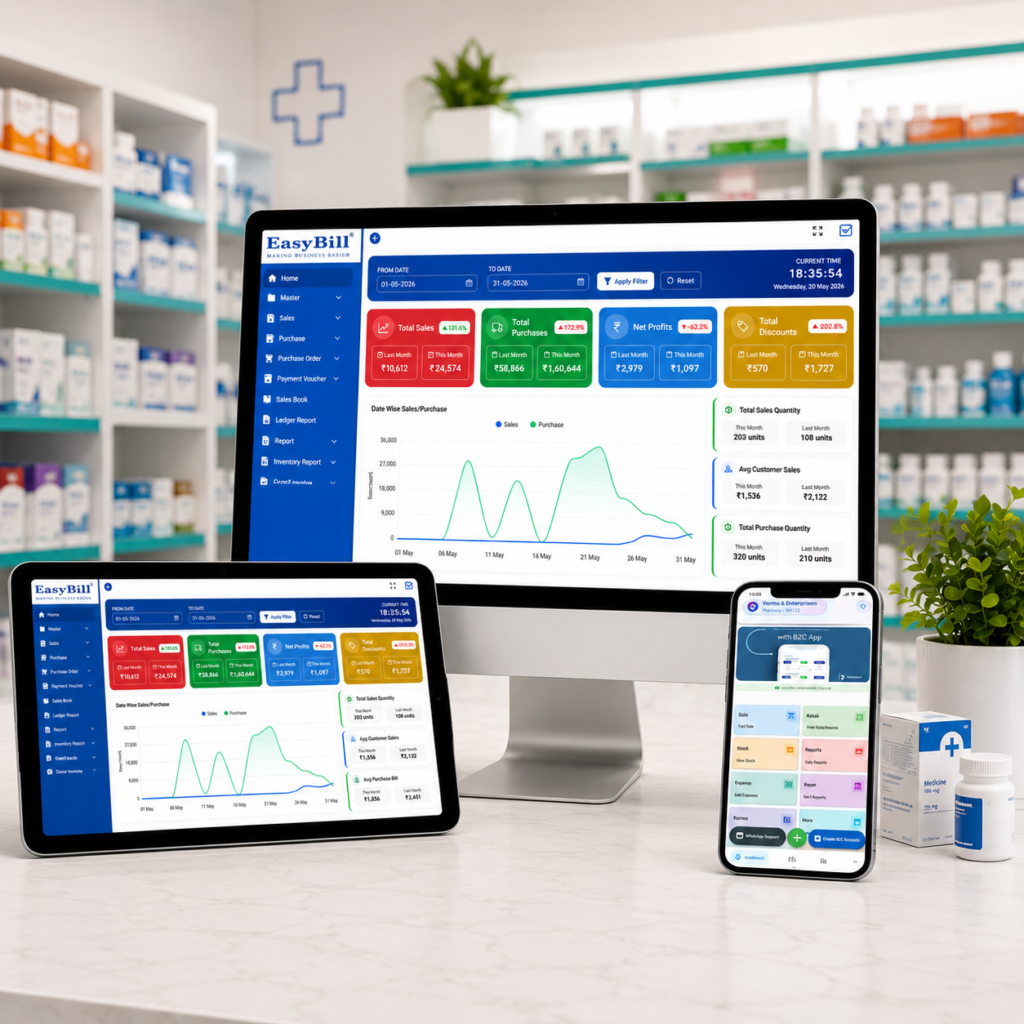
Pharmacy POS System for Small Business
pharmacy POS system for small business can make everyday pharmacy work easier by bringing billing, inventory, purchasing and sales reporting into one practical workflow. For a small medical store, the goal is not to buy the software with the longest feature list. It is to choose a system that helps staff bill quickly, keeps stock accurate and gives the owner useful information without creating unnecessary complexity.
Quick answer: A good pharmacy POS system for small business should combine fast billing, GST invoicing, barcode or product search, medicine inventory, batch and expiry tracking, purchase management, reports and sensible user controls. Before buying, test the actual workflow your staff will use every day.
Last updated: September 8, 2026. Software features and plans can change, so confirm current capabilities and pricing with the provider before purchase.
Pharmacy POS System for Small Business IMAGE
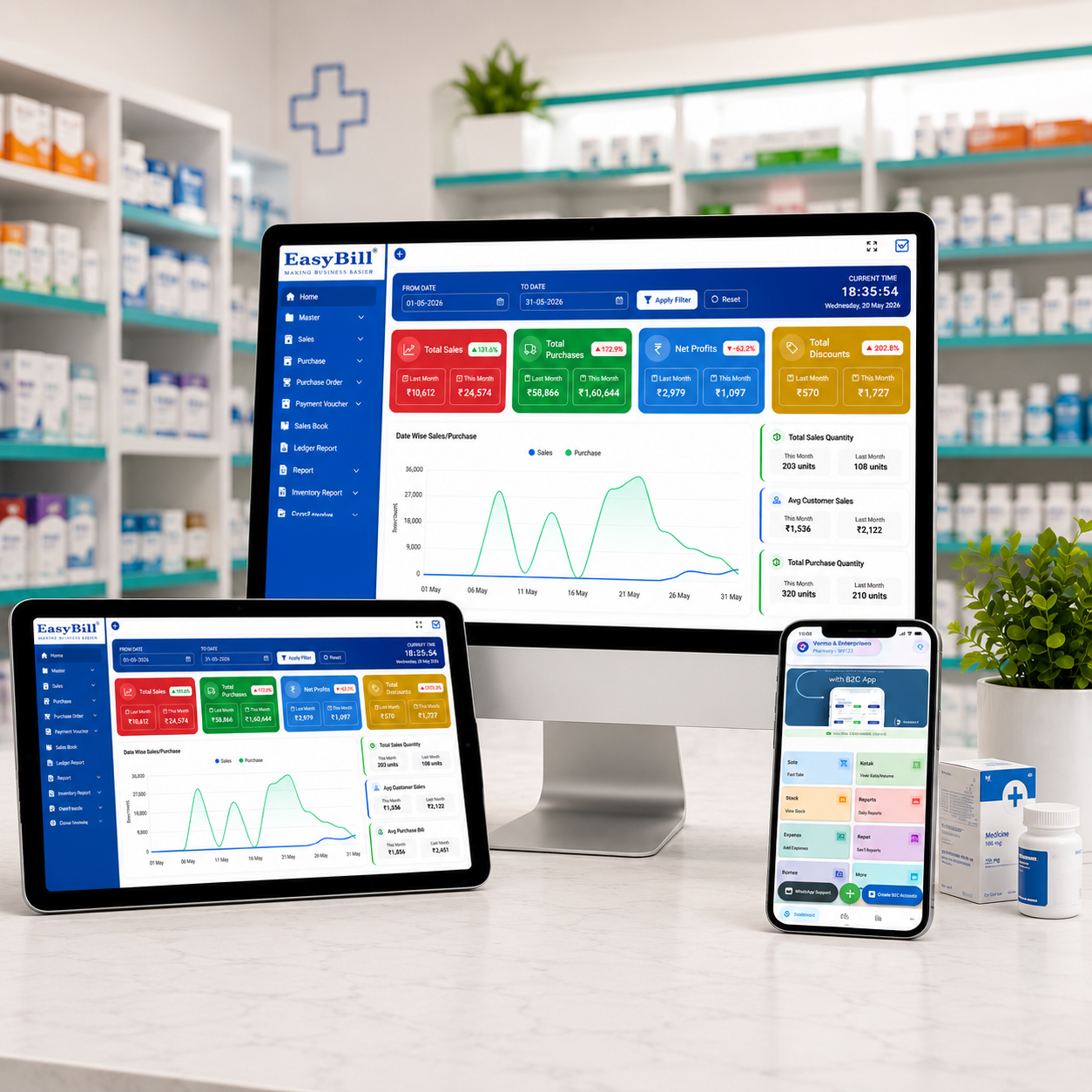
Table of Contents
- What Is a Pharmacy POS System?
- Why Small Pharmacies Need POS Software
- 7 Features to Look For
- Benefits for a Small Business
- How to Choose the Right System
- Where EasyBill ERP Fits
- Frequently Asked Questions
What Is a Pharmacy POS System?
A pharmacy POS system is software used at the point of sale to create bills, record transactions and connect sales with other pharmacy operations. In a well-designed setup, a sale can also update inventory and contribute to reports, reducing the need for duplicate data entry.
For a small medical store, simplicity matters. Staff may need to handle customers, search medicines, apply discounts, calculate GST, print or share bills and answer stock questions at the same counter. The POS should make those tasks faster rather than adding more screens and manual steps.
Why Small Pharmacies Need a Reliable POS System
Small businesses often operate with fewer employees, tighter margins and limited time for administration. A billing mistake, incorrect stock quantity or missed expiry can create work that is expensive for a small team.
A connected POS workflow can help the owner see daily sales, understand stock movement and reduce repetitive entries. It can also give counter staff a consistent process for billing and product lookup.
7 Features to Look For in a Pharmacy POS System for Small Business
1. Fast Billing and GST Invoicing
The first test should be a normal customer sale. The system should make it easy to find an item, select the right quantity, apply a discount when required, calculate GST correctly and produce a professional invoice. Barcode scanning can be useful when the store handles a high number of daily transactions.
2. Medicine Inventory Management
Inventory should be connected to sales and purchases rather than maintained as a separate spreadsheet. Look for product search, stock levels, low-stock visibility, purchase history and stock movement reports. These tools can help a small pharmacy make better replenishment decisions.
3. Batch and Expiry Tracking
Medicines can have different batches, expiry dates and selling details. A useful POS should make these records easy to capture and retrieve. Expiry visibility can help staff identify products that need attention before they become avoidable stock losses.
4. Purchase and Supplier Management
Purchases affect both cash flow and inventory accuracy. The software should support purchase entries, purchase returns, supplier information and relevant product rates. This creates a clearer connection between what the pharmacy buys and what it later sells.
5. Clear Sales and Business Reports
A small-business owner needs useful answers, not complicated dashboards. Look for daily sales, profit, stock, GST, customer and supplier reports. Reports are most valuable when they help the owner decide what to reorder, which products are moving and how the store is performing.
6. User Roles and Access Control
If more than one person uses the system, permissions matter. The owner may need broader access than a counter operator. Ask whether the software supports user roles, permissions and activity visibility appropriate to your business.
7. Room to Grow
Even a small pharmacy may add another counter, employee or location later. Check whether the provider has upgrade options for additional users, counters or branches. Understanding those limits early can prevent an expensive software change later.
Benefits of a Pharmacy POS System for Small Business
- Faster counter service: Quick search and barcode billing can reduce repetitive typing.
- Better stock visibility: Sales and purchase records can stay connected with inventory.
- More disciplined expiry management: Batch and expiry information can be easier to review.
- Cleaner GST records: Billing and tax-related information can follow a consistent workflow.
- Less manual reporting: Owners can use system reports instead of preparing every summary by hand.
- Better accountability: User permissions can help control access to business data.
How to Choose the Right Pharmacy POS System for Small Business
Do not choose a POS only because its feature list looks impressive. Ask the provider to demonstrate your real workflow from beginning to end.
- Run a real sale. Test product search, barcode entry, discount, GST and invoice generation.
- Test a purchase. Check whether purchase entry updates stock correctly.
- Test a return. Make sure sales returns and purchase returns follow a clear process.
- Check batch and expiry handling. Ask how staff identify the right batch and near-expiry products.
- Review reports. Confirm that sales, stock, profit and GST information is easy to understand.
- Ask about backups and security. Understand backup frequency, access controls and data export options.
- Compare total cost. Include users, support, setup, upgrades and additional locations—not only the starting price.
Cloud vs Local POS: Which Is Better for a Small Pharmacy?
There is no universal answer. A cloud-connected POS can be useful when the business wants centralized access and provider-managed infrastructure. A locally installed system may appeal to businesses that prefer greater control over local infrastructure. Before choosing, ask about internet dependency, offline operation, backups, data export, security and support.
Where EasyBill ERP Fits
EasyBill ERP is designed around connected billing and business workflows for retail and pharmacy operations. For businesses comparing a pharmacy POS system for small business, relevant capabilities can include fast billing, GST invoicing, inventory, batch and expiry management, purchasing, customer and supplier records, user controls and business reports. Plan features can vary, so confirm the exact capabilities included in the plan that fits your store.
If you are also researching medicine expiry workflows, read the medicine expiry date tracking software guide. For stock operations, see the medical stock management system resource. You can also compare current plans on the EasyBill pricing page.
Useful External Resources for Pharmacy Businesses
For general cybersecurity guidance, the NIST Cybersecurity Framework is a useful reference when discussing security responsibilities with a technology provider. For healthcare interoperability and digital-health context, the World Health Organization digital health resources provide broader industry background. These resources are informational references, not endorsements of any specific POS provider.
Frequently Asked Questions
What is the best POS system for a small pharmacy?
The best option is the one that matches the store’s actual workflow, including fast billing, GST, inventory, batch and expiry tracking, reporting, user controls and dependable support.
Does a pharmacy POS system track medicine expiry dates?
Many pharmacy-focused systems provide batch and expiry management. Always confirm how expiry alerts, reports and stock handling work before purchase.
Can a small pharmacy POS system support GST billing?
Many pharmacy POS products support GST invoicing and related reports. Confirm the current tax configuration and reporting features with the provider.
Should a small pharmacy use cloud POS software?
Cloud POS can be useful when a business wants connected access and centralized workflows. Ask about internet dependency, offline operation, backups and data export before choosing.
What should I check before buying pharmacy POS software?
Test billing, inventory, purchases, returns, batch and expiry workflows, reports, permissions, backups, support and the total cost of ownership using realistic store scenarios.
Book a Demo
Want to see how EasyBill ERP can fit your pharmacy workflow? Use the demo form below to discuss billing, inventory, GST, batch and expiry management, reports and plan options for your business.