
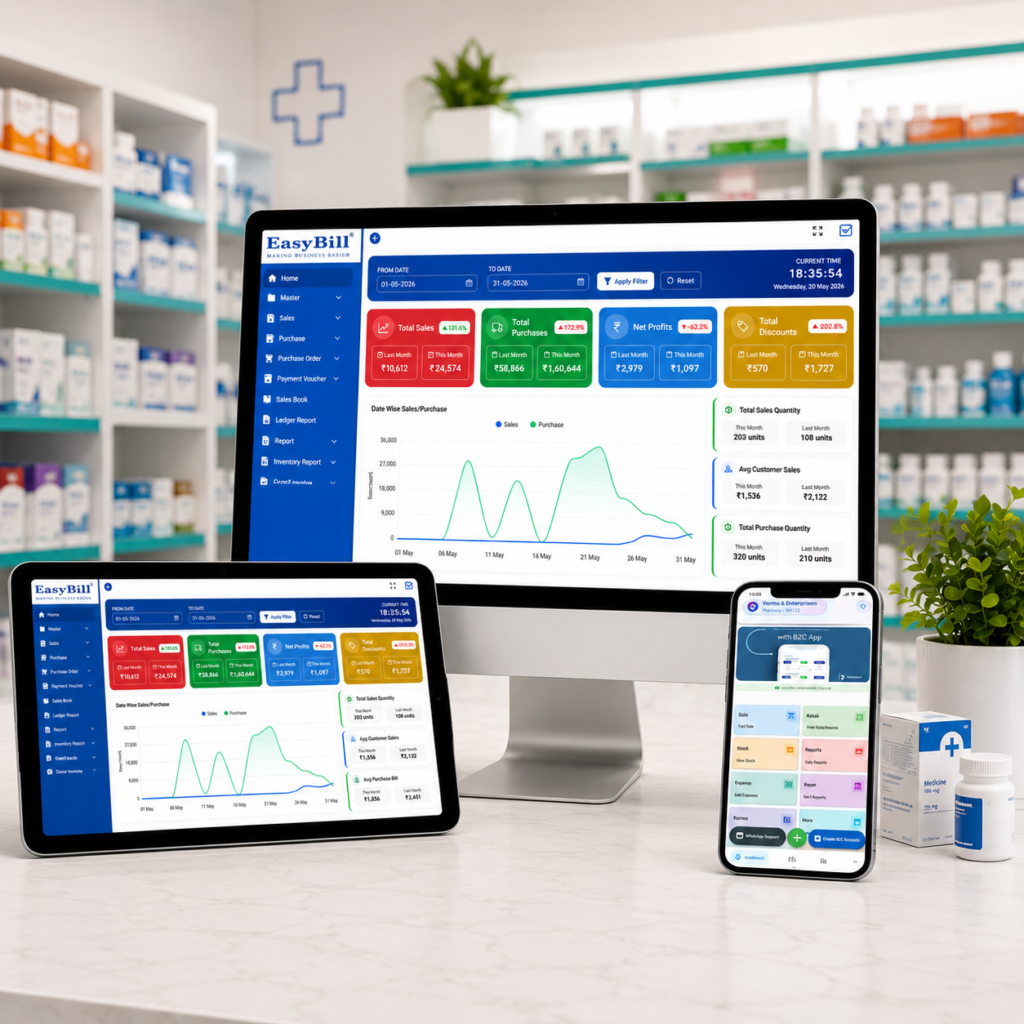
Cloud Based Pharmacy Management Software
Cloud based pharmacy management software is becoming a practical choice for pharmacies that want billing, inventory, purchasing and business reports to work together instead of living in separate systems. The real value is not simply putting pharmacy data online; it is creating a smoother daily workflow for the people who actually run the store.
For a busy medical store, a good system should help staff find products quickly, keep stock records accurate, identify batches and expiry dates, create GST invoices and give the owner a clear view of sales. It should also feel simple enough that the team can use it confidently during a busy counter rush.
Quick answer: This type of software is best suited to medical stores, retail pharmacies, pharmacy chains and growing businesses that want billing, inventory, purchasing, batch, expiry and reporting workflows connected in one system.
Bottom line: Choose software by testing your real pharmacy workflow—not just by counting features. Billing speed, stock accuracy, batch and expiry controls, user permissions, backups, connectivity and support should all work together.
Last updated: September 8, 2026. Features, plans and software capabilities can change, so confirm the current plan details before purchase.
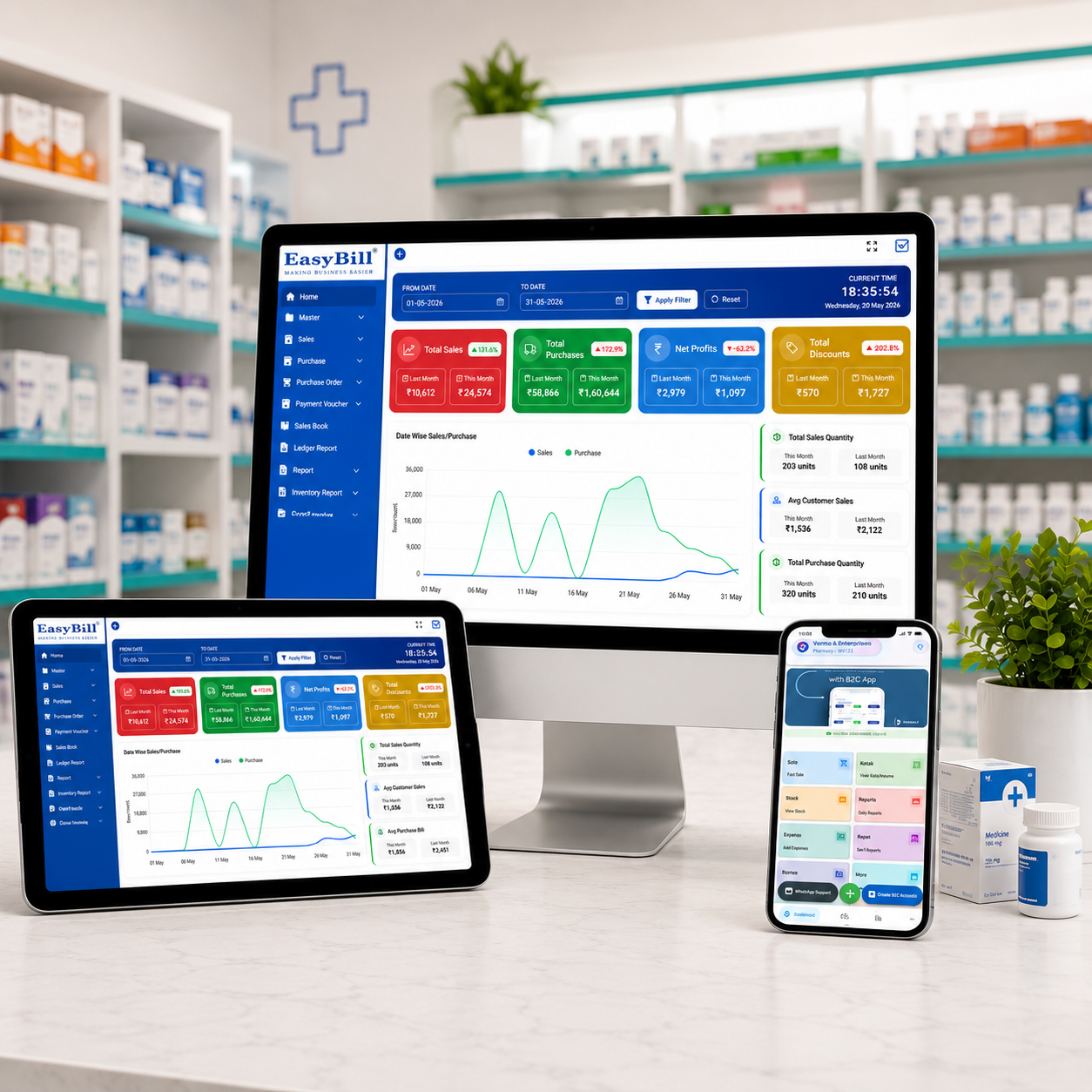
Table of Contents
- What Is Cloud Based Pharmacy Management Software?
- Why Pharmacies Need a Connected System
- 7 Key Features to Look For
- Practical Benefits for a Medical Store
- Cloud vs Local Pharmacy Software
- How to Choose the Right Software
- Where EasyBill ERP Fits
- Frequently Asked Questions
What Is Cloud Based Pharmacy Management Software?
Short answer: Cloud based pharmacy management software is a digital system for managing pharmacy operations through an online-connected environment. Depending on the provider and plan, it can bring billing, stock, purchasing, customer records, supplier information, medicine batches, expiry tracking and reports into one workflow.
The important distinction is that “cloud based” does not automatically mean “better.” A pharmacy still needs reliable billing, accurate inventory controls, sensible user permissions, data backup practices and useful reports. The technology should support the business rather than make the counter process more complicated.
Why Pharmacies Need a Connected System
Best fit: This advice is aimed at independent medical stores, retail pharmacies, pharmacy chains, pharmacy owners, managers and counter staff who need a practical system for daily billing and inventory work. It is especially useful when a business is moving away from paper registers or disconnected spreadsheets, adding users, or planning additional counters or branches.
A pharmacy handles thousands of small decisions every month: which batch to sell, what stock needs reordering, which medicines are close to expiry, what a supplier charged last time and how much the business sold today. When these details are maintained manually, even a small mistake can create extra work.
A well-designed cloud based pharmacy management software setup can connect these routine tasks. Staff can work from the same operational data according to their assigned access, while the owner can use reports to understand what is happening without depending on several disconnected spreadsheets or registers.
7 Key Features to Look For in Cloud Based Pharmacy Management Software
1. Fast Billing and GST Invoicing
With cloud based pharmacy management software, the billing counter is where software quality becomes obvious. Look for barcode or quick item search, sensible invoice creation, discounts, GST calculations and easy bill printing or digital sharing. The fewer unnecessary clicks a cashier needs, the easier the system is to use during peak hours.
2. Medicine Inventory Management
Good cloud based pharmacy management software should not treat inventory as a simple quantity list. A pharmacy needs visibility into product movement, low-stock items, purchase history and available stock. Good inventory controls can reduce the risk of ordering blindly or discovering a shortage only after a customer asks for the product.
3. Batch and Expiry Tracking
Cloud based pharmacy management software is especially useful when batch and expiry information needs to stay connected to everyday pharmacy operations. A useful system should make it easier to identify medicines approaching expiry and understand which batch is being sold. This can support more disciplined stock rotation and reduce avoidable inventory losses.
4. Purchase and Supplier Management
Purchasing is closely connected to stock accuracy. The software should make it practical to record purchases, purchase returns, supplier details and relevant product rates. This gives the team a cleaner trail from purchase entry to stock availability.
5. Useful Business Reports
A pharmacy owner should not have to calculate everything manually. Look for sales, profit, stock, GST, customer, supplier and outstanding reports that answer real business questions. Reports are valuable when they are easy to understand and tied to daily decisions.
6. User Roles and Access Controls
Not every employee needs the same level of access. User roles and permissions can help a pharmacy control who can view or change particular business information. Before choosing a provider, ask how users, roles, permissions and activity records are handled.
7. Support for Growing Pharmacies
A system that works for one counter may not be enough when the business expands. If you expect more users, counters, branches or warehouses, check whether the software has a practical upgrade path. It is better to understand these limits before implementation than after the business has outgrown the setup.
Practical Benefits of Cloud Based Pharmacy Management Software for a Medical Store
The biggest benefit of cloud based pharmacy management software is usually not a single feature. It is the way connected workflows reduce repeated work. A sale can update stock, purchase information can support inventory records, and reports can use the same underlying transactions.
- Better visibility: Owners can review operational information without relying entirely on manual registers.
- Faster counter work: Search, barcode and billing tools can reduce repetitive entry.
- Improved stock discipline: Batch, expiry and low-stock information can support better purchasing decisions.
- Cleaner records: Sales, purchases, customers and suppliers can stay connected.
- Easier business review: Reports can make daily and periodic performance easier to understand.
- Room to grow: The right plan can support additional users or locations when the provider offers those capabilities.
Cloud vs Local Pharmacy Software: What Is the Difference?
| Area | Cloud-Based Approach | Local Approach |
|---|---|---|
| Access model | Designed around connected access supported by the provider | Usually centered on locally installed systems |
| Data environment | Online-connected infrastructure | Primarily local infrastructure |
| Multiple locations | Can be convenient when centralized access is supported | May need additional setup or synchronization |
| Maintenance | Some infrastructure responsibilities may be handled by the provider | More local maintenance may be required |
| Best fit | Businesses wanting connected workflows | Businesses preferring greater local control |
Short answer: Neither approach is automatically right for every pharmacy. A cloud based pharmacy management software setup can be a good fit when connected access and centralized workflows matter; a local system may suit businesses that prioritize local infrastructure control. Ask about internet dependency, offline capabilities, data export, backup frequency, support response, security controls and total ownership cost before making a decision.
How to Choose Cloud Based Pharmacy Management Software
Start with your actual workflow instead of starting with a feature checklist. When comparing cloud based pharmacy management software, Write down how your pharmacy handles a normal sale, a purchase, a return, a near-expiry item and an end-of-day report. Then ask the software provider to demonstrate those exact scenarios.
- Test the counter workflow. Ask staff to perform a realistic billing transaction.
- Check medicine controls. Verify batch, expiry, MRP and stock handling.
- Review GST requirements. Confirm that the billing and reporting workflow matches your business needs.
- Check access and permissions. Understand how different users are controlled.
- Review backups and security. Ask what is backed up, how often and how access is protected.
- Consider connectivity. Confirm what happens if the internet connection is interrupted.
- Compare the full cost. Include users, branches, support, setup and upgrades rather than looking only at the headline price.
Where EasyBill ERP Fits
EasyBill ERP is built around connected business workflows for retail and pharmacy operations. For businesses evaluating cloud based pharmacy management software, For a pharmacy, relevant capabilities can include billing, GST invoicing, inventory, batch and expiry management, purchases, customer and supplier records and business reporting. Plan availability can vary, so a pharmacy should confirm the exact features, users and branch capabilities included in its selected plan.
If expiry management is a major concern, you can also review EasyBill’s medicine expiry date tracking software resource. For a broader view of stock workflows, see the medical stock management system guide. You can also compare available plans on the EasyBill pricing page.
Security Questions to Ask About Cloud Based Pharmacy Management Software
Cloud software means the provider’s security practices matter. Ask where data is hosted, how access is authenticated, how backups are handled, who can access administrative data and how your information can be exported if you change providers.
For a useful general reference, the NIST Cybersecurity Framework provides a widely used approach to thinking about cybersecurity risk. It is not a pharmacy-software buying checklist, but it is a helpful starting point when discussing security responsibilities with a technology provider.
Book a Demo of EasyBill ERP
Want to see how EasyBill ERP can fit your pharmacy workflow? Book a demo to discuss billing, GST, inventory, batch and expiry tracking, reporting, users and other requirements with the team.
Frequently Asked Questions
Is cloud pharmacy software suitable for a small medical store?
Yes. It can be a practical fit when the software is simple for staff and the plan covers the store’s billing, inventory, GST and reporting requirements.
Can pharmacy software track medicine expiry dates?
Many pharmacy systems include expiry management. Before choosing one, confirm how expiry alerts, batch selection, stock reports and near-expiry workflows operate.
Does cloud pharmacy software support GST billing?
Many pharmacy billing systems support GST invoicing and related reports. Confirm the current tax features and configuration options offered by the provider.
What happens if the pharmacy loses internet access?
This depends on the product. Some systems may offer offline functionality, while others require an active connection for key operations. Ask the provider to demonstrate the exact offline workflow before purchase.
Who should use cloud based pharmacy management software?
It can suit independent medical stores, retail pharmacies, pharmacy chains, pharmacy owners and growing businesses that want connected billing, inventory, purchasing, batch, expiry and reporting workflows.
Final Takeaway
The best cloud based pharmacy management software is the one that fits the pharmacy’s real working style. Look beyond a long feature list and test billing, stock, batches, expiry, purchasing, reports, user access, backups and support. When these pieces work together without making the counter harder to operate, the software can become a useful part of the pharmacy’s daily routine rather than another system staff have to fight with.