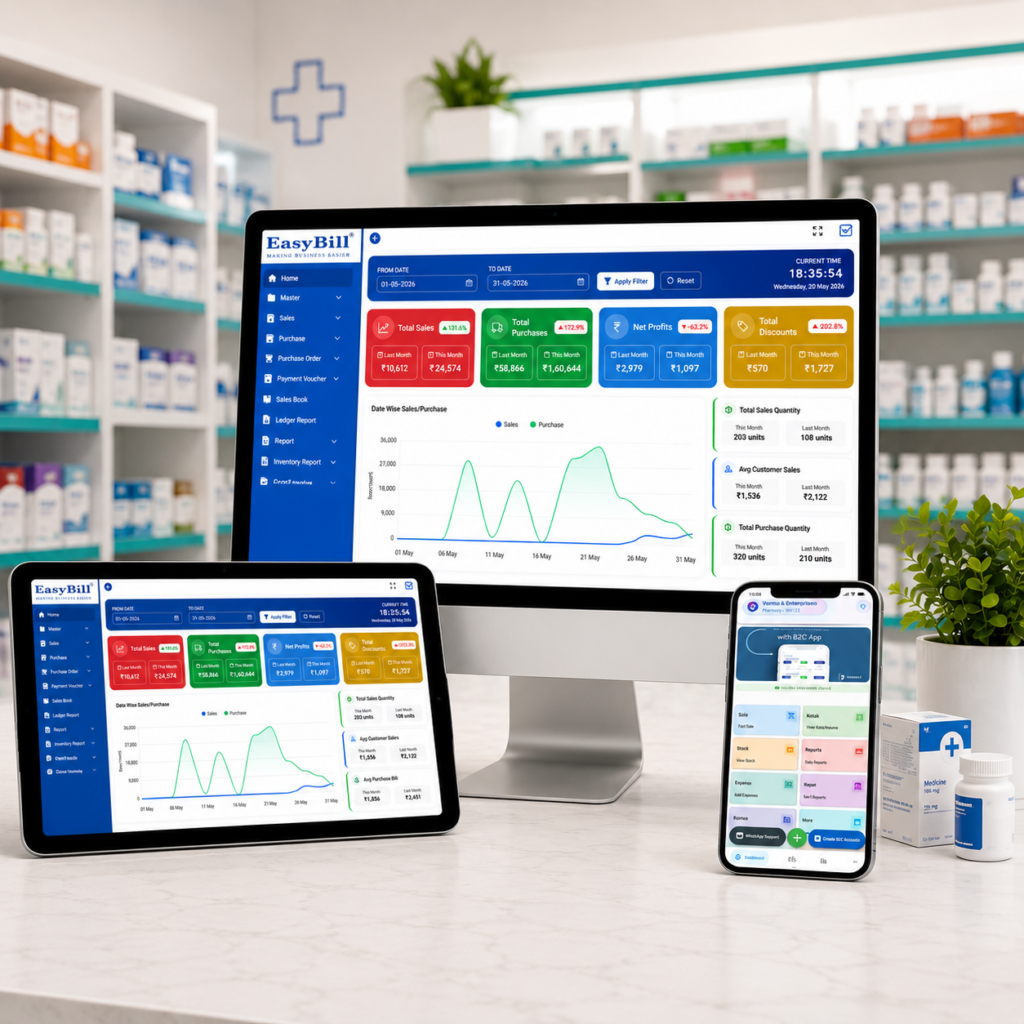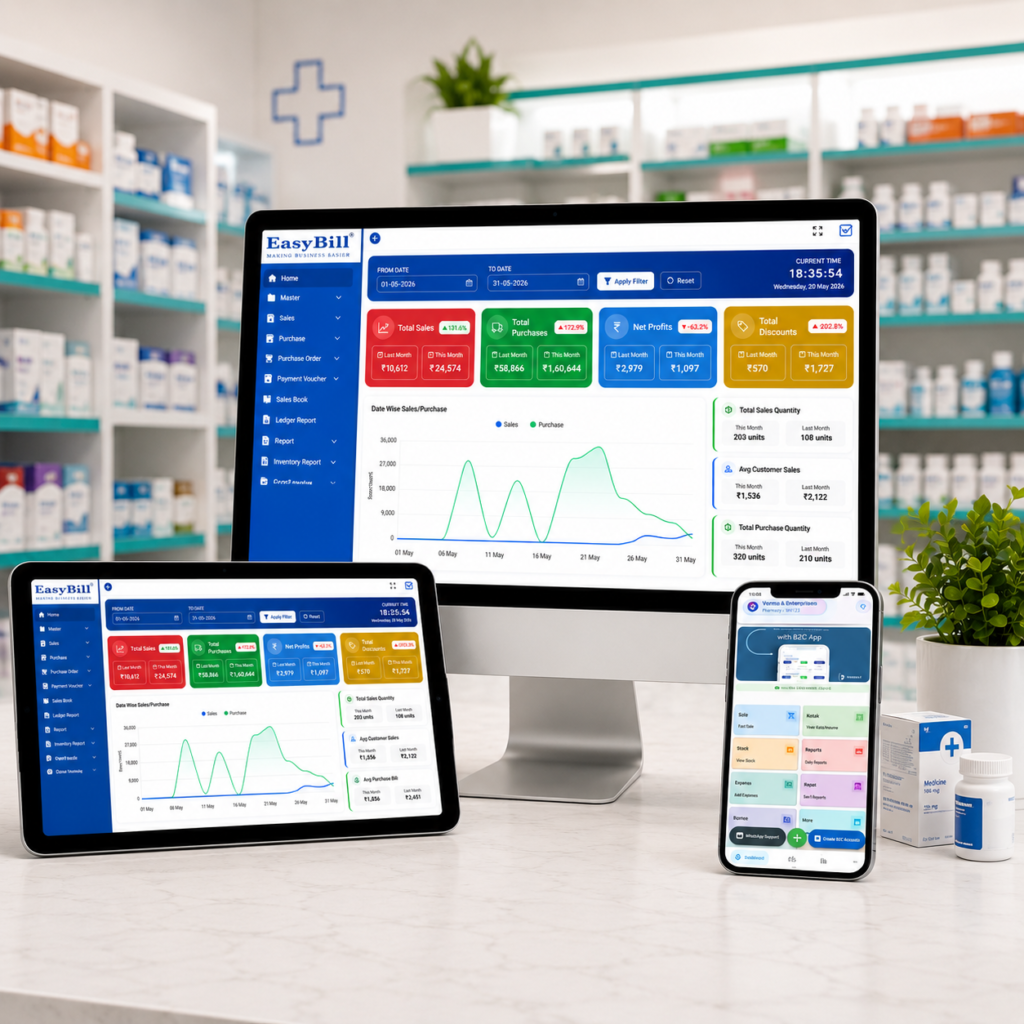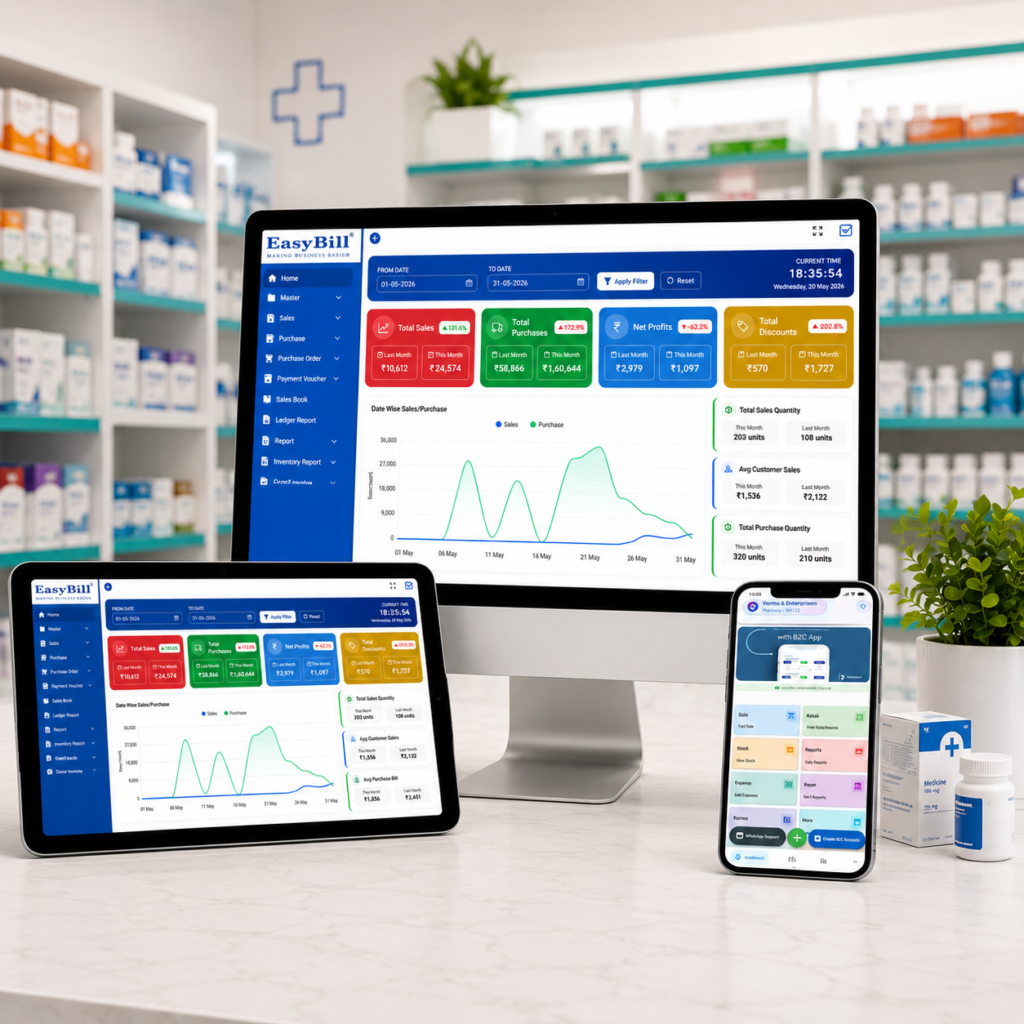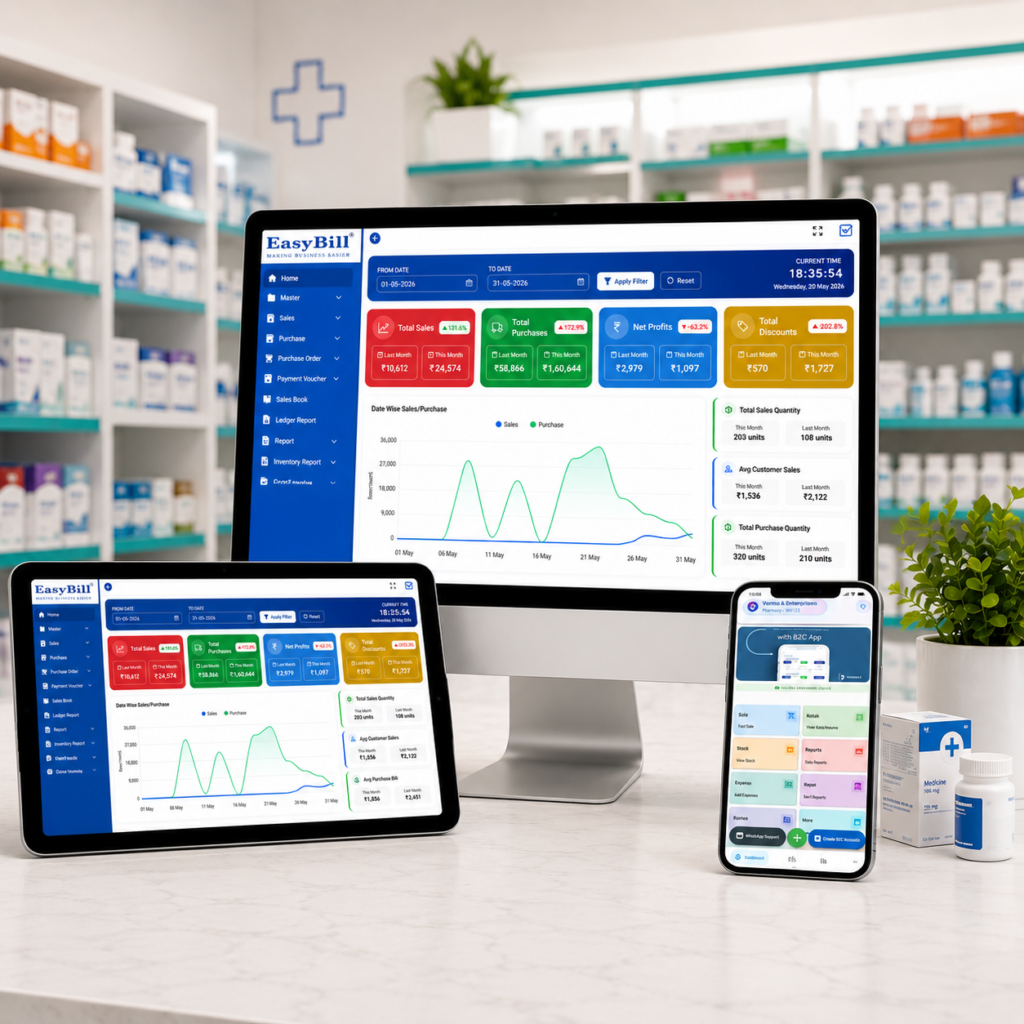
cough syrup prescription billing pharmacy software; Pharmacy Website Developer in Noida; Pharmacy Website Developer in Lucknow; Pharmacy Website Developer in Greater Noida; Pharmacy Website Developer in Ghaziabad; Pharmacy Website Developer in Aminabad; Pharmacy Website Developer in Kanpur; Pharmacy Website Developer in Agra; Medical store website development in Meerut; Pharmacy Website Developer in Varanasi; Medical Store Website Developer in Prayagraj; Pharmacy Website Developer in Gorakhpur; Pharmacy Website Developer in Bareilly; Pharmacy Website Developer in Aligarh; Pharmacy Website Developer in Moradabad

Pharmacy Billing and Barcode Scanner Software: 7 Powerful Benefits

Pharmacy Billing and Barcode Scanner Software: 7 Powerful Benefits Pharmacy billing and barcode scanner software brings barcode scanning, medicine billing, stock control, batch tracking, and reporting into one practical workflow. For a busy medical store, the goal is simple: scan the right product, create the bill quickly, and keep inventory accurate without repeated manual entry. In simple terms: The best pharmacy setup connects a barcode scanner directly to billing and inventory. When a barcode is scanned, the software should identify the medicine, apply the correct product details, help select the appropriate batch, calculate taxes, and update stock after the sale. Key Takeaway: A barcode scanner is only one part of the solution. The real productivity gain comes when scanning, billing, batch-wise stock, expiry controls, purchases, and reports work together. Last updated: September 8, 2026 Table of Contents What is pharmacy billing and barcode scanner software? How barcode billing works in a pharmacy 7 powerful benefits Features to check before buying A practical counter workflow Common barcode billing mistakes to avoid How EasyBill fits the workflow FAQs What Is Pharmacy Billing and Barcode Scanner Software? Pharmacy billing and barcode scanner software is a pharmacy POS and inventory system that uses product barcodes to identify medicines during billing. Instead of typing a product name every time, staff can scan the barcode and let the software retrieve the matching item record. A pharmacy environment adds another layer of complexity. The same medicine may have different batches, expiry dates, purchase rates, or stock quantities. Good pharmacy software therefore connects barcode identification with batch and inventory information rather than treating the scanner as a standalone device. Current pharmacy software products commonly combine barcode scanning with GST billing, batch and expiry tracking, and real-time inventory because these functions support the same counter workflow. citeturn0search1turn0search6turn0search9 How Barcode Billing Works in a Pharmacy 1. Product setup: The medicine master contains the product name, barcode, pack information, MRP, tax details, and other relevant fields. 2. Stock purchase: Purchase entries add quantities and, where applicable, batch numbers and expiry dates. 3. Customer arrives: The counter operator scans the medicine barcode. 4. Product identification: The software finds the matching medicine and displays the available stock and billing details. 5. Batch selection: If several batches exist, the system should make the correct available batch easy to identify according to the pharmacy’s stock policy. 6. Bill generation: Quantity, pricing, GST and invoice details are calculated without repeatedly typing the same information. 7. Inventory update: The sold quantity is deducted so the next stock report reflects the transaction. This is why barcode scanning becomes much more valuable when it is connected to the full pharmacy inventory workflow. Some current systems also combine barcode scanning with purchase-bill import, expiry alerts and supplier records. citeturn0search0turn0search2 7 Powerful Benefits of Pharmacy Billing and Barcode Scanner Software 1. Faster Counter Billing Scanning can reduce the amount of product information staff have to type manually. That matters during busy hours when several customers are waiting. A fast workflow is not only about speed. It also gives staff a consistent way to identify products and add the correct item to the invoice. 2. Fewer Manual Entry Errors Typing medicine names repeatedly can lead to spelling mistakes, wrong product selection, or incorrect quantities. Barcode-based identification can reduce these avoidable steps when the product master is maintained correctly. 3. Better Stock Accuracy When every completed bill updates inventory, the stock figure becomes more useful. Owners can see what has moved instead of waiting for a manual stock count. 4. Better Batch and Expiry Control A pharmacy cannot manage inventory properly by product name alone. Batch numbers and expiry dates matter. A connected system can associate scanned sales with the stock records that were received through purchases. Many pharmacy platforms now position barcode billing together with batch and expiry management because the two workflows complement each other. citeturn0search3turn0search4 5. Easier GST Billing Once the product master contains the required tax information, billing software can use the saved data when creating invoices. This can make counter billing more consistent and reduce repetitive tax-data entry. 6. Easier Reordering and Stock Decisions Barcode billing creates transaction data that can feed inventory reports. Owners can use sales movement, current stock, low-stock levels, and purchase history to decide what needs replenishment. 7. Better Customer Experience Shorter billing time means customers spend less time at the counter. A clean invoice and quick product lookup also make the checkout process easier for staff and customers. Features to Check Before Buying Do not select a system simply because its product page says “barcode enabled.” Check the complete workflow. Barcode compatibility: Confirm that the software works with the scanner hardware and barcode formats used by your pharmacy. Fast product search: Staff should be able to search by medicine name, brand or other useful identifiers when a barcode is damaged or unavailable. Batch tracking: Each relevant batch should remain traceable after purchase and sale. Expiry monitoring: Near-expiry and expired stock should be easy to identify. GST billing: Tax details should be handled consistently in invoices and reports. Purchase management: Purchase entries should update stock without creating a second manual inventory. Returns: Sales and purchase returns should preserve stock accuracy. Reports: Look for sales, stock, purchase, expiry, GST and profit reports that match your business needs. User controls: Staff permissions can help separate routine billing from sensitive settings and reports. A Practical Pharmacy Counter Workflow Imagine a customer needs three medicines. The operator scans each pack, confirms the displayed product and quantity, checks the available batch where necessary, and adds the items to the bill. The system calculates the invoice, records the payment, and reduces the corresponding inventory. Later, the owner can review the sale in reports without recreating the transaction from a paper bill. For a pharmacy with a large catalogue, this connected workflow can be more useful than a generic retail barcode system because medicine stock often needs batch, expiry, MRP, supplier and purchase context. Common Barcode Billing Mistakes to Avoid

Pharmacy Billing and Barcode Scanner Software: 7 Powerful Benefits Read More »
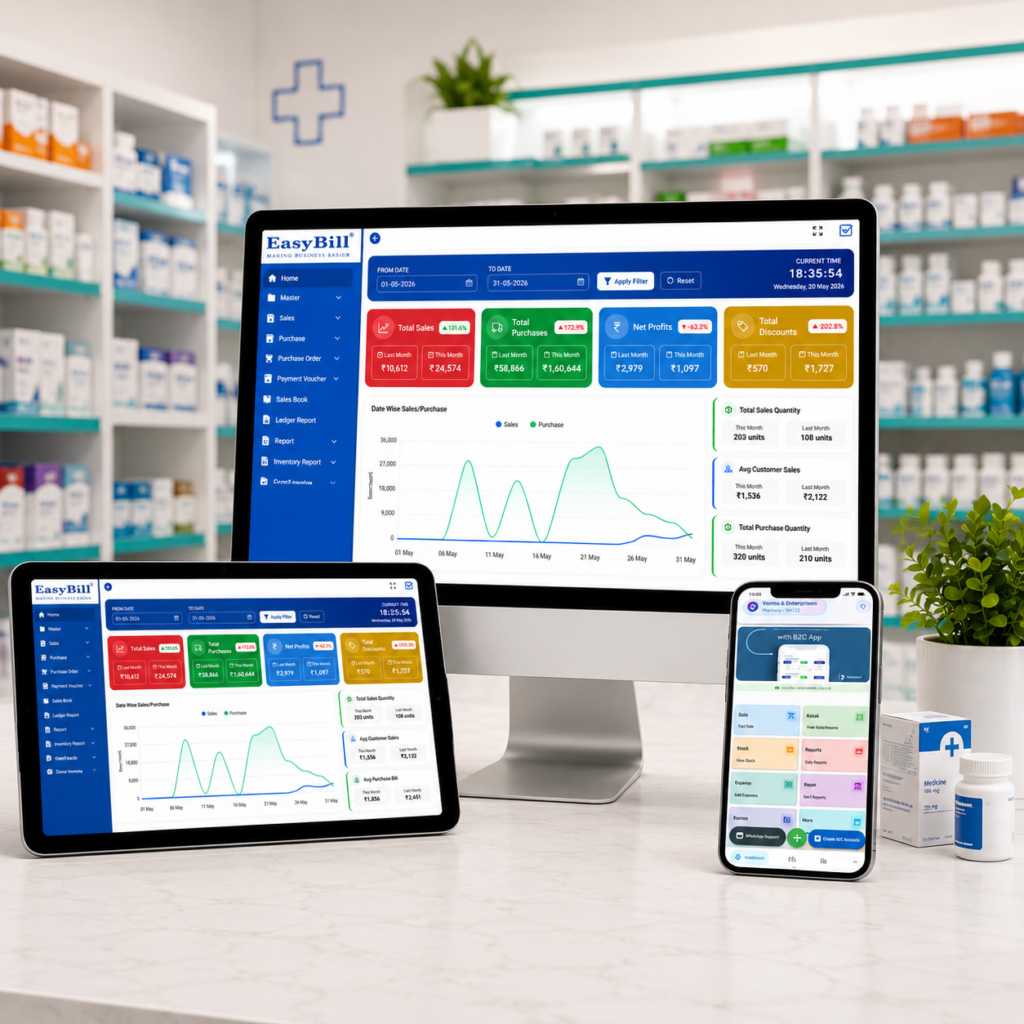
Medical Store Billing Software Offline Online; Advantages of Medical Store Management System;How to Maintain Medicine Stock; Pharmacy Stock Management Software

Pharmacy Expiry Alert Billing Software: 7 Powerful Ways to Cut Stock Loss

Pharmacy Expiry Alert Billing Software: 7 Powerful Ways to Cut Stock Loss Pharmacy expiry alert billing software helps a medical store connect billing, batch-wise inventory, expiry monitoring, and daily stock decisions in one workflow. Instead of finding short-dated medicines manually, the team can see which batches need attention and act before stock becomes a loss. In simple terms: The right pharmacy system should capture batch and expiry dates during purchase entry, show near-expiry stock clearly, support fast GST billing, and keep inventory updated after every sale or purchase. Expiry alerts are most useful when they are connected to the actual batch that is sitting in stock. Key Takeaway: An alert is valuable only when it leads to an action. A practical system should help your team identify the batch, check quantity and supplier, decide whether to return or prioritize the stock, and keep the final inventory accurate. Last updated: September 8, 2026 Table of Contents What is pharmacy expiry alert billing software? Why expiry alerts matter in a medical store 7 powerful features to look for How the expiry-alert workflow works Buying checklist for pharmacy owners Cloud vs desktop pharmacy software How EasyBill can fit the workflow FAQs What Is Pharmacy Expiry Alert Billing Software? Pharmacy expiry alert billing software is a billing and inventory solution designed to track medicines by batch, expiry date, quantity, purchase details, and sales movement. The important difference from ordinary billing software is the link between the invoice and the stock record. When a purchase is entered, the system can store the medicine, batch number, expiry date, MRP, purchase rate, and quantity. When the medicine is sold, stock is reduced. That creates a live picture of which batches are still available and which ones are approaching expiry. For a busy pharmacy, this is more practical than maintaining a separate spreadsheet or paper expiry register. Current pharmacy software products commonly combine batch tracking, expiry alerts, GST billing, and inventory controls because these tasks are closely connected. citeturn0search1turn0search3 Why Expiry Alerts Matter in a Medical Store Expired or short-dated inventory can quietly tie up working capital. A medicine may look like normal stock in a basic inventory report while its remaining shelf life is getting shorter every day. A good alert process gives the pharmacy team time to review the item. Depending on the business process and supplier policy, the team may return eligible stock, move it to a suitable location, prioritize appropriate sales, or mark it for further review. Expiry alerts should therefore be treated as an inventory-control tool, not simply a notification feature. Some pharmacy platforms use multiple warning windows such as 30, 60, and 90 days, while others let the pharmacy define its own thresholds. citeturn0search5turn0search16 7 Powerful Features to Look For 1. Batch-Wise Expiry Tracking The foundation of pharmacy expiry alert billing software is batch-level tracking. The same medicine can arrive in multiple batches with different expiry dates, so the software should not treat every unit as one undifferentiated stock number. 2. Near-Expiry Alerts Alerts should highlight stock before it expires. A useful dashboard can group medicines by urgency so staff can focus first on the batches that need attention soonest. 3. Expired-Stock Identification The system should make expired inventory easy to identify and separate from normal sellable stock. A clear expired-stock report reduces the chance of relying on memory or manual checking. 4. Billing Connected to Inventory Every sale should update stock. This connection matters because an expiry alert based on outdated quantities can waste staff time. Billing, returns, and purchase entries should keep the inventory picture current. 5. GST and Pharmacy Billing Support Expiry monitoring should not require a separate billing application. Look for GST-ready invoices, suitable tax reporting, returns, and fast counter billing alongside inventory features. 6. Purchase and Supplier Records When a short-dated batch is found, knowing where it came from makes the next step easier. Supplier records, purchase references, batch details, and return information can help staff investigate stock without searching through old paper bills. 7. Reports for Better Decisions Useful reports can show near-expiry stock, expired quantities, stock value, sales, purchases, and slow-moving items. This turns expiry management from a monthly cleanup task into a regular business process. How the Expiry-Alert Workflow Works Step 1 — Purchase entry: Add the medicine with batch number, expiry date, quantity, MRP, and supplier information. Step 2 — Stock update: The received quantity becomes part of the live inventory. Step 3 — Alert monitoring: The system identifies batches approaching their configured expiry threshold. Step 4 — Team action: Staff review the batch and decide the appropriate action according to store and supplier procedures. Step 5 — Billing and stock movement: Sales and returns update inventory so the remaining quantity stays accurate. Step 6 — Review: Managers can check expiry, sales, purchases, and stock reports to improve future buying decisions. This workflow is similar to the way modern pharmacy platforms connect batch and expiry data with billing and inventory. citeturn0search0turn0search9 Buying Checklist for Pharmacy Owners Before choosing pharmacy expiry alert billing software, ask these practical questions: Can every medicine batch have its own expiry date? Can the team see near-expiry quantities quickly? Does billing automatically reduce the correct stock? Can purchases and suppliers be traced to a batch? Are GST invoices and reports included? Can staff search medicines quickly at the counter? Does the software provide useful expiry and inventory reports? Can the business recover or export its data? Is support available when billing or stock problems occur? For broader inventory controls, you can also review EasyBill’s medical stock management system and medicine expiry date tracking software resources. Cloud vs Desktop Pharmacy Software Cloud software can be useful when owners need access across devices or locations and want centralized data with backups. Desktop software can still be attractive for stores that prioritize local operation or have specific hardware and connectivity requirements. The best choice depends on the pharmacy’s size, number of counters, branch structure, internet reliability, reporting needs, and support expectations.

Pharmacy Expiry Alert Billing Software: 7 Powerful Ways to Cut Stock Loss Read More »

ayurvedic pharmacy billing software

Ayurvedic Pharmacy Billing Software: 7 Powerful Benefits for Modern Stores

Ayurvedic Pharmacy Billing Software ayurvedic pharmacy billing software helps Ayurvedic stores and wellness businesses manage billing, stock, purchases and customer records in one connected workflow. Unlike a basic invoice tool, pharmacy-focused software can handle batch details, expiry dates, GST billing and inventory movement while keeping daily counter work simple. In simple terms: The right Ayurvedic pharmacy system should make billing faster while keeping medicine inventory accurate. Look for GST-ready invoices, batch and expiry tracking, purchase management, stock alerts, reports, backups and easy staff workflows. Key Takeaway: Choose software based on the complete pharmacy workflow rather than the lowest subscription price. A system that reduces manual entry and gives clear stock visibility can deliver more value every day. Last updated: September 8, 2026 Table of Contents What Is Ayurvedic Pharmacy Billing Software? 7 Powerful Benefits Essential Features to Check How the Workflow Works How to Choose the Right System How EasyBill ERP Can Help Frequently Asked Questions What Is Ayurvedic Pharmacy Billing Software? Ayurvedic pharmacy billing software is a billing and inventory solution designed for stores that sell Ayurvedic medicines, herbal products, wellness items and related healthcare products. It connects sales with stock so that a bill is not treated as an isolated transaction. For a busy store, this connection matters. When an item is sold, inventory should reflect the movement. When new stock is purchased, quantities should be updated. When a batch approaches expiry, staff should be able to identify it quickly. Modern systems may also support barcode billing, GST invoices, supplier records, customer ledgers, purchase returns and business reports. The exact features vary by vendor, so a live demonstration is worth doing before purchase. 7 Powerful Benefits of Ayurvedic Pharmacy Billing Software 1. Faster Counter Billing A clean billing screen helps staff search products, scan barcodes, apply discounts, record payment and generate an invoice without switching between different registers. This is especially useful during busy hours when customers are waiting and staff need to work accurately without unnecessary clicks. 2. Better Batch and Expiry Control Ayurvedic products can have different batches and expiry dates. Manual registers make it difficult to see which stock should move first. Software can keep batch information connected to inventory and sales. Expiry reports and alerts can help staff identify products that need attention before they become dead stock. 3. Accurate GST Billing GST-ready billing can reduce repetitive calculations and make invoice preparation more consistent. The system should allow the business to configure applicable tax information correctly for its products and invoices. Always verify the configuration with your accountant or tax professional because tax treatment can depend on the product and transaction. 4. Real-Time Stock Visibility Instead of waiting for a manual stock count, the owner can use the software to see available quantities, fast-moving items and low-stock products. Clear inventory information makes purchasing decisions easier and can reduce both overstocking and unexpected shortages. 5. Easier Purchase Management Purchasing is a major part of pharmacy operations. A useful system records suppliers, purchase invoices, quantities, rates and stock received. When purchases and sales share the same inventory database, staff spend less time entering the same information twice. 6. Useful Sales and Business Reports Reports turn daily transactions into information the owner can act on. Useful reports can include sales, purchase, stock, low-stock, expiry and tax-related summaries. Owners can use these reports to identify popular products, review purchasing patterns and understand how the store is performing. 7. Better Control as the Business Grows A small Ayurvedic store may begin with one counter, but its needs can change. More employees, another location, online orders or a larger product range can increase operational complexity. A scalable system can reduce the need to replace software as the business expands. Look for user permissions, backups and options that support your expected growth. Essential Features to Check Before Buying Feature Why It Matters Fast POS billing Reduces waiting time at the counter GST invoicing Supports consistent tax invoice workflows Batch tracking Keeps product batches visible Expiry management Helps identify stock nearing expiry Barcode support Makes product entry faster Purchase management Connects supplier purchases with inventory Stock alerts Highlights products that need replenishment Reports Helps owners understand sales and inventory Backup and restore Protects important business records How an Ayurvedic Pharmacy Billing Workflow Works A practical workflow should feel straightforward from purchase to sale. Purchase: Record incoming products, supplier details, quantities and batch information. Stock: Keep available quantities and expiry information connected to each product. Sale: Search or scan products and create the customer invoice. Payment: Record cash, card, UPI or another supported payment method. Stock update: The sale reduces the corresponding inventory. Reporting: Review sales, purchases, stock and expiry information. The goal is simple: enter information once and let connected modules use it throughout the business. Ayurvedic Pharmacy Software vs Generic Billing Software A generic billing application may be enough for a small shop that only needs simple invoices. A pharmacy-focused system becomes more useful when the business needs batch-level inventory, expiry tracking, purchase management and pharmacy-specific reports. The right choice depends on the store’s size and workflow. Do not pay for complex hospital features if you only operate a small retail counter. At the same time, avoid a basic invoice tool if manual stock work is already causing problems. How to Choose the Right Ayurvedic Pharmacy Billing Software Start with the daily problems you want the software to solve. Write down your current billing, purchasing and inventory process before looking at product demos. Test billing with real product names. Check batch and expiry handling. Confirm GST invoice requirements. Test purchase entry and stock updates. Review available reports. Ask about backup and data export. Check user permissions and multi-counter support. Understand support, training and renewal costs. Do not judge software only from screenshots. A short live test can reveal whether the workflow actually suits your staff. Cloud or Desktop: Which Is Better? Cloud software can be convenient when owners need access from multiple locations and want centralized data. Desktop software may

Ayurvedic Pharmacy Billing Software: 7 Powerful Benefits for Modern Stores Read More »

cheapest pharmacy billing software

Cheapest Pharmacy Billing Software: 7 Best Low-Cost Options

Cheapest Pharmacy Billing Software cheapest pharmacy billing software is a common search for medical store owners who want to control costs without giving up essential billing and inventory features. A low price can be attractive, but the cheapest option is only useful when it still handles the daily work of a pharmacy reliably. In simple terms: The best low-cost pharmacy software should cover fast billing, GST invoices, medicine inventory, batch and expiry tracking, purchases, reports and basic user controls. Compare the total cost—not just the advertised subscription—and test the actual workflow before buying. Key Takeaway: Cheap software is not automatically good value. Look for a practical balance between price, pharmacy-specific features, ease of use, support, backups and future growth. Last updated: September 8, 2026 Table of Contents What Does Cheapest Pharmacy Billing Software Really Mean? 7 Features Worth Paying For How to Compare Low-Cost Pharmacy Software What Actually Affects the Total Cost? Is Free Pharmacy Billing Software a Good Idea? Where EasyBill ERP Fits Buying Checklist Frequently Asked Questions What Does Cheapest Pharmacy Billing Software Really Mean? Cheapest pharmacy billing software does not necessarily mean the software with the lowest headline price. A system that looks inexpensive can become costly if it adds charges for extra users, updates, support, data migration, reports or additional devices. For a pharmacy, value comes from how well the software handles real counter and stock tasks. A low-cost system should still make billing quick, keep inventory connected to sales and purchases, and provide useful information about batches and expiry dates. Before comparing prices, write down what your store actually needs. A single-counter medical shop may need a simpler setup than a pharmacy with multiple counters, branches or wholesale operations. 7 Features Worth Paying For in Low-Cost Pharmacy Software 1. Fast Billing and GST Invoices The billing screen should be simple enough for staff to learn quickly. Product search, barcode support, GST calculations, discounts, payment recording and printable or shareable invoices are useful everyday features. A low price does not help if every bill takes longer to create. Ask for a live demonstration and test several common medicines before deciding. 2. Batch-Wise Medicine Inventory Pharmacy inventory is different from ordinary retail stock. The same medicine can have multiple batches, different expiry dates and different purchase rates. Good software should keep these details visible so the team knows which stock is available and how it is moving. This is one area where a generic billing application may not be enough. 3. Expiry Tracking Expiry management can protect a pharmacy from avoidable stock losses. Look for batch-level expiry dates, near-expiry reports and clear ways to identify affected quantities. The exact alert system varies by product, so ask the vendor to demonstrate it using two batches of the same medicine with different expiry dates. 4. Purchase and Supplier Management Purchases should update inventory without forcing staff to maintain another manual register. Useful systems record supplier, invoice, quantity, rate and batch information in the same workflow. Supplier ledgers, purchase history and purchase returns can become important as the store grows. 5. Low-Stock and Sales Reports Affordable software should still provide practical reports. At minimum, look for sales, stock, purchase, low-stock and GST-related information relevant to your business. Reports are valuable because they help the owner make purchasing decisions using actual business records instead of memory or handwritten notes. 6. Customer, Supplier and User Controls Customer and supplier records can make outstanding balances easier to follow. User permissions can also help owners control access when more than one employee operates the counter. 7. Backup and Support Price should never be considered separately from support and data protection. Ask how often data is backed up, how it can be restored and what support is included in the plan. For a pharmacy, losing billing or stock information can cost far more than the difference between two software plans. How to Compare Cheapest Pharmacy Billing Software Options Do not compare only the monthly or annual subscription. Use a simple comparison based on the features your pharmacy actually uses. What to Compare What to Check Billing Speed, barcode, GST, discounts and payments Inventory Stock updates, batches, MRP and expiry Purchases Supplier bills, purchase returns and stock updates Reports Sales, stock, purchases, GST and low-stock reports Users Number of users, counters and permissions Support Training, response time and included support Data Backup, restore and export options Total price Subscription plus setup, renewal and add-on charges What Actually Affects the Total Cost? The advertised price is only one part of the calculation. Before choosing a plan, check these possible costs: Annual or monthly subscription Setup and installation Additional users or counters Extra branches or devices Data migration Training and onboarding Support or annual maintenance Upgrades and future renewals A slightly more expensive plan can sometimes be the better deal if it includes the features and support your pharmacy would otherwise pay for separately. Is Free Pharmacy Billing Software a Good Idea? Free software can be useful for testing the basic workflow, but a free plan may have restrictions on medicines, invoices, users, reports or storage. Check the limits before moving live pharmacy data into it. A good trial should let you test a complete process: enter a purchase, add a batch, create a sale, process a return and check inventory and reports afterward. Also ask whether you can export your data. Data portability matters if the business eventually changes software. Low-Cost Software vs. Cheap Software: What Is the Difference? Low-cost software is designed to deliver the essentials efficiently. Cheap software may simply have a low entry price. The distinction becomes important when the pharmacy starts using the system every day. A practical solution should save time at the counter, reduce duplicate entry and provide reliable stock information. If staff constantly work around limitations, the lower purchase price may not represent real savings. Where EasyBill ERP Fits EasyBill ERP is built to bring billing, GST invoicing, inventory, purchases and business reporting into one connected workflow. Pharmacy-related requirements

Cheapest Pharmacy Billing Software: 7 Best Low-Cost Options Read More »

Pharmacy prescription management software for billing, inventory and prescription records

Retail Pharmacy Billing and Inventory Software: 7 Best Reasons

Retail Pharmacy Billing and Inventory Software retail pharmacy billing and inventory software helps a medical store connect billing, medicine stock, purchases, batches, expiry dates and business reporting in one practical workflow. Instead of maintaining separate records for every activity, pharmacy staff can work from connected information and spend more time serving customers. In simple terms: retail pharmacy billing and inventory software should make counter billing faster while keeping medicine stock, batches, expiry dates, purchases and reports accurate. The best system is simple enough for daily use but detailed enough to handle the realities of a busy pharmacy. Key Takeaway: Choose software by testing your real pharmacy workflow—not just by counting features. Check billing speed, batch tracking, expiry control, stock updates, GST invoices, purchasing, reports and support before making a decision. Last updated: September 8, 2026 In this guide: We explain what pharmacy billing and inventory software does, which features matter, how it improves daily operations, what to test before buying and how EasyBill ERP fits a retail pharmacy workflow. Table of Contents What Is Retail Pharmacy Billing and Inventory Software? Why Retail Pharmacies Need Connected Billing and Inventory 7 Features to Look For How It Works in a Daily Pharmacy Workflow Benefits for Pharmacy Owners How to Choose the Right Software Cloud vs Local Pharmacy Software Where EasyBill ERP Fits Frequently Asked Questions What Is Retail Pharmacy Billing and Inventory Software? Retail pharmacy billing and inventory software is a business management system designed to connect point-of-sale billing with medicine inventory. When a sale is completed, the related stock movement can be recorded as part of the same workflow. When purchases are entered, stock information can be updated for future sales. A pharmacy-focused system also needs to handle details that ordinary billing tools may not cover well. These can include batch numbers, expiry dates, MRP, purchase rates, units, product conversions, suppliers, purchase returns and GST invoice requirements. For a small medical shop, this connected approach can reduce duplicate entry. For a larger retail pharmacy, it can provide a clearer picture of stock movement across counters, users or locations. Why Retail Pharmacies Need Connected Billing and Inventory A retail pharmacy may carry hundreds or thousands of medicines and healthcare products. The same medicine can arrive in different batches, with different expiry dates and purchase rates. Manual records can become difficult to maintain as the product range grows. Retail pharmacy billing and inventory software brings these transactions together. A sale can reduce stock, a purchase can increase stock, and reports can use the same underlying records. That reduces the need to enter the same information repeatedly. The practical benefit is visibility. An owner can check what is selling, what is running low, what has been purchased and which stock needs attention without relying entirely on separate registers or spreadsheets. 7 Features to Look For in Retail Pharmacy Billing and Inventory Software 1. Fast Billing and GST Invoicing A pharmacy counter should not feel slow because staff have to search through complicated screens. Look for quick product search, barcode billing, GST calculations, discounts, payment recording and printable or shareable invoices. Retail pharmacy billing and inventory software should also make it easy to correct common counter situations such as returns, exchanges or invoice adjustments while keeping the underlying records consistent. 2. Medicine Inventory Management Inventory management should show available quantities and make purchases, sales, returns and adjustments easy to follow. Search and filters are especially valuable when a pharmacy has a large medicine catalogue. The goal is not simply to display a stock number. The system should help the team understand where that stock came from and how it is moving. 3. Batch and Expiry Tracking Batch tracking is one of the most important pharmacy-specific requirements. Two batches of the same medicine may have different expiry dates, purchase rates or available quantities. A useful system should make those differences visible. Retail pharmacy billing and inventory software with batch and expiry tools can help staff identify near-expiry stock earlier and review the affected quantities before products become avoidable dead stock. 4. Purchase and Supplier Management Purchasing is closely connected to inventory. The software should capture supplier details, purchase invoices, quantities, rates and batch information. Purchase returns and supplier balances can also help maintain a cleaner record of procurement activity. 5. Low-Stock and Reorder Visibility Popular medicines can move quickly, especially during seasonal demand. Low-stock reports or alerts help staff notice items that may need replenishment before a customer asks for them. This makes retail pharmacy billing and inventory software useful not only at the billing counter but also when planning the next purchase. 6. Sales, Stock and Business Reports A pharmacy owner needs more than a daily sales total. Useful reports can cover sales, purchases, current stock, GST summaries, low-stock items and business performance. Good reports turn routine transactions into information that can support buying and pricing decisions. They also make it easier to spot unusual stock movement or products that are not moving as expected. 7. User Roles and Room to Grow As a pharmacy adds staff, counters or locations, access control becomes more important. User permissions can help separate everyday billing from sensitive business functions. When evaluating retail pharmacy billing and inventory software, also ask whether it can support additional users, counters, branches or warehouses if the business expands. How Retail Pharmacy Billing and Inventory Software Works in a Daily Workflow Purchase: Enter medicines received from a supplier with quantities, rates, batch and expiry details. Stock update: Purchased quantities become available in inventory. Billing: Search or scan the medicine, select the relevant stock and create the invoice. Stock deduction: The sold quantity is reflected in inventory. Monitoring: Review sales, low-stock and expiry information. Reordering: Use stock movement and purchase history to plan replenishment. This connected workflow is one of the main reasons pharmacies consider retail pharmacy billing and inventory software. It reduces the gap between what happens at the counter and what appears in the stock records. Benefits of Retail Pharmacy Billing and

Retail Pharmacy Billing and Inventory Software: 7 Best Reasons Read More »

Pharmacy prescription management software for billing, inventory and prescription records

Cloud Based Pharmacy Management Software: 7 Powerful Benefits for Modern Pharmacies

Cloud Based Pharmacy Management Software Cloud based pharmacy management software is becoming a practical choice for pharmacies that want billing, inventory, purchasing and business reports to work together instead of living in separate systems. The real value is not simply putting pharmacy data online; it is creating a smoother daily workflow for the people who actually run the store. For a busy medical store, a good system should help staff find products quickly, keep stock records accurate, identify batches and expiry dates, create GST invoices and give the owner a clear view of sales. It should also feel simple enough that the team can use it confidently during a busy counter rush. Quick answer: This type of software is best suited to medical stores, retail pharmacies, pharmacy chains and growing businesses that want billing, inventory, purchasing, batch, expiry and reporting workflows connected in one system. Bottom line: Choose software by testing your real pharmacy workflow—not just by counting features. Billing speed, stock accuracy, batch and expiry controls, user permissions, backups, connectivity and support should all work together. Last updated: September 8, 2026. Features, plans and software capabilities can change, so confirm the current plan details before purchase. Table of Contents What Is Cloud Based Pharmacy Management Software? Short answer: Cloud based pharmacy management software is a digital system for managing pharmacy operations through an online-connected environment. Depending on the provider and plan, it can bring billing, stock, purchasing, customer records, supplier information, medicine batches, expiry tracking and reports into one workflow. The important distinction is that “cloud based” does not automatically mean “better.” A pharmacy still needs reliable billing, accurate inventory controls, sensible user permissions, data backup practices and useful reports. The technology should support the business rather than make the counter process more complicated. Why Pharmacies Need a Connected System Best fit: This advice is aimed at independent medical stores, retail pharmacies, pharmacy chains, pharmacy owners, managers and counter staff who need a practical system for daily billing and inventory work. It is especially useful when a business is moving away from paper registers or disconnected spreadsheets, adding users, or planning additional counters or branches. A pharmacy handles thousands of small decisions every month: which batch to sell, what stock needs reordering, which medicines are close to expiry, what a supplier charged last time and how much the business sold today. When these details are maintained manually, even a small mistake can create extra work. A well-designed cloud based pharmacy management software setup can connect these routine tasks. Staff can work from the same operational data according to their assigned access, while the owner can use reports to understand what is happening without depending on several disconnected spreadsheets or registers. 7 Key Features to Look For in Cloud Based Pharmacy Management Software 1. Fast Billing and GST Invoicing With cloud based pharmacy management software, the billing counter is where software quality becomes obvious. Look for barcode or quick item search, sensible invoice creation, discounts, GST calculations and easy bill printing or digital sharing. The fewer unnecessary clicks a cashier needs, the easier the system is to use during peak hours. 2. Medicine Inventory Management Good cloud based pharmacy management software should not treat inventory as a simple quantity list. A pharmacy needs visibility into product movement, low-stock items, purchase history and available stock. Good inventory controls can reduce the risk of ordering blindly or discovering a shortage only after a customer asks for the product. 3. Batch and Expiry Tracking Cloud based pharmacy management software is especially useful when batch and expiry information needs to stay connected to everyday pharmacy operations. A useful system should make it easier to identify medicines approaching expiry and understand which batch is being sold. This can support more disciplined stock rotation and reduce avoidable inventory losses. 4. Purchase and Supplier Management Purchasing is closely connected to stock accuracy. The software should make it practical to record purchases, purchase returns, supplier details and relevant product rates. This gives the team a cleaner trail from purchase entry to stock availability. 5. Useful Business Reports A pharmacy owner should not have to calculate everything manually. Look for sales, profit, stock, GST, customer, supplier and outstanding reports that answer real business questions. Reports are valuable when they are easy to understand and tied to daily decisions. 6. User Roles and Access Controls Not every employee needs the same level of access. User roles and permissions can help a pharmacy control who can view or change particular business information. Before choosing a provider, ask how users, roles, permissions and activity records are handled. 7. Support for Growing Pharmacies A system that works for one counter may not be enough when the business expands. If you expect more users, counters, branches or warehouses, check whether the software has a practical upgrade path. It is better to understand these limits before implementation than after the business has outgrown the setup. Practical Benefits of Cloud Based Pharmacy Management Software for a Medical Store The biggest benefit of cloud based pharmacy management software is usually not a single feature. It is the way connected workflows reduce repeated work. A sale can update stock, purchase information can support inventory records, and reports can use the same underlying transactions. Cloud vs Local Pharmacy Software: What Is the Difference? Area Cloud-Based Approach Local Approach Access model Designed around connected access supported by the provider Usually centered on locally installed systems Data environment Online-connected infrastructure Primarily local infrastructure Multiple locations Can be convenient when centralized access is supported May need additional setup or synchronization Maintenance Some infrastructure responsibilities may be handled by the provider More local maintenance may be required Best fit Businesses wanting connected workflows Businesses preferring greater local control Short answer: Neither approach is automatically right for every pharmacy. A cloud based pharmacy management software setup can be a good fit when connected access and centralized workflows matter; a local system may suit businesses that prioritize local infrastructure control. Ask about internet dependency,

Cloud Based Pharmacy Management Software: 7 Powerful Benefits for Modern Pharmacies Read More »

medical shop billing software price

Medical Shop Billing Software Price: Plans, Features & Cost Guide

Medical Shop Billing Software Price: Plans, Features & Cost Guide Looking for medical shop billing software price? EasyBill ERP offers pharmacy and medical shop billing plans with billing, GST invoicing, inventory, batch and expiry management, reports, and higher-tier business management features. The displayed plans start from ₹699 for the 1-year Mobile App plan, while the 1-year Smart, Prime and Supreme plans are displayed at ₹2,499, ₹3,999 and ₹4,999 respectively. Enterprise pricing is available on request. Bottom line: Medical shop billing software price depends on plan duration, billing needs, inventory controls, number of users and branch requirements. EasyBill ERP offers plans for mobile billing, small shops, advanced inventory and multi-branch operations. In simple terms: Medical shop billing software is business software used by pharmacies and medical stores to create bills, manage GST, track medicine inventory, batches and expiry dates, and monitor sales and reports. Pricing can vary by plan duration and requirements, so compare the features you actually need before choosing a plan. For medicine expiry workflows, see our medicine expiry date tracking software guide. Last updated: September 8, 2026. Prices and features should be verified on the EasyBill pricing page before purchase. Medical Shop Billing Software Price at a Glance Plan 1 Year 3 Year 5 Year Best For Mobile App ₹699 ₹1,999 ₹2,999 Mobile billing Smart ₹2,499 ₹6,999 ₹9,999 Small medical shops Prime ₹3,999 ₹10,999 ₹16,999 Billing + advanced inventory Supreme ₹4,999 ₹14,999 ₹19,999 Advanced business management Enterprise Contact Us Contact Us Contact Us Multi-branch and custom requirements Prices shown above are the displayed EasyBill plan prices and should be verified on the pricing page before purchase. What Is Included in Medical Shop Billing Software Price Plans? A medical shop needs more than a basic billing screen. The right software should help manage sales, purchases, stock, batches, expiry dates, GST and business reports from one system. Which Medical Shop Billing Plan Should You Choose? If you are also comparing alternatives and software models, see our guide to pharmacy billing software open source options before making a final decision. Mobile App The Mobile App plan is designed for mobile billing and includes sales, sales return, purchase, purchase return, payment, collection and reports. It is suitable when mobile access is the primary requirement. Smart Smart is positioned for small businesses and adds web billing, inventory management, expiry management, batch management, GST billing, low-stock alerts, purchase workflows and business reports. Prime Prime is designed for businesses that need more advanced billing and inventory workflows. It adds business analysis, additional user support, sales analysis, hold/resume billing, returns and exchanges, purchase orders, supplier rate comparison, stock ageing and offer management. Supreme Supreme adds advanced business management features such as loyalty points, customer purchase history, SMS/WhatsApp alerts, expense tracking, DayBook, Cash Book, Bank Book, outstanding reports, user log audit and role-based permissions. Enterprise Enterprise is intended for larger or multi-branch operations. The pricing page lists features such as multi-branch/multi-counter management, centralized control, branch-wise reports, stock transfer, central purchasing, consolidated dashboards, warehouse management and centralized staff management. What Affects Medical Shop Billing Software Price? The medical shop billing software price you pay should be evaluated against the operational features included in the plan. A lower price may be suitable for basic billing, while a higher plan can make sense when you need deeper inventory, reporting, user or branch controls. Number of users: More staff members may require a plan with additional user controls. Inventory complexity: Pharmacies handling many batches, expiry dates and MRP records benefit from stronger inventory features. Reporting needs: Sales, profit, stock, GST and business-analysis reports can influence which tier is practical. Business scale: A single medical shop has different requirements from a multi-counter or multi-branch operation. Medical Shop Billing Software Price: What Should You Compare? Book a Demo for Medical Shop Billing Software Not sure which plan is right for your medical shop? Use the form below to request a demo. Share your requirements and the EasyBill team can help you understand the suitable plan and workflow. EasyBill Medical Shop Billing Software Price Comparison For general guidance on evaluating software quality and security practices, you can also review the NIST Cybersecurity Framework when assessing the security expectations for business software. You can review the detailed plan comparison, pricing periods and feature matrix on the EasyBill ERP pricing page. The pricing page currently presents 1-year, 3-year and 5-year options and compares features across Mobile App, Smart, Prime, Supreme and Enterprise plans. Frequently Asked Questions

Medical Shop Billing Software Price: Plans, Features & Cost Guide Read More »

pharmacy billing software open source

Pharmacy Billing Software Open Source: A Practical Guide for 2026

Pharmacy Billing Software Open Source: Best Options for 2026 In practice: Pharmacy billing software open source can be a good choice for pharmacies that need flexibility and customization, but it is important to compare billing, GST, inventory, batch, expiry, reporting, security, support, and total ownership costs. This guide is for pharmacy owners, medical stores, and pharmacy teams evaluating open-source and ready-to-use billing systems. Choosing the right pharmacy billing software open source solution can help pharmacies reduce manual billing work, improve inventory accuracy, and gain more control over business data. Open-source pharmacy software can be attractive for businesses that want flexibility, customization, and lower licensing costs. However, open source does not automatically mean free or easier to manage. Pharmacies should evaluate billing, GST invoicing, inventory, batch tracking, expiry management, reporting, security, support, and scalability before selecting a solution. What Is Pharmacy Billing Software? Pharmacy billing software is a business management system designed to handle sales invoices, taxes, products, inventory, customer records, payments, and reports. A pharmacy-focused system can also manage medicine batches, expiry dates, purchase records, and stock movement. What Does Open Source Mean? Open-source software generally provides access to its source code, allowing users or developers to inspect, modify, and extend the software according to its license. For a pharmacy, this can be useful when standard billing software does not fit a particular workflow. Before choosing an open-source solution, check its license, maintenance activity, security practices, documentation, integrations, and availability of technical support. For general open-source licensing information, see Open Source Initiative. Pharmacy Billing Software Open Source: Key Features to Look For For a pharmacy, the right feature set should support daily counter billing as well as stock control. Use this checklist when comparing solutions: GST billing: Generate accurate tax invoices and support applicable GST workflows. Batch management: Track medicine batches and stock movement. Expiry date tracking: Identify medicines approaching expiry and reduce avoidable stock losses. Inventory management: Monitor current stock, purchases, sales, and adjustments. Barcode support: Speed up product identification and billing. Purchase management: Record supplier purchases and maintain purchase history. Reports: Review sales, purchases, stock, profit, and business performance. User permissions: Control access for cashiers, managers, and administrators. Backup and security: Protect important billing and inventory data. Open Source vs. Pharmacy ERP Software Open-source software may provide greater customization, but the total cost can include hosting, development, maintenance, updates, security, and technical support. A ready-to-use pharmacy ERP can be easier for businesses that want a supported system with pharmacy-specific workflows already built in. Factor Open Source Ready-to-Use Pharmacy ERP Customization Usually high with development skills Depends on the platform Setup May require technical work Usually faster Maintenance Often managed by the business or developer Typically handled by the provider Support Community or third-party support may be needed Provider support is generally available Total cost Includes hosting, development and maintenance Usually based on plan, setup and support costs Is Open Source Pharmacy Billing Software Right for You? Open source may be a good fit for pharmacies with in-house technical expertise or a developer who can maintain and customize the system. If you need quick deployment, ongoing support, regular updates, and pharmacy-specific features without managing the codebase yourself, a commercial pharmacy ERP may be more practical. EasyBill ERP for Pharmacy Billing EasyBill ERP is designed to help businesses manage billing and inventory workflows, including pharmacy-related requirements such as GST billing, stock management, batch tracking, and medicine expiry monitoring. Learn more about medicine expiry date tracking software and how better expiry visibility can support pharmacy inventory management. You can also explore EasyBill ERP for broader billing and inventory workflows. If your priority is a pharmacy billing system that can be deployed and used without maintaining an open-source codebase, EasyBill ERP can be an alternative worth evaluating. Frequently Asked Questions Is pharmacy billing software open source free? In simple terms: Not necessarily. The software license may be free, but hosting, customization, maintenance, support, and implementation can still create costs. Can open-source pharmacy software support GST billing? In simple terms: It can, depending on the software and its configuration. Always verify the specific GST invoicing and reporting capabilities before implementation. What is the most important feature in pharmacy billing software? In simple terms: For many pharmacies, accurate billing combined with inventory, batch, expiry, purchase, and reporting capabilities is essential. Should a small pharmacy choose open-source software? In simple terms: It depends on the pharmacy’s technical resources and workflow. Small pharmacies without technical support may prefer a ready-to-use solution with ongoing assistance. How to Choose the Right Pharmacy Billing Software List your billing, GST, inventory, batch, expiry, and reporting requirements. Compare open-source licensing and ongoing technical costs with commercial plans. Test billing speed, stock updates, barcode workflows, and reports using realistic pharmacy data. Check backup, security, integrations, support, and update processes. Choose the system that is easiest for your staff to operate consistently. Conclusion The best pharmacy billing software open source solution is not simply the one with the lowest licensing cost. Look for reliable billing, GST support, inventory control, batch and expiry tracking, reporting, security, updates, and dependable support. Compare the total cost of ownership and choose the platform that fits your pharmacy’s daily operations and future growth.

Pharmacy Billing Software Open Source: A Practical Guide for 2026 Read More »

Medical stock management software dashboard for pharmacy inventory and billing; What Is Stock in a Medical Store

Medical Stock Management System: Features, Expiry Control & How to Choose

Medical Stock Management System: Features, Expiry Control & How to Choose Quick answer: A medical stock management system helps pharmacies, medical stores, hospitals and healthcare distributors track medicine quantities, batches, expiry dates, purchases and reorder needs in one workflow. For a pharmacy, the most useful controls are batch-wise expiry tracking, reorder levels, practical FIFO/FEFO stock handling and visibility across branches. Medical Stock Management System helps hospitals, pharmacies, clinics, diagnostic centers, and healthcare distributors organise medicine inventory, monitor batch and expiry details, control reorder levels, and review stock movement from one connected workflow. When stock is managed manually, it is easy to miss an expiry date, run short of a frequently used medicine, or make avoidable billing and purchasing errors. A connected system brings these everyday tasks together, making inventory easier to monitor and manage. What is a Medical Stock Management System? A Medical Stock Management System brings medicine inventory, medical supplies, purchase orders, batch numbers, expiry dates, supplier details, and billing into one place. Instead of switching between registers and spreadsheets, staff can check stock from a single system and get a clearer view of what is available, what needs to be purchased, and which items need attention. Why Your Business Needs a Medical Stock Management System As a pharmacy or healthcare business grows, keeping track of medical inventory manually can quickly become difficult. Staff may have to check several records just to answer a simple stock question, while expiry and purchase planning can take extra time. Common challenges include: With a Medical Stock Management System, these routine checks can be handled in a more organised way. Staff spend less time updating separate records, while owners get a clearer picture of stock movement, purchases, and items that need attention. How a Medical Stock Management System Works A connected medical inventory workflow helps staff move from purchasing to reporting without maintaining separate records for every step. Step Inventory Workflow What Happens 1 Purchase Record medicines, suppliers and purchase details. 2 Stock Entry Add quantity, batch and expiry information. 3 Inventory Monitor available stock in real time. 4 Billing Create invoices and deduct sold stock. 5 Alerts Identify low-stock or expiry-related items. 6 Reports Review sales, purchases, stock and business performance. Which features matter most for medical stock control? How should expiry and reorder control work? A practical system should make it easy to identify stock that needs attention before it becomes a problem. Reorder levels should help staff see when frequently used medicines need replenishment, while batch and expiry views should make review easier. What about FIFO/FEFO and multi-branch stock? Where the business workflow requires it, document how stock is issued by batch and expiry. For multiple locations, the system should make branch stock and stock transfers easy to review. For billing, see pharmacy billing software. For expiry-focused coverage, see medicine expiry date tracking software. For broader pharmacy stock workflows, see chemist inventory software. Stock control Useful evidence to show Batch and expiry Batch-wise stock and expiry view Reorder level Low-stock or reorder example Multi-branch Branch stock and transfer workflow Stock movement Purchase-to-sale flow diagram 1. Real-Time Inventory Tracking Staff can check current medicine quantities without going through separate registers, making day-to-day stock checks quicker and easier. 2. Batch & Expiry Management Track medicine batches and expiry dates to reduce wastage and ensure patient safety. 3. Barcode Integration Generate and scan barcodes for faster billing and precise inventory updates. 4. GST Billing Create GST-compliant invoices while automatically updating medicine stock after every sale. Example of pharmacy billing connected with inventory management. 5. Purchase Management Manage suppliers, create purchase orders, and update inventory automatically after receiving stock. 6. Low Stock Alerts Receive notifications when medicines reach minimum stock levels to avoid shortages. 7. Supplier Management Store supplier details, purchase history, and payment records in one centralized system. 8. Multi-Store Inventory Manage inventory across multiple pharmacy branches, warehouses, or medical stores. 9. Reports & Analytics Generate sales reports, purchase reports, stock valuation, expiry reports, and profit analysis. Reports help owners review sales, stock movement and pharmacy performance. 10. Secure User Access Provide role-based access to employees while keeping business data safe and secure. What are the main advantages for a pharmacy? Using a Medical Stock Management System offers several business benefits, including: Accurate medicine inventory Faster billing process Better expiry management Reduced medicine wastage Improved purchase planning Lower operational costs Higher employee productivity Better customer service Easy GST compliance Improved profitability Who should use a medical stock management system? A Medical Stock Management System is ideal for: Medical Stores Retail Pharmacies Wholesale Pharmacies Hospitals Clinics Diagnostic Laboratories Healthcare Distributors Surgical Equipment Suppliers Multi-Branch Pharmacy Chains Medical Warehouses What should you check before choosing one? EasyBill ERP offers a complete Medical Stock Management System designed specifically for healthcare businesses. It helps simplify inventory management, billing, accounting, and reporting from a single dashboard. EasyBill ERP includes: Medical Inventory Management GST Billing Barcode Billing Batch & Expiry Tracking Purchase Management Supplier Management Accounting Business Reports Multi-Store Management User Permission Control Cloud Backup Secure Data Management Whether you own a pharmacy, hospital, clinic, or healthcare distribution business, EasyBill ERP helps improve inventory accuracy and streamline daily operations. Medical Stock Management System: Manual vs Software Comparison Area Manual Management With Medical Stock Software Stock tracking Registers or spreadsheets Centralized inventory records Batch & expiry Manual checking Organized batch and expiry tracking Billing Time-consuming entry Faster billing with stock updates Purchase planning Manual review Better stock visibility Reports Manual calculations Sales, purchase and stock reports Multiple stores Difficult to consolidate Centralized management Low-Stock and Expiry Management Medical inventory needs regular attention because stock levels, batches and expiry dates can change throughout the day. A connected system helps staff identify items that need replenishment or review without depending entirely on manual registers. Practical inventory workflow: Purchase → Stock Entry → Batch & Expiry → Billing → Automatic Stock Update → Low-Stock Review → Reports. Medical Stock Management for Different Healthcare Businesses Medical stores: manage medicine inventory, billing, suppliers and

Medical Stock Management System: Features, Expiry Control & How to Choose Read More »