Best Billing Software for Businesses in 2026: | GST Ready

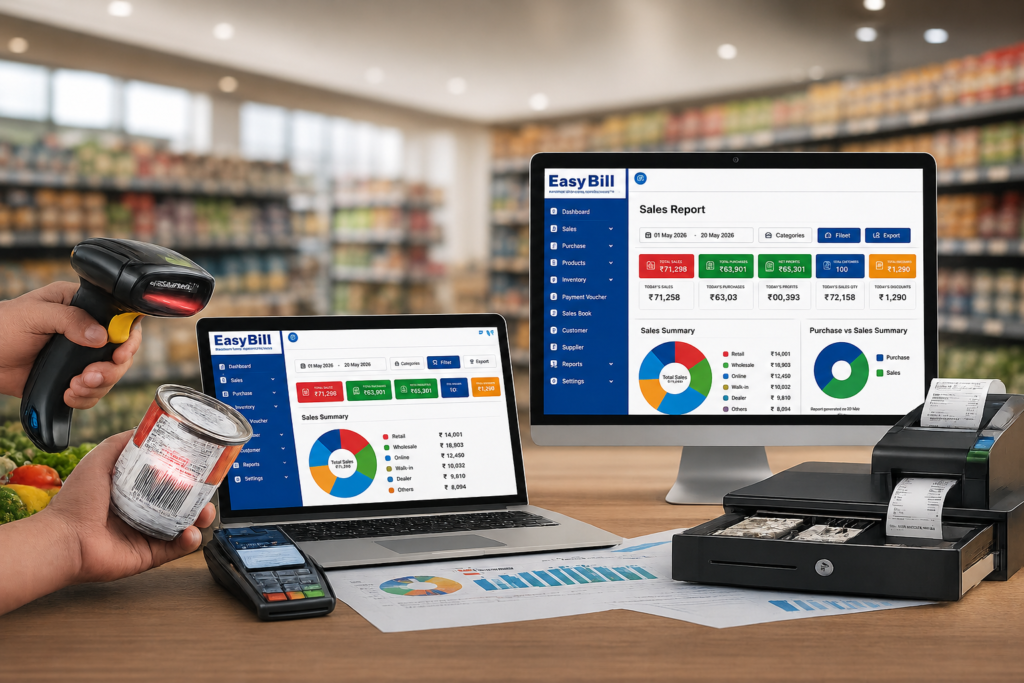
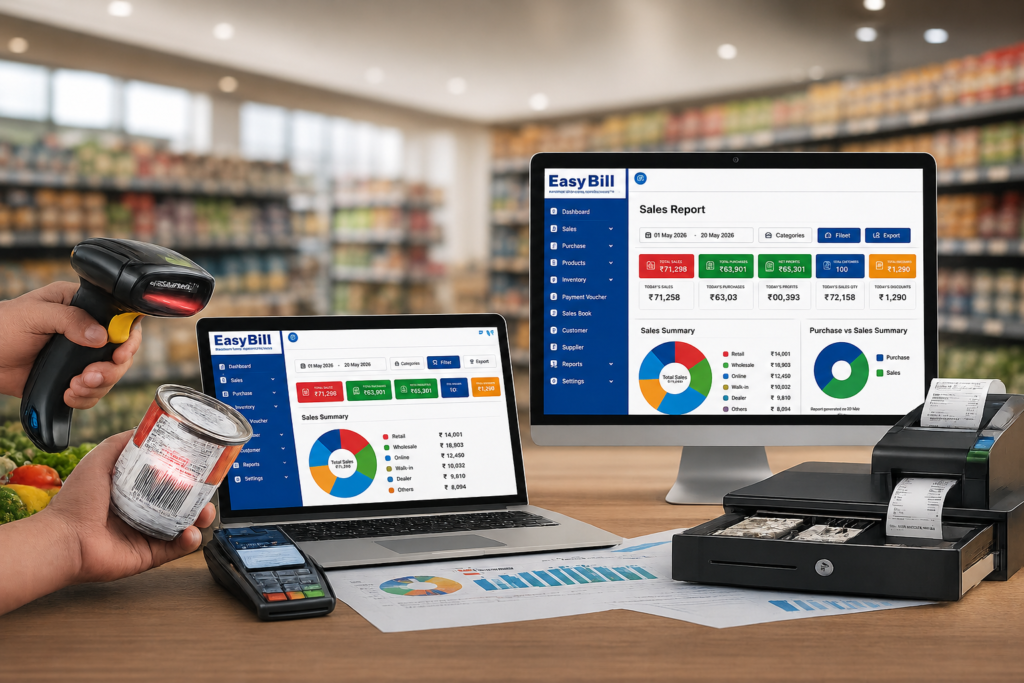
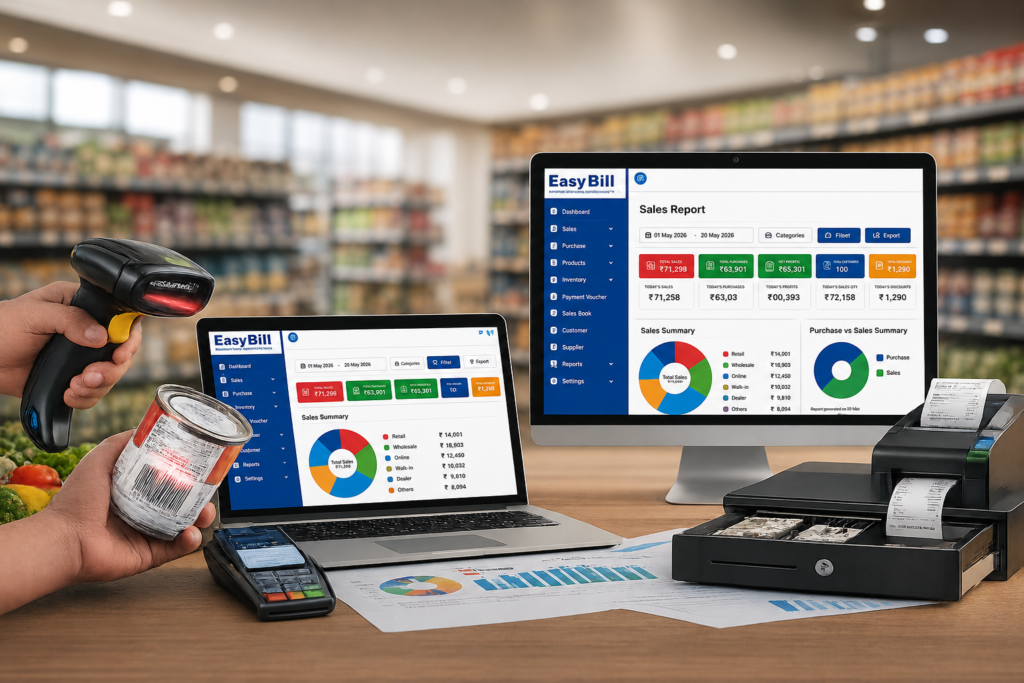
Best Billing Software for Businesses in 2026: GST Ready The best billing software for a business in 2026 is not necessarily the cheapest or the one with the longest feature list. It is the software that handles your complete billing workflow—invoice creation, GST, inventory, payments, purchases, customer records and reporting—without making everyday work harder. For Indian small and medium-sized businesses, EasyBill ERP is a strong option when billing needs to connect with inventory and day-to-day business management. If you are comparing the best billing software for businesses, start by checking whether the software fits your actual sales, stock and payment workflow. Other established choices such as Vyapar, myBillBook, BUSY, Marg ERP and TallyPrime make sense for different business types and workflows. Best billing software for businesses in 2026 at a glance Software Best for Key strength Starting price* EasyBill ERP Retail, wholesale, distribution & service businesses Billing + inventory + business management ₹219/month Vyapar Small businesses and retailers Billing, inventory and accounting ₹242/month* myBillBook Small businesses Mobile/web billing and POS ₹349/month* BUSY Accounting-heavy businesses GST accounting + inventory ₹5,000/year* Marg ERP Retail/distribution Inventory + business workflows ₹5,550 + GST* TallyPrime Accounting-focused businesses Accounting + financial management ₹750/month + GST* *Prices are based on currently published vendor pricing and can change. Verify the exact plan and applicable taxes before purchase. Which billing software should you actually choose? Choose EasyBill ERP if your billing system needs to sit alongside inventory, purchases, customer/supplier records, expenses and business reporting. Choose Vyapar if you want a small-business billing solution with inventory, accounting and tax reporting features. Choose myBillBook if mobile, web and desktop access and features such as barcode printing, online store functionality, POS and recurring billing are high on your list. Choose BUSY if accounting and GST management are as important as billing. Choose Marg ERP if your business needs a deeper retail or distribution-oriented ERP workflow, particularly as the operation grows. Choose TallyPrime if accounting is the centre of your operation and billing is part of a broader accounting workflow. The right answer changes once you describe the business. What is billing software? Billing software is a business application used to create invoices, record sales, track payments and maintain billing-related records. EasyBill ERP billing and POS workflow. Modern systems go beyond printing an invoice. A business may use billing software to manage GST invoices, products, stock, customer accounts, supplier transactions, purchase orders, expenses, payment reminders and financial reports. Some systems also connect billing with POS, barcode scanners, online payments or accounting. That distinction matters. A freelancer may only need professional invoices and payment tracking. A supermarket needs fast POS billing and stock control. A distributor needs purchasing, receivables and warehouse visibility. Calling all three requirements “billing” hides the real buying decision. Why the best software for billing should do more than create invoices Creating an invoice is the easy part. The problems start after the invoice. Did the stock quantity decrease correctly? Is the customer payment recorded? What is still outstanding? Was the purchase entered? What did the business sell this month? Which products are running low? How much profit was generated? A good billing system connects these activities instead of forcing the owner or accountant to maintain separate spreadsheets. This is why I would judge best billing software for businesses using the complete workflow rather than invoice design alone. GST Billing Software and POS Guide 7 features to look for before buying billing software 1. GST-ready invoicing For Indian businesses, GST functionality should be checked before anything else. The software should make tax calculations easier and provide the invoice information your business needs. Depending on the business and applicable requirements, you may also need HSN/SAC support, GST reports, e-invoicing or e-way bill functionality. Do not assume that a product advertised as “billing software” automatically gives you every GST feature. Check the exact plan. BUSY, for example, lists GST e-returns, e-invoicing, e-way bills and GST reconciliation in its higher plans. GST Invoice Software 2. Inventory management If you sell physical products, billing without inventory is only half a solution. Every sale should help you understand what is left in stock. Useful inventory functions include product records, stock movement, low-stock alerts, purchase tracking, barcode support and warehouse management. EasyBill ERP lists real-time stock tracking, low-stock alerts, product-wise tracking, barcode integration, batch/lot management and multiple warehouse support among its product capabilities. For a service business, this feature may matter less. For a retailer or distributor, it can be one of the deciding factors. 3. Fast POS and barcode billing A retail counter is different from an office invoice desk. A salesperson needs to find or scan a product, apply the correct price and tax, accept payment and complete the transaction quickly. That makes barcode support, POS workflows and printer compatibility worth checking before purchase. EasyBill ERP supports barcode scanners, barcode printers, thermal printers, POS systems and label printers. myBillBook also lists barcode generation/printing and POS features in its higher plans. 4. Payment tracking and reminders Sending an invoice does not mean getting paid. Look for customer ledgers, outstanding balances, payment history and reminders. EasyBill ERP includes accounts receivable/payable management and automated payment reminders in its published feature set. For businesses selling on credit, this is more useful than another invoice template. 5. Purchase and supplier management If your software records sales but your purchases stay in Excel, your business data is still split. Purchase records should connect with suppliers, stock and payment information. This is particularly useful for wholesalers, distributors, pharmacies, hardware businesses and other product-based companies. Inventory Management Software 6. Reports that answer business questions A report should help you make a decision. Useful examples include sales reports, purchase reports, inventory reports, outstanding payment reports, expense reports, GST reports and profit and loss reports. EasyBill ERP currently lists sales, purchase, GST, profit and loss, expense, inventory and outstanding reports among its reporting capabilities. Do not buy software because it has “100+ reports.” Ask whether the five reports you actually need are easy to

Best Billing Software for Businesses in 2026: | GST Ready Read More »
Best POS Software in India for Retail (2026): GST, Price & Features

Best POS Software in India for Retail Businesses: What Should You Choose? How should you compare POS software for a retail business? Do not compare POS systems by feature count alone. Start with the counter workflow: product selection, GST invoice, payment, inventory update, purchase records and reporting. Comparison point What to compare What to test in a demo GST billing GST invoice, tax settings, HSN/SAC and reports Create a real GST invoice and check the related report Inventory Stock, purchases, low-stock alerts and multi-location support Purchase stock, sell it and verify the stock update Barcode & POS Scanner, product search, billing speed and hardware support Scan several real products at the counter Pricing Plan cost, users, locations, add-ons and renewal terms Ask for the total cost for your actual setup Reports Sales, purchase, inventory, GST and business reports Ask the vendor to show the reports you use most What price should you expect from retail POS software? Do not compare POS software on a single monthly number. Retail POS pricing changes with the number of users, billing devices, branches, modules and subscription term. EasyBill’s published pricing page currently separates plans into Mobile App, Smart, Prime, Supreme and Enterprise levels. The published page shows Smart, Prime and Supreme plans with increasing capabilities, while Enterprise is listed as custom pricing. The same page also lists features such as inventory, GST billing, batch and expiry management, reports, multi-user access and multi-branch controls across different plans. urlEasyBill pricinghttps://easybillerp.com/pricing/ POS budget / setup What to compare Who it suits Entry-level Billing, GST invoice, basic product and stock management Single-counter or small retail shops Business Inventory, barcode billing, purchase management, reports and user controls Growing retailers with regular stock movement Advanced Business analysis, purchase workflows, stock ageing, additional users and operational controls Retailers with more products, staff or reporting needs Multi-branch / enterprise Centralized item management, branch-wise reports, stock transfers and centralized purchasing Businesses operating multiple counters, branches or warehouses Do not treat these as market-wide price bands. They are buying categories to help you compare the level of POS capability you actually need. Ask each vendor for the total cost of your exact setup, including users, locations, add-ons, hardware and applicable taxes. Which POS workflow fits different retail businesses? A grocery store may prioritize barcode and weighing-scale support. An optical store needs frame/lens and prescription-related workflows. A pharmacy needs batch and expiry controls. The right POS is therefore the one that matches the product category and counter process. For optical use cases, see optical shop management software. For grocery use cases, see best POS system for grocery store. EasyBill ERP is a strong option to evaluate for Indian retail businesses that want billing, GST invoicing, barcode billing, inventory, customer and supplier management, purchases, expenses and business reports in one system. But “best POS software” depends on the type of store you run and what you actually need at the billing counter. A grocery shop, garment store, electronics retailer and multi-location business can have very different requirements. So instead of picking software because a comparison table says it is “No. 1,” look at the workflows your store handles every day. What should the best POS software in India actually do? A retail POS system should do much more than print a bill. At minimum, it should help your team create invoices, calculate applicable GST, identify products quickly, update stock after sales and give the owner useful business information. That means the buying decision should cover the entire flow: Purchase → Inventory → Billing → Payment → Customer → Reports If one part is handled separately, you may end up doing the same data entry twice. EasyBill ERP brings billing, inventory, accounting-related functions, customer and supplier records, purchase and sales tracking, expenses and reports into one business management system. Its published retail solution also supports barcode billing and real-time inventory tracking. [INTERNAL LINK: GST Billing Software] Which POS software should you shortlist for your type of retail business? There is no single POS that is objectively best for every retailer. Compare options by store type, workflow, GST requirements, inventory complexity, hardware, price and support. For a serious buying decision, test the shortlisted products with your own products and billing process rather than relying only on feature claims. There isn’t one sensible winner for every retail business. For a small retail shop, ease of billing, GST invoices, barcode support, stock control and straightforward reports should come first. For a grocery or supermarket, inventory becomes much more important because the store may deal with a large number of products and frequent stock movement. For a garment or fashion store, product organisation and customer history deserve more attention. EasyBill’s published garment solution, for example, describes support for size and colour management, customer records, purchase management and business reports. For an electronics, hardware or general retail store, barcode billing, inventory tracking, purchases, customer records and reporting are practical requirements. For a business with multiple locations, ask how the software handles users, locations, stock and reporting before you commit. The point is simple: choose the POS around your operation, not around a generic “best software” badge. Why GST billing should be part of your POS decision Retail billing in India isn’t just about calculating a selling price. Your system needs to produce appropriate invoices and maintain the underlying sales information needed for your business records and GST reporting. EasyBill states that it supports GST and non-GST billing, automatic tax calculations, HSN/SAC support and GST reports. That matters because billing and inventory shouldn’t become two separate jobs. When a product is sold, the transaction should form part of the business record while stock information stays updated. [INTERNAL LINK: GST Billing Software for Retail Store] Barcode billing sounds basic. It isn’t. A barcode scanner removes a lot of repetitive product entry from the counter. Instead of searching through a long product list or manually entering product information, the cashier can scan the item’s barcode and continue the transaction. EasyBill’s published product information lists

Best POS Software in India for Retail (2026): GST, Price & Features Read More »

POS Software in Jaipur dashboard showing retail billing and barcode features;retail billing software; Retail POS Billing Software

Best POS Software in India for Retail Businesses

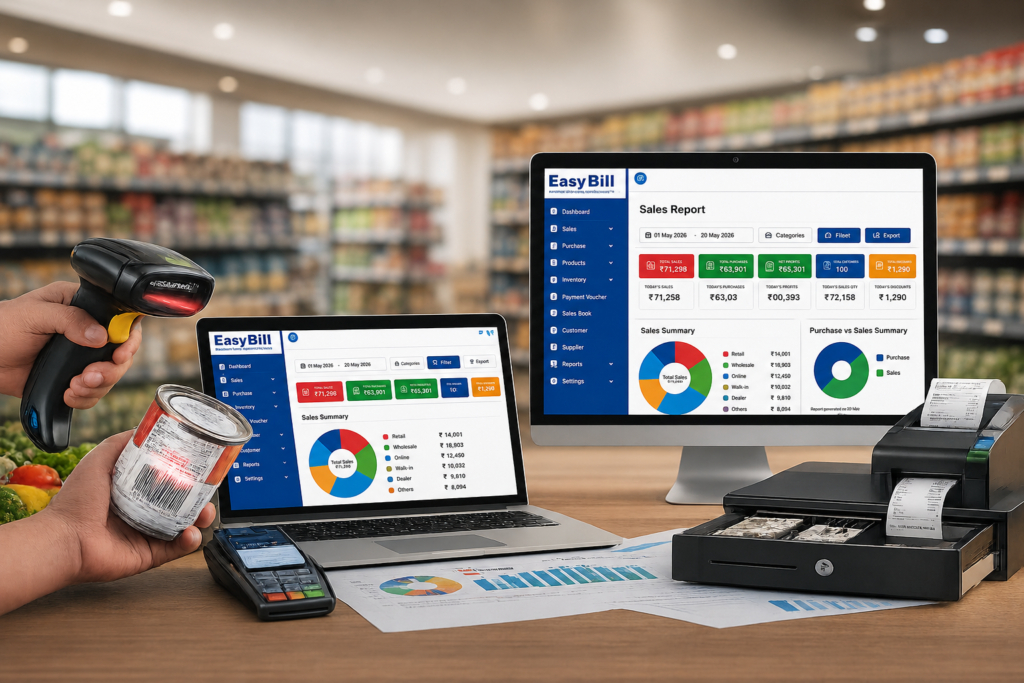
Best POS Software in India for Retail Businesses Looking for the best POS software in India for a retail business? Start with the workflow, not the feature count. The right system should connect billing, GST invoicing, inventory, purchases, payments and reporting so your team can run the store from one connected system. For Indian retailers, a good POS system is more than a digital cash counter. It becomes the operational layer between products coming into the store, sales going out, stock changing and the owner checking what happened. What should the best POS software in India do? The best POS software for one retailer may not be the best for another. A single-counter general store has different needs from a supermarket or a growing retail chain. Still, there are a few capabilities worth testing before you buy: fast retail billing, GST invoicing, inventory management, barcode support, purchase management, customer and supplier records, useful reports and controls for multiple users or branches. EasyBill ERP brings these retail functions into one business management system. Its published product information covers retail POS and billing, GST invoicing, inventory, barcode support, purchase and sales workflows, payment management and reporting. Why POS software matters for an Indian retail business A billing application records a transaction. A retail POS system should help you understand what that transaction changed. When a product is sold, the system should connect the sale with the stock record. When new stock arrives, the purchase should feed inventory. When the owner checks the business later, sales and stock reports should tell the same story. That connection is the real reason to move away from disconnected billing, spreadsheets and manual stock registers. Which features should you compare? 1. Fast POS billing At the counter, speed and simplicity matter. Look for barcode or product search, quantity changes, discounts, payment handling, invoice printing and a billing flow that staff can learn without constant supervision. EasyBill ERP supports POS and retail billing workflows, including barcode-based product entry and GST billing. 2. GST billing and invoices For businesses that need GST invoices, your POS should calculate and display the required tax information correctly for the transactions you make. It should also make the relevant sales information available for reporting. Do not select software solely because its page says “GST compliant.” During a demo, create the types of invoices your business actually uses and verify the workflow against your requirements and current tax rules. Check the official GST Portal for current government information rather than relying on an old blog article for compliance rules. 3. Inventory management This is where a basic billing tool starts to fall short. A serious retail POS should help you know what you have, what has been sold, what has been purchased and which products need attention. Depending on the business, useful capabilities can include stock tracking, low-stock alerts, batch and expiry management, multiple MRP handling and purchase records. EasyBill ERP publishes inventory features alongside billing, so retailers can evaluate billing and stock management as one workflow. 4. Barcode billing For stores with many products, barcode scanning reduces the need to search for every item manually. The important test is not whether a system supports a scanner; it is whether the complete flow from barcode to bill to inventory works the way your counter operates. 5. Sales and business reports Owners need more than a pile of invoices. Useful retail reports can include sales, profit, stock, GST, customer, supplier and item-level views. Before buying, ask the vendor to show you the exact reports you expect to use every week. If the report requires exporting data to another application and cleaning it manually, factor that work into your decision. 6. Multi-store and multi-counter management Once a business has multiple counters or outlets, the software needs stronger controls. You may need branch-wise reports, stock transfers, centralized purchasing, user permissions and a consolidated view. EasyBill ERP’s published Enterprise offering includes multi-branch and multi-counter management, centralized controls, branch-wise reporting, stock transfers and centralized item and staff management. Best POS software for different retail businesses There is no reason for a grocery store and an optical store to use the exact same workflow. Grocery and supermarket Prioritize fast barcode billing, inventory accuracy, purchase management, low-stock visibility and reports that help manage a large product range. Pharmacy and medical store Look closely at medicine-specific workflows such as batch and expiry management, along with billing and stock control. Test the exact workflow before choosing a plan. Fashion and garment stores Product variants matter. Your demo should cover size, colour, product search, returns and stock visibility. Electronics and mobile stores Focus on product-level tracking, purchase records, warranties or other category-specific requirements your business actually uses. Jewellery and specialty retail Specialized stores should test their specific product attributes, pricing and inventory requirements instead of assuming a generic retail POS will cover everything. EasyBill ERP vs other POS software in India Indian retailers have plenty of choices. Tally, Marg, myBillBook and QueueBuster all operate in overlapping areas of billing, retail management and inventory. Other products also compete for the same search demand. Requirement EasyBill ERP Other POS products Retail billing Yes Varies by product and plan GST billing Yes Varies by product and plan Inventory management Yes Varies by product and plan Barcode support Yes Varies by product and plan Multi-branch management Available in applicable Enterprise offering Varies by product and plan Pricing information Published plans available Depends on provider The useful comparison is always plan against plan. Feature checklists on marketing pages can hide important differences in users, branches, support, hardware compatibility and included modules. EasyBill ERP pricing: what should you compare? Do not compare POS software only by the lowest advertised price. Compare what you get for that price: users, counters, inventory features, reports, GST workflows, support and the number of stores you need to manage. EasyBill ERP publishes multiple plans, so the right choice depends on the size and workflow of your retail business. View the current EasyBill ERP pricing

Best POS Software in India for Retail Businesses Read More »

POS Software in Kanpur; Billing Software for Retail Shop; Billing Solution for Retail Store; Easy POS Billing Software

POS Software in Kanpur

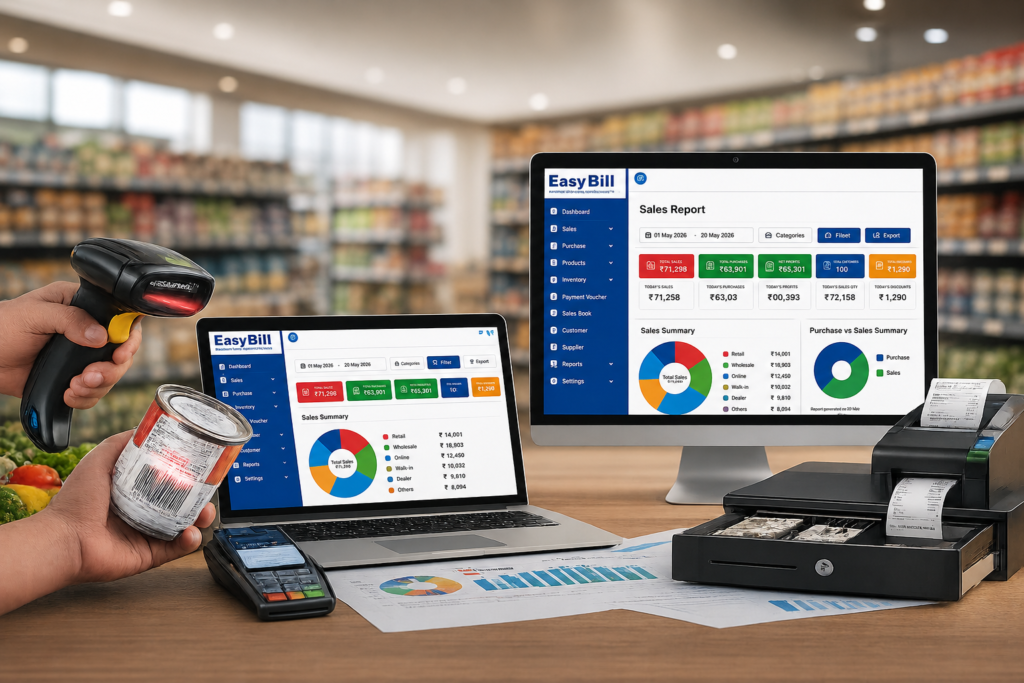
POS Software in Kanpur Last updated: September 5, 2026 Quick answer: POS Software in Kanpur helps retailers manage billing, GST invoices, inventory, barcode sales, purchases and reports from one connected workflow. It is useful for grocery stores, fashion shops, electronics retailers, general stores and other businesses that need more than basic cash-counter billing. Key takeaway: The best POS setup is the one that matches your real store workflow. During a demo, test a complete sale, stock update, GST invoice, return, report and user-permission workflow before choosing a plan. Who is this guide for? This guide is for Kanpur retailers, shop owners, cashiers and managers comparing POS systems for daily billing, inventory control, GST reporting, multiple counters or business growth. Looking for the best POS Software in Kanpur? EasyBill ERP brings billing, GST invoicing, inventory management, reporting and business controls into one retail-focused system. It is designed for retail businesses that need more than a basic cash-counter billing application. If you are searching for POS Software in Kanpur, choosing the right retail platform matters. POS Software in Kanpur should cover billing, stock and reporting rather than billing alone. For a retailer comparing POS Software in Kanpur, a practical demo is the best way to judge the fit. Whether your shop is in Kakadeo, Kidwai Nagar, Panki or another part of Kanpur, the right POS Software in Kanpur system should make everyday billing easier while giving the owner a clearer view of sales, stock and customers. What should the best POS Software in Kanpur actually solve? Short answer: It should connect the front-counter sale with stock, purchases, GST records, customer information and reporting so the retailer does not have to maintain the same information separately. A retail POS Software in Kanpur system has one obvious job: help you complete a sale correctly and quickly. But that is only the front counter. Behind every bill are products, purchases, stock levels, suppliers, GST records, returns, customer information and reports. If these activities are being maintained separately in notebooks, spreadsheets or different applications, the owner has to spend more time matching information. EasyBill ERP is built around this broader retail workflow. Its published plans include billing, GST billing, inventory management, purchase and sales records, stock reports, customer and supplier management, GST reports and other business controls. See the current EasyBill ERP plans and features. Why EasyBill ERP is a strong POS option for Kanpur retailers Calling something the “best POS Software in Kanpur” should mean more than putting the word POS on a website. For a retailer, the useful test is simple: does the software cover the work happening before, during and after a sale? 1. Fast POS and retail billing For stores comparing POS Software in Kanpur, billing speed is only the first check. POS Software in Kanpur should also keep transaction records organized, and the right POS Software in Kanpur should fit the cashier’s daily workflow. EasyBill ERP supports fast sales billing through barcode or manual entry, along with GST billing, discounts and bill printing or WhatsApp bill sharing on its Smart plan. Higher plans add POS Billing and other advanced controls. citeturn1view0 That makes it suitable for everyday retail counters where the cashier needs a straightforward way to create bills while the owner still needs the transaction data for reporting. 2. Inventory management connected to billing A good POS Software in Kanpur setup connects billing with stock. For a retailer, POS Software in Kanpur should reduce duplicate data entry, while POS Software in Kanpur with inventory controls gives the owner a better view of available products. Billing without stock control leaves a big gap. EasyBill ERP’s published features include inventory management, expiry and batch management, multiple MRP, low-stock alerts, supplier-wise purchase entry and stock reporting. Higher plans add features such as stock ageing, reorder management and other inventory controls. citeturn1view0 For a retailer, that connection matters. A sale should not live in one system while the stock figure lives somewhere else. 3. GST billing and reporting When evaluating POS Software in Kanpur, check the GST workflow during the demo. POS Software in Kanpur should make GST billing practical for staff, and POS Software in Kanpur buyers should verify the exact reports included in their selected plan. GST billing is a core requirement for many Indian retailers. EasyBill ERP lists GST billing and GST reports including GSTR-1, GSTR-2 and GSTR-3B in its published plan information. citeturn1view0 Before choosing any GST billing software, confirm that the plan you select contains the exact GST workflow your business needs. 4. Useful reports for the owner Retailers searching for POS Software in Kanpur should look beyond the bill screen. POS Software in Kanpur becomes more useful when sales, stock and profit reports are available, so compare POS Software in Kanpur plans by reporting depth as well as billing features. A POS becomes much more valuable when the owner can stop guessing what happened during the day. EasyBill ERP lists daily sales, profit, stock and GST reports, while higher plans include business analysis, fast-moving and slow-moving item reporting, stock ageing and bill-, item- and customer-wise profit reports. citeturn1view0 5. Multi-branch and multi-counter support For growing retailers, POS Software in Kanpur should scale with the business. If you have several counters, ask whether the POS Software in Kanpur plan supports the controls you need before purchase. Small retailers do not stay small forever. If you operate several counters or branches, the system needs a different level of control. EasyBill ERP’s Enterprise plan lists multi-branch and multi-counter management, centralized control, branch-wise reports, stock transfers between branches, central purchase management, a consolidated dashboard, warehouse management and centralized item and staff management. citeturn1view0 That makes the Enterprise option more relevant to growing retail chains than a basic single-user billing plan. Who can use POS billing software in Kanpur? Short answer: POS billing software is useful for grocery stores, supermarkets, fashion and footwear shops, electronics retailers, general stores, departmental stores and other retail businesses that need connected billing and inventory. POS Software

POS Software in Kanpur Read More »

POS Software in Aurangabad | EasyBill ERP

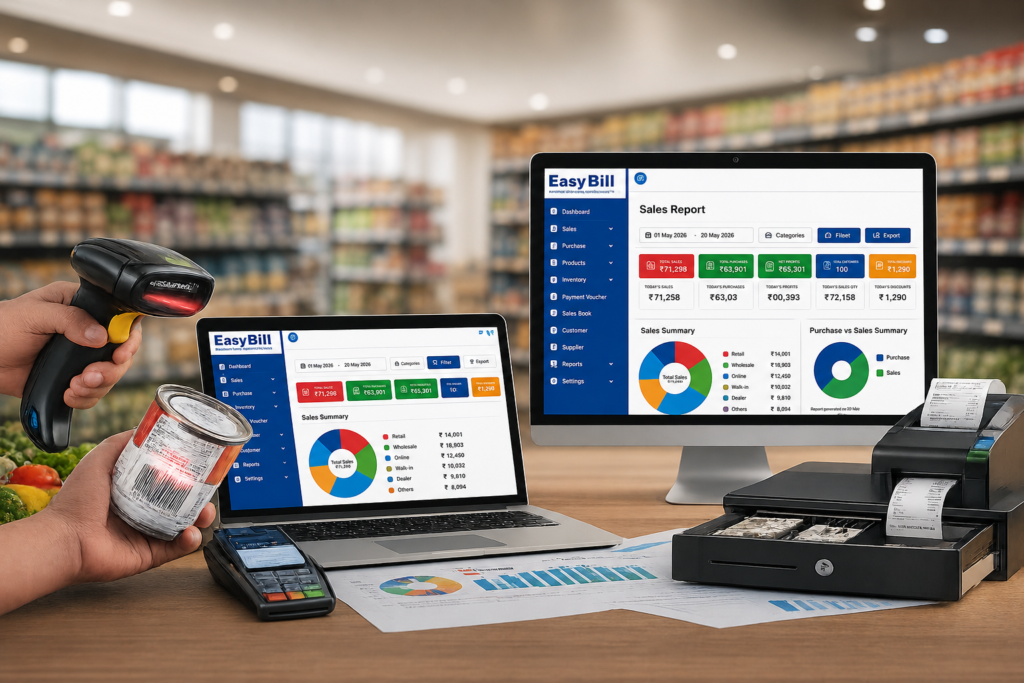
POS Software in Aurangabad for Retail, Pharmacy & Grocery Businesses Looking for reliable POS Software in Aurangabad to manage billing, inventory, GST and payments? EasyBill ERP is a GST billing, inventory and business management solution for retail, pharmacy, grocery, wholesale and distribution businesses. For businesses in Aurangabad (Chhatrapati Sambhajinagar), POS Software in Aurangabad can help bring everyday sales and stock operations into one organized workflow. EasyBill combines POS billing, GST-compliant invoicing, inventory management, payment tracking and business reports. Whether you operate a retail counter, grocery store, pharmacy, optical shop, hardware store or distribution business, the right POS Software in Aurangabad should connect billing with the rest of your business instead of treating billing as an isolated task. Download EasyBill Now POS Billing Software in Aurangabad for Growing Businesses A modern POS Software in Aurangabad should do more than print a receipt. Sales are connected to stock, purchases, customer payments, GST records and business reporting. EasyBill is designed around this wider workflow, helping businesses manage billing and inventory through the same platform. With EasyBill, businesses looking for POS Software in Aurangabad can manage GST invoices, live stock updates, low-stock alerts, customer dues, payment records and business reports from one system. Key Features of EasyBill POS Software in Aurangabad GST Billing & Invoicing EasyBill helps businesses create professional GST invoices quickly and accurately. The platform supports tax-compliant invoices, instant printing and sharing, custom invoice formats and professional business branding. These features make POS Software in Aurangabad useful for businesses that want billing and GST records connected to their daily sales process. Smart Inventory Management Inventory is an important part of any POS Software in Aurangabad setup. EasyBill provides live stock updates, low-stock alerts, product-wise tracking and inventory control so businesses can keep billing and stock records aligned. Payment & Due Management EasyBill supports customer-wise due tracking and incoming and outgoing payment management. Automated payment reminders can help businesses follow pending payments and improve collection workflows. A business evaluating POS Software in Aurangabad can therefore consider payment management alongside billing and inventory. GST Reports & Business Records EasyBill organizes GST data and provides reports required for GST return filing. Accurate tax calculations and data export can reduce manual effort when preparing business records. Estimates, Quotations & Orders Create estimates and quotations and convert approved quotations into sales invoices without entering the same information again. EasyBill also supports sales and purchase order management. Delivery Challans & Professional Invoice Templates Generate delivery challans and convert them into invoices when required. Professional invoice templates can be customized to reflect business branding. POS Software in Aurangabad for Different Industries Retail POS Software Retail businesses searching for POS Software in Aurangabad can use EasyBill for POS billing, GST invoicing, inventory control and business reporting. EasyBill identifies FMCG, optical, electrical, electronics, hardware and general retail stores as relevant retail segments. Pharmacy Billing Software EasyBill has a pharmacy-focused solution designed around pharmacy workflows and is positioned for small medical stores, larger pharmacies and hospital-based pharmacies. If you need POS Software in Aurangabad for a pharmacy, the pharmacy-specific workflow should be evaluated alongside your billing and inventory requirements. Explore Pharmacy Billing Software Grocery Billing Software Grocery stores and supermarkets can use EasyBill for billing, inventory management and business reporting. For a grocery business comparing POS Software in Aurangabad, connecting stock tracking with daily sales can be an important consideration. Explore Grocery Billing Software Distribution Software For distributors, EasyBill brings sales, stock, billing and payments into one platform. It is positioned for FMCG, pharma, electrical, hardware and general distribution businesses. Optical & Other Retail Businesses EasyBill also has an optical shop management solution and supports retail categories beyond grocery and pharmacy. Businesses comparing POS Software in Aurangabad can evaluate the platform according to their specific product, billing and inventory workflow. Explore Optical Shop Management Software Why Consider EasyBill as POS Software in Aurangabad? Billing and inventory together: Manage sales transactions and stock through the same platform. GST-focused operations: GST-compliant invoicing, tax calculations and GST reports are supported. Multiple business categories: EasyBill supports retail, pharmacy, grocery, wholesale and distribution use cases. Payment visibility: Track customer dues and payment records. Business reporting: Review sales, payments, expenses and other operational information. EasyBill’s published business information identifies its office address in Noida, Uttar Pradesh. This page is a service-focused resource for businesses searching for POS Software in Aurangabad; it does not claim that EasyBill has a physical office in Aurangabad. How to Choose POS Software in Aurangabad Before selecting POS Software in Aurangabad, look at the complete business workflow rather than only the billing screen. Understand your business workflow. Grocery, pharmacy, optical, retail and distribution businesses may have different requirements. Check GST billing. Make sure the system supports the invoice and tax workflow your business needs. Review inventory features. Look for stock updates, low-stock visibility and product-wise tracking. Check payment management. Customer dues and payment records can be important for businesses selling on credit. Review reports. Make sure the reports provide information useful for daily business decisions. Try the software. A demo can help you decide whether the workflow is suitable for your business. Who Can Use EasyBill POS Software in Aurangabad? Based on EasyBill’s existing solution categories, the platform can be relevant to: Retail stores Grocery stores and supermarkets Pharmacies and medical stores Optical businesses FMCG businesses Electrical and electronics retailers Hardware stores Wholesale businesses FMCG, pharma, electrical and hardware distributors Frequently Asked Questions About POS Software in Aurangabad What is POS Software in Aurangabad? POS Software in Aurangabad refers to point-of-sale software used by businesses in Aurangabad to manage sales transactions. Depending on the solution, it can also connect billing with inventory, GST, payments, customer records and business reports. Does EasyBill provide POS Software in Aurangabad? EasyBill is a POS, GST billing, inventory and business management platform for retail, pharmacy, grocery, wholesale and distribution businesses. Businesses in Aurangabad can explore the platform and request information or a demo. Is EasyBill suitable for grocery stores in Aurangabad? Yes. EasyBill has a grocery solution supporting

POS Software in Aurangabad | EasyBill ERP Read More »

POS Software in Kanpur; Billing Software for Retail Shop; Billing Solution for Retail Store; Easy POS Billing Software

POS Software in Ghaziabad: 7 Smart Buying Tips

POS Software in Ghaziabad: 7 Smart Buying Tips for Your Business POS Software in Ghaziabad should make your counter faster while keeping billing, inventory and reports connected. The best way to choose one is not to compare feature lists; test your own products, billing workflow, payments, stock movement and reports before you buy. Quick answer: For a retail business, look for fast billing, barcode support, GST invoicing, inventory control, purchase and sales tracking, payment records and useful reports. During the demo, create a real bill, check the stock update, process a return and find the transaction in a report. That practical test is more useful than a long sales presentation. Table of Contents What should POS software actually handle? Which features should you test? Which businesses need different workflows? How should you compare software? What should you ask the vendor? Is EasyBill worth testing? Frequently asked questions What should POS software actually handle? A useful POS system starts at the checkout and follows the transaction afterwards. A product is selected, the invoice is created, payment is recorded, stock is adjusted and the sale appears in the relevant report. That connection matters. If the cashier creates a bill and someone later changes the stock manually, the software has not removed the problem; it has simply moved it. For POS Software in Ghaziabad, I would make this end-to-end transaction the first demo test. Is POS software the same as billing software? There is overlap, but the emphasis is different. Billing software focuses on invoices and sales. POS software usually puts the checkout process at the centre and connects it with inventory, payments, customers and reporting. The name matters less than the workflow. If your staff can complete a normal sale without unnecessary duplicate entry, you are looking at the right kind of system. Which features should you test before buying? 1. Fast billing and barcode support Use your own products during the demo. Search for products, scan barcodes if you use them, apply a discount where your business needs one, and print or share the invoice. Do not judge speed from a vendor’s sample catalogue. Your own product names, SKUs and pricing are the real test. 2. Inventory should change with the sale For inventory-heavy businesses, billing and stock need to agree. Check product-wise stock, purchase entries, sales records, stock movement and low-stock information. Sell one product during the demo. Immediately open its stock record. The transaction should be easy to trace. 3. GST billing needs a proper check Do not stop at a “GST-ready” badge. Create an invoice with your actual business details and check the tax treatment, HSN/SAC information, invoice format and relevant reporting. For official GST information, refer to the GST Portal. Tax-specific configuration should be confirmed with your accountant or tax professional. 4. Reports should answer real questions A dashboard is useful only if it helps you make decisions. Ask the software to show what sold today, what is in stock, what was purchased and which customer balances are outstanding. For POS Software in Ghaziabad, run those questions against sample transactions rather than accepting screenshots from a salesperson. Which businesses need different POS workflows? A general retail store, pharmacy, restaurant and hardware dealer do not operate the same way. Pick software around the work your staff actually performs. Retail and general stores Test product search, barcode billing, GST invoices, inventory, customer records, payment tracking and sales reports. Billing Software Grocery and supermarket stores Test barcode scanning, product search, purchases, stock receiving and low-stock monitoring. If you sell loose products, test the weighing workflow your store requires. Grocery Billing Software Pharmacy and medical stores Pharmacy workflows need more than a basic retail invoice. Ask for a demonstration of batch, expiry, purchase and stock handling before choosing a system. Pharmacy Software Hardware, electronics and mobile stores Large SKU lists make product search, barcode handling and stock visibility important. Mobile shops may also need repair or IMEI workflows, so test those separately if they apply to your business. Hardware Inventory Management Software Wholesale and distribution Test purchases, customer balances, supplier records, inventory, credit sales and payment collection. A wholesale workflow should not be judged from a simple cash-sale demo. Distribution Software Restaurants and cafés Restaurant operations need their own test. Ask the vendor to demonstrate order entry, KOT or kitchen workflow, table service, takeaway and payment. Restaurant Billing Software How should you compare POS systems? Use the same test for every vendor. This makes the comparison fair and exposes gaps quickly. Add real products: use the items your staff actually sells. Create a sale: check pricing, taxes, discounts and invoice output. Verify inventory: confirm that the sale is reflected in stock. Record payment: test the payment methods you use. Process a return: check invoice history and stock reversal. Open reports: find the exact transaction and its effect on sales and stock. This is the practical buying method I recommend for POS Software in Ghaziabad. It also makes it easier to compare software with a simple billing package, a desktop application or a cloud-based system. What should you ask the vendor before buying? How is business data backed up and restored? What happens if the internet connection fails? Can different users have different permissions? Which printers and barcode scanners are supported? Can existing product and customer data be imported? How are multiple outlets handled? What training and post-sale support are included? These questions matter because a POS purchase is an operating decision, not just a software purchase. Is EasyBill worth testing for a Ghaziabad business? EasyBill is positioned around billing, inventory and business management rather than invoice printing alone. Its published product information covers billing, stock management, barcode billing, customer and supplier management, purchase and sales tracking, expense management, multi-user access, backup and reporting. That makes EasyBill worth testing when your requirement is billing + inventory + reporting. The demo should still use your own workflow. A grocery shop should test grocery billing. A pharmacy should test its medicine inventory process.

POS Software in Ghaziabad: 7 Smart Buying Tips Read More »

best billing software for businesses; Easy Billing Software for Retail Shop; Inventory Management Software with Bill of Materials

POS Software in Guwahati: 7 Smart Buying Tips

POS Software in Guwahati: 7 Smart Buying Tips for Your Business POS Software in Guwahati should make billing and stock management easier, not create another complicated process for your staff. The right system connects billing, inventory, payments and reports so a sale does not have to be entered again somewhere else. Quick answer: Choose a POS system by testing your real business workflow, not by counting features. During a demo, take an actual product, create the bill, check GST, record payment, verify the stock movement, test a return and open the related report. That short test tells you far more than a brochure. Table of Contents What should POS software actually do? A POS system starts with a sale. The useful part is what happens to that sale afterwards. The product should be recorded, the invoice generated, payment captured, inventory updated and the transaction included in the relevant reports. If your cashier creates a bill in one place and manually changes stock in another, you are still doing part of the work yourself. That is the first test I recommend for POS Software in Guwahati. Is POS software the same as billing software? Not exactly. Billing software mainly handles invoices and sales. POS software usually puts the checkout process at the centre and connects product selection, billing, payment and stock movement. The label matters less than the workflow. If one transaction flows correctly through the system, that is what matters. Which features deserve your attention? Don’t start with a long feature list. Start with the work your cashier and owner actually do. 1. Fast billing and barcode support A busy counter should not depend on typing every product name manually. If your products use barcodes, test the scanner with your own products. Demo test for POS Software in Guwahati: load products your staff really sells and create a normal invoice. Don’t rely only on sample products supplied by the vendor. 2. Inventory should follow every sale For an inventory-driven business, billing and stock need to agree. Check current stock, product-wise stock, purchase records, sales records, low-stock alerts, barcode or SKU handling and inventory reports. Then do the simplest test: sell one product and immediately check its stock record. If it does not match, ask the vendor to explain the workflow before you proceed. 3. GST billing needs a real test Don’t stop at a “GST ready” label. Create an invoice using your actual business details and products. Check the tax calculation, HSN/SAC information, invoice format and relevant GST reporting. For official information, use the GST Portal. For tax-specific requirements, confirm the setup with your accountant or tax professional. 4. Reports should answer business questions A dashboard full of charts is not necessarily useful. Ask simple questions: What sold today? What is in stock? What did we purchase? Which customers have outstanding payments? Create sample transactions during the demo and ask the vendor to find the answers from the resulting reports. Which POS setup fits your Guwahati business? A pharmacy does not work like a grocery shop. A restaurant does not work like a hardware store. Your business type should decide what you test. Retail and general stores Test fast product search, barcode billing, GST invoicing, stock management, customer records, payment tracking and sales reports. My recommendation for POS Software in Guwahati: prioritise a system where billing and inventory stay connected. Billing Software Grocery and supermarket stores Grocery counters need quick product selection and dependable stock updates. Test barcode scanning, product search, weighing workflows where required, purchase receiving and low-stock alerts. Demo test for POS Software in Guwahati: use your fastest-moving products and recreate a normal counter sale. Grocery Billing Software Pharmacy and medical stores Pharmacy inventory needs more detail than ordinary retail. Batch information, expiry tracking, purchases and stock control should be part of the demo. My recommendation for POS Software in Guwahati: ask the vendor to demonstrate the exact medicine workflow your store needs instead of accepting a generic retail demo. Pharmacy Software Optical stores Frames, lenses and sunglasses have different product requirements. Use your own products during the demo and check billing, inventory and customer records. Demo test for POS Software in Guwahati: create a customer record, add the relevant product details, generate the bill and then check the inventory record. Optical Shop Management Software Hardware and electronics stores Large SKU counts make product search and stock visibility more important. Test barcode support, purchasing, supplier records, stock and sales reporting. My recommendation for POS Software in Guwahati: put inventory control ahead of decorative dashboard features. Hardware Inventory Management Software Wholesale and distribution businesses Wholesale operations need more than a quick retail invoice. Test purchases, sales, customer balances, supplier records, inventory and payment tracking. Demo test for POS Software in Guwahati: create a customer account, make a credit sale, receive a payment and check the resulting ledger. Distribution Software Restaurants and cafés Restaurant POS follows a different workflow. KOT, tables, kitchen operations, takeaway and delivery requirements need their own demo. Demo test for POS Software in Guwahati: place an order → send it to the kitchen → modify it if required → generate the bill → record payment. Restaurant Billing Software How should you compare POS systems? Don’t compare software by counting checkboxes. Run one complete transaction from start to finish. Step 1: Use your actual products Take products your employees sell regularly. Put them into the demo and test product search. Step 2: Create a normal invoice Use your actual prices and tax requirements. Check the final invoice before moving on. Step 3: Check the stock After saving the sale, open the inventory record. The stock movement should match the transaction. Step 4: Record the payment Use the payment methods your business actually accepts. Then find that transaction in the relevant report. Step 5: Test a return Ask the vendor to demonstrate a sales return, cancelled invoice, stock reversal, price correction, user permissions and transaction history. Step 6: Open the reports Create sample transactions and ask the

POS Software in Guwahati: 7 Smart Buying Tips Read More »

GST Reports Billing Software for GSTR

POS Software in Odisha: 7 Smart Buying Tips

POS Software in Odisha: 7 Smart Buying Tips for Your Business POS Software in Odisha should make billing and stock management easier, not create another complicated process for your staff. The right system connects billing, inventory, payments and reports so a sale does not have to be entered again somewhere else. Quick answer: Choose a POS Software in Odisha by testing your real business workflow, not by counting features. During a demo, take an actual product, create the bill, check GST, record payment, verify the stock movement, test a return and open the related report. That short test tells you far more than a brochure. Table of Contents What should POS software actually do? Which features deserve your attention? Which POS setup fits your Odisha business? How should you compare POS Software in Odishas? What should you ask the vendor? Where does EasyBill fit? Frequently asked questions What should POS software actually do? A POS Software in Odisha starts with a sale. The useful part is what happens to that sale afterwards. The product should be recorded, the invoice generated, payment captured, inventory updated and the transaction included in the relevant reports. If your cashier creates a bill in one place and then manually changes stock in another, you are still doing part of the work yourself. That is the first test I recommend for POS Software in Odisha. Is POS software the same as billing software? Not exactly. Billing software mainly handles invoices and sales. POS software usually puts the checkout process at the centre and connects product selection, billing, payment and stock movement. The label matters less than the workflow. If one transaction flows correctly through the system, that is what matters. Which features deserve your attention? Don’t start with a long feature list. Start with the work your cashier and owner actually do. 1. Fast billing and barcode support A busy counter should not depend on typing every product name manually. If your products use barcodes, test the scanner with your own products. Demo test: load products your staff really sells and create a normal invoice. Don’t rely only on sample products supplied by the vendor. 2. Inventory should follow every sale For an inventory-driven business, billing and stock need to agree. Check current stock, product-wise stock, purchase records, sales records, low-stock alerts, barcode or SKU handling and inventory reports. Then do the simplest test: sell one product and immediately check its stock record. If it does not match, ask the vendor to explain the workflow before you proceed. 3. GST billing needs a real test Don’t stop at a “GST ready” label. Create an invoice using your actual business details and products. Check the tax calculation, HSN/SAC information, invoice format and relevant GST reporting. For official information, use the GST Portal. For tax-specific requirements, confirm the setup with your accountant or tax professional. 4. Reports should answer business questions A dashboard full of charts is not necessarily useful. Ask simple questions: What sold today? What is in stock? What did we purchase? Which customers have outstanding payments? Create sample transactions during the demo and ask the vendor to find the answers from the resulting reports. Which POS setup fits your Odisha business? A pharmacy does not work like a grocery shop. A restaurant does not work like a hardware store. Your business type should decide what you test. Retail and general stores Test fast product search, barcode billing, GST invoicing, stock management, customer records, payment tracking and sales reports. My recommendation: prioritise a system where billing and inventory stay connected. Billing Software Grocery and supermarket stores Grocery counters need quick product selection and dependable stock updates. Test barcode scanning, product search, weighing workflows where required, purchase receiving and low-stock alerts. Demo test: use your fastest-moving products and recreate a normal counter sale. Grocery Billing Software Pharmacy and medical stores Pharmacy inventory needs more detail than ordinary retail. Batch information, expiry tracking, purchases and stock control should be part of the demo. My recommendation: ask the vendor to demonstrate the exact medicine workflow your store needs instead of accepting a generic retail demo. Pharmacy Software Optical stores Frames, lenses and sunglasses have different product requirements. Use your own products during the demo and check billing, inventory and customer records. Demo test: create a customer record, add the relevant product details, generate the bill and then check the inventory record. Optical Shop Management Software Hardware and electronics stores Large SKU counts make product search and stock visibility more important. Test barcode support, purchasing, supplier records, stock and sales reporting. My recommendation: put inventory control ahead of decorative dashboard features. Hardware Inventory Management Software Wholesale and distribution businesses Wholesale operations need more than a quick retail invoice. Test purchases, sales, customer balances, supplier records, inventory and payment tracking. Demo test: create a customer account, make a credit sale, receive a payment and check the resulting ledger. Distribution Software Restaurants and cafés Restaurant POS follows a different workflow. KOT, tables, kitchen operations, takeaway and delivery requirements need their own demo. Demo test: place an order → send it to the kitchen → modify it if required → generate the bill → record payment. Restaurant Billing Software How should you compare POS Software in Odishas? Don’t compare software by counting checkboxes. Run one complete transaction from start to finish. Step 1: Use your actual products Take products your employees sell regularly. Put them into the demo and test product search. Step 2: Create a normal invoice Use your actual prices and tax requirements. Check the final invoice before moving on. Step 3: Check the stock After saving the sale, open the inventory record. The stock movement should match the transaction. Step 4: Record the payment Use the payment methods your business actually accepts. Then find that transaction in the relevant report. Step 5: Test a return Ask the vendor to demonstrate a sales return, cancelled invoice, stock reversal, price correction, user permissions and transaction history. Step 6: Open the reports

POS Software in Odisha: 7 Smart Buying Tips Read More »

POS Software in Pune: 7 Smart Buying Tips

POS Software in Pune: 7 Smart Buying Tips for Your Business POS Software in Pune should make billing and stock management easier, not give your staff another complicated process to learn. A practical POS keeps billing, stock, payments and reporting linked together, so your staff can finish a sale once instead of entering the same details in multiple places. Quick answer: The right POS Software in Pune is the one that matches your actual business workflow. Test one complete transaction before buying: select or scan a product, create the invoice, check GST, record payment, verify the stock update and open the resulting report. A real transaction tells you more than a long feature list. Table of Contents What should POS software actually do? A POS Software in Pune starts with a sale. The useful work happens after that sale is saved. The product should be recorded, the invoice generated, payment captured, inventory updated and the transaction included in the relevant reports. If your cashier creates an invoice in one application and manually changes stock somewhere else, the software is solving only part of the problem. That is the first thing I would test when comparing POS Software in Pune. Is POS software the same as billing software? Not exactly. Billing software focuses mainly on invoices and sales. POS software usually puts the checkout process at the centre, including product selection, barcode scanning, payment and stock movement. The name matters less than the actual workflow. If the complete transaction is connected, that’s what matters. Which features deserve your attention? Don’t start by counting features. Start with the functions your cashier and owner will use every day. 1. Fast billing and barcode support A busy counter should not depend on manually typing every product name. If you sell barcode-based products, test the scanner with your own inventory. Demo test: take products your staff actually sells and ask the vendor to create a normal bill. Don’t use only sample products. 2. Inventory should follow every sale Billing and inventory belong together for an inventory-driven business. Check whether the system gives you current stock, product-wise stock, purchase records, sales records, low-stock alerts, barcode/SKU handling and inventory reports. The practical test is simple: sell one product and immediately check its stock record. If the numbers don’t match, stop there and ask why. 3. GST billing needs a real test Don’t stop at a “GST ready” badge. Create an invoice using your actual business details and products. Check the tax calculation, HSN/SAC information, invoice format and resulting GST report. For official GST information, use the official GST Portal. For tax-specific requirements, confirm the setup with your accountant or tax professional. 4. Reports should answer real business questions A vendor can show you dozens of reports. That’s not the test. What sold today? What is currently in stock? Which customers have outstanding payments? What did we purchase? Create sample transactions during the demo and ask the vendor to show the reports generated from them. Which POS setup fits your Pune business? A pharmacy does not work like a grocery store. A restaurant does not work like a hardware shop. Your business type should determine what you test. Retail and general stores For a normal retail counter, prioritise fast product search, barcode billing, GST invoicing, stock management, customer records, payment tracking and sales reports. Recommended approach: choose a POS Software in Pune where billing and inventory work together. Billing Software Grocery and supermarket stores Grocery counters need speed because many products pass through checkout. Barcode scanning, product search, weighing workflows where required, stock updates, purchase receiving and low-stock alerts deserve more attention than a decorative dashboard. Demo test: use your fastest-selling products and recreate a normal counter transaction. Grocery Billing Software Pharmacy and medical stores Pharmacy inventory needs more detail than ordinary retail. Batch information, expiry tracking, purchases and stock control should be tested before choosing software. Recommended approach: ask the vendor to demonstrate the exact medicine workflow your store requires. Pharmacy Software Optical stores Frames, lenses and sunglasses have their own product requirements. Use your actual products during the demo and check product records, billing, inventory and customer information. Recommended approach: choose software that fits your optical workflow instead of forcing your business into a generic billing process. Optical Shop Management Software Hardware and electronics stores Hardware and electronics businesses can carry many SKUs. Product search, barcode support, purchasing, stock visibility and supplier records deserve serious attention. Recommended approach: put inventory control ahead of cosmetic dashboard features. Hardware Inventory Management Software Wholesale and distribution businesses Pune has both neighbourhood retail and large commercial/industrial business areas. Wholesale buyers should test party ledgers, credit sales, purchasing, stock, payments and customer balances rather than using only a retail demo. Demo test: create a customer account, make a sale on credit, receive a payment and check the resulting ledger. Distribution Software Restaurants, cafés and QSRs Restaurant POS is a different workflow. KOT, tables, kitchen operations, takeaway and delivery requirements change what you should test. Pune-focused POS providers specifically market restaurant, café and QSR workflows. citeturn0search12turn0search14 Demo test: place an order → send it to the kitchen → modify it if required → generate the bill → record payment. Restaurant Billing Software Why should UPI and offline billing be tested in Pune? Local Pune POS pages specifically highlight UPI-oriented checkout, offline billing and cloud synchronisation. citeturn0search0turn0search2turn0search13 Don’t assume those features work the way your shop needs. Ask the vendor to demonstrate a payment and an internet-outage scenario. How should you compare POS Software in Punes? Don’t compare software by counting checkboxes. Run one complete transaction. Step 1: Use your actual products Take products your employees sell regularly. Put them into the demo and test product search. Step 2: Create a normal invoice Use your actual prices and tax requirements. Check the final invoice. Step 3: Check the stock After saving the sale, open the inventory record. The stock movement should match the transaction. Step 4: Record the payment Use the payment

POS Software in Pune: 7 Smart Buying Tips Read More »

Billing Solution for Retail Store; Retail Billing Software; Online Billing Software

POS Software in Delhi: 7 Smart Buying Tips

POS Software in Delhi: 7 Smart Buying Tips for Your Business POS Software in Delhi should make billing and stock management easier, not give your staff another complicated process to learn. A practical POS keeps billing, stock, payments and reporting linked together, so your staff can finish a sale once instead of entering the same details in multiple places. Quick answer: The right POS Software in Delhi is the one that matches your actual business workflow. Test one complete transaction before buying: select or scan a product, create the invoice, check GST, record payment, verify the stock update and open the resulting report. A real transaction tells you more than a long feature list. Table of Contents What should POS software actually do? A POS Software in Delhi starts with a sale. The useful work happens after that sale is saved. The product should be recorded, the invoice generated, payment captured, inventory updated and the transaction included in the relevant reports. If your cashier creates an invoice in one application and manually changes stock somewhere else, the software is solving only part of the problem. That is the first thing I would test when comparing POS Software in Delhi. Is POS software the same as billing software? Not exactly. Billing software focuses mainly on invoices and sales. POS software usually puts the checkout process at the centre, including product selection, barcode scanning, payment and stock movement. The name matters less than the actual workflow. If the complete transaction is connected, that’s what matters. Which features deserve your attention? Don’t start by counting features. Start with the functions your cashier and owner will use every day. 1. Fast billing and barcode support A busy counter should not depend on manually typing every product name. If you sell barcode-based products, test the scanner with your own inventory. Demo test: take products your staff actually sells and ask the vendor to create a normal bill. Don’t use only sample products. 2. Inventory should follow every sale Billing and inventory belong together for an inventory-driven business. Check whether the system gives you current stock, product-wise stock, purchase records, sales records, low-stock alerts, barcode/SKU handling and inventory reports. The practical test is simple: sell one product and immediately check its stock record. If the numbers don’t match, stop there and ask why. 3. GST billing needs a real test Don’t stop at a “GST ready” badge. Create an invoice using your actual business details and products. Check the tax calculation, HSN/SAC information, invoice format and resulting GST report. For official GST information, use the official GST Portal. For tax-specific requirements, confirm the setup with your accountant or tax professional. 4. Reports should answer real business questions A vendor can show you dozens of reports. That’s not the test. What sold today? What is currently in stock? Which customers have outstanding payments? What did we purchase? Create sample transactions during the demo and ask the vendor to show the reports generated from them. Which POS setup fits your Delhi business? A pharmacy does not work like a grocery store. A restaurant does not work like a hardware shop. Your business type should determine what you test. Retail and general stores For a normal retail counter, prioritise fast product search, barcode billing, GST invoicing, stock management, customer records, payment tracking and sales reports. Recommended approach: choose a POS Software in Delhi where billing and inventory work together. Billing Software Wholesale and busy market businesses Delhi has distinct wholesale and retail markets, so a wholesale buyer should test party ledgers, purchase records, customer balances, stock and multi-counter workflows rather than relying on a retail-only demo. Current Delhi billing pages specifically market multi-cashier and multi-store workflows to local retailers and wholesalers. Delhi billing software example. Demo test: create a customer account, make a sale on credit, receive a payment and check the resulting ledger. Grocery and supermarket stores Grocery counters need speed because many products pass through checkout. Barcode scanning, product search, weighing workflows where required, stock updates, purchase receiving and low-stock alerts deserve more attention than a decorative dashboard. Demo test: use your fastest-selling products and recreate a normal counter transaction. Grocery Billing Software Pharmacy and medical stores Pharmacy inventory needs more detail than ordinary retail. Batch information, expiry tracking, purchases and stock control should be tested before choosing software. Delhi pharmacy POS pages specifically highlight barcode lookup, expiry awareness and purchase receiving. Delhi pharmacy POS example. Recommended approach: ask the vendor to demonstrate the exact medicine workflow your store requires. Pharmacy Software Optical stores Frames, lenses and sunglasses have their own product requirements. Use your actual products during the demo and check product records, billing, inventory and customer information. Recommended approach: choose software that fits your optical workflow instead of forcing your business into a generic billing process. Optical Shop Management Software Hardware and electronics stores Hardware and electronics businesses can carry many SKUs. Product search, barcode support, purchasing, stock visibility and supplier records deserve serious attention. Recommended approach: put inventory control ahead of cosmetic dashboard features. Hardware Inventory Management Software Restaurants and cafés Restaurant POS is a different workflow. KOT, tables, kitchen operations, takeaway and delivery requirements change what you should test. Current Delhi restaurant POS pages highlight KOT/KDS, GST billing, offline operation and delivery-platform reconciliation. Delhi restaurant POS example. Demo test: place an order → send it to the kitchen → modify it if required → generate the bill → record payment. Restaurant Billing Software How should you compare POS Software in Delhis? Don’t compare software by counting checkboxes. Run one complete transaction. Step 1: Use your actual products Take products your employees sell regularly. Put them into the demo and test product search. Step 2: Create a normal invoice Use your actual prices and tax requirements. Check the final invoice. Step 3: Check the stock After saving the sale, open the inventory record. The stock movement should match the transaction. Step 4: Record the payment Use the payment methods your business actually accepts.

POS Software in Delhi: 7 Smart Buying Tips Read More »