
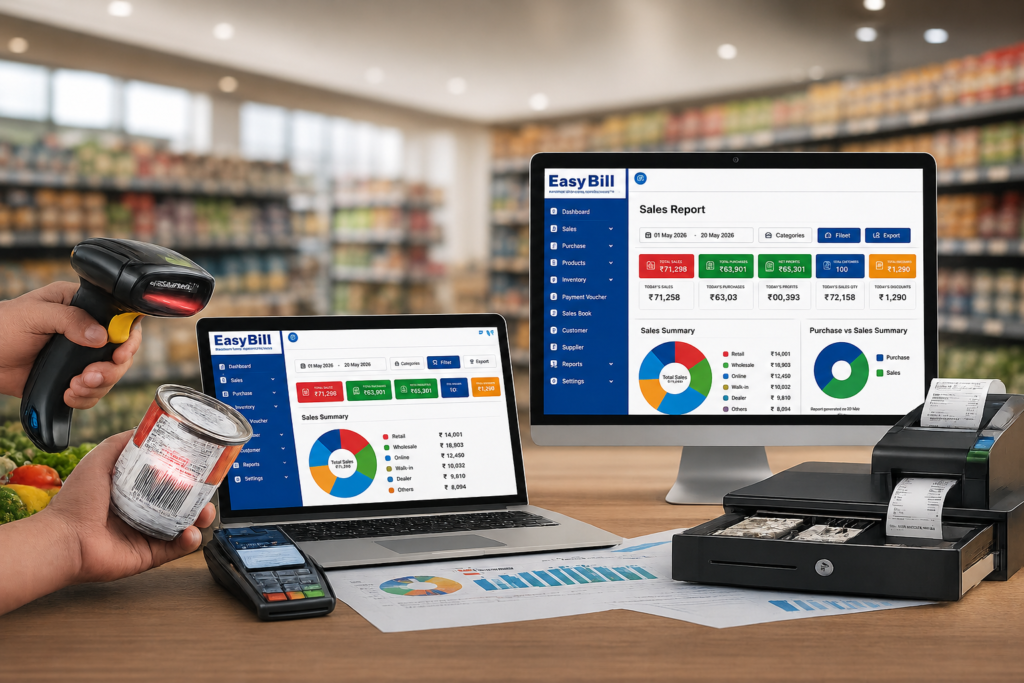
POS Software in Ghaziabad: 7 Smart Buying Tips for Your Business
POS Software in Ghaziabad should make your counter faster while keeping billing, inventory and reports connected. The best way to choose one is not to compare feature lists; test your own products, billing workflow, payments, stock movement and reports before you buy.
Quick answer: For a retail business, look for fast billing, barcode support, GST invoicing, inventory control, purchase and sales tracking, payment records and useful reports. During the demo, create a real bill, check the stock update, process a return and find the transaction in a report. That practical test is more useful than a long sales presentation.
Table of Contents
- What should POS software actually handle?
- Which features should you test?
- Which businesses need different workflows?
- How should you compare software?
- What should you ask the vendor?
- Is EasyBill worth testing?
- Frequently asked questions
What should POS software actually handle?
A useful POS system starts at the checkout and follows the transaction afterwards. A product is selected, the invoice is created, payment is recorded, stock is adjusted and the sale appears in the relevant report.
That connection matters. If the cashier creates a bill and someone later changes the stock manually, the software has not removed the problem; it has simply moved it.
For POS Software in Ghaziabad, I would make this end-to-end transaction the first demo test.
Is POS software the same as billing software?
There is overlap, but the emphasis is different. Billing software focuses on invoices and sales. POS software usually puts the checkout process at the centre and connects it with inventory, payments, customers and reporting.
The name matters less than the workflow. If your staff can complete a normal sale without unnecessary duplicate entry, you are looking at the right kind of system.
Which features should you test before buying?
1. Fast billing and barcode support
Use your own products during the demo. Search for products, scan barcodes if you use them, apply a discount where your business needs one, and print or share the invoice.
Do not judge speed from a vendor’s sample catalogue. Your own product names, SKUs and pricing are the real test.
2. Inventory should change with the sale
For inventory-heavy businesses, billing and stock need to agree. Check product-wise stock, purchase entries, sales records, stock movement and low-stock information.
Sell one product during the demo. Immediately open its stock record. The transaction should be easy to trace.
3. GST billing needs a proper check
Do not stop at a “GST-ready” badge. Create an invoice with your actual business details and check the tax treatment, HSN/SAC information, invoice format and relevant reporting.
For official GST information, refer to the GST Portal. Tax-specific configuration should be confirmed with your accountant or tax professional.
4. Reports should answer real questions
A dashboard is useful only if it helps you make decisions. Ask the software to show what sold today, what is in stock, what was purchased and which customer balances are outstanding.
For POS Software in Ghaziabad, run those questions against sample transactions rather than accepting screenshots from a salesperson.
Which businesses need different POS workflows?
A general retail store, pharmacy, restaurant and hardware dealer do not operate the same way. Pick software around the work your staff actually performs.
Retail and general stores
Test product search, barcode billing, GST invoices, inventory, customer records, payment tracking and sales reports.
Grocery and supermarket stores
Test barcode scanning, product search, purchases, stock receiving and low-stock monitoring. If you sell loose products, test the weighing workflow your store requires.
Pharmacy and medical stores
Pharmacy workflows need more than a basic retail invoice. Ask for a demonstration of batch, expiry, purchase and stock handling before choosing a system.
Hardware, electronics and mobile stores
Large SKU lists make product search, barcode handling and stock visibility important. Mobile shops may also need repair or IMEI workflows, so test those separately if they apply to your business.
Hardware Inventory Management Software
Wholesale and distribution
Test purchases, customer balances, supplier records, inventory, credit sales and payment collection. A wholesale workflow should not be judged from a simple cash-sale demo.
Restaurants and cafés
Restaurant operations need their own test. Ask the vendor to demonstrate order entry, KOT or kitchen workflow, table service, takeaway and payment.
How should you compare POS systems?
Use the same test for every vendor. This makes the comparison fair and exposes gaps quickly.
- Add real products: use the items your staff actually sells.
- Create a sale: check pricing, taxes, discounts and invoice output.
- Verify inventory: confirm that the sale is reflected in stock.
- Record payment: test the payment methods you use.
- Process a return: check invoice history and stock reversal.
- Open reports: find the exact transaction and its effect on sales and stock.
This is the practical buying method I recommend for POS Software in Ghaziabad. It also makes it easier to compare software with a simple billing package, a desktop application or a cloud-based system.
What should you ask the vendor before buying?
- How is business data backed up and restored?
- What happens if the internet connection fails?
- Can different users have different permissions?
- Which printers and barcode scanners are supported?
- Can existing product and customer data be imported?
- How are multiple outlets handled?
- What training and post-sale support are included?
These questions matter because a POS purchase is an operating decision, not just a software purchase.
Is EasyBill worth testing for a Ghaziabad business?
EasyBill is positioned around billing, inventory and business management rather than invoice printing alone. Its published product information covers billing, stock management, barcode billing, customer and supplier management, purchase and sales tracking, expense management, multi-user access, backup and reporting.
That makes EasyBill worth testing when your requirement is billing + inventory + reporting. The demo should still use your own workflow.
A grocery shop should test grocery billing. A pharmacy should test its medicine inventory process. A hardware shop should test SKU and stock handling. A distributor should test purchases, credit sales and payments.
Frequently asked questions about POS software
What is POS software used for?
POS software records sales at the point of purchase and connects that transaction with functions such as inventory, payments and business reports.
What should I look for in POS Software in Ghaziabad?
Start with fast billing, barcode support, GST invoicing, inventory updates, payment recording and useful reports. Then test returns, user permissions and your actual business workflow.
Is POS software different from billing software?
Yes, although the functions overlap. Billing software focuses mainly on invoices and sales, while POS software usually connects checkout with related operational functions.
Can POS software work without internet?
Some systems support offline billing while others depend on an internet connection. Ask the vendor to demonstrate the exact behaviour during an outage before you buy.
Should price decide which POS system I choose?
No. Compare workflow, inventory accuracy, reporting, hardware compatibility, support and total operating fit first. A low-cost system that creates manual work is not necessarily cheaper.
Key takeaway: test the workflow, not the brochure
If you are comparing POS Software in Ghaziabad, take one real product through the complete process: bill it, check GST, record payment, verify stock, open the report and process a return.
Once that works naturally for your staff, compare pricing, hardware, support and data requirements.
For businesses that need billing, inventory and reporting together, EasyBill ERP is worth putting on the shortlist and testing with your own products.
Get a Free Demo
Use your own products and ask for a complete billing-to-inventory demonstration before making a decision.
Published: August 27, 2026
Author: EasyBill ERP