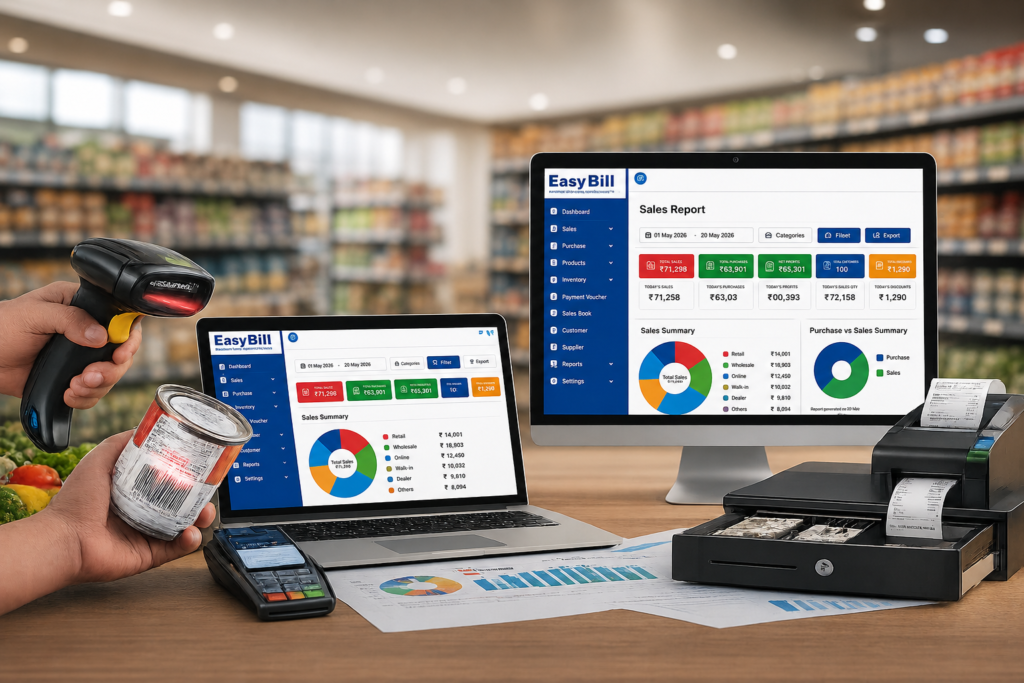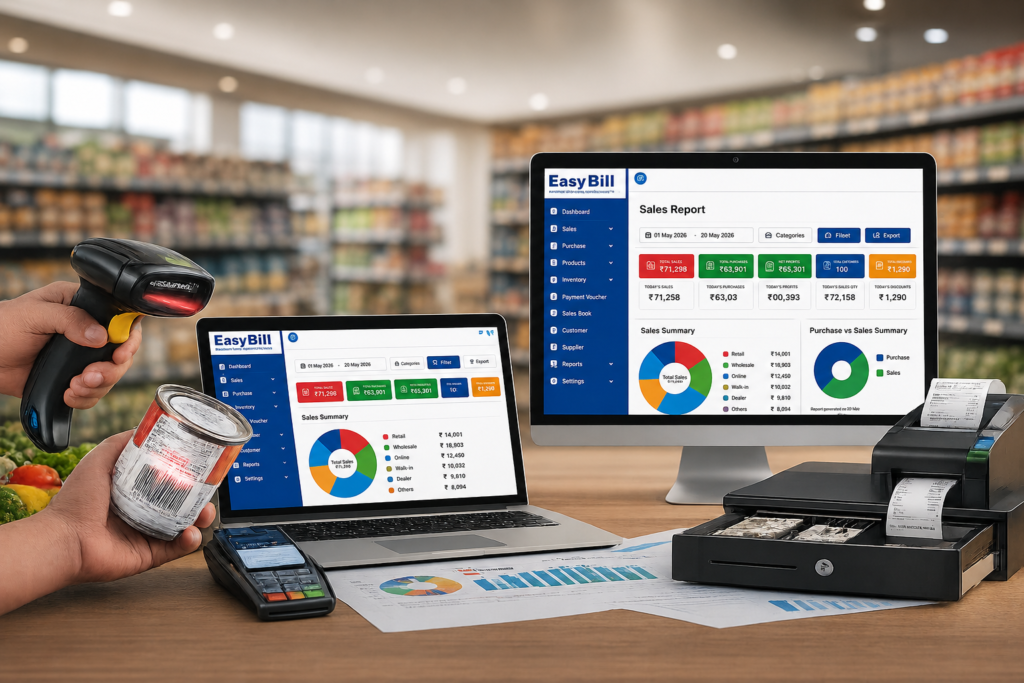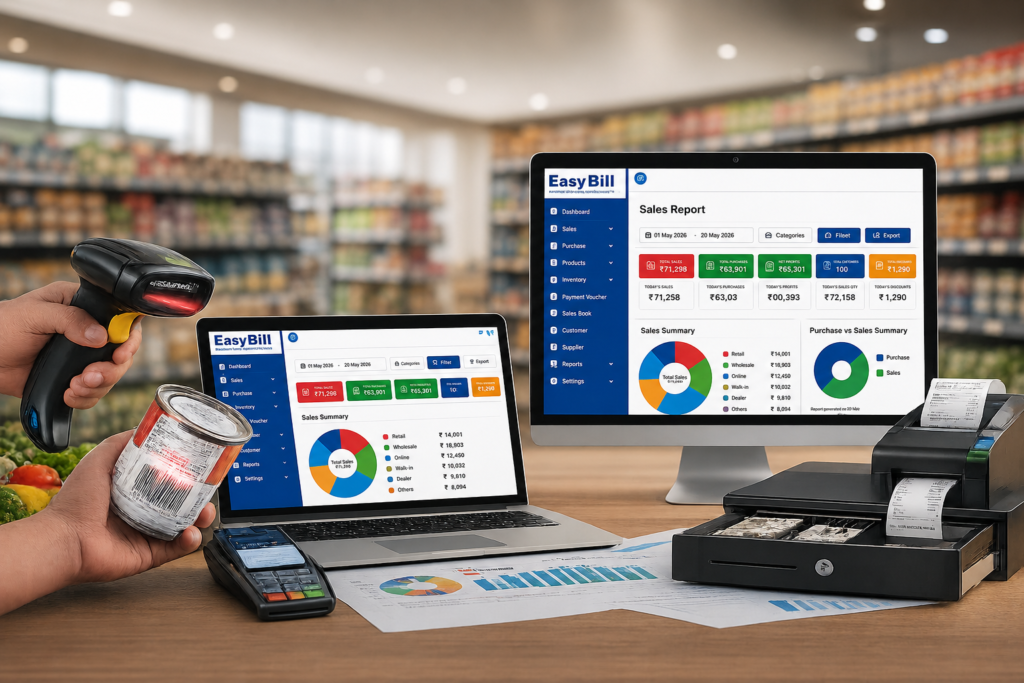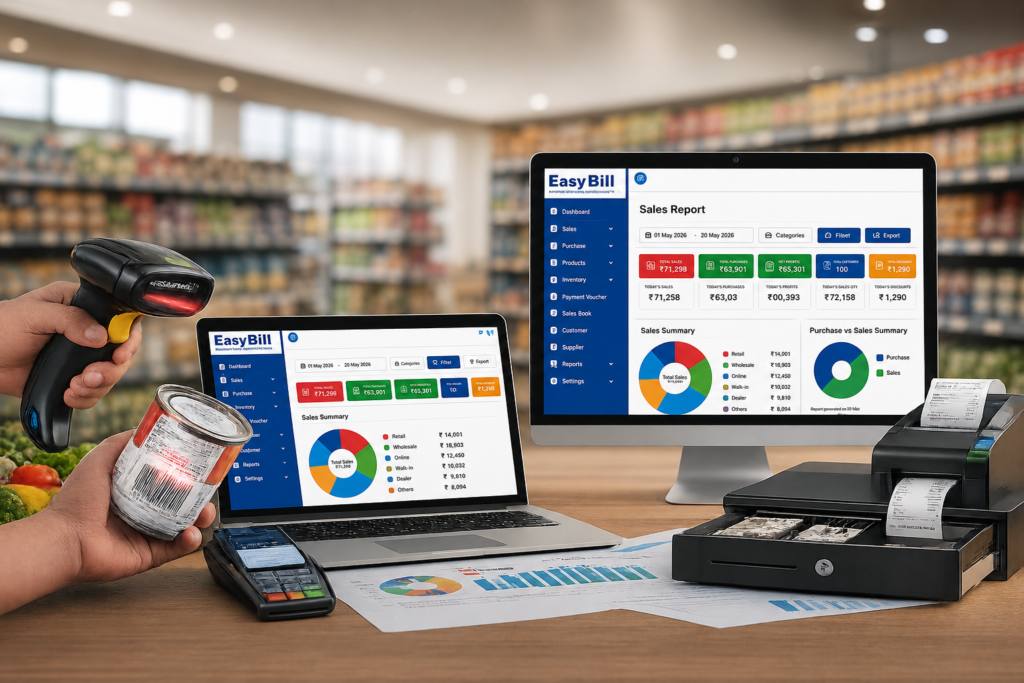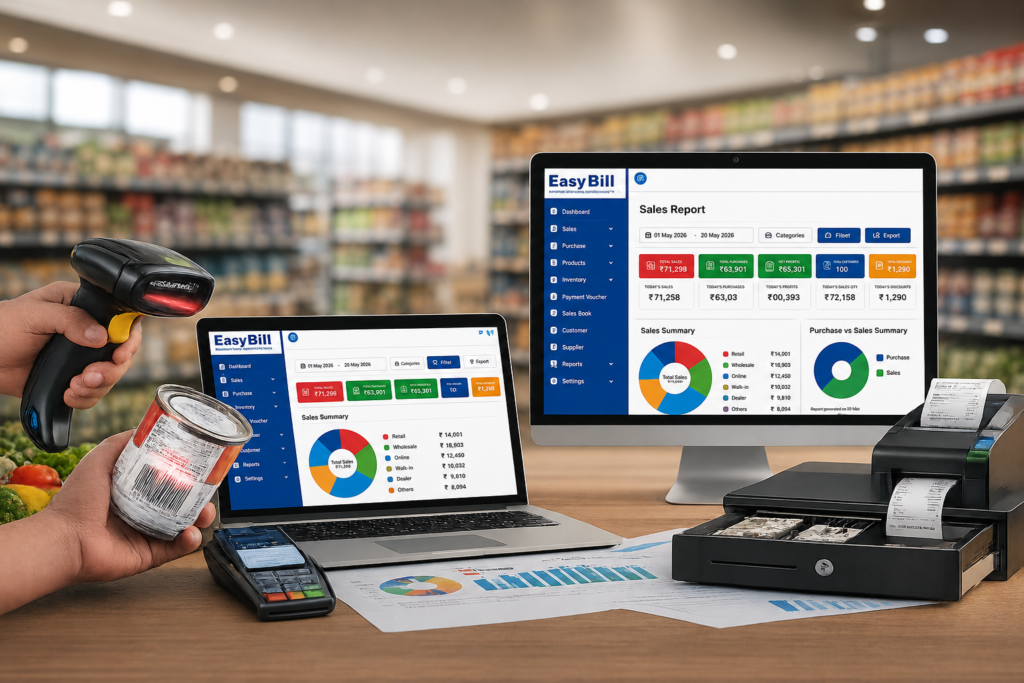
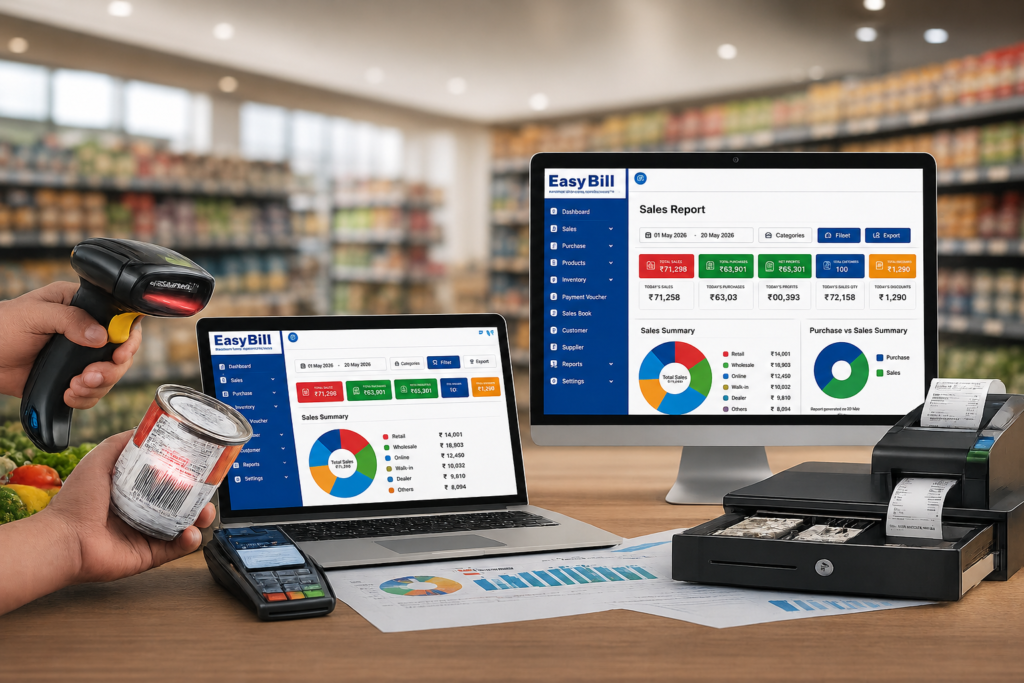
POS Software in Chennai dashboard showing billing, inventory and barcode management

POS Software in Chennai: 7 Smart Buying Tips

POS Software in Chennai: 7 Smart Buying Tips for Your Business POS Software in Chennai should make billing and stock management easier, not give your staff another complicated process to learn. A practical POS keeps billing, stock, payments and reporting linked together, so your staff can finish a sale once instead of entering the same details in multiple places. See our Billing Software in Chennai guide for the broader retail billing workflow. Quick answer: The right POS Software in Chennai is the one that matches your actual business workflow. Test one complete transaction before buying: select or scan a product, create the invoice, check GST, record payment, verify the stock update and open the resulting report. A real transaction tells you more than a long feature list. Table of Contents What should POS software actually do? A POS Software in Chennai starts with a sale. The useful work happens after that sale is saved. The product should be recorded, the invoice generated, payment captured, inventory updated and the transaction included in relevant reports. If your cashier creates an invoice in one application and manually changes stock somewhere else, the software is solving only part of the problem. That is the first thing I would test when comparing POS Software in Chennai. Is POS software the same as billing software? Not exactly. Billing software focuses mainly on invoices and sales. POS software usually puts the checkout process at the centre, including product selection, barcode scanning, payment and stock movement. The name matters less than the actual workflow. If the complete transaction is connected, that’s what matters. Which POS features deserve your attention? Don’t start by counting features. Start with the functions your cashier and owner will use every day. 1. Fast billing and barcode support A busy counter should not depend on manually typing every product name. If you sell barcode-based products, test the scanner with your own inventory. Demo test: take 10–20 products that your staff actually sells and ask the vendor to create a normal bill. Don’t use only the vendor’s sample products. 2. Inventory should follow every sale Billing and inventory belong together for an inventory-driven business. Check whether the system gives you: If you operate more than one outlet, ask how stock moves between branches. 3. GST billing needs a real test Don’t stop at a “GST ready” badge. Create an invoice using your actual business details and products. Check the tax calculation, HSN/SAC information, invoice format and resulting GST report. For official GST information, use the official GST Portal. For tax-specific requirements, confirm the setup with your accountant or tax professional. 4. Reports should answer real business questions A vendor can show you dozens of reports. That’s not the test. What sold today? What is currently in stock? Which customers have outstanding payments? What did we purchase? Create sample transactions during the demo and ask the vendor to show the reports generated from them. Which POS setup fits your Chennai business? A pharmacy does not work like a supermarket. A restaurant does not work like an electronics shop. Your business type should determine what you test. Retail and general stores For a normal retail counter, prioritise fast product search, barcode billing, GST invoicing, stock management, customer records, payment tracking and sales reports. Recommended approach: choose a POS Software in Chennai where billing and inventory work together. Billing Software Grocery and supermarket stores Grocery counters need speed because many products pass through checkout. Barcode scanning, product search, weighing workflows where required, stock updates, purchase receiving and low-stock alerts deserve more attention than a decorative dashboard. Demo test: use your fastest-selling products and recreate a normal counter transaction. Grocery Billing Software Pharmacy and medical stores Pharmacy inventory needs more detail than ordinary retail. Batch information, expiry tracking, purchases and stock control should be tested before choosing software. Recommended approach: ask the vendor to demonstrate the exact medicine workflow your store requires. Pharmacy Software Optical stores Frames, lenses and sunglasses have their own product requirements. Use your actual products during the demo and check product records, billing, inventory and customer information. Recommended approach: choose software that fits your optical workflow instead of forcing your business into a generic billing process. Optical Shop Management Software Hardware and electronics stores Hardware and electronics businesses can carry many SKUs. Product search, barcode support, purchasing, stock visibility and supplier records deserve serious attention. Recommended approach: put inventory control ahead of cosmetic dashboard features. Hardware Inventory Management Software Wholesale and distribution businesses Wholesale operations need more than a quick retail invoice. Purchases, sales orders, customer balances, supplier records, inventory and payment tracking become more important. Recommended approach: test the complete order-to-sale-to-payment workflow. Distribution Software Restaurants and cafés Restaurant POS is a different workflow. KOT, tables, kitchen operations, takeaway and delivery requirements change what you should test. Demo test: place an order → send it to the kitchen → modify it if required → generate the bill → record payment. Restaurant Billing Software How should you compare POS Software in Chennais? Don’t compare software by counting checkboxes. Run one complete transaction. Step 1: Use your actual products Take products your employees sell regularly. Put them into the demo and test product search. Step 2: Create a normal invoice Use your actual prices and tax requirements. Check the final invoice. Step 3: Check the stock After saving the sale, open the inventory record. The stock movement should match the transaction. Step 4: Record the payment Use the payment methods your business actually accepts. Then find that transaction in the relevant report. Step 5: Test a return Ask the vendor to show sales return, cancelled invoice, stock reversal, price correction, user permissions and transaction history. Step 6: Open the reports Create several sample transactions and ask the vendor to show sales, stock and payment reports based on that data. POS Software Demo Checklist What should you ask a POS vendor before buying? Data backup: How is business data backed up and recovered? User permissions: Can cashiers

POS Software in Chennai: 7 Smart Buying Tips Read More »
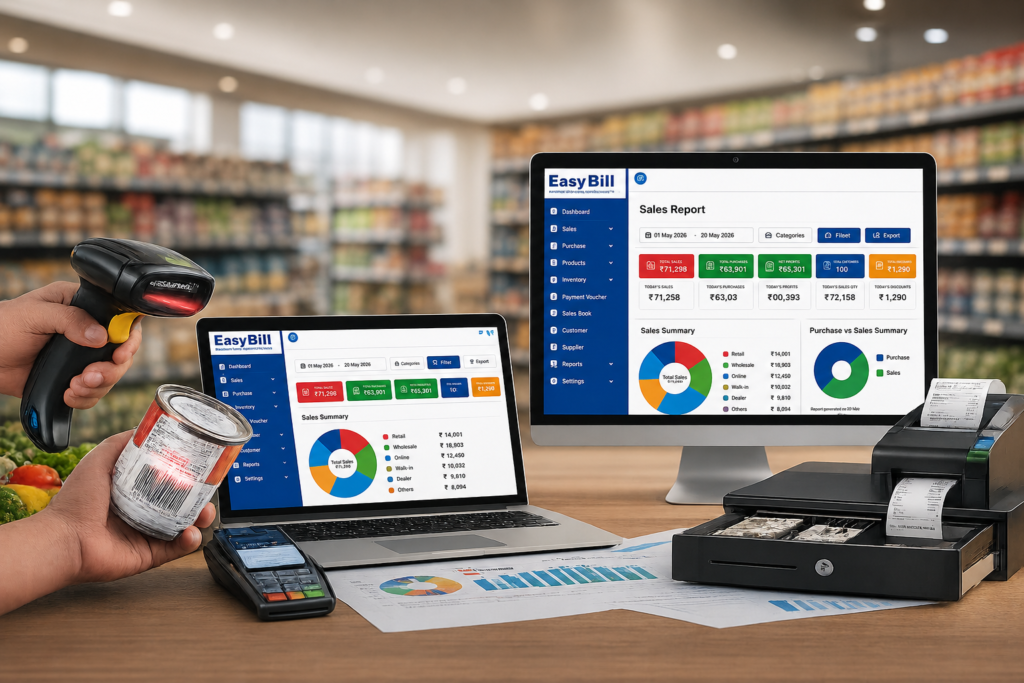
Billing Solution for Retail Store; Billing Solution for Retail Store

POS Software in Indore: 7 Smart Buying Tips

POS Software in Indore: 7 Smart Buying Tips for Your Business POS Software in Indore should make billing and stock management easier, not add another complicated screen for your staff. A practical POS keeps billing, stock, payments and reporting linked together, so your staff can finish a sale once instead of entering the same details in multiple places. Quick answer: The right POS Software in Indore is the one that matches your actual business workflow. Test one complete transaction before buying: select or scan a product, create the invoice, check GST, record payment, verify the stock update and open the resulting report. A real transaction tells you more than a long feature list. Table of Contents What should POS software actually do? A POS Software in Indore starts with a sale. The useful work happens after the sale is saved. The product should be recorded, the invoice generated, payment captured, inventory updated and the transaction included in relevant reports. If your cashier creates an invoice in one application and manually changes stock somewhere else, the software is solving only part of the problem. That is the first thing I would test when comparing POS Software in Indore. Is POS software the same as billing software? Not exactly. Billing software focuses mainly on invoices and sales. POS software usually puts the checkout process at the centre, including product selection, barcode scanning, payment and stock movement. The name matters less than the actual workflow. If the complete transaction is connected, that is what matters. Which POS features deserve your attention? Don’t start by counting features. Start with the functions your cashier and owner will use every day. 1. Fast billing and barcode support A busy counter should not depend on manually typing every product name. If you sell barcode-based products, test the scanner with your own inventory. Indore POS providers commonly highlight barcode billing, fast checkout and inventory updates. Demo test: take 10–20 products that your staff actually sells and ask the vendor to create a normal bill. Don’t use only the vendor’s sample products. 2. Inventory should follow every sale Billing and inventory belong together for an inventory-driven business. Check whether the system gives you: If you operate multiple outlets, ask how stock moves between branches. 3. GST billing needs a real test Don’t stop at a “GST ready” badge. Create an invoice using your actual business details and products. Check the tax calculation, HSN/SAC information, invoice format and resulting GST report. For official GST information, use the official GST Portal. For tax-specific requirements, confirm the setup with your accountant or tax professional. 4. Reports should answer real business questions A vendor can show you dozens of reports. That’s not the test. What sold today? What is currently in stock? Which customers have outstanding payments? What did we purchase? Create sample transactions during the demo and ask the vendor to show the reports generated from them. Which POS setup fits your Indore business? A pharmacy does not work like a namkeen counter. A restaurant does not work like a hardware shop. Your business type should determine what you test. Retail and general stores For a normal retail counter, prioritise fast product search, barcode billing, GST invoicing, stock management, customer records, payment tracking and sales reports. Recommended approach: choose a POS Software in Indore where billing and inventory work together. Billing Software Grocery and supermarket stores Grocery counters need speed because many products pass through checkout. Barcode scanning, product search, weighing workflows where required, stock updates, purchase receiving and low-stock alerts deserve more attention than a decorative dashboard. Demo test: use your fastest-selling products and recreate a normal counter transaction. Grocery Billing Software Namkeen and sweet shops This is one area where a generic retail demo isn’t enough. Indore-focused POS pages specifically highlight weight-based billing for namkeen and sweets, including products sold by weight and weight-wise stock. If your shop sells sev, mixtures, sweets or similar products by weight, test the actual weighing workflow. Ask the vendor to demonstrate weight-based pricing, unit conversion, weight-wise stock, printed invoices, discounts and returns. Demo test: bill your real products from the weighing scale before deciding. Namkeen Billing Software Pharmacy and medical stores Pharmacy inventory needs more detail than ordinary retail. Batch information, expiry tracking, purchases and stock control should be tested before choosing software. Recommended approach: ask the vendor to demonstrate the exact medicine workflow your store requires. Pharmacy Software Optical stores Frames, lenses and sunglasses have their own product requirements. Use your actual products during the demo and check product records, billing, inventory and customer information. Recommended approach: choose software that fits your optical workflow instead of forcing your business into a generic billing process. Optical Shop Management Software Hardware and electronics stores Hardware and electronics businesses can carry many SKUs. Product search, barcode support, purchasing, stock visibility and supplier records deserve serious attention. Recommended approach: put inventory control ahead of cosmetic dashboard features. Computer Hardware Inventory Management Software Wholesale and distribution businesses Wholesale operations need more than a quick retail invoice. Purchases, sales orders, customer balances, supplier records, inventory and payment tracking become more important. Recommended approach: test the complete order-to-sale-to-payment workflow. Distribution Software Restaurants and cafés Restaurant POS is a different workflow. KOT, tables, kitchen operations, takeaway and delivery requirements change what you should test. Demo test: place an order → send it to the kitchen → modify it if required → generate the bill → record payment. Restaurant Billing Software How should you compare POS Software in Indores? Don’t compare software by counting checkboxes. Run one complete transaction. Step 1: Use your actual products Take products your employees sell regularly. Put them into the demo and test product search. Step 2: Create a normal invoice Use your actual prices and tax requirements. Check the final invoice. Step 3: Check the stock After saving the sale, open the inventory record. The stock movement should match the transaction. Step 4: Record the payment Use the payment methods your business actually accepts. Then

POS Software in Indore: 7 Smart Buying Tips Read More »

Best POS Software in Hyderabad | 7 Smart Buying Tips [2026]

POS Software in Hyderabad: 7 Smart Buying Tips for Your Business POS Software in Hyderabad should make your billing counter easier to run, not add another complicated system for your staff. The right setup connects billing, inventory, payments and reports so one sale does not have to be entered repeatedly. Quick answer: The right POS Software in Hyderabad is the one that matches your actual business workflow. Test one complete transaction before buying: select or scan a product, create the invoice, check GST, record payment, verify the stock update and open the resulting report. A real transaction tells you more than a long feature list. Table of Contents What should POS software actually do? A POS Software in Hyderabad starts with a sale. The useful work happens after that sale is saved. The product should be recorded, the invoice generated, payment information captured, inventory updated and the transaction included in relevant reports. If your cashier creates an invoice in one application and manually changes stock somewhere else, the software is solving only part of the problem. That is the first thing I would test when comparing POS Software in Hyderabad. Is POS software the same as billing software? Not exactly. Billing software focuses mainly on invoices and sales. POS software usually puts the checkout process at the centre, including product selection, barcode scanning, payment and stock movement. The name matters less than the actual workflow. If the complete transaction is connected, that is what matters. Which POS features deserve your attention? Don’t start by counting features. Start with the functions your cashier and owner will use every day. 1. Fast billing and barcode support A busy counter should not depend on manually typing every product name. If you sell barcode-based products, test the scanner with your own inventory. Hyderabad POS providers commonly highlight barcode billing alongside GST, inventory and multi-payment workflows. Demo test: take 10–20 products that your staff actually sells and ask the vendor to create a normal bill. Don’t use only the vendor’s sample products. 2. Inventory should follow every sale Billing and inventory belong together for an inventory-driven business. A useful system should let you check current stock, product-wise stock, purchases, sales and low-stock information without maintaining a separate manual register. Check whether your system provides: If you operate more than one outlet, ask how stock is handled between branches. 3. GST billing needs a real test Don’t stop at a “GST ready” badge. Create an invoice using your actual business details and products. Check the tax calculation, HSN/SAC information, invoice format and resulting GST report. For official GST information, use the official GST Portal. For tax-specific requirements, confirm the setup with your accountant or tax professional. 4. Reports should answer real business questions A vendor can show you dozens of reports. That’s not the test. What sold today? What is currently in stock? Which customers have outstanding payments? What did we purchase? Create sample transactions during the demo and ask the vendor to show the reports generated from them. Which POS setup fits your Hyderabad business? A pharmacy does not work like a supermarket. A restaurant does not work like an electronics shop. Your business type should determine what you test. Retail and general stores For a normal retail counter, prioritise fast product search, barcode billing, GST invoicing, stock management, customer records, payment tracking and sales reports. Recommended approach: choose a POS Software in Hyderabad where billing and inventory work together. Billing Software Grocery and supermarket stores Grocery counters need speed because many products can pass through checkout. Barcode scanning, product search, weighing workflows where required, stock updates, purchase receiving and low-stock alerts deserve more attention than a decorative dashboard. Demo test: use your fastest-selling products and recreate a normal counter transaction. Grocery Billing Software Pharmacy and medical stores Pharmacy inventory needs more detail than ordinary retail. Batch information, expiry tracking, purchases and stock control should be tested before choosing software. Recommended approach: ask the vendor to demonstrate the exact medicine workflow your store requires. Pharmacy Software Optical stores Frames, lenses and sunglasses have their own product requirements. Use your actual products during the demo and check product records, billing, inventory and customer information. Recommended approach: choose software that fits your optical workflow instead of forcing your business into a generic billing process. Optical Shop Management Software Hardware and electronics stores Hardware and electronics businesses can carry a large number of SKUs. Product search, barcode support, purchasing, stock visibility and supplier records deserve serious attention. Recommended approach: put inventory control ahead of cosmetic dashboard features. Computer Hardware Inventory Management Software Jewellery and specialised retail Specialised retail needs a closer look at product attributes and pricing. If your business uses weight-based or attribute-based pricing, don’t accept a standard retail demo. Demo test: use actual products and test the complete calculation before deciding. Jewellery Billing Software Wholesale and distribution businesses Wholesale operations need more than a quick retail invoice. Purchases, sales orders, customer balances, supplier records, inventory and payment tracking become more important. Recommended approach: test the complete order-to-sale-to-payment workflow. Distribution Software Restaurants and cafés Restaurant POS is a different workflow. KOT, tables, kitchen operations, takeaway and delivery requirements change what you should test. Demo test: place an order → send it to the kitchen → modify it if required → generate the bill → record payment. Restaurant Billing Software How should you compare POS Software in Hyderabads? Don’t compare software by counting checkboxes. Run one complete transaction. Step 1: Use your actual products Take products your employees sell regularly. Put them into the demo and test product search. Step 2: Create a normal invoice Use your actual prices and tax requirements. Check the final invoice. Step 3: Check the stock After saving the sale, open the inventory record. The stock movement should match the transaction. Step 4: Record the payment Use the payment methods your business actually accepts. Then find that transaction in the relevant report. Step 5: Test a return Ask the vendor to show

Best POS Software in Hyderabad | 7 Smart Buying Tips [2026] Read More »

POS Software in Patna: 7 Smart Buying Tips

POS Software in Patna: 7 Smart Ways to Choose the Right System POS Software in Patna should make billing and stock management easier, not turn your counter into another complicated system. The right setup connects sales, inventory, payments and reports so a single sale does not have to be entered repeatedly. Quick answer: The right POS Software in Patna is the one that fits your actual business workflow. Test one complete transaction before buying: select or scan a product, create the invoice, check GST, record the payment, verify the stock update and open the resulting report. That real test tells you more than a long feature list. Table of Contents What should POS software actually do? Which features deserve your attention? Which POS setup fits your Patna business? How should you compare POS Software in Patnas? What should you ask a POS vendor? Where does EasyBill fit? Frequently asked questions What should POS software actually do? A POS Software in Patna starts with a sale. The useful part comes after the sale is saved. The product should be recorded, the invoice generated, payment captured, inventory updated and the transaction included in relevant reports. If your cashier creates an invoice in one place and manually changes stock somewhere else, the software is solving only part of the problem. That is the first thing I would test when comparing POS Software in Patna. Is POS software the same as billing software? Not exactly. Billing software focuses mainly on invoices and sales. POS software usually puts the checkout process at the centre, including product selection, barcode scanning, payment and stock movement. The label matters less than what happens after you save a bill. Which POS features deserve your attention? Forget the feature count. Start with the functions your cashier and owner will use every day. 1. Fast billing and barcode support A busy counter should not depend on manually typing every product name. If you sell barcode-based products, test the scanner with your own inventory. EasyBill’s official website lists barcode billing support, POS compatibility and retail solutions for FMCG, optical, electrical, electronics, hardware and general retail stores. Demo test: bring 10–20 products your staff actually sells and ask the vendor to create a normal bill. 2. Inventory should follow every sale Billing and inventory belong together for an inventory-driven business. EasyBill publishes stock monitoring, low-stock alerts, product-wise tracking, barcode integration and purchase and sales tracking among its inventory features. Current stock Product-wise stock Purchase records Sales records Low-stock information Barcode/SKU handling Inventory reports If you operate multiple outlets, ask how stock is handled between them. 3. GST billing needs a real test Do not stop at a “GST ready” claim. Create an invoice using your actual business details and products. Check the tax calculation, HSN/SAC information, invoice format and resulting GST report. EasyBill states that it supports GST and non-GST billing, automatic tax calculations, HSN/SAC support and GST reports. For official GST information, use the official GST Portal. For tax-specific decisions, confirm your requirements with your accountant or tax professional. 4. Reports should answer real business questions A vendor can show you dozens of reports. Ask: What sold today? What is currently in stock? Which customers have outstanding payments? What did we purchase? EasyBill publishes sales, purchase, GST, profit and loss, expense, inventory and outstanding reports. Which POS setup fits your Patna business? A pharmacy does not work like a grocery store. A restaurant does not work like a hardware shop. Your business type should determine what you test. Retail and general stores For a normal retail counter, prioritise fast product search, barcode billing, GST invoicing, stock management, customer records, payment tracking and sales reports. Recommended approach: choose a POS Software in Patna where billing and inventory work together. Billing Software Grocery and supermarket stores Grocery stores need speed because many products can pass through the counter during busy periods. Barcode scanning, product search, stock updates, purchase tracking and low-stock notifications deserve more attention than a decorative dashboard. EasyBill’s grocery solution includes barcode billing, stock tracking, product/SKU management, purchase and supplier management, multiple payment methods and sales reporting. Demo test: use your fastest-selling products and recreate a normal counter transaction. Grocery Billing Software Pharmacy and medical stores Pharmacy inventory needs more detail than ordinary retail. Batch information, expiry tracking, purchases and stock control should be tested before choosing software. EasyBill’s published pharmacy material describes pharmacy-specific workflows, while its inventory documentation includes batch and lot management. Recommended approach: ask the vendor to demonstrate the exact medicine workflow your store requires. Pharmacy Software Optical stores Frames, lenses and sunglasses have their own product requirements. Use your actual products during the demo and check product records, billing, inventory and customer information. Recommended approach: choose software that fits your optical workflow instead of forcing your shop into a generic billing process. Optical Shop Management Software Hardware and electronics stores Hardware and electronics businesses can carry many SKUs. Product search, barcode support, purchasing, stock visibility and supplier records deserve serious attention. EasyBill lists hardware and electronics among its supported industries and publishes barcode/POS support. Recommended approach: put inventory control ahead of cosmetic dashboard features. Computer Hardware Inventory Management Software Wholesale and distribution businesses Wholesale operations need more than a quick retail invoice. Purchases, sales orders, customer balances, supplier records, inventory and payment tracking become more important. EasyBill describes its distribution solution around sales, stock, billing, payments and GST-related accounting workflows. Recommended approach: test the complete order-to-sale-to-payment workflow. Distribution Software Restaurants and cafés Restaurant POS is a different workflow. KOT, tables, kitchen operations, takeaway and delivery requirements change what you should test. Patna POS providers specifically promote restaurant workflows alongside retail and pharmacy functions. Demo test: place an order, send it to the kitchen, modify it if required, generate the bill and record payment. Restaurant Billing Software How should you compare POS Software in Patnas? Do not compare software by counting checkboxes. Run one complete transaction. Step 1: Use your actual products Take products your staff sells regularly.

POS Software in Patna: 7 Smart Buying Tips Read More »

POS Software in Jaipur buying guide for retail billing, inventory and barcode management

POS Software in Jaipur: 7 Smart Buying Tips

POS Software in Jaipur should make billing and stock management easier, not turn your counter into another complicated system. The right setup connects sales, inventory, payments and reports so your staff can complete a transaction without repeating the same work. Key takeaway: Choose POS software based on your actual Jaipur business workflow. A useful system should handle product selection, billing, GST, payments, inventory updates and reports without making staff repeat the same work. Who is this guide for? This guide is for retail shops, grocery stores, supermarkets, pharmacies, optical stores, hardware and electronics businesses, handicraft and jewellery retailers, wholesalers, restaurants and cafés in Jaipur. Use it when comparing POS systems, replacing manual billing, opening a new outlet or deciding which features your staff will use every day. Practical demo checklist: Before choosing a POS system, test 10–20 real products, create a normal invoice, verify GST and payment entry, confirm the stock update, and open the related sales report. This simple test gives you a more useful comparison than counting feature checkboxes. Test product search or barcode scanning with real products. Create a normal GST invoice using your actual pricing. Check cash, UPI or other payment entry. Verify that the sale updates inventory correctly. Open the sales or stock report and confirm the transaction appears. Quick answer: The best POS Software in Jaipur is the one that fits the way your business actually sells products. Test one complete transaction before buying: select or scan a product, create the invoice, check GST, record payment, verify the stock update and open the resulting report. Table of Contents What should POS software actually do? Which features deserve your attention? Which setup fits your Jaipur business? How should you compare POS Software in Jaipurs? What should you ask the vendor? Where does EasyBill fit? Frequently asked questions What should POS software actually do? A point-of-sale system starts with a sale. The useful work happens after that sale is saved. The product should be recorded, the invoice generated, payment captured, inventory updated and the transaction made available in reports. If your cashier has to bill a customer in one application and manually update stock somewhere else, the software is solving only part of the problem. That is the first thing I would test when comparing POS Software in Jaipur. Is POS software the same as billing software? Not exactly. Billing software focuses on invoices and sales. POS software usually puts the checkout workflow at the centre, including product selection, barcode scanning, payment and stock movement. The label matters less than the workflow. If the system handles the complete transaction cleanly, that is what matters. Which features deserve your attention? Forget the feature count. Look at the functions your cashier and owner will actually use every day. 1. Fast billing and barcode support A busy retail counter should not depend on typing every product name. If you sell barcode-based products, test the scanner with your own inventory. EasyBill’s official website lists barcode billing support, POS-system compatibility and retail solutions for FMCG, optical, electrical, electronics, hardware and general retail stores. Demo test: bring 10–20 products that your staff actually sells and ask the vendor to bill them. 2. Inventory should follow the sale Billing and inventory belong together for an inventory-driven business. EasyBill publishes real-time stock monitoring, low-stock alerts, product-wise tracking, barcode integration, purchase and sales tracking and multiple warehouse support. Current stock Product-wise stock Purchase records Sales records Low-stock alerts Barcode/SKU information Inventory reports If you have multiple locations, ask how stock moves between them. 3. GST billing needs a real test Do not stop at a “GST compliant” badge. Create an invoice using your actual business details and products. Check the tax calculation, HSN/SAC information, invoice format and resulting GST report. EasyBill states that it supports GST and non-GST billing, automatic tax calculations, HSN/SAC support and GST reports. For official GST information, use the official GST Portal. For tax-specific decisions, confirm your requirements with your accountant or tax professional. 4. Reports should answer business questions A vendor might show you dozens of reports. Ask better questions: What sold today? What is currently in stock? Which customers have outstanding payments? What did we purchase? EasyBill publishes sales, purchase, GST, profit and loss, expense, inventory and outstanding reports. Which setup fits your Jaipur business? A sweet shop is not a pharmacy. A handicraft store is not a restaurant. Your business type should influence the POS workflow you choose. Retail and general stores Prioritise fast product search, barcode billing, GST invoicing, stock management, customer records, payment tracking and sales reports. Recommended approach: choose a POS Software in Jaipur where billing and inventory work together. Billing Software Grocery and supermarket stores Grocery stores need speed because the counter can involve many products. Barcode scanning, product search, stock updates, purchase tracking and low-stock notifications deserve more attention than a fancy dashboard. EasyBill’s grocery solution includes barcode billing, live stock tracking, SKU/product management, purchase and supplier management, multiple payment methods and sales reporting. Demo test: use your fastest-selling products and recreate a normal counter transaction. Grocery Billing Software Pharmacy and medical stores Pharmacy inventory needs more detail than ordinary retail. Batch information, expiry tracking, purchases and stock control should be part of your evaluation. EasyBill’s official material describes pharmacy-specific workflows and its inventory documentation includes batch and lot management. Recommended approach: ask the vendor to demonstrate the exact medicine workflow you need. Pharmacy Software Optical stores Frames, lenses and sunglasses have their own product requirements. Use your actual products during the demo and check product records, billing, inventory and customer information. Recommended approach: choose software that matches your optical workflow rather than adapting your business around a generic billing screen. Optical Shop Management Software Hardware and electronics stores Hardware and electronics businesses can carry many SKUs. Product search, barcode support, purchasing, stock visibility and supplier records deserve serious attention. EasyBill identifies hardware and electronics among its supported industries and lists barcode/POS support. Recommended approach: put inventory control ahead of decorative dashboard

POS Software in Jaipur: 7 Smart Buying Tips Read More »

POS Software in Lucknow: 7 Smart Buying Tips

POS Software in Lucknow should make the counter easier to run, not give your staff another complicated screen to manage. The right system connects billing, inventory, payments and business reports so the same sale does not have to be entered in several places. Quick answer: The best POS Software in Lucknow is the one that matches your actual billing and inventory workflow. Before choosing, test one real transaction: select or scan the product, create the invoice, check the tax calculation, record the payment, verify the stock update and open the resulting report. Table of Contents What should POS software actually do? A point-of-sale system records what happens when a customer buys something. The useful part comes after the bill. The sale should connect with the relevant stock, payment record and business reports. Otherwise, you have a billing screen rather than a complete business workflow. For example, if a customer buys a product, your staff should not have to create the invoice in one place and then manually reduce inventory somewhere else. That is the first thing I would test when comparing POS Software in Lucknow. POS software vs. basic billing software: what’s the difference? Billing software focuses on creating invoices and recording sales. POS software usually puts the checkout process at the centre: product search, barcode scanning, billing, payment and stock movement. The distinction is less important than the actual workflow. If a product sale updates inventory automatically and appears correctly in your reports, the software is doing useful work. Which features matter most in a POS Software in Lucknow? Don’t start with twenty features. Start with the things your cashier and owner use every day. 1. Fast billing and barcode support A busy counter should not depend on manually typing every product name. For POS Software in Lucknow, if your business sells barcode-based products, test the scanner with your own items. EasyBill’s published information includes barcode billing support, POS-system compatibility and retail solutions for businesses such as FMCG, optical, electrical, electronics and hardware stores. Demo test: take 10–20 of your commonly sold products and ask the vendor to bill them without changing the demonstration data. 2. Inventory should follow every sale Billing and inventory belong together for an inventory-driven business. EasyBill publishes real-time stock monitoring, low-stock alerts, product-wise tracking, barcode integration and purchase/sales tracking as inventory features. If you have more than one location, ask how the system handles stock between outlets. 3. GST billing should be tested with your data Don’t accept “GST ready” as the end of the conversation. Create an invoice using your actual business details and a few real products. EasyBill publishes GST and non-GST billing, automated tax calculations, HSN/SAC support and GST reports. For official GST information, use the official GST Portal. For business-specific tax or compliance questions, confirm the required setup with your accountant or tax professional. 4. Reports should answer real questions A software vendor can show you a long list of reports. That’s not the test. How much did we sell today? Which products sold? What is currently outstanding? What did we purchase? What is the current stock? EasyBill publishes sales, purchase, GST, profit and loss, expense, inventory and outstanding reports. Which POS setup fits your Lucknow business? The right setup depends on what you sell and how your counter works. For POS Software in Lucknow, a pharmacy does not work like a garment shop. A restaurant does not work like a hardware store. Retail and general stores Focus on quick product search, barcode billing, GST invoices, inventory tracking, customer records, payment recording and sales reports. Recommended approach: choose a retail POS connected directly to inventory. See Billing Software for a related solution page. Grocery and supermarket stores Grocery stores can have a large number of products and frequent counter transactions. Barcode scanning, product search, stock updates, purchase tracking and low-stock information matter more than a fancy dashboard. EasyBill’s grocery solution includes barcode billing, live stock tracking, product/SKU management, purchase and supplier management, multiple payment methods and sales reports. Recommended approach: test the system with your fastest-selling products and a normal busy-counter workflow. Grocery Billing Software Pharmacy and medical stores A medical store has additional inventory requirements. Batch information, expiry tracking, purchases and stock control should be tested before choosing software. EasyBill’s published pharmacy information describes workflows designed for pharmacies, while its broader inventory documentation includes batch and lot management. Recommended approach: ask the vendor to demonstrate the exact medicine inventory workflow you need. Pharmacy Software Optical stores An optical shop has frames, lenses and sunglasses rather than a simple product catalogue. Your demo should use your actual products and attributes. Recommended approach: test optical billing, product records, inventory and customer information using real store data. Optical Shop Management Software Hardware and electronics stores Hardware and electronics businesses can carry a large product catalogue. Product search, barcode support, purchasing and stock visibility deserve serious attention. EasyBill lists hardware and electronics businesses among its supported industries and publishes barcode/POS support. Recommended approach: prioritise inventory and product lookup over cosmetic POS features. Computer Hardware Inventory Management Software Wholesale and distribution businesses Wholesale billing is different from a small retail counter. Purchases, sales orders, customer and supplier balances, stock and payment tracking become more important as transaction volume grows. EasyBill describes its distribution solution around sales, stock, billing, payments and GST-compliant accounting. Recommended approach: test the complete order-to-sale-to-payment workflow rather than only the billing screen. Distribution Software Restaurants and cafés Restaurant POS deserves its own workflow. KOT, tables, kitchen operations, takeaway and delivery requirements change the buying decision. Recommended approach: test the order → kitchen → bill process. Restaurant Billing Software How should you compare POS software? Don’t compare POS Software in Lucknow by counting checkboxes. Compare one complete transaction. Step 1: Use your actual products Take products your staff sells regularly and put them into the demo. This quickly exposes poor search, confusing product setup or awkward billing. Step 2: Create a normal bill Use your actual tax and pricing requirements. Check

POS Software in Lucknow: 7 Smart Buying Tips Read More »

POS Software in Jaipur dashboard showing retail billing and barcode features;retail billing software; Retail POS Billing Software

POS Software in Bangalore: 7 Powerful Buying Tips

POS Software in Bangalore: 7 Powerful Buying Tips POS Software in Bangalore should do more than print an invoice. For a growing shop, the useful system connects billing, GST invoices, stock, payments and reports so the owner does not have to maintain the same information in different places. Quick answer: The right POS Software in Bangalore for a Bangalore business should match the way the business sells, manages inventory and records payments. Before buying, test one real transaction from product selection to GST invoice, stock update, payment and reporting. This guide takes a practical approach: what to test, which features matter, and how to choose software for a retail, pharmacy, optical, hardware, electronics or general business. Table of Contents What should POS software actually do? Which features matter most? Which system fits your business? How to compare POS software What should you ask before buying? Where does EasyBill fit? What do buyers usually ask about POS software? What should POS software actually do? A point-of-sale system records what happens at the counter, which is the starting point for evaluating POS Software in Bangalore. The better systems connect that transaction to inventory, customer records, payments and reporting. For example, when a customer buys a product, you want the bill created, the relevant stock reduced, the payment recorded and the transaction available in reports without repeating the same work. That is the difference between choosing software for a screen and choosing software for the actual business process. If you are comparing POS Software in Bangalore, test one complete sale rather than watching a generic feature presentation. Which features matter most? 1. Fast billing and barcode support A busy counter should not depend on manually typing every product name. That is one reason POS Software in Bangalore should make product search and barcode billing quick. Barcode scanning and quick product search make more sense for shops carrying a large catalogue. Use your own products during the demo. Scan the items your staff sells every day. Check the product name, price, tax and quantity before accepting the demonstration as proof that the workflow is suitable. 2. Inventory connected to sales Billing and inventory should work together, and POS Software in Bangalore should make that connection visible after every sale. After a sale, you should be able to see the effect on stock without maintaining a separate spreadsheet. For an inventory-driven business, check current stock, product-wise stock, purchase records, sales records, low-stock alerts and barcode or SKU handling. If you have multiple outlets, ask how stock is managed between locations. 3. GST billing that you can actually test Do not buy POS Software in Bangalore simply because a sales representative says it is GST-ready. Create an invoice using your real business details and products. Check the tax calculation, invoice fields and reports. For official GST information and current tax guidance, use the official GST Portal. Your accountant or tax professional should confirm any business-specific compliance requirement before you rely on a particular software configuration. 4. Useful business reports A long list of reports is not the goal when comparing POS Software in Bangalore. The report should answer a question you actually have. Can you see sales? Can you check outstanding payments? Can you review purchases and stock? Can you understand expenses and business performance without rebuilding the numbers manually? Which system fits your business? The best POS setup depends on what you sell and how your counter works, especially when choosing POS Software in Bangalore. A restaurant has different requirements from an electronics shop, even though both need billing. Retail and general stores Retail businesses usually need quick billing, barcode support, product search, GST invoices, inventory tracking, customer records and sales reports. Recommended approach: choose a retail POS connected directly to inventory. See Billing Software in Bangalore for a related solution page. Pharmacy and medical stores A pharmacy needs more than a generic invoice. Batch information, expiry tracking, purchases and stock control deserve specific attention. Recommended approach: choose pharmacy billing software that supports the inventory information your medical store requires. See Pharmacy Software in Bangalore. Optical stores Optical businesses manage frames, lenses and sunglasses, so product information and customer workflows should match the store rather than being forced into a generic setup. Recommended approach: test optical billing and inventory workflows using real products. See Optical Shop Management Software. Hardware and electronics stores Hardware and electronics businesses can have a large number of products and barcode-based items. Product search, stock control, purchasing and billing deserve more attention than decorative dashboard features. Recommended approach: use an inventory-first POS workflow with quick product lookup. See Computer Hardware Inventory Management Software. Restaurants and cafés Restaurant billing has a different flow. Tables, orders, KOT, kitchen operations, takeaway and delivery can all affect the choice. Recommended approach: use restaurant POS software designed around the order-to-kitchen-to-bill process. See Restaurant Billing Software. How should you compare POS software? Do not compare POS Software in Bangalore providers only by counting features. Compare the journey of one real sale. Step 1: Use your busiest products Take the products your staff sells most frequently and use them during the demo. You will quickly see whether product search, pricing and billing feel practical. Step 2: Test the stock update Save the bill and immediately check the product inventory. The transaction should make sense from both sides: the invoice and the stock record. Step 3: Test payments Use the payment methods your business actually accepts. Then find the transaction in the relevant report. Step 4: Test returns and corrections Ask how cancelled bills, sales returns, corrections and employee permissions work. These situations matter just as much as the normal sale. Step 5: Test reports with sample transactions Create several sample sales and then ask the vendor to show the resulting sales, stock and payment reports. If the numbers do not connect, stop and ask why. What should you ask before buying? Ask practical questions about POS Software in Bangalore, including backup, user permissions, support, hardware compatibility, internet

POS Software in Bangalore: 7 Powerful Buying Tips Read More »