Grocery;Grocery Billing Software Free Demo; Grocery Billing Software in Delhi India; Grocery Billing Software in Noida India ; Grocery Billing Software in Ghaziabad India; Grocery Billing Software in Gurgaon India; Grocery Billing Software in Lucknow India; Grocery Billing Software in Jaipur India; Grocery Billing Software in Mumbai India; Grocery Billing Software in Bangalore India

Grocery Billing Software in Ghaziabad India – GST Billing and Inventory 2026

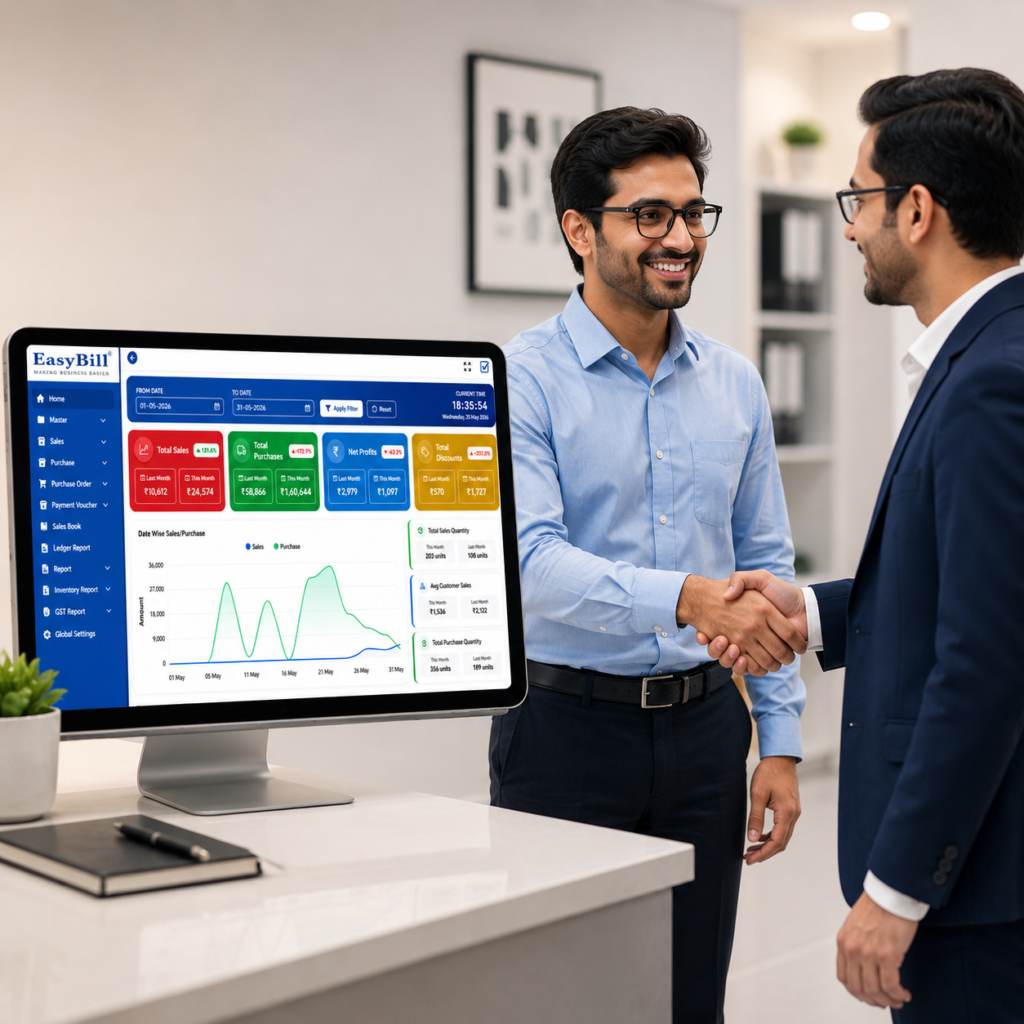
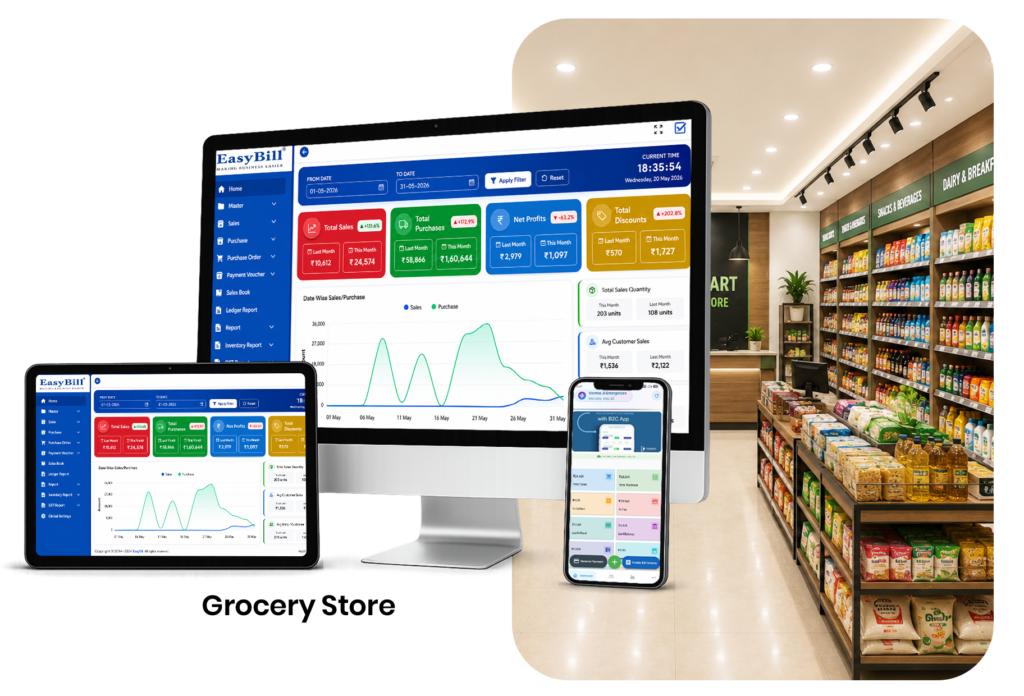
Grocery Billing Software in Ghaziabad India is the ideal solution for grocery stores, supermarkets, kirana shops, and retail businesses looking to simplify their daily operations. Running a grocery store has become more challenging than ever, as customers expect fast billing, accurate pricing, digital payment options, and a seamless shopping experience. At the same time, store owners need complete control over inventory, purchases, suppliers, GST billing, and daily sales reports. If you are looking for the best Grocery Billing Software in Ghaziabad India, EasyBill ERP offers a complete retail management solution with fast POS billing, real-time inventory tracking, GST-compliant invoicing, barcode scanning, and detailed business reports to help your grocery business grow efficiently. EasyBill ERP is an advanced grocery billing and inventory management software designed for kirana stores, supermarkets, mini marts, departmental stores, and wholesale grocery businesses. It helps you generate GST invoices in seconds, scan barcodes, manage stock automatically, create business reports, and track profits from a single dashboard. Grocery Billing Software in Ghaziabad India Dashboard Why Businesses Prefer Grocery Billing Software in Ghaziabad India The grocery retail industry is growing rapidly, and customer expectations continue to increase. Traditional billing methods and handwritten registers often result in billing errors, stock mismatches, and slow checkout during busy hours. EasyBill ERP automates your daily operations, reduces manual work, and improves billing accuracy. It also provides real-time inventory updates, making it easier to manage your grocery business efficiently. Key Features of EasyBill ERP Grocery Billing Software Fast POS Billing System Generate customer invoices within seconds using an easy-to-use Point of Sale (POS) interface with barcode scanning support. GST Invoice Management Create GST-compliant invoices with automatic CGST, SGST, and IGST calculations. Smart Inventory Management Track stock in real time and automatically update inventory after every purchase and sale. Barcode Billing & Label Printing Generate, print, and scan barcode labels to speed up the billing process. Purchase & Supplier Management Maintain supplier details, purchase invoices, payment records, and stock updates from a single dashboard. Customer Credit Management Store customer information, manage credit sales, and monitor outstanding balances. Expense Tracking Record daily business expenses such as rent, electricity, salaries, transportation, and miscellaneous costs. Business Reports & Analytics Generate detailed reports including: Multiple Payment Methods Accept payments through Cash, UPI, Credit Card, Debit Card, Wallets, and Mixed Payments. Multi-User Login Create different user accounts for owners, managers, cashiers, and staff members with role-based permissions. Benefits of Grocery Billing Software for Retail Stores in Ghaziabad India EasyBill ERP helps grocery businesses improve efficiency and save valuable time. Major benefits include: Who Can Use EasyBill ERP Grocery Billing Software? EasyBill ERP is suitable for: Why EasyBill ERP is the Right Choice for Grocery Billing Software in Ghaziabad India EasyBill ERP is specially developed for Indian retail businesses and offers everything required to manage a modern grocery store. Key advantages include: Grocery Billing Software in Ghaziabad India Pricing The cost of grocery billing software depends on your business size, number of users, and required features. EasyBill ERP offers flexible pricing plans for: Contact our team for a customized quotation and the best pricing for your business. Book a Free Demo of Grocery Billing Software in Ghaziabad India Before purchasing any software, it is important to understand how it works. Our FREE Live Demo includes: Our experts will explain every feature and answer all your questions. Why Grocery Store Owners Trust EasyBill ERP Thousands of retailers rely on EasyBill ERP because it is fast, secure, and easy to use. With EasyBill ERP, you can:

Grocery Billing Software in Ghaziabad India – GST Billing and Inventory 2026 Read More »
Grocery;Grocery Billing Software Free Demo; Grocery Billing Software in Delhi India; Grocery Billing Software in Noida India ; Grocery Billing Software in Ghaziabad India; Grocery Billing Software in Gurgaon India; Grocery Billing Software in Lucknow India; Grocery Billing Software in Jaipur India; Grocery Billing Software in Mumbai India; Grocery Billing Software in Bangalore India

Grocery Billing Software in Noida India – GST Billing and Inventory 2026

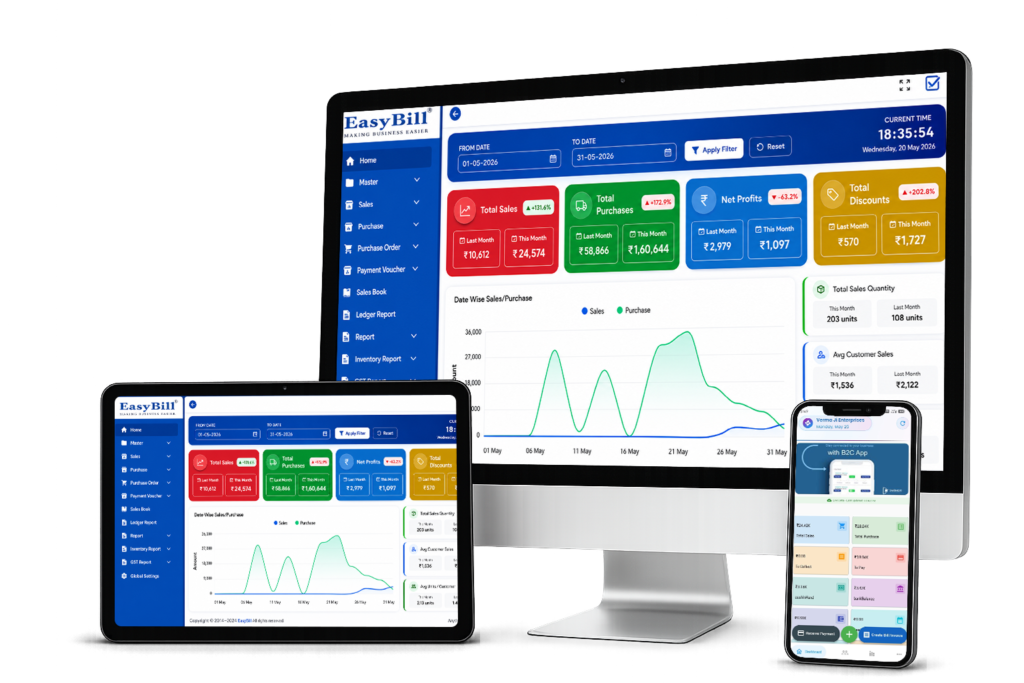
Last updated: September 5, 2026 Quick answer: Grocery Billing Software in Noida helps grocery stores, kirana shops, supermarkets and retail businesses manage GST billing, inventory, barcode sales, purchases and reports from one connected workflow. Definition: Grocery Billing Software in Noida is a digital system that connects counter billing with inventory, purchases, GST invoices and business reporting. Key takeaway: Choose software that makes daily billing faster while keeping stock and sales records connected. During a demo, test product search, barcode billing, GST invoice creation, purchase entry, stock updates and reports. Who is this guide for? This guide is for grocery shop owners, kirana stores, mini marts, supermarkets, departmental stores, FMCG retailers and wholesale grocery businesses in Noida. It is useful when replacing manual billing, improving inventory control, adding barcode billing or comparing software for a growing store. Practical Noida store example: For a software demo, enter 10–20 commonly sold grocery items, add opening stock, scan products at the counter, create a GST invoice, record a purchase and then check the updated stock and sales report. This repeatable test helps a store owner judge whether the workflow fits daily operations. Grocery Billing Software in Noida India is the ideal solution for grocery stores, supermarkets, kirana shops, and retail businesses looking to simplify their daily operations. Running a grocery store has become more challenging than ever, as customers expect fast billing, accurate pricing, digital payment options, and a seamless shopping experience. At the same time, store owners need complete control over inventory, purchases, suppliers, GST billing, and daily sales reports. If you are looking for the best Grocery Billing Software in Noida India, EasyBill ERP offers a complete retail management solution with fast POS billing, real-time inventory tracking, GST-compliant invoicing, barcode scanning, and detailed business reports to help your grocery business grow efficiently. EasyBill ERP is an advanced grocery billing and inventory management software designed for kirana stores, supermarkets, mini marts, departmental stores, and wholesale grocery businesses. It helps you generate GST invoices in seconds, scan barcodes, manage stock automatically, create business reports, and track profits from a single dashboard. Grocery Billing Software in Noida India Dashboard Why Businesses Prefer Grocery Billing Software in Noida India Short answer: Businesses use grocery billing software to speed up checkout, reduce repetitive entry, keep inventory updated and access GST and sales information from one system. The grocery retail industry is growing rapidly, and customer expectations continue to increase. Traditional billing methods and handwritten registers often result in billing errors, stock mismatches, and slow checkout during busy hours. EasyBill ERP automates your daily operations, reduces manual work, and improves billing accuracy. It also provides real-time inventory updates, making it easier to manage your grocery business efficiently. Key Features of EasyBill ERP Grocery Billing Software Short answer: The core features to evaluate are POS billing, GST invoicing, inventory management, barcode scanning, purchase management, payments and business reports. Fast POS Billing System Generate customer invoices within seconds using an easy-to-use Point of Sale (POS) interface with barcode scanning support. GST Invoice Management Create GST-compliant invoices with automatic CGST, SGST, and IGST calculations. Smart Inventory Management Track stock in real time and automatically update inventory after every purchase and sale. Barcode Billing & Label Printing Generate, print, and scan barcode labels to speed up the billing process. Purchase & Supplier Management Maintain supplier details, purchase invoices, payment records, and stock updates from a single dashboard. Customer Credit Management Store customer information, manage credit sales, and monitor outstanding balances. Expense Tracking Record daily business expenses such as rent, electricity, salaries, transportation, and miscellaneous costs. Business Reports & Analytics Generate detailed reports including: Multiple Payment Methods Accept payments through Cash, UPI, Credit Card, Debit Card, Wallets, and Mixed Payments. Multi-User Login Create different user accounts for owners, managers, cashiers, and staff members with role-based permissions. Benefits of Grocery Billing Software for Retail Stores in Noida India EasyBill ERP helps grocery businesses improve efficiency and save valuable time. Major benefits include: Who Can Use EasyBill ERP Grocery Billing Software? Use-case answer: It is intended for grocery shops, kirana stores, supermarkets, mini marts, departmental stores, FMCG retailers and wholesale grocery businesses that need connected billing, inventory and reporting. EasyBill ERP is suitable for grocery businesses that want connected billing, inventory and reporting. For related planning, also see our Billing Software in Delhi guide and POS Software in Delhi guide. Why EasyBill ERP is the Right Choice for Grocery Billing Software in Noida India EasyBill ERP is specially developed for Indian retail businesses and offers everything required to manage a modern grocery store. Key advantages include: Grocery Billing Software in Noida India Pricing The cost of grocery billing software depends on your business size, number of users, and required features. EasyBill ERP offers flexible pricing plans for: Contact our team for a customized quotation and the best pricing for your business. Book a Free Demo of Grocery Billing Software in Noida India Before purchasing any software, it is important to understand how it works. Our FREE Live Demo includes: Our experts will explain every feature and answer all your questions. Why Grocery Store Owners Trust EasyBill ERP Thousands of retailers rely on EasyBill ERP because it is fast, secure, and easy to use. With EasyBill ERP, you can:

Grocery Billing Software in Noida India – GST Billing and Inventory 2026 Read More »
Grocery;Grocery Billing Software Free Demo; Grocery Billing Software in Delhi India; Grocery Billing Software in Noida India ; Grocery Billing Software in Ghaziabad India; Grocery Billing Software in Gurgaon India; Grocery Billing Software in Lucknow India; Grocery Billing Software in Jaipur India; Grocery Billing Software in Mumbai India; Grocery Billing Software in Bangalore India

Grocery Billing Software in Delhi India – GST Billing and Inventory 2026

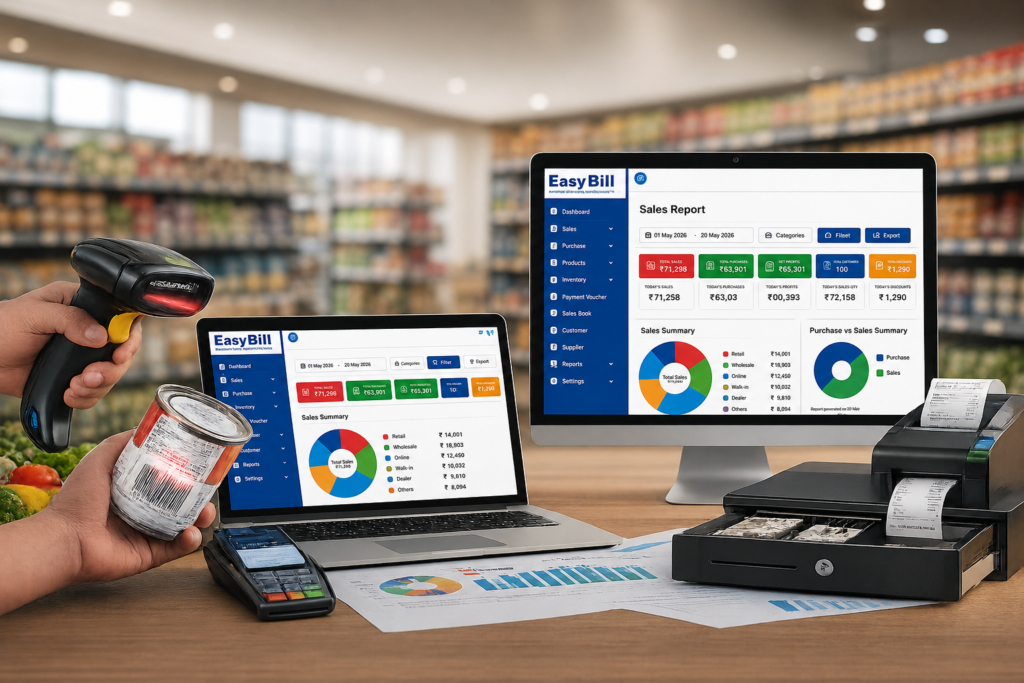
Last updated: September 5, 2026 Quick answer: Grocery Billing Software in Delhi India helps kirana stores, supermarkets and retail businesses manage GST billing, inventory, barcode sales, purchases and reports from one organized system. Key takeaway: Choose a grocery billing system that makes everyday work easier: fast counter billing, accurate stock updates, GST invoices, purchase tracking and useful sales reports. Who is this guide for? This guide is for grocery shop owners, kirana stores, mini marts, supermarkets, departmental stores, FMCG retailers and wholesale grocery businesses in Delhi. It is especially useful when replacing manual billing, comparing POS software, opening a new store or improving inventory control. Typical Delhi store workflow: A busy grocery counter can use the software to scan a product, check its current stock, create a GST invoice, record the payment and automatically update inventory. The owner can then review sales, purchases and stock reports instead of maintaining separate registers. Grocery Billing Software in Delhi India is the ideal solution for grocery stores, supermarkets, kirana shops, and retail businesses looking to simplify their daily operations. Running a grocery store has become more challenging than ever, as customers expect fast billing, accurate pricing, digital payment options, and a seamless shopping experience. At the same time, store owners need complete control over inventory, purchases, suppliers, GST billing, and daily sales reports. If you are looking for the best Grocery Billing Software in Delhi India, EasyBill ERP offers a complete retail management solution with fast POS billing, real-time inventory tracking, GST-compliant invoicing, barcode scanning, and detailed business reports to help your grocery business grow efficiently. EasyBill ERP is an advanced grocery billing and inventory management software designed for kirana stores, supermarkets, mini marts, departmental stores, and wholesale grocery businesses. It helps you generate GST invoices in seconds, scan barcodes, manage stock automatically, create business reports, and track profits from a single dashboard. Grocery Billing Software in Delhi India Dashboard Why Businesses Prefer Grocery Billing Software in Delhi India For a grocery business in Delhi, the main value is workflow control. Billing, stock, purchases and customer payments should stay connected so staff do not have to repeat the same information in multiple registers or spreadsheets. The grocery retail industry is growing rapidly, and customer expectations continue to increase. Traditional billing methods and handwritten registers often result in billing errors, stock mismatches, and slow checkout during busy hours. EasyBill ERP automates your daily operations, reduces manual work, and improves billing accuracy. It also provides real-time inventory updates, making it easier to manage your grocery business efficiently. Key Features of EasyBill ERP Grocery Billing Software Fast POS Billing System Generate customer invoices within seconds using an easy-to-use Point of Sale (POS) interface with barcode scanning support. GST Invoice Management Create GST-compliant invoices with automatic CGST, SGST, and IGST calculations. Smart Inventory Management Track stock in real time and automatically update inventory after every purchase and sale. Barcode Billing & Label Printing Generate, print, and scan barcode labels to speed up the billing process. Purchase & Supplier Management Maintain supplier details, purchase invoices, payment records, and stock updates from a single dashboard. Customer Credit Management Store customer information, manage credit sales, and monitor outstanding balances. Expense Tracking Record daily business expenses such as rent, electricity, salaries, transportation, and miscellaneous costs. Business Reports & Analytics Generate detailed reports including: Multiple Payment Methods Accept payments through Cash, UPI, Credit Card, Debit Card, Wallets, and Mixed Payments. Multi-User Login Create different user accounts for owners, managers, cashiers, and staff members with role-based permissions. Benefits of Grocery Billing Software for Retail Stores in Delhi India EasyBill ERP helps grocery businesses improve efficiency and save valuable time. Major benefits include: Who Can Use EasyBill ERP Grocery Billing Software? EasyBill ERP is suitable for: Why EasyBill ERP is the Right Choice for Grocery Billing Software in Delhi India If you are comparing options, also review our Billing Software in Delhi guide for a broader look at GST billing, inventory and retail workflows. For stores focused on counter sales, our POS Software in Delhi guide can help you compare practical buying considerations. EasyBill ERP is specially developed for Indian retail businesses and offers everything required to manage a modern grocery store. Key advantages include: Grocery Billing Software in Delhi India Pricing The cost of grocery billing software depends on your business size, number of users, and required features. EasyBill ERP offers flexible pricing plans for: Contact our team for a customized quotation and the best pricing for your business. Book a Free Demo of Grocery Billing Software in Delhi India Before purchasing any software, it is important to understand how it works. Our FREE Live Demo includes: Our experts will explain every feature and answer all your questions. Why Grocery Store Owners Trust EasyBill ERP Thousands of retailers rely on EasyBill ERP because it is fast, secure, and easy to use. With EasyBill ERP, you can:

Grocery Billing Software in Delhi India – GST Billing and Inventory 2026 Read More »

Grocery;Grocery Billing Software Free Demo; Grocery Billing Software in Delhi India; Grocery Billing Software in Noida India ; Grocery Billing Software in Ghaziabad India; Grocery Billing Software in Gurgaon India; Grocery Billing Software in Lucknow India; Grocery Billing Software in Jaipur India; Grocery Billing Software in Mumbai India; Grocery Billing Software in Bangalore India

Grocery Billing Software Free Demo

Grocery Billing Software Free Demo is the perfect way to explore how EasyBill ERP can streamline your grocery store operations before you invest. Manage billing, inventory, GST invoices, barcode scanning, customer accounts, purchases, and detailed business reports from a single platform. Whether you own a kirana shop, supermarket, or retail grocery store, EasyBill ERP helps you speed up billing, reduce manual errors, and improve overall business efficiency. Book your free demo today and see how EasyBill ERP can simplify your daily operations. Grocery Billing Software Free Demo Dashbord Grocery Billing Software Free Demo Grocery Billing Software Free Demo Running a grocery store means dealing with thousands of products. It also means making sure customer billing is fast. Keeping track of inventory is important.. Making sure you follow GST rules is necessary. If you are still using billing or old software it is time to try a better way. EasyBill ERP Grocery Billing Software is made for grocery stores. It is made for supermarkets. It is made for kirana shops. It is made for retail businesses. Before you buy you can schedule a live demo. You can watch how the software works in business situations. EasyBill ERP has GST billing. EasyBill ERP has inventory management. EasyBill ERP has barcode billing. EasyBill ERP has purchase management. EasyBill ERP has customer accounts. EasyBill ERP has supplier management. EasyBill ERP has detailed reports. All of these features are, on one platform. Why Choose a Grocery Billing Software? Manual billing creates several challenges: Slow invoice generation Billing mistakes Stock mismatches GST calculation errors Difficult inventory tracking Poor business reporting A modern grocery billing system automates these tasks, allowing you to serve customers faster while maintaining accurate records. What You Will See in the Grocery Billing Software Free Demo During the EasyBill ERP demo, you’ll experience every important feature required for grocery store management. Fast GST Billing Create professional GST invoices in seconds with automatic tax calculations. Features GST invoices Thermal printer support Invoice customization Fast billing process Barcode Billing Scan products instantly using a barcode scanner to reduce billing time. Benefits include: Faster checkout Reduced manual errors Better customer experience Accurate pricing Smart Inventory Management Track inventory automatically whenever products are sold or purchased. You can easily: Monitor stock levels View low-stock alerts Track product movement Manage multiple categories Purchase & Supplier Management Manage supplier invoices and purchases efficiently. Features include: Purchase entries Supplier ledger Outstanding balances Purchase reports Customer Management Maintain customer details for better service. Track: Credit sales Payment history Customer balances Purchase records Business Reports EasyBill ERP provides powerful reports to help business owners make informed decisions. Available reports include: Daily Sales Report Monthly Sales Report GST Reports Purchase Reports Profit Analysis Inventory Reports Stock Valuation Who Can Use EasyBill ERP? EasyBill ERP is suitable for: Grocery Stores Kirana Shops Mini Supermarkets Hypermarkets Retail Stores Departmental Stores Wholesale Grocery Businesses FMCG Retailers Benefits of Booking a Grocery Billing Software Free Demo A free software demo helps you understand whether the solution fits your business needs before making a purchase. With EasyBill ERP, you can: Understand every feature Learn billing workflow Experience inventory management See real-time reporting Ask questions directly to our experts Get software recommendations based on your store size Why Grocery Store Owners Prefer EasyBill ERP EasyBill ERP offers a complete retail management solution. Highlights Fast POS Billing GST Ready Barcode Billing Inventory Management Purchase Management Sales Management Customer & Supplier Accounts Multi Payment Modes Real-Time Reports Easy-to-Use Interface Secure Data Management Professional Support The platform is built to simplify billing, inventory, accounting, and retail operations for small and growing businesses. How the Grocery Billing Software Free Demo Works Booking a demo is simple. Step 1 Fill in your basic details. Step 2 Choose your preferred demo timing. Step 3 Our software expert will contact you. Step 4 Watch a live demonstration of EasyBill ERP. Step 5 Get answers to all your business questions. Why Upgrade from Manual Billing? Businesses that move from manual billing to billing software typically benefit from: Faster customer service Improved billing accuracy Better inventory control Reduced stock losses Easier GST compliance Higher operational efficiency Retail business owners consistently prioritize fast billing, GST support, inventory tracking, barcode scanning, and reliable reporting when selecting billing software Grocery Billing Software Free Demo

Grocery Billing Software Free Demo Read More »

easy bill 1;Computer Hardware Inventory Management Software; Billing Software in Delhi; Billing Software in Pune; Billing Software in Odisha; Billing Software in Guwahati; Billing Software in Ghaziabad; Billing Software in Aurangabad; Billing Software in Kanpur; Billing Software in Gwalior; Billing Software in Jabalpur; Billing Software in Hisar; Billing Software in Faridabad; Billing Software in Karnal; Billing Software in Gurgaon; Billing Software in Sirsa; Billing Software in Trivandrum; Billing Software in Moradabad

Computer Hardware Inventory Management Software

Last updated: September 7, 2026 Quick Answer: Computer Hardware Inventory Management Software helps computer shops, hardware dealers, wholesalers, distributors and IT retailers manage products, stock, purchases, sales, GST billing, barcodes and inventory reports in one connected workflow. Key Takeaway: The right hardware inventory software should make it easier to find products, track stock movement, record purchases and sales, create GST invoices, and understand which items need replenishment. Before choosing software, test it with real hardware SKUs and a complete purchase-to-sale workflow. EasyBill ERP is a Computer Hardware Inventory Management Software designed for computer shops, hardware dealers, wholesalers, distributors and IT retailers. It helps you manage computer hardware stock, track purchases and sales, monitor inventory quantities, create GST bills, manage products and barcodes, and review stock movement and business reports from one system. What is Computer Hardware Inventory Management Software? Computer hardware inventory management software helps businesses organize products, monitor stock levels, track purchases and sales, manage serial numbers, and keep inventory records accurate. It is useful for businesses handling laptops, desktops, processors, RAM, SSDs, printers, networking products, accessories and other hardware SKUs. Who should use computer hardware inventory software? This type of software is useful for computer retailers, hardware shops, IT dealers, distributors, wholesalers and businesses that handle many product SKUs. It is especially helpful when stock changes frequently and staff need to connect purchases, sales and inventory records. Computer and laptop retailers Computer hardware dealers IT and networking product shops Hardware wholesalers and distributors Businesses managing large numbers of product SKUs and accessories Key Features of EasyBill ERP Serial Number Tracking Track serial-number-based hardware such as laptops, desktops, monitors, storage devices and networking equipment where individual-unit identification is required. Serial-level records can make it easier to identify products during sales, service and warranty-related workflows. SKU Management Organize hardware products using SKUs so different models, capacities, specifications and product variants can be identified consistently across purchasing, inventory and sales. Barcode Management Use barcode-based product identification to find hardware items quickly and reduce manual product entry during billing and inventory operations. Purchase Management Record hardware purchases, supplier transactions and incoming stock so inventory quantities and purchase records stay connected. Sales Management Record hardware sales and connect transactions with product and inventory records. This helps businesses maintain clearer sales history and stock visibility. Stock Transfer Manage stock movement between locations or inventory points where the business operates more than one stock-holding location. A clear transfer record helps maintain accurate quantities at each location. Warranty Tracking Maintain relevant product and warranty information for hardware items where warranty details are important for customer service, replacements and after-sales follow-up. Repair and RMA Management Keep repair and return-related information connected with hardware products when items are sent for service, replacement or RMA processing. This can help teams follow the status of returned or serviced equipment. Supplier Management Maintain supplier information and connect supplier purchases with inventory activity. This helps businesses review purchasing history and manage vendor-related records more systematically. Multi-location Inventory For businesses operating multiple stores, warehouses or stock points, location-wise inventory visibility helps teams understand where products are available and where stock needs to be moved or replenished. Low Stock Alerts Monitor stock levels and identify products that are approaching their replenishment threshold. Low-stock visibility can help computer shops avoid unexpected stock shortages for frequently sold hardware. Inventory Reports Review inventory, sales, purchases and stock-movement reports to understand product performance, available quantities and purchasing requirements. Computer Hardware Stock Management Manage hardware products and keep track of available quantities across your inventory. EasyBill helps you maintain organized stock records and identify low-stock products. Purchase and Sales Tracking Record purchases and sales in one system so your inventory is updated with business transactions. Track supplier purchases, customer sales and product-wise activity. Inventory Quantity Tracking Monitor available, sold and purchased quantities for hardware products. Better quantity visibility helps reduce stock shortages, overstocking and manual inventory errors. GST Billing Create GST invoices for computer hardware sales with applicable tax calculations, HSN codes and GST reporting. For official GST information and government resources, refer to the official GST Portal. Barcode and Product Management Manage product information and use barcode-based billing to identify products quickly and reduce manual product entry at the billing counter. Stock Movement and Reporting Review stock movement, sales, purchases, inventory and GST reports to understand business activity and make better purchasing and stock decisions. Practical computer hardware inventory example Consider a computer shop receiving 20 SSDs and 10 RAM modules from a supplier. The inventory workflow should record the purchase, update available quantities, retain supplier details, and make the products available for billing. When a customer buys one SSD, the sale should reduce the available quantity and appear in the sales and inventory records. For products that need extra identification, such as laptops, monitors or networking devices, the business can also evaluate whether SKU, barcode, serial-number, warranty or model details can be recorded consistently. This matters when the same product family has different capacities, specifications or warranty terms. How should you test hardware inventory software before buying? Direct answer: Test the software with products your business actually sells instead of relying only on a vendor feature list. A practical test should connect product setup, purchase entry, stock update, sale, billing and reporting. Add a real hardware SKU such as a laptop, SSD, RAM module or networking product. Record a sample purchase and confirm that inventory quantity increases correctly. Create a GST invoice for the same product and check the tax and invoice details. Verify that the sale reduces the available stock and appears in the sales record. Test barcode or product search using the way your staff normally finds products. Open inventory, sales, purchase and GST reports and confirm that the test transactions are reflected. Ask the vendor to demonstrate corrections, returns, user permissions and stock history before making a final decision. What should computer hardware businesses compare? Do not compare software only by the number of features. Compare the daily workflow and how quickly your

Computer Hardware Inventory Management Software Read More »

barcode billing & pos ready; Best POS System for Grocery Store; Supermarket Pos System; Kirana Billing Software; Billing Software in Bangalore; Billing Software in Lucknow; Billing Software in Jaipur India; Billing Software in Patna India; Billing Software in Hyderabad India; Billing Software in Indore India; Billing Software in Chennai; Billing Software in Kolkata India; Billing Software in Assam; POS Software in Lucknow; POS Software in Hyderabad; POS Software in Indore

Supermarket Pos System

Supermarket Pos System for Grocery Store with Barcode and GST Billing Running a grocery store is not easy. It requires speed, accuracy and good inventory management. The Best POS System for Grocery Store helps grocery store owners billing manage stock generate GST invoices and improve customer service. Whether you own a grocery store, a supermarket or a big retail business the right POS software can make daily operations easier and increase profitability. Best POS System for Grocery Store EasyBill POS solution designed for Indian retailers. It combines barcode billing, GST billing, inventory management, accounting, customer management and business reports into one platform. Table of Contents What is the Best Supermarket Pos System ? Why Every Grocery Store Needs a POS System Features of the Best POS System for Grocery Store Barcode Billing for Faster Checkout GST Billing Made Easy Smart Inventory Management Customer and Loyalty Management Business Reports and Analytics Benefits of EasyBill ERP Asked Questions What is the Best POS System for Grocery Store? Supermarket Pos System for Grocery Store is software that helps grocery store owners manage billing, inventory, accounting, barcode scanning, customer records, suppliers and GST compliance from a dashboard. It replaces billing and provides real-time business insights for better decision-making. Why Every Grocery Store Needs a POS System A modern grocery store sells hundreds or even thousands of products every day. Manual billing and stock management often lead to mistakes, checkout and inventory losses. A reliable grocery POS system helps you: 1. Process bills quickly 2. Manage inventory automatically 3. Generate GST invoices 4. Track sales in time 5. Reduce billing errors 6. Improve customer satisfaction 7. Increase employee productivity Features of the Best Supermarket Pos System for Grocery Store Barcode Billing Barcode scanning speeds up the checkout process. Eliminates manual billing errors. Simply scan the product barcode and the software automatically adds the item to the bill. The benefits of barcode billing include: * Billing * Accurate pricing * Reduced waiting time * Improved customer experience GST Billing EasyBill ERP generates GST- invoices with automatic tax calculations. The features of GST billing include: * GST Invoice * CGST, SGST and IGST * HSN Code Support * GST Reports * Tax Summary Inventory Management Inventory is automatically updated after every sale and purchase. The features of inventory management include: * Stock Tracking * Low Stock Alerts * Purchase Management * Batch Tracking * Expiry Management * -Warehouse Support Accounting Management You can manage your business finances with integrated accounting features. The features of accounting management include: * Sales Ledger * Purchase Ledger * Cash Book * Reports * Profit and Loss * Balance Reports Customer Management You can maintain customer information for better service. The features of customer management include: * Customer Database * Credit Accounts * Loyalty Programs * Purchase History * WhatsApp Invoice Sharing Supplier Management You can track supplier details efficiently. The features of supplier management include: * Purchase Orders * Supplier Ledger * Payment Tracking * Vendor Reports Business Reports and Analytics You can make decisions using detailed reports. You can generate: * Daily Sales Report * Monthly Sales Report * Product- Sales * Category-wise Sales * GST Reports * Profit Analysis * Inventory Reports Why EasyBill ERP is the Supermarket Pos System System for Grocery Store EasyBill ERP offers everything a grocery retailer needs in one software. The key features of EasyBill ERP include: * Fast POS Billing * Barcode Scanner Support * GST Billing(GST Portal: https://www.gst.gov.in * Inventory Management * Accounting Software * CRM * Supplier Management * Customer Management * Multi Payment Support * QR Code Billing * WhatsApp Invoice * Email Invoice * Cloud Backup * Multi User Access * Business Dashboard Benefits of Using EasyBill ERP Using the Best Supermarket Pos System for Grocery Store helps businesses: * Improve billing speed * Reduce work * Increase billing accuracy * Manage stock efficiently * Track profits * Reduce inventory losses * Improve customer experience * Generate GST reports instantly * Increase operational efficiency * Grow sales Who Can Use This POS Software? EasyBill ERP is suitable for: * Grocery Stores * Kirana Stores * Supermarkets * Departmental Stores * Mini Marts * Retail Shops * Wholesale Stores * Convenience Stores Asked Questions Which is the best POS system for a grocery store? EasyBill ERP is one of the best Supermarket Pos System for grocery stores offering barcode billing, GST billing, inventory management, accounting, CRM and business reporting. Does EasyBill ERP support barcode billing? Yes it supports barcode scanners for accurate grocery billing. Can I generate GST invoices? Yes EasyBill ERP automatically generates GST- invoices. Does it manage inventory? Yes inventory updates automatically after every sale and purchase. Can I manage stores? Yes EasyBill ERP supports -store and multi-location grocery businesses. Choosing the Best Supermarket Pos System for Grocery Store can significantly improve billing speed, inventory accuracy and overall business efficiency. EasyBill ERP combines barcode billing, GST billing, accounting, CRM, inventory management and business analytics into one retail solution. Whether you run a grocery shop or a large supermarket EasyBill ERP helps you streamline operations and grow your business with confidence. The Best POS System for Grocery Store like EasyBill ERP is very useful for grocery store owners. EasyBill ERP is the Best Supermarket Pos System, for Grocery Store.

Supermarket Pos System Read More »

Chemist Management System: Complete Guide for Modern Medical Stores (2026)

Chemist Management System Last updated: August 25, 2026 Quick answer: A Chemist Management System helps medical stores organize billing, medicine inventory, purchases, batch and expiry tracking, customer records and reporting. Definition: A Chemist Management System is software designed to manage the core operational tasks of a chemist shop or medical store. Running a pharmacy or a medical store is a lot of work. It is not about selling medicines. You have to manage the stock keep an eye on the expiry dates of the medicines make sure you are doing everything with the taxes make invoices for the customers and keep all the customer information in order. If you do all of these things by hand you might make mistakes. Lose money. A Chemist Management System is a help with all of these daily tasks. For a practical look at day-to-day billing, see our chemist billing software guide. It makes running a pharmacy more accurate which means you can make more money. EasyBill ERP is a solution for managing a pharmacy. It is made for pharmacies that sell directly to customers for people who distribute medicines to stores for pharmacies in hospitals and for chains of medical stores all, over India. What is a Chemist Management System? A Chemist Management System is a kind of software for pharmacies that helps with a lot of things. It can do things like * GST Billing * keeping track of the medicines we have in stock * watching out for the batch numbers and when the medicines will expire * using barcodes to make bills * managing the things we buy and sell * keeping records of our customers and the people we buy from * taking care of the money side of things * making reports and looking at the numbers * managing the credit we give to people * running stores from one place This system is really helpful because it cuts down on the work we have to do by hand. At the time it makes sure we are accurate and it helps our business run more smoothly. A Chemist Management System is very useful, for pharmacies because it does all these things.

Chemist Management System: Complete Guide for Modern Medical Stores (2026) Read More »

Medical stock management software dashboard for pharmacy inventory and billing; What Is Stock in a Medical Store

Billing Software For Medical Store – 7 Powerful Benefits

Last updated: August 25, 2026 Quick answer: Billing Software for Medical Store helps pharmacies manage invoices, medicine inventory, purchases, expiry tracking, GST billing and customer records through one workflow. Definition: Medical-store billing software is a digital system for creating pharmacy invoices and organizing related inventory and business records. Billing Software For Medical Store is now a must for medical store owners who seek to enhance efficiency, minimize manual effort, and maximize profits. Operating a pharmacy is not an easy task these days. Manually managing medicines’ inventory, issuing GST invoices, tracking expiry dates, and keeping customer information leads to mistakes, mismanagement of stocks, and loss of income. And that is why Medical Store Management Software in Noida india has become such an indispensable thing for today’s medical stores. No matter whether your business includes running a single pharmacy or a medical store chain, proper software can help you automately Medical Store Billing Software Table of Contents What is Billing Software For Medical Store for Small Business? Why Small Medical Store Need Billing Software 7 Key Benefits Key Features to Look For Why Choose EasyBill ERP? What is Billing Software For Medical Store for Small Business? Billing Software For Medical Store for Small Business is a tool that helps manage pharmacy operations. It includes billing, inventory management, GST compliance, purchase tracking, supplier management and sales reporting. Using a dashboard pharmacies can manage everything. This reduces errors. Saves time. No manual registers and spreadsheets. Billing Software For Medical Store dashboard Billing Software For Medical Store The pharmacy industry is very competitive. Customers want billing, accurate prescriptions and available medicines. Manual processes often cause mistakes, stock shortages and missed expiry alerts. Billing Software For Medical Store helps streamline operations. This allows pharmacies to focus on customer service and growth. 7 Key Benefits of Billing Software For Medical Store for Small Business Invoices are generated quickly using barcode scanning and automated medicine search. This reduces customer waiting time. Improves satisfaction. Medicine stock levels are tracked in time. The software updates inventory after every sale and purchase. Medical Store get alerts before medicines expire. This helps manage batches Invoices and reports are GST-ready. This helps pharmacies stay compliant with tax regulations. Supplier transactions, purchase orders and stock replenishment schedules are monitored from a system. Detailed business reports help understand sales performance, selling medicines and profit margins. Customer records, prescription history and loyalty details are maintained. This provides service and encourages repeat business. Key Features to Look for in Pharmacy Billing Software for Small Business When selecting software ensure it includes: These features help maximize efficiency. Why Choose EasyBill ERP? EasyBill ERP offers a Billing Software For Medical Store solution. It has billing, inventory management, GST compliance and reporting features. Key advantages include: You can explore pharmacy management practices from National Health Authority (NHA) and GST compliance guidelines from GST Portal. For billing and inventory solutions visit EasyBill ERP. Pharmacies need Medical Store Management Software to grow efficiently. The right software can transform operations and increase profitability. How Medical Store Management Software Improves Business Growth A modern Billing Software For Medical Store does more than just generate bills. It helps pharmacy owners make better business decisions through real-time reports and analytics. By tracking fast-moving medicines, purchase history, and customer preferences, pharmacies can maintain optimum stock levels and reduce wastage. Automated alerts for low stock and medicine expiry ensure that essential medicines are always available for customers. Additionally, digital records make audits, GST filing, and inventory verification much easier. As competition in the healthcare retail sector continues to grow, investing in reliable pharmacy software can improve operational efficiency, increase customer satisfaction, and support long-term business growth. Future of Digital Medical Store Management Software The pharmacy industry is rapidly adopting digital solutions. Cloud-based systems, mobile access, barcode billing, and automated reporting are becoming standard features for modern medical stores. Choosing the right Billing Software For Medical Store today can help pharmacies stay competitive, improve accuracy, and prepare for future growth opportunities.

Billing Software For Medical Store – 7 Powerful Benefits Read More »

manage customers and suppliers

Asset and Inventory Management Software: 10 Powerful Benefits for Your Business

Asset and Inventory Management Software Quick Answer: Asset and Inventory Management Software helps retailers, wholesalers, pharmacies, manufacturers and other businesses track stock, business assets, purchases, billing and reports from one organized system. Key Takeaway: The right system should connect inventory tracking with asset records, billing, purchases and reporting. Before choosing software, test stock updates, asset tracking, barcode workflows, reports and user permissions using realistic business data. Last updated: September 7, 2026 Managing business assets and inventory manually may seem simple at first, but as your business grows, spreadsheets and paper records often lead to stock mismatches, misplaced assets, delayed orders, and financial losses. This is where asset and inventory management software becomes an essential business tool. Whether you run a retail store, pharmacy, hardware shop, wholesale business, electronics store, or distribution company, the right software helps you track inventory, monitor assets, automate billing, and improve business efficiency from a single dashboard. Modern ERP solutions combine inventory control, GST billing, accounting, and reporting to reduce manual work and improve operational accuracy. What is Asset and Inventory Management Software? Asset and inventory management software is a business solution that helps organizations manage both physical assets and stock inventory in one centralized system. Instead of maintaining multiple Excel sheets, businesses can monitor every item in real time, making operations faster and more accurate. Why Do Businesses Need Asset and Inventory Management Software? Direct answer: Businesses need asset and inventory management software when stock levels, assets, purchases, billing and reporting become difficult to track accurately with spreadsheets or manual records. As businesses expand, inventory becomes difficult to manage manually. Common challenges include: Using asset and inventory management software eliminates these problems through automation and real-time tracking. Key Features of Asset and Inventory Management Software 1. Real-Time Inventory Tracking Track available stock instantly across multiple locations without manual calculations. 2. Asset Management Monitor office equipment, machines, computers, and other business assets with complete lifecycle tracking. 3. Barcode Integration Generate and scan barcodes for faster billing and accurate inventory updates. 4. Purchase Management Create purchase orders, record supplier details, and update inventory automatically. 5. Sales & GST Billing Generate professional GST invoices while automatically updating inventory after every sale. 6. Low Stock Alerts Receive notifications before products reach minimum stock levels. 7. Warehouse Management Manage multiple warehouses and transfer stock between locations with ease. 8. Reports & Analytics Access sales reports, inventory valuation, profit analysis, and business performance insights. 9. Multi-User Access Allow different employees to work with role-based permissions. 10. Cloud Backup & Security Keep your business data secure with automatic backup and controlled access. Benefits of Using Asset & Inventory Management Software Businesses adopting asset & inventory management software experience several advantages: Industries That Benefit The software is suitable for: Why Choose EasyBill ERP? If you’re looking for an all-in-one business solution, EasyBill ERP offers much more than traditional inventory software. EasyBill ERP combines: Designed for Indian businesses, EasyBill ERP helps retailers, wholesalers, pharmacies, grocery stores, and service providers manage daily operations efficiently through one integrated platform. How Should You Choose Asset and Inventory Management Software? Direct answer: Choose software by testing inventory accuracy, asset tracking, barcode billing, purchases, reporting, user permissions and data security with sample business transactions. Asset and Inventory Software Evaluation Checklist Practical Asset and Inventory Testing Example For a repeatable demo, use sample products, opening stock and two business assets. Record one purchase, one sale and one asset update, then compare the expected stock and asset records with the software reports before adopting the workflow. Before selecting software, make sure it offers:

Asset and Inventory Management Software: 10 Powerful Benefits for Your Business Read More »

customer relationship management (crm); SBI Net Banking; Computer Hardware Shop Inventory Software

SBI Net Banking: Complete Registration, Login, Features & Benefits Guide (2026)

SBI Net Banking Complete Registration, Login & Features Gone are the days when you had to visit a bank branch for every small banking task. With SBI Net Banking, you can check your account balance, transfer money, pay utility bills, download account statements, and manage many other banking services right from your home or office. Whether you’re a student, salaried employee, business owner, or senior citizen, SBI Internet Banking makes everyday banking faster, easier, and more secure. In this guide, we’ll explain everything you need to know about SBI Net Banking—from registration and login to fund transfers, password recovery, key features, and important security tips. What is SBI Net Banking? SBI Net Banking, also known as SBI Internet Banking, is an online banking service offered by the State Bank of India. It allows customers to access their bank accounts through the internet without visiting a branch. Instead of waiting in long queues, you can complete most banking tasks in just a few clicks, anytime and from anywhere. Why Do People Prefer SBI Net Banking? Life is busy, and nobody wants to spend hours at a bank for simple tasks. SBI Net Banking helps you save both time and effort. Some of the most common activities include: Everything is available in one secure online dashboard. Key Features of SBI Net Banking One of the biggest reasons people use SBI Net Banking is its convenience. You can perform almost every important banking activity online. Quick Money Transfers Transfer funds securely using: Easy Bill Payments Pay utility bills, mobile recharges, DTH, insurance premiums, and many other payments without standing in a queue. Download Account Statements Need your bank statement for income tax, loans, or office work? Download it anytime in just a few minutes. Manage Fixed Deposits Open, renew, or close your Fixed Deposit online without visiting your branch. Debit Card Services You can block or unblock your debit card, generate an ATM PIN, and manage card transaction limits whenever required. Benefits of Net Banking Using Net Banking offers several advantages: Final Thoughts Net Banking has made everyday banking much more convenient. Whether you want to transfer money, pay bills, check your balance, or download statements, everything can be done online in just a few minutes. If you haven’t activated SBI Net Banking yet, it’s worth considering. It helps you manage your finances more efficiently while reducing the need for frequent branch visits. Just remember to follow basic online security practices—never share your OTP or password, and always use the official SBI website for banking.

SBI Net Banking: Complete Registration, Login, Features & Benefits Guide (2026) Read More »