
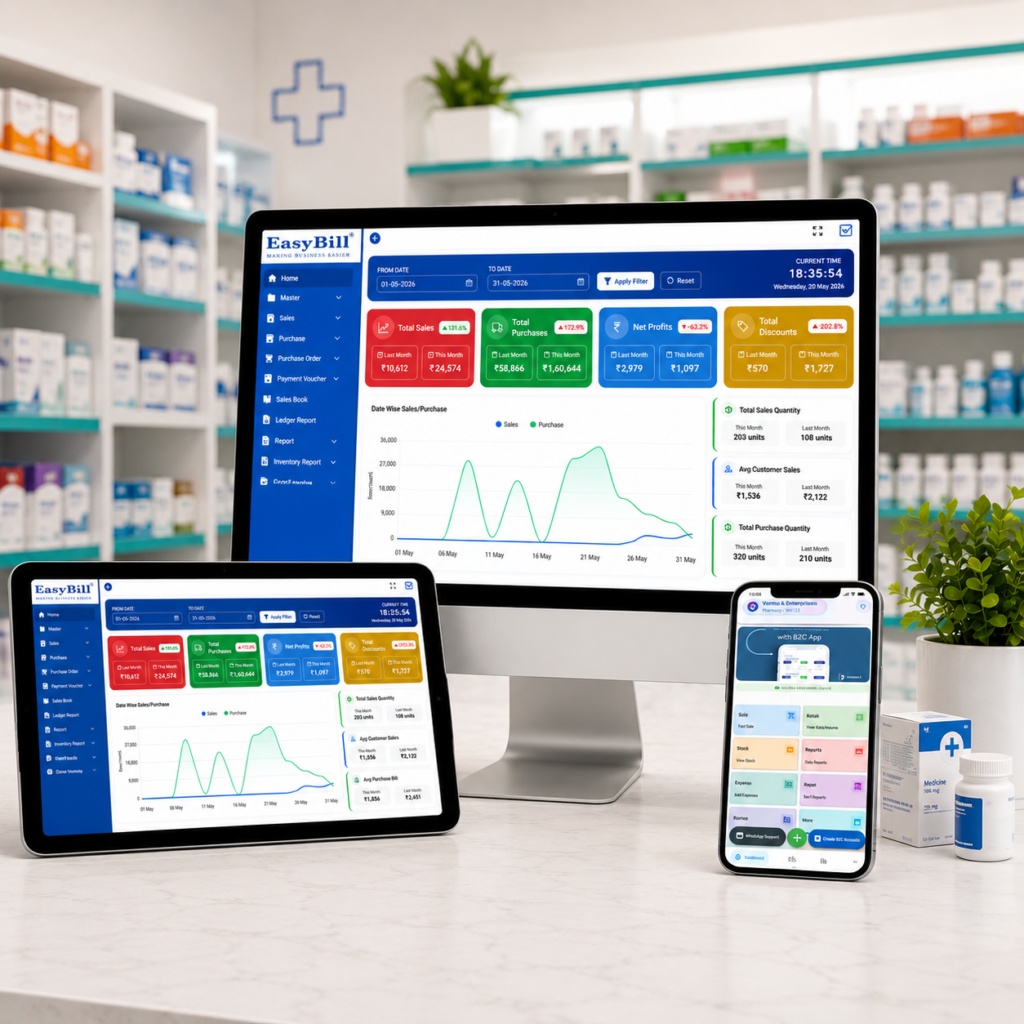
Pharmacy prescription management software should do more than save a photo of a prescription. The useful system connects prescription records with patient information, medicine sales, billing and inventory so the pharmacy team can find the right record and complete the dispensing workflow without maintaining separate registers.
That distinction matters.
A pharmacy owner comparing software will see plenty of products promising prescription management, but the real question is simpler: what actually happens after a prescription reaches the counter?
This guide is for pharmacy owners, medical store operators, pharmacists and managers who already understand basic billing and inventory software but want prescription handling to become part of the same workflow.
What should pharmacy prescription management software actually manage?
A prescription starts as a clinical instruction. At the pharmacy, it becomes part of a dispensing workflow.
Good software should therefore help staff record or retrieve the prescription, associate it with the appropriate patient or customer record, identify the medicines involved and connect the eventual sale with the pharmacy’s existing billing and stock process.
Some dedicated pharmacy platforms go further by providing prescription queues, prescription status tracking, patient-linked medication history and direct POS integration. RunMyPharmacy, for example, describes a workflow where prescriptions are linked to patient profiles and connected with POS and inventory.
That connected workflow is the part buyers should concentrate on.
Why connecting prescriptions with billing matters
Imagine a customer brings a prescription for several medicines.
The staff member needs to identify the customer, check the required medicines, process the sale and maintain an accurate transaction record. If prescription information is stored in one application, customer history in another and billing in a third, someone eventually ends up typing the same information more than once.
That is where the software design matters.
A connected pharmacy workflow can look like this:
Prescription → Patient/Customer Record → Medicine Selection → Sale → Invoice → Inventory Update → Transaction History
The exact workflow depends on the software, but this is the relationship buyers should test during a demo.
Some pharmacy systems explicitly connect prescription processing with POS, customer history and inventory. Mediyaam, for example, describes prescription management alongside refill tracking, medication history and POS integration.
The benefit isn’t having another dashboard.
The benefit is avoiding disconnected records.
Which prescription features are actually worth paying for?
Not every pharmacy needs every feature advertised by a software vendor.
Start with the workflow you use every day.
1. Patient-linked prescription records
The software should make it possible to associate a prescription with the appropriate patient or customer record where the workflow requires it.
That makes future retrieval more practical than searching through paper files or folders of image files.
2. Prescription history
If a regular customer returns, staff should be able to find relevant historical records without starting from zero.
Prescription history is particularly useful when a pharmacy handles repeat customers and recurring medicine purchases.
The exact information retained should be checked during the software demo rather than assumed from a product brochure.
3. Prescription-to-sale workflow
This is one of the most important tests.
Ask the vendor to demonstrate what happens when a prescription medicine is sold.
Does the staff member have to re-enter the medicine manually?
Can the prescription record be opened from the customer profile?
Does completing the sale update the inventory?
Does the invoice remain connected to the transaction history?
4. Digital prescription storage
Digital records can be useful when a pharmacy needs to retrieve previous prescription information.
But don’t confuse digital storage with prescription validation.
Software should organize the record. It does not replace the pharmacist’s professional responsibility to review a prescription or comply with applicable requirements.
5. Search and retrieval
A prescription system is only useful if staff can find the record quickly.
During a demo, search for an existing customer and check how easily the previous prescription or transaction history can be retrieved.
Don’t accept “yes, we have prescription management” as the answer.
Make the salesperson show it.
Prescription management should connect to pharmacy inventory
This is where prescription software becomes more than a document-storage tool.
A pharmacy already needs to know what medicine is available, what has been sold and what needs to be purchased. Pharmacy management platforms commonly combine prescription handling with inventory, batch and expiry management. GoMeds AI, for example, lists prescription management alongside inventory, batch and expiry tracking and POS billing.
For a pharmacy owner, the practical workflow is more important than the feature names.
Suppose a prescription contains several medicines. The system should make it easy for authorized staff to identify the required products and complete the corresponding sale without creating a second, unrelated stock record.
EasyBill ERP already positions its pharmacy solution around connected billing and inventory workflows, including sales, purchases, medicine stock and reporting.
That makes prescription management a natural extension of the pharmacy workflow rather than a completely separate system.
Don’t overlook batch and expiry information
Prescription handling does not happen in isolation.
Pharmacy inventory can involve different batches of the same medicine, expiry dates, purchases and stock movement. A useful pharmacy system should make these records accessible as part of the broader medicine-management workflow.
EasyBill’s published pharmacy and medical stock information includes inventory management, batch and expiry tracking, purchase management and billing.
When testing software, create a realistic example with medicines from different batches and expiry dates.
Then make a sale.
Watch what changes.
That tells you much more than a feature page.
What about GST billing and pharmacy invoices?
Prescription management should not force the pharmacy to maintain a separate billing system.
For an Indian medical store, billing is part of the same daily process. EasyBill publishes GST billing, inventory management, barcode billing, customer and supplier management and business reports as part of its broader platform.
The exact GST configuration required for a business should still be verified against its circumstances and current requirements.
Software should support the workflow; it should not be treated as legal or tax advice.
Medical Store Billing Software
What should you test before buying?
Forget the generic demo where someone clicks through ten dashboards.
Give the vendor a real pharmacy scenario.
Use a small set of medicines and ask them to demonstrate:
- Prescription entry: Can a prescription be recorded or attached to the correct customer/patient?
- Medicine selection: Can staff identify the prescribed medicines efficiently?
- Billing: Can the selected medicines move into the pharmacy billing workflow?
- Stock movement: Does the completed sale update the relevant inventory records?
- Prescription history: Can the previous prescription be found again?
- Reporting: Can the pharmacy review the related sales and inventory information?
This approach is better than comparing software based on the number of features listed on the homepage.
Pharmacy prescription management software is not for every pharmacy
A small pharmacy with very limited prescription volume might not need an elaborate prescription platform.
If your main requirement is simply fast billing, basic inventory and GST invoicing, a larger clinical or pharmacy ERP could introduce complexity that your staff don’t need.
On the other hand, prescription-heavy pharmacies, hospital-linked pharmacies, growing medical stores and businesses that need organized customer and prescription records have a stronger reason to examine dedicated prescription workflows.
The right question isn’t:
“Does this software have prescription management?”
Ask:
“Can my staff handle a real prescription from receipt to completed sale without creating duplicate records?”
That is a much harder question for a vendor to hide behind a feature list.
Where EasyBill ERP fits
EasyBill ERP is positioned as a billing, inventory and business-management platform serving pharmacies as well as other retail and distribution businesses. Its published pharmacy information includes billing, inventory, purchases, medicine stock and reporting workflows.
For a pharmacy evaluating prescription management software, the sensible approach is to test the complete workflow rather than buy based on a feature checklist.
Start with your own medicines.
Use your own billing process.
Ask the vendor to show exactly how prescription records fit into it.
If the workflow is clear and your staff can use it without unnecessary duplicate entry, you have something worth considering.
If the prescription feature sits in a separate corner of the software and your team still has to re-enter everything at the billing counter, the feature list is less impressive than it looks.
Frequently Asked Questions
What is pharmacy prescription management software?
Pharmacy prescription management software helps pharmacies organize prescription records and connect them with related customer, medicine, dispensing, billing or inventory workflows. The exact capabilities vary by software.
Can prescription management software store digital prescriptions?
Some pharmacy systems provide digital prescription storage or allow prescription records to be attached to customer or patient profiles. The supported file types and storage process should be confirmed with the vendor.
Can prescription management software connect with pharmacy billing?
Yes, some pharmacy platforms connect prescription workflows with POS or billing. RunMyPharmacy and other pharmacy platforms explicitly describe prescription-to-POS workflows.
Does prescription software automatically make medicine dispensing compliant?
No software feature should be treated as a substitute for professional judgment or applicable pharmacy, prescription and medicine-sale requirements. Compliance depends on the actual workflow, jurisdiction and medicines involved.
Is prescription management useful for a small medical store?
It depends on the store’s prescription volume and workflow. A small store with limited prescription handling may prioritize billing and inventory, while a prescription-heavy store may benefit from organized digital prescription records.
What should I check during a pharmacy software demo?
Test one realistic prescription from start to finish. Check prescription entry, patient/customer association, medicine selection, billing, inventory movement, history retrieval and reporting. Don’t rely only on the vendor’s feature list.