

Optical Shop Software Price: 7 Smart Cost Factors
Quick answer: Optical Shop Software Price depends on the product scope, number of users, locations, features, support, setup, and payment model. Compare the total cost of ownership, not only the advertised starting price.
Key takeaway: For an optical shop, the right software cost should match the actual workflow you need for billing, frames and lenses inventory, customer records, purchases, reporting, and future growth. A cheaper plan is not automatically better if essential features or support are missing.
Who is this guide for? This guide is for optical shop owners, eyewear retailers, opticians, store managers, and growing optical businesses comparing billing, POS, inventory, and complete shop-management software. Use it when you are shortlisting vendors, comparing subscription or one-time plans, planning a new store, or reviewing the cost of upgrading your current system.
In simple terms: Optical shop software price is the total amount an optical business may spend to use an optical billing, inventory, POS, or management solution. It can include subscription or license charges plus setup, support, upgrades, integrations, or additional users.
Decision context: For a single optical store, the priority may be fast billing and stock control. For a growing eyewear business, multi-user access, branch management, reporting, data backup, and scalable pricing can matter more. Compare plans against the workflow you actually need.
7 Factors That Affect Optical Shop Software Price
1. Feature scope
A basic billing system and a complete optical management platform do not provide the same scope. Inventory, customer management, purchase workflows, reporting, prescriptions, orders, and multi-location features can change the value proposition.
2. Number of users
Some plans are priced by user or workstation. Ask whether the price covers all staff who need access or only a limited number of users.
3. Number of locations
A single-shop setup may cost less than a system designed to manage multiple branches. If expansion is likely, compare the cost of adding another location before choosing.
4. Support and onboarding
Training, data migration, setup assistance, and ongoing support can have real value. A lower software price may not be better if staff cannot get help when they need it.
5. Hardware and integrations
Barcode scanners, printers, payment integrations, accounting connections, or other hardware can add to the overall budget. Separate software costs from equipment costs.
6. Data and backup options
Understand how data is stored, backed up, exported, and recovered. These details matter when comparing long-term value.
7. Upgrade and renewal terms
Ask what happens after the first billing period. Check renewal pricing, feature changes, upgrade policies, and cancellation terms before committing.
Subscription vs One-Time Software Cost
| Model | Typical consideration |
|---|---|
| Subscription | Lower initial commitment, recurring expense |
| One-time license | Higher upfront cost may be followed by maintenance or upgrade costs |
| Custom plan | Price depends on users, features, integrations, or locations |
There is no universally cheaper model. Compare the expected cost over the period you plan to use the software, not just the first payment.
How Should You Judge the Value of Optical Shop Software?
Start with the problems the software is supposed to solve. If it reduces duplicate entry, makes stock easier to control, speeds billing, and gives owners reliable reports, those operational benefits should be included in the decision.
For example, imagine a store spends significant staff time maintaining separate billing and inventory records. A connected system may be valuable even if its price is higher than a billing-only application because it addresses a wider workflow.
7 Questions to Ask Before Buying
- What features are included in the quoted price?
- How many users and devices are included?
- Is support included?
- Are upgrades included?
- What does data backup and export look like?
- Are additional branches charged separately?
- What is the total cost for the first year and later years?
Use-case example: If an optical store sells frames, lenses and accessories while serving customers at one or more counters, the software should make billing, stock updates, customer records and reporting part of the same workflow. Before buying, test these tasks with real products from your store.
For GST-related configuration and current tax information, check the official GST portal.
How EasyBill ERP Can Help
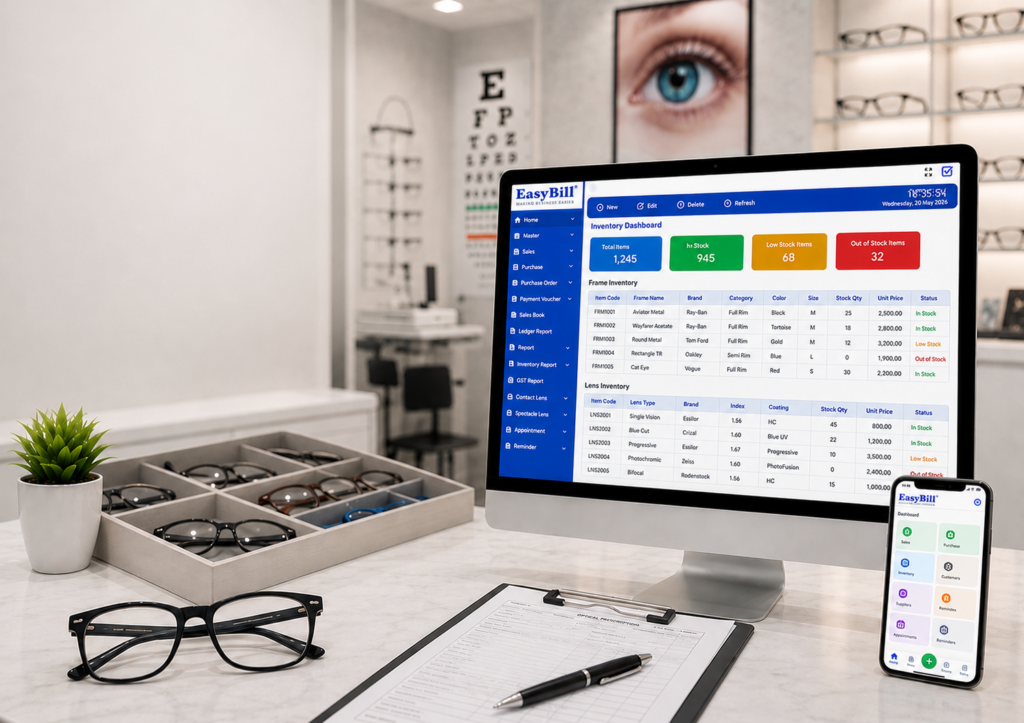
EasyBill ERP Optical Shop Management Software is positioned as an integrated optical billing, inventory, customer, and management solution. If you are comparing options, first define your store’s required workflow and then request a quote or demo based on that scope.
You can also review the existing best optical shop software guide to understand which features may matter before comparing plans.
Book a Free Demo
See how EasyBill ERP can fit your optical store workflow. Request a free demo to explore billing, inventory, customer management, and reporting.
Explore Optical Software Solutions
Explore these related optical software guides to compare billing, POS, inventory, pricing, and complete store-management options:
- Optical Shop Billing Software
- Optical Inventory Management Software
- Optical Shop POS Software
- Optical Store Management Software
- Optical Billing Inventory Software
- Eyewear Shop Management Software
- Optical Shop Software Price
- Best Optical Shop Management Software
Trusted External Resources
For current tax and payment guidance, use the official GST portal and NPCI UPI resources. Primary sources help verify costs, taxes, and payment considerations before choosing software.
Frequently Asked Questions
What is the average optical shop software price?
There is no single reliable average because pricing models and feature sets vary. Compare the full cost for your users, locations, features, support, and expected usage.
Is cheaper optical software always better?
No. A lower price can be attractive, but missing inventory, support, reporting, or scalability may create additional costs later.
Should I choose monthly or yearly billing?
Compare cash flow, discount terms, cancellation conditions, and expected usage period. Choose the model that matches your business needs.
What should be included in the quote?
Ask for software access, users, devices, support, onboarding, updates, integrations, taxes, and any additional charges to be clearly listed.
Key Takeaway
Optical shop software price should be evaluated as a total-cost and value decision. Compare what you receive, what you may pay later, and how well the software solves your store’s actual operational problems.
Last updated: August 26, 2026.