
Supermarket Billing Software for Faster Retail Growth
At a glance: Supermarket Billing Software helps supermarkets, grocery stores, mini marts and other retail businesses manage GST billing, POS checkout, inventory, barcode scanning, purchases and sales reports from one connected system.
What to look for: Choose supermarket billing software by testing the complete store workflow: barcode billing, GST invoices, stock updates, purchases, payments, reports and user access. The right system should reduce manual work while keeping billing and inventory connected.
Last updated: September 7, 2026
Supermarket Billing Software helps retail businesses process high-volume sales while keeping GST invoices, inventory, suppliers, customer records and business reports organized. It is especially useful for supermarkets, grocery stores, departmental stores, mini marts and growing retail outlets that need faster checkout and better stock visibility.
It does not matter whether you have a local grocery store, a departmental store, or a retail supermarket. The correct billing system will help you in managing your business better and satisfying your customers more. With Easy Bill ERP, you will get everything you need in one place.
Table of Contents
1. What is Supermarket Billings Software?
2. Key Features of Supermarket Billing Software
3. Benefits of Supermarket Billings Software
4. Who Should Use This Software?
5. Why Choose EasyBill ERP?
6. Frequently Asked Questions (FAQs)
7. Conclusion
What is Supermarket Billing Software?
Supermarket Billing Software is a tool that helps people who own supermarkets manage their stores. It makes things like billing and keeping track of products easier. Of writing everything down by hand supermarket owners can use Supermarket Billing Software to keep track of everything on a computer.
The software does lots of things automatically like updating how many products are in stock after someone buys something. It also calculates taxes. Keeps track of customer information. This helps businesses save time and make mistakes.
Key Features of Supermarket Billing Software
1. Fast Barcode Billing
When cashiers use barcode billing they can scan products quickly. Make invoices in just a few seconds. This means customers do not have to wait long to pay for their things. It also helps reduce mistakes when billing.
2. GST Billing and Tax Compliance
Supermarket Billing Software makes invoices that follow GST rules. It calculates taxes correctly. Keeps track of all the GST reports. This makes it easier for businesses to file their taxes.
3. Smart Inventory Management
Inventory management is easy with Supermarket Software. It updates the stock after every sale and purchase.
Features include:
* Real-time stock tracking
* Low stock alerts
* Product expiry management
* Batch- inventory
* Purchase tracking
* Stock adjustment
This helps businesses avoid running out of products or having too many.
4. Multiple Payment Options
Nowadays customers like to have ways to pay for things. Supermarket Software supports:
* Cash
* UPI
* Credit Card
* Debit Card
* QR Code
* Digital Wallets
This makes it easy for customers to pay.
5. Customer Management
Supermarket Software keeps customer details safe. It also helps businesses build relationships with customers by:
* Keeping track of what customers buy
* Storing customer phone numbers
* Giving loyalty points
* Managing discounts
* Tracking credit accounts
This helps businesses get more customers to come back.
6. Supplier and Purchase Management
SBS helps businesses manage their suppliers by:
* Tracking purchase orders
* Tracking purchase bills
* Tracking payments that are still owed
* Keeping a list of suppliers
* Tracking the history of product purchases
This helps businesses make decisions about what to buy and when.
7. Sales Reports and Business Analytics
Businesses can see reports about their sales like:
* Daily sales reports
* Monthly sales reports
* Sales reports by product
* Sales reports by category
* Profit and loss reports
* GST reports
* Cash flow reports
These reports help supermarket owners make decisions about their business.
8. Employee and User Management
Businesses can create accounts for their employees with different levels of access. This helps keep the business safe and accountable.
9. Discount and Promotional Offers
SBS helps businesses make offers to customers like:
* Buy one get one free
* Percentage discounts
* Flat discounts
* Festival offers
* Combo deals
These offers help get customers and keep them coming back.
10. Cloud Backup and Data Security
SBS keeps business data safe by backing it up to the cloud. Even if something happens to the computer the data will still be safe.
Benefits of Supermarket Billing Software
Benefits of Supermarket Billing Software
Direct answer: The main benefits include faster checkout, more accurate billing, better inventory visibility, easier GST record management, less paperwork and clearer business reporting.
* Faster checkout
* Accurate billing
* Real-time inventory updates
* Less paperwork
* Happier customers
* Easy GST compliance
* Better stock management
* Better financial reports
* More productive employees
* profits
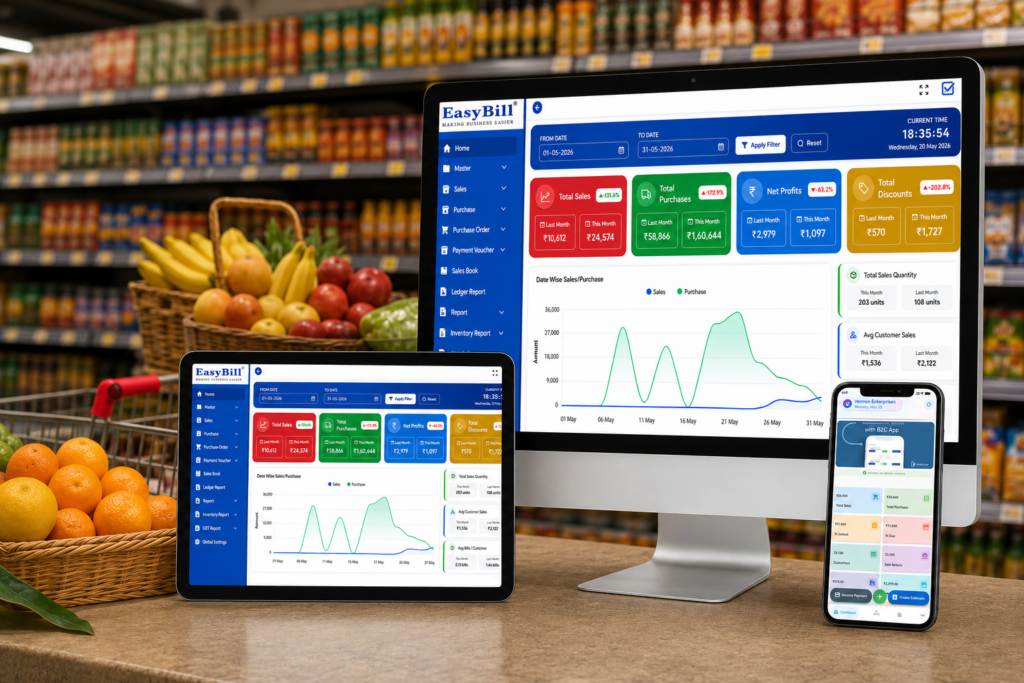
How Does Supermarket Billing Software Improve Retail Operations?
Direct answer: It improves retail operations by speeding up checkout, updating inventory after sales and purchases, organizing GST records, simplifying supplier management and providing reports for business decisions.
How Should You Test Supermarket Billing Software Before Buying?
Direct answer: Test the software with realistic supermarket products and transactions instead of relying only on a feature list or sales demonstration.
- Add sample grocery products, prices, GST rates and opening stock.
- Scan barcodes and create sample customer invoices.
- Record a purchase and verify that inventory updates correctly.
- Test cash, UPI and card payment workflows.
- Review daily sales, stock, purchase and GST reports.
- Check user permissions, backup and data-security requirements.
Supermarket Billing Software Evaluation Checklist
Practical testing example: A supermarket can test the workflow with 20 sample products, opening stock, one barcode sale, one GST invoice, one purchase entry and a daily sales report. Compare the expected stock balance with the software result before approving the system for regular use.
| Area | What to Test |
|---|---|
| Billing | Fast product search, barcode scanning and invoice creation |
| GST | Tax calculation, GST invoice details and reports |
| Inventory | Stock updates, low-stock visibility and purchase adjustments |
| Payments | Cash, UPI and card payment recording |
| Reports | Sales, purchase, stock and business reports |
| Security | User permissions, backup and access controls |
Who Can Use Supermarket Billing Software?
Direct answer: Supermarket Billing Software is useful for supermarkets, grocery stores, hypermarkets, departmental stores, mini marts, convenience stores, retail shops and wholesale grocery businesses.
Supermarket Billing Software is great for:
* Supermarkets
* Grocery stores
* Hypermarkets
* Department stores
* Retail shops
* Mini marts
* Wholesale grocery stores
* Organic food stores
* Convenience stores
Any business can use Supermarket Billing Software to improve their operations.
Why Choose EasyBill ERP Supermarket Billing Software?
Direct answer: EasyBill ERP is designed to connect supermarket billing, GST invoicing, inventory, purchases, payments and business reporting in one workflow, helping retail teams reduce repeated manual entry.
EasyBill ERP is a choice, for Indian retailers who want a fast and affordable billing solution.
Key Advantages
* Fast billing
* Barcode scanner support
* Inventory management
* Purchase and sales management
* Customer management
* Supplier management
* WhatsApp invoice sharing
* Email invoice support
* Business reports and analytics
* Multi-user access
* Data backup and security
EasyBill ERP helps supermarkets work better, save money and make their customers happy.
Supermarket Billing Software: Frequently Asked Questions
What is Supermarket Billing Software?
Supermarket Billing Software is a system that helps retailers manage billing, GST invoices, inventory, payments, purchases and business reports from one workflow.
Who should use supermarket billing software?
It is suitable for supermarkets, grocery stores, mini marts, departmental stores, hypermarkets and other retail businesses that need connected billing and inventory management.
What should I test before buying supermarket billing software?
Test barcode billing, GST invoices, inventory updates, purchase entry, payment recording, reports, user permissions and backup with realistic store data.
Can supermarket billing software manage inventory?
Yes. A connected system can record stock movement from sales and purchases and provide inventory visibility for day-to-day retail operations.
Related resources: Best POS Software in India for Retail Businesses and GST Billing Software.