

Good pharmacy software should make a busy counter easier to run, not give staff another complicated screen to manage. For a medical store in Trivandrum, the useful starting point is simple: find the medicine, bill it, update stock and keep purchase, batch and expiry records in order.
Start with the way your pharmacy works
Before comparing software, look at the counter during a normal working day. How many steps does an employee take to find a product? How is incoming stock recorded? If the same medicine arrives in another batch, where is that information kept?
Those questions tell you more about the right system than a long list of software features.
What should Trivandrum pharmacy software cover?
A practical system should bring the core records together without forcing every store into the same workflow.
- Medicine search and billing
- Barcode support where the products and hardware support it
- GST invoice creation
- Medicine stock management
- Purchase and supplier records
- Batch and expiry information
- Customer records where useful
- Sales, purchase and stock reports
Don’t stop the demo at the billing screen
Billing is only one part of pharmacy work. Ask the vendor to show what happens to stock immediately after a sale.
Then enter a purchase. Check whether the new quantity appears in inventory and whether batch and expiry details remain attached to the relevant stock record. This is where you find out whether the software is genuinely connected or simply has several separate modules.
Batch and expiry records deserve a closer look
The same medicine can arrive in different batches. Your staff should be able to distinguish those records when checking stock.
Expiry information should be just as easy to review. Ask the vendor to open an actual product record and show how the pharmacy identifies stock that needs attention.
For a focused guide, see pharmacy software with batch management and medicine expiry date tracking software.
Where EasyBill can fit
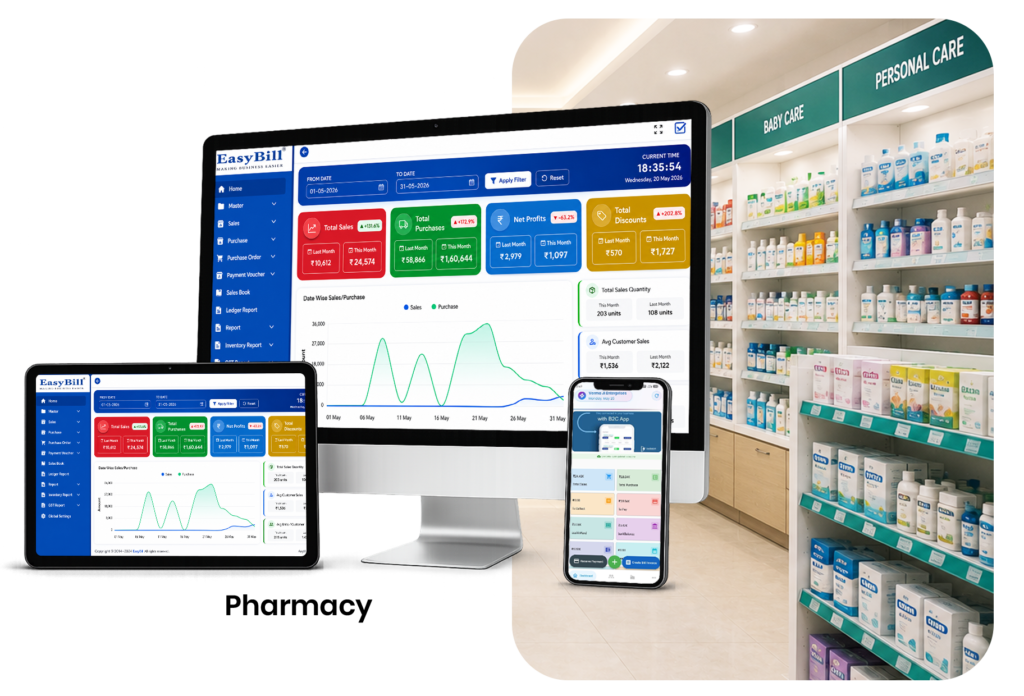
EasyBill Pharmacy Billing Software brings pharmacy billing and inventory workflows together. The important step is still the demo: use the type of medicine purchase and sale your own store handles instead of accepting a generic presentation.
Do you need a large pharmacy system?
Not necessarily.
A small medical store may mainly need billing, purchases, stock, batch and expiry records. A larger operation may need more user controls, reporting or branch-level visibility. Buy around the problem you are actually trying to solve.
GST billing should be part of the normal workflow
EasyBill provides GST-related billing functionality. Your tax settings should match the business’s applicable requirements, and current guidance should be checked through the official GST Portal when required.
Questions worth asking the vendor
- Can staff find a medicine quickly?
- What happens to stock after a sale?
- How are purchases entered?
- Can different batches of the same medicine be distinguished?
- Where are expiry dates shown?
- Can sales and inventory reports be opened without manual calculations?
- What happens if the pharmacy changes staff or needs to export its records?
These questions turn a software demo into a real test of the product.
Frequently Asked Questions
What is pharmacy software in Trivandrum?
It is software used by medical stores and pharmacies to manage billing, inventory, purchases and related medicine records.
Is it useful for a small pharmacy?
Yes. A small store can focus on the workflows it uses every day rather than paying attention to features it does not need.
Can pharmacy software manage medicine batches?
Software with batch management can connect batch information with the relevant medicine and inventory records.
Does EasyBill provide GST billing?
EasyBill provides GST-related billing functionality. The business remains responsible for maintaining the correct applicable tax configuration.
Make the demo realistic
Take one real purchase and one real sale from your pharmacy and ask the vendor to reproduce the process. If the staff can understand it without constantly switching between screens or entering the same information again, you have something meaningful to compare.