

A pharmacy counter gets messy when the same information lives in three places. One register has purchases, another has sales, and someone is still checking a notebook to find out whether a medicine is available. For a medical store in Moradabad, pharmacy software is useful when it brings those routine jobs into one workable process.
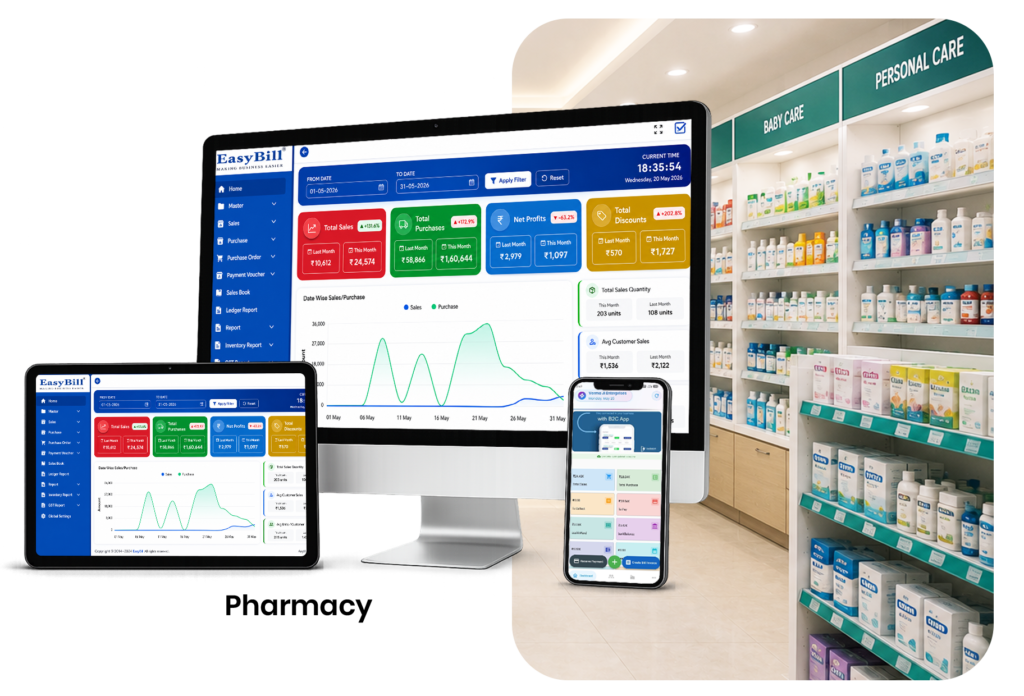
What should a pharmacy system actually make easier?
Start at the counter. A customer asks for a medicine. The staff member searches for it, checks the available quantity, prepares the bill and moves to the next customer. Behind that sale, stock has changed. If the medicine was purchased recently, its batch and expiry information also need to remain traceable.
That is the part worth automating. A pharmacy system should not make a simple sale feel like a data-entry exercise.
For a Moradabad medical store, the useful features are practical
Different stores have different workloads, so there is little value in buying software simply because its feature list is long. Look first at the jobs your staff repeat every day.
- Medicine search and fast billing
- Barcode-based product selection where compatible products and hardware are available
- GST invoice creation and configurable tax details
- Purchase and supplier records
- Medicine stock tracking
- Batch and expiry information
- Customer records where they are useful
- Sales, purchase and inventory reports
Watch what happens to stock after a sale
This is one of the simplest software tests. Add or select a medicine, complete a sale and then check the inventory record. The stock figure should reflect the transaction according to the system’s workflow.
Then try the same medicine from another batch. You want to understand how the software identifies the batch, records quantities and shows expiry information. A product name alone is not enough for pharmacy stock control.
Purchases matter just as much as sales
Many software demos spend most of their time on billing because it looks impressive. For a pharmacy owner, the purchase side deserves the same attention.
Ask how a new supplier invoice is entered, where purchase history is stored and how incoming quantities become available stock. If the process is difficult, the billing screen cannot fix the underlying record-keeping problem.
Expiry management should be easy to check
Expiry information is useful only when staff can actually find it. Ask the vendor to show a medicine with a recorded expiry date and demonstrate how the store reviews stock that needs attention.
For a deeper look at this specific workflow, see medicine expiry date tracking software.
Where EasyBill fits
EasyBill Pharmacy Billing Software is built around the operational side of pharmacy billing and inventory. If your store needs batch-level stock handling, review the pharmacy software with batch management guide as well.
If low-stock visibility is a bigger issue, the stock alert software for medical shops page covers that workflow separately.
Who should consider it?
A small chemist does not need every feature available in a large pharmacy platform. If your main problems are billing, stock records, purchases and expiry checks, start there.
A growing store with more staff or more transactions should also look closely at user access, reporting and how quickly a new employee can learn the counter workflow.
Questions to ask before buying
Don’t ask only, “Does it have pharmacy management?” Give the vendor a real example and ask them to show the complete process:
- Record a medicine purchase.
- Find that medicine in stock.
- Create a customer bill.
- Show the updated stock.
- Locate the relevant batch and expiry information.
- Open the sales or inventory report.
If the workflow feels natural to the people who will actually use it, that matters more than another ten items on a feature page.
Frequently Asked Questions
What is pharmacy software in Moradabad?
It is software used by a pharmacy or medical store to manage billing, medicine inventory, purchases and related records.
Can a small medical store use pharmacy software?
Yes. A small store can use the functions it actually needs instead of adopting every available module.
Can pharmacy software track medicine batches?
Software with batch management can keep batch information connected with the relevant medicine and stock record.
Can EasyBill create GST invoices?
EasyBill provides GST-related billing functionality. The business should configure its tax details according to its applicable requirements.
Before you choose
Use your own pharmacy workflow during the demo. If staff can move from purchase to stock to billing without unnecessary duplicate entry, you have a much better basis for comparing software than a feature-counting exercise.