
GST Reports Billing Software: Track Sales and Prepare GSTR-1 Data
Bottom line: GST reports billing software should connect your sales invoices with GST calculations and reporting instead of making you rebuild sales data at return time. For a small Indian business, the practical goal is simple: record sales correctly, keep GST details organized, review the relevant report, and give accurate data to the person filing the return.
This guide is for shop owners, retailers, wholesalers and small-business operators who already understand GST billing but want a cleaner way to track sales and prepare GST reports.
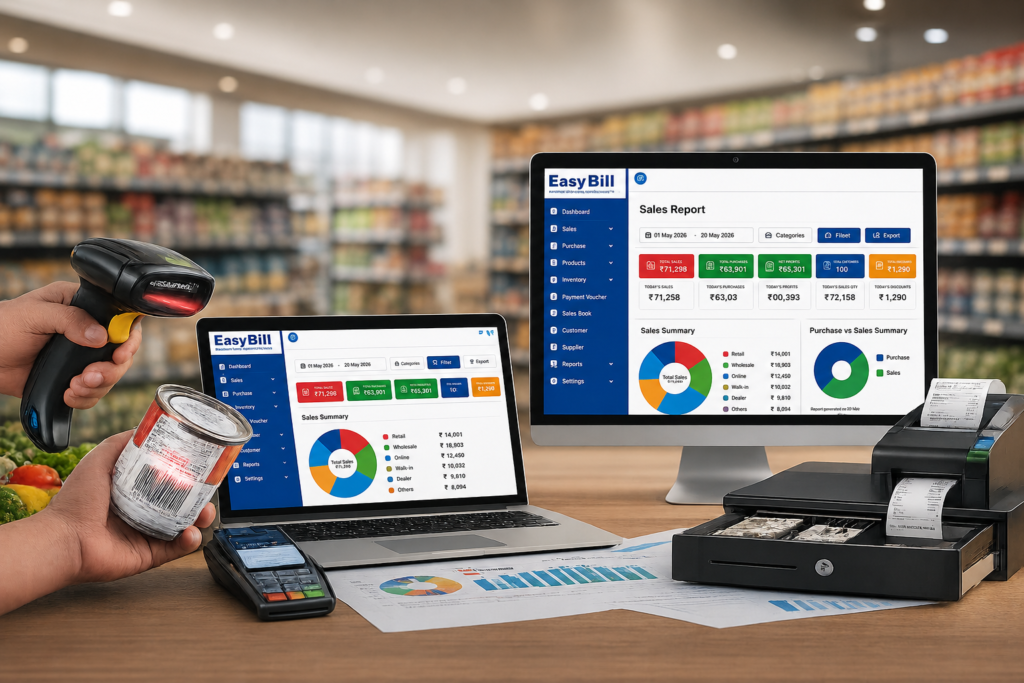
What does GST reports billing software actually do?
GST billing software records sales invoices and the tax information attached to those transactions. A useful system then turns that transaction data into reports that help the business owner or accountant review sales and GST information.
That distinction matters. A software screen saying “GST report” does not automatically mean the software files your return with the government.
For GSTR-1, the GST Portal describes the return as the statement for outward supplies. The portal also provides online and offline methods for preparing GSTR-1. GST Portal: Creation and Submission of GSTR-1
Why should sales data and GST reports stay together?
Suppose sales are recorded in one place and GST calculations are maintained in another spreadsheet. The work is split before the return process even starts.
A connected billing workflow keeps the invoice, customer details, product information, tax calculation and sales record together. That makes the monthly review easier and gives the accountant a clearer source of transaction data.
EasyBill ERP publishes GST billing, inventory, purchase and sales tracking, and GST reporting as part of its business-management platform. Its published information also lists GST sales reports, GST purchase reports, tax reports and HSN/SAC support. See EasyBill ERP
What should a GSTR-1 billing software workflow look like?
The workflow should begin with the invoice, not with a return spreadsheet.
- Create the GST invoice with the relevant customer and product information.
- Record the sale with the applicable tax details.
- Keep the transaction available in sales and GST reports.
- Review the period before preparing the return data.
- Export or transfer the required information using the process supported by the software and GST Portal.
The GST Portal itself allows taxpayers to add or amend GSTR-1 records, generate a summary, review it and then file the statement. cite_placeholder
Which GST reports should a small business check?
Do not judge software by the number of reports shown in a menu. Look at whether the reports answer the questions you and your accountant actually ask.
| Report or view | Why it matters |
|---|---|
| Sales report | Shows sales transactions for the selected period. |
| GST sales report | Helps review sales and associated GST information. |
| GST purchase report | Helps organize purchase-side GST information. |
| HSN/SAC summary | Helps review classification information used in GST reporting. |
| Tax summary | Helps review the tax amounts recorded in transactions. |
EasyBill currently lists sales reports, purchase reports, GST reports, inventory reports and other business reports among its published capabilities. See EasyBill accounting and GST reporting features
Does GST billing software automatically file GSTR-1?
Not necessarily. This is one of the most important questions to ask before buying software.
There is a difference between generating GST reports, preparing GSTR-1 data and filing a return. A billing application might provide reports for review or export while the actual filing still happens through the GST Portal or another supported filing workflow.
The GST Portal’s own instructions show that GSTR-1 can be prepared online or through an offline JSON upload process. The portal also says e-invoice details can be downloaded and used for GSTR-1 preparation in applicable cases. Check the current GST Portal GSTR-1 process
What should you check before choosing GSTR-1 billing software?
Start with a real invoice from your business. Enter it into the demo or trial and then inspect the report generated from that transaction.
- GST invoice fields and tax calculation
- Customer GSTIN and business details where applicable
- HSN/SAC information
- Sales and GST reports for a selected period
- Export options available for your accountant or filing workflow
- Correction, cancellation or return handling
- Data backup and access controls
If a vendor cannot clearly explain how its report becomes usable for your GSTR-1 process, do not assume the feature works just because “GSTR-1” appears on the product page.
Can an easy billing app also handle GST reporting?
Yes, if the billing application has the reporting layer required by the business.
An easy billing app is useful when staff can create accurate invoices without unnecessary steps. But simplicity should not mean removing the information needed later for GST reporting.
The same principle applies to a simple billing app or billing app for shop. Test the complete path: invoice → sales record → GST report → review/export.
[INTERNAL LINK: Grocery Billing App]
What mistakes create GST reporting problems?
Most problems start before the report is generated.
Incorrect customer details, missing tax information, wrong product classification, duplicate transactions or unreviewed corrections can affect the data that reaches the reporting stage. Software reduces manual work, but it does not remove the need to enter and review business information correctly.
That is why the final review should happen before the data is treated as ready for filing.
How does EasyBill fit small-business GST reporting?
EasyBill ERP is positioned for retail, wholesale, distribution, pharmacy, grocery, optical and other small-business workflows. Its published product information includes GST-compliant invoicing, GST reports, tax calculations, HSN/SAC support, sales and purchase tracking, inventory and business reports. Explore EasyBill ERP
For a business evaluating EasyBill specifically for GST reporting, the right test is not a feature checklist. Use your own products and customers, create sample invoices, review the GST reports and confirm the export or filing workflow with your accountant.
[INTERNAL LINK: GST Billing Software for Small Businesses]
Who benefits most from GST reporting software?
A small retailer who creates several GST invoices every day has a different problem from a large accounting team. But both benefit when sales data is structured from the beginning.
This type of software is especially useful for businesses that need billing, inventory and GST information to work together. Retail stores, wholesalers, distributors, pharmacies, grocery stores and other product-based businesses fall into this category.
What about GSTR-3B?
GSTR-3B should be treated as a separate reporting requirement when evaluating software. Do not assume that a system capable of generating a GSTR-1 report automatically provides every GSTR-3B workflow you need.
Ask the vendor exactly what it provides: GST summaries, GSTR-1 preparation, GSTR-3B-related reports, JSON/Excel exports, portal integration or only invoice-level records.
The GST Portal identifies GSTR-1 and GSTR-3B as different GST return forms, so the software’s actual scope matters. GST Portal: GST Forms
Frequently asked questions
What is GSTR-1 billing software?
It is billing software that records sales and GST information in a form that supports preparation or reporting of outward-supply data for GSTR-1. The exact export or filing capability depends on the software.
Can billing software create GST reports automatically?
Many GST billing systems generate reports from recorded transactions. The exact reports and level of automation differ by product, so verify the vendor’s current feature set.
Does GST software replace a CA?
No. Software organizes transaction data and reports; businesses should still review their GST requirements and filing process with their accountant or tax professional where needed.
What is the difference between a GST report and GSTR-1?
A GST report is a software-generated view or summary of tax-related business data. GSTR-1 is a GST return statement for outward supplies filed through the GST system.
What should I test in a GST billing app?
Test invoice creation, GST calculation, HSN/SAC handling, sales reports, GST reports, corrections and the export or filing workflow you actually need.
The practical buying decision
Do not buy GST billing software because it promises “one-click compliance.” Ask a more useful question: Can this system produce the right sales and GST data from the way my business actually bills?
Run a small test with real-world transactions, review the resulting reports and confirm the GSTR-1 workflow with your accountant. If the process is clear from invoice creation to report review, you have a much better basis for choosing your billing software.
Next step: take a sample sales period, create the same transactions in your shortlisted software and check the GST report before making a purchase.
GST procedures and portal functionality can change. Verify the current filing requirements and applicable rules on the official GST Portal before filing a return.