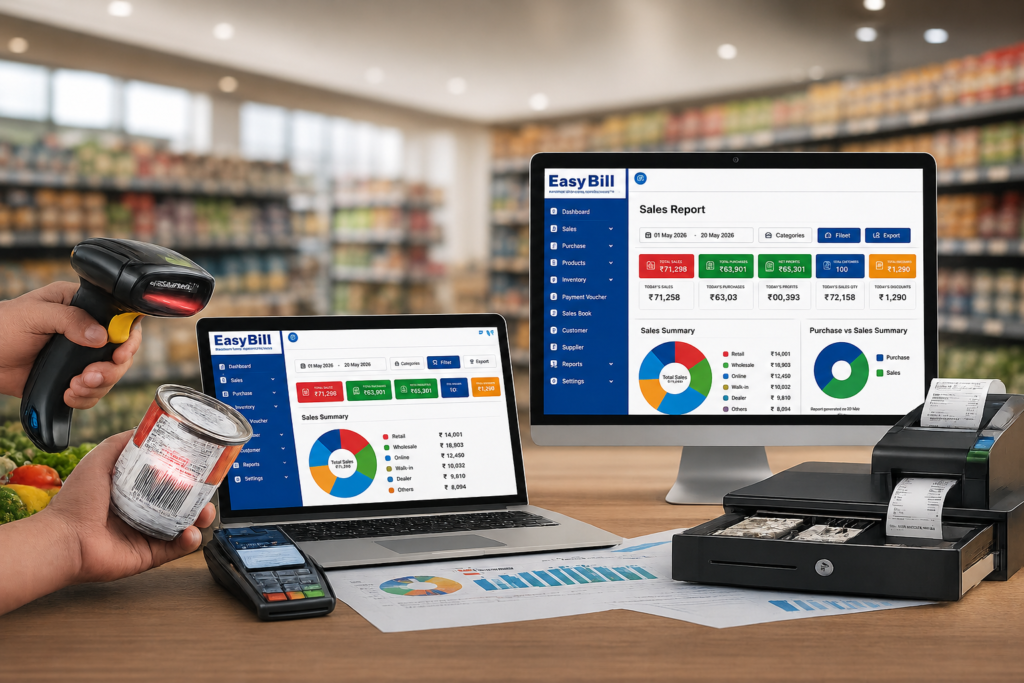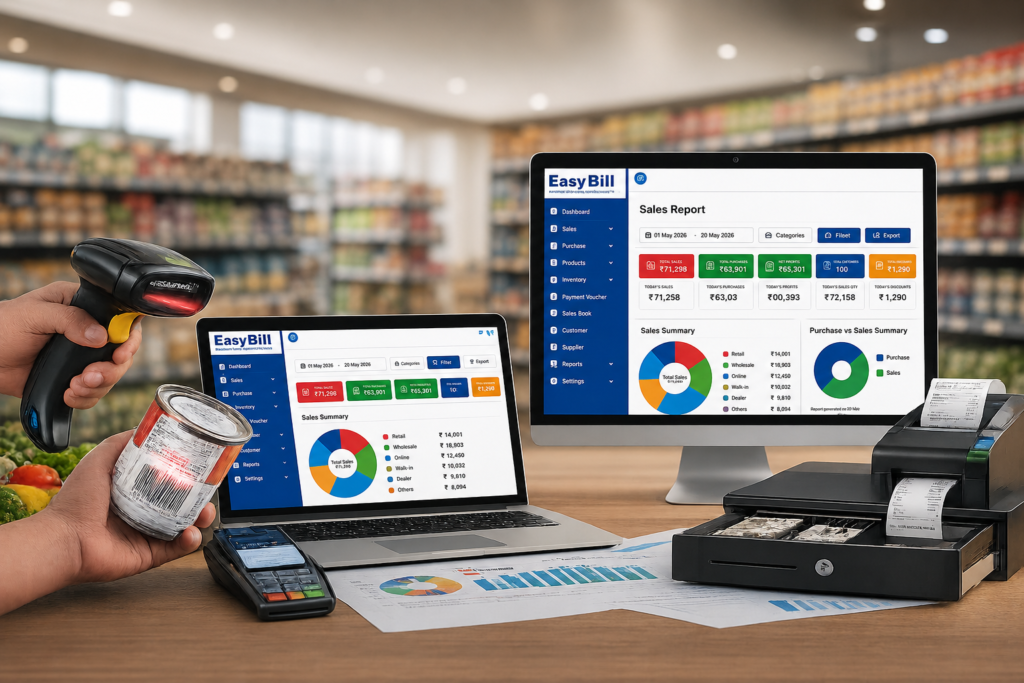
Easy POS billing software should make checkout easier for the person behind the counter and give the owner cleaner sales and stock records. For a retail business, the useful test is not how many features appear on the product page. It is whether staff can find products, create a bill, record payment, update stock, and move to the next customer without unnecessary steps.
This guide is for retail shop owners, cashiers, and small-business managers who already understand basic billing but want a simpler POS workflow for everyday sales.
What is easy POS billing software?
POS billing software is the system used at the point where a customer completes a purchase. It combines the checkout process with product information and, depending on the software, connects sales with inventory, GST invoicing, payments, customers, purchases, and reports.
Current POS and retail software pages consistently focus on fast billing, product search, barcode scanning, GST invoices, inventory, payment handling, customer records, and sales reports.
The useful distinction is between feature-rich and easy to operate. A cashier does not need a complicated screen during a busy sale. The important actions should be clear.
What should an easy POS billing system do at the counter?
Take a normal retail transaction.
The cashier selects a product, changes the quantity if required, applies an allowed discount, checks the bill, records payment, and completes the invoice. If the POS is connected to inventory, the sale should also feed into the store’s stock records according to the software’s workflow.
That is the core experience to test during a demo.
[INTERNAL LINK: Retail POS Software]
Quick product search
A cashier should be able to find products without remembering complicated navigation. Search is especially useful for stores where products do not all have scannable barcodes.
Barcode billing
For stores with barcode-labelled products, scanning is a practical way to select items at checkout. Retail POS products commonly include barcode support as part of their billing workflow.
If you use barcode scanners, test your own products during the demo. A feature being listed does not tell you whether the complete hardware-and-software workflow fits your counter.
GST billing
GST invoicing is a common requirement for Indian retail businesses. POS systems serving this market commonly combine sales invoices with GST-related product and tax information.
Do not judge GST support from a badge or marketing headline. Create a sample invoice using the products and tax setup relevant to your shop and check the resulting invoice and reports.
Multiple payment methods
The billing screen should match the way customers actually pay. Depending on the store, that might include cash, UPI, cards, or credit transactions.
The exact payment options differ by software and configuration, so verify them before implementation.
Why inventory matters in POS billing
A retail POS transaction is also a product movement.
If the POS and inventory system are connected, sales information can be used within the stock workflow. Purchases can also contribute to the inventory record when the software supports that process.
That connection is more useful than maintaining one record for sales and another unrelated spreadsheet for stock.
During a software demo, test a simple sequence: record a product purchase, sell that product, and then check the stock information. You will learn more from that exercise than from a page containing twenty feature icons.
How do you choose easy POS billing software?
Use your shop’s real workflow as the benchmark.
- Start with your normal sale. Write down the exact steps a cashier follows from product selection to payment.
- Load representative products. Include the categories, prices, tax information, and product types your store actually sells.
- Test product search. See how quickly a cashier can find an item without a barcode.
- Test barcode scanning. If you use barcodes, connect the scanner and test real products.
- Create GST invoices. Check the fields and tax treatment required by your business.
- Test payments. Use the payment methods your counter actually accepts.
- Check stock movement. Follow a product from purchase to sale and review the inventory record.
- Let the cashier operate it. The owner may understand software quickly; the counter operator’s experience is the better test of ease of use.
What makes a POS system genuinely easy to use?
It is mostly about the number of decisions the cashier has to make.
A clean product search, visible cart, obvious quantity controls, straightforward payment screen, and simple invoice action reduce confusion. The cashier should not have to understand the entire back-office system just to complete a sale.
Competitor products also market “easy” POS experiences around quick checkout, barcode billing, inventory, and simple interfaces. citeturn0search1turn0search8turn0search12 The gap buyers should focus on is testing those claims with their own counter workflow rather than accepting “easy” as a feature by itself.
Easy POS billing software vs a basic billing application
A basic billing application may focus primarily on invoices. A POS system is built around the point of sale and can connect the transaction with products, inventory, payments, customers, and reports.
| Requirement | Basic billing | POS billing workflow |
|---|---|---|
| Invoice creation | Core function | Core function |
| Product search | Usually available | Designed for quick counter use |
| Barcode scanning | Depends on software | Common POS capability when supported |
| Inventory connection | May be separate | Can connect sales with stock |
| Payment recording | Basic options may be available | Built into the checkout workflow when supported |
| Sales reports | Usually available | Built from POS transactions |
This is a workflow comparison, not a claim that every product provides every function. Always verify the exact configuration.
Which retail businesses can use easy POS billing?
POS billing is relevant to businesses where products are sold directly to customers at a counter.
That includes retail formats such as grocery and general stores, supermarkets, pharmacy and optical businesses, fashion and lifestyle stores, hardware shops, and other product-based retailers, provided the software fits the business’s specific requirements.
The right setup depends on what you sell, how many products you manage, how customers pay, and whether inventory needs to be connected to sales.
What about GST, inventory and reports?
These three areas should be tested together rather than separately.
Create a product with the relevant tax information. Purchase it. Sell it through the POS. Complete the payment. Then review the invoice, stock record, and available sales information.
That single test shows whether the system’s front-counter activity and back-office records actually connect in a useful way.
Where does EasyBill ERP fit?
EasyBill ERP is positioned for product-based businesses and its published website covers billing, inventory, POS, GST billing, purchases, and business reporting. The product is presented for use cases including retail, grocery, pharmacy, optical, wholesale, and distribution.
For a retailer evaluating EasyBill, the practical workflow to test is:
Product setup → Purchase → Stock → POS sale → GST invoice → Payment → Report
That sequence gives a clearer evaluation than a generic software comparison because it reflects how a retail business actually operates.
[INTERNAL LINK: EasyBill ERP]
Who should choose an easy POS system — and who may not?
A POS system makes sense when your business has regular counter sales and needs a structured way to record transactions.
If you issue only occasional invoices and have little need for product search, barcode billing, inventory, or sales reporting, a full POS workflow may add more complexity than you need.
For a busy retail counter, the opposite is true: the checkout screen becomes an important part of daily operations, so ease of use deserves as much attention as the back-office features.
Common mistakes when choosing POS billing software
Choosing by the feature list. A long list does not prove that billing is easy.
Ignoring the cashier. The person who uses the POS all day should test it before the purchase decision.
Skipping hardware testing. If you need barcode scanners, receipt printers, or other POS hardware, test the actual setup.
Testing only a perfect demo. Try product searches, quantity changes, discounts, returns if relevant, and payment scenarios that happen in your real shop.
Moving live data too early. Before implementation, understand how your business data is stored, backed up, exported, protected, and recovered.
Frequently Asked Questions
What is easy POS billing software?
It is POS software designed to make retail checkout straightforward while recording sales and, depending on the system, connecting billing with inventory, GST invoices, payments, customers, and reports.
Does POS billing software support GST?
Many POS systems for Indian businesses provide GST-related billing features. Verify the invoice fields, tax configuration, and reporting requirements for your particular business.
Can POS software manage inventory?
Many POS systems connect sales with inventory records. The exact stock functions vary, so test the purchase-to-sale workflow using your own products.
Is barcode scanning necessary for POS billing?
No. Barcode scanning is useful when your products use barcodes, but stores with smaller catalogues may rely more heavily on product search.
Can small retail shops use POS billing software?
Yes. A small retail shop can use POS software when it needs organized counter billing, GST invoices, inventory, barcode support, or sales reports. The software should match the shop’s actual workflow.
What should I check before buying easy POS billing software?
Test product search, billing steps, barcode scanning if required, GST invoices, payment recording, inventory movement, reports, hardware compatibility, data backup, and cashier usability.
Final recommendation
Do not choose POS software because the interface looks simple in a screenshot. Put your real products through a complete transaction and let the person who operates the counter test the system.
For EasyBill ERP, evaluate the full journey from product setup and stock to POS billing, GST invoice, payment, and reporting. If that workflow fits your shop, you have a much stronger basis for choosing the software.
Sources and confidence: Current competitor/category information was checked against retail POS and billing pages from Digify Soft Solutions, Auditus-iERP, WOW Retails, Swipe, and other current sources. EasyBill-specific positioning should be confirmed against the current EasyBill product/demo configuration. No unsupported pricing, customer counts, ratings, speed claims, or promotional statistics were used.