

A busy pharmacy does not need more software screens. It needs fewer repeated tasks. In Gurgaon, where a medical store may have customers waiting while staff are checking stock, receiving purchases or handling another counter task, the useful question is whether the software keeps those records together.
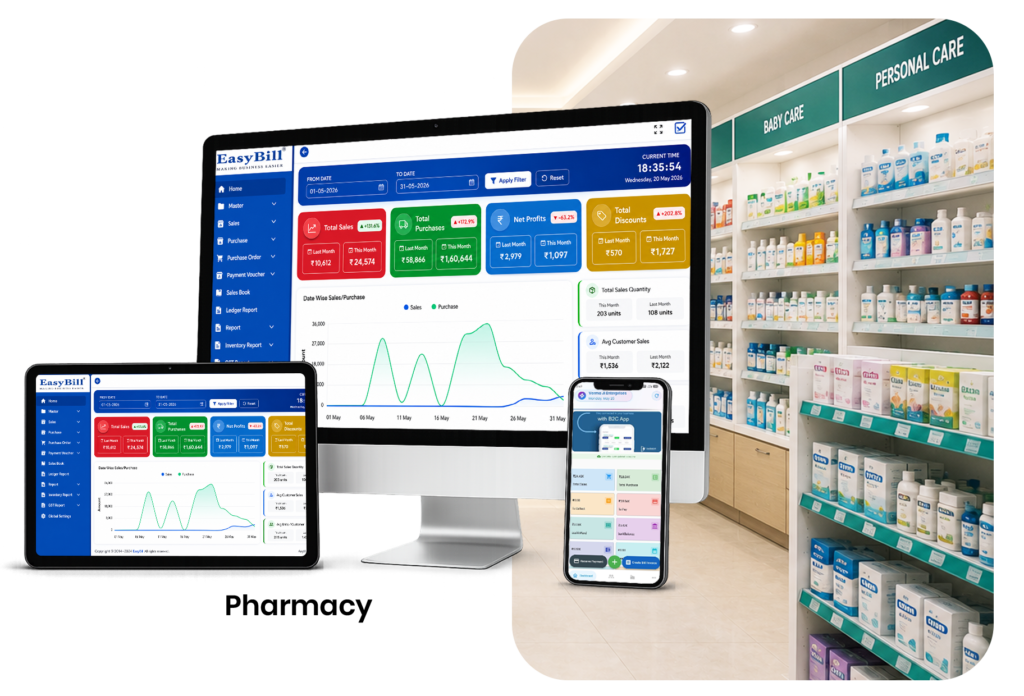
What should happen during a busy sale?
Staff search for the medicine, check availability, prepare the bill and complete the transaction. That sale should also leave the inventory in the right state.
Now imagine the same counter handling a purchase entry or checking another batch of the same medicine. The software needs to support the back-office work without forcing staff to maintain separate records for each activity.
Features worth testing in a Gurgaon pharmacy
A feature list is useful only after the basic workflow works. Test these first:
- Fast medicine search and billing
- Barcode support where compatible products and hardware are available
- GST invoice creation
- Purchase and supplier management
- Medicine inventory
- Batch and expiry records
- Customer information where useful
- Sales, purchase and stock reports
Speed matters, but accuracy matters with it
A fast bill is not a good result if the stock record is wrong afterwards.
During a demo, complete a sample sale and immediately open the inventory record. Then try a product that exists in more than one batch. Ask the vendor to show how the system identifies the relevant quantity and expiry information.
This is a much better test than watching a salesperson move through prepared screens.
Purchase management is part of the same job
Pharmacies do not only sell medicines. They receive stock, check supplier invoices and add quantities to inventory.
Ask the vendor to demonstrate a purchase from start to finish. Where is the supplier recorded? How are quantities added? Where do batch and expiry details appear? Can the owner find that purchase later?
Keep expiry and low-stock workflows separate in your thinking
Expiry tracking answers one question: which recorded stock needs attention because of its expiry information?
Low-stock monitoring answers another: which products are running down and need replenishment?
EasyBill has dedicated resources for medicine expiry date tracking and stock alerts for medical shops. Keeping these workflows clear makes the software easier to evaluate.
Where EasyBill fits
EasyBill Pharmacy Billing Software connects pharmacy billing and inventory workflows. If batch-level stock handling is a key requirement, see pharmacy software with batch management.
The right choice still depends on the store’s actual routine. A single-counter pharmacy and a larger operation should not necessarily buy the same setup.
Do not buy complexity you will not use
A smaller store may mainly need billing, purchases, inventory and reports. A growing pharmacy should look more closely at user access, reporting and how easily staff can learn the system.
More modules are not automatically better. The software should make the daily job clearer.
GST billing needs proper setup
EasyBill provides GST-related billing functionality. Configure tax details according to the business’s applicable requirements and use the official GST Portal for current guidance when necessary.
Use a real pharmacy workflow during the demo
- Enter a medicine purchase.
- Check the resulting stock.
- Create a sample customer bill.
- Open the updated inventory.
- Check batch and expiry information.
- Review a sales or stock report.
Ask a member of your own team to perform the same steps. If the person who will actually sit at the counter can understand the workflow, that is a much stronger signal than a polished presentation.
Frequently Asked Questions
What is pharmacy software in Gurgaon?
It is software used by pharmacies and medical stores to manage billing, medicine inventory, purchases and related records.
Can a small Gurgaon pharmacy use it?
Yes. The store can use the workflows that match its actual needs instead of adopting every available feature.
Can pharmacy software manage batches and expiry dates?
Software with these functions can keep batch and expiry information connected with medicine inventory records.
Does EasyBill provide GST billing?
EasyBill provides GST-related billing functionality. The business should maintain the correct applicable tax configuration.
The best test is your own counter
Don’t choose pharmacy software from the feature page alone. Run one real purchase and one real sale through the demo. Check the records afterwards. That will tell you whether the system actually fits the way your Gurgaon pharmacy works.