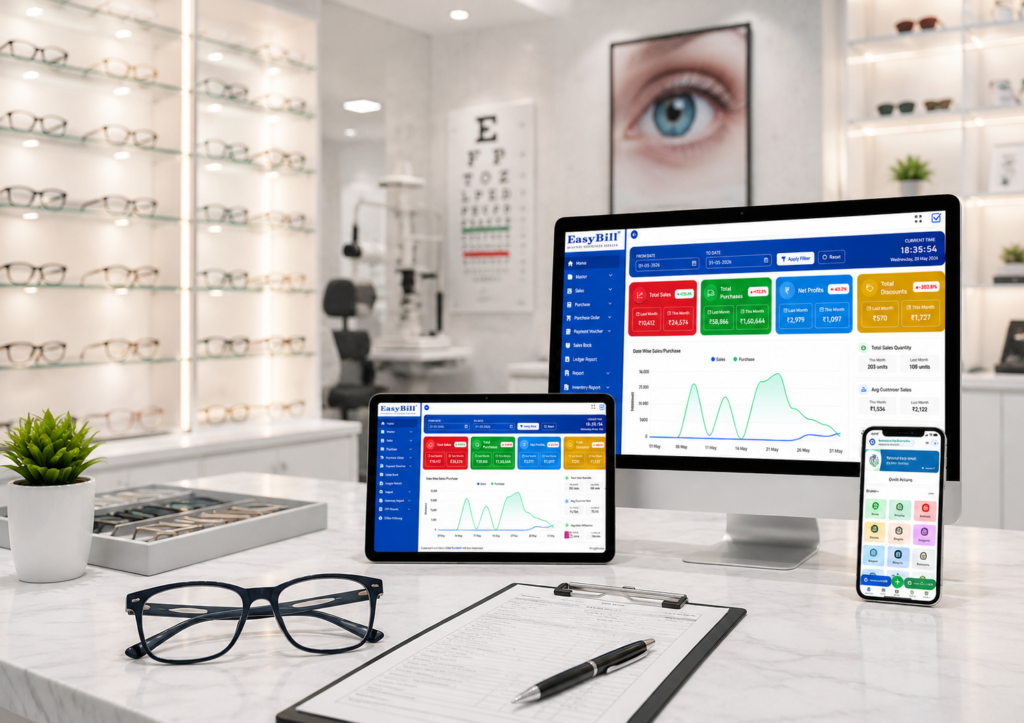
Running an optical store is not only about selling frames or making bills. Staff also need to check stock, manage customer purchases, handle prescriptions, track payments, and keep the counter moving during busy hours. That is where a reliable optical POS software solution can make everyday work much easier.
A good POS setup should fit the way an optical store actually works. The right optical POS software should make billing quick without making the rest of the business harder to manage. For store owners comparing software, the key is to look beyond a basic checkout screen and focus on the features that support the full sales process.
What Is Optical POS Software?
Optical POS software is a point-of-sale system designed around the needs of optical retailers. Along with billing, it can connect sales with products, customers, inventory, payments, and other store information.
For example, when a frame or lens is sold, the system can help keep the transaction record and stock information organized together. This reduces the need to maintain separate spreadsheets or handwritten records for routine sales activity.
Features Every Optical Store Should Look For
1. Fast and Accurate Billing
The first job of a POS system is to make checkout simple. Staff should be able to search products quickly, apply discounts, select a payment mode, and complete the invoice without unnecessary steps.
- Quick product search
- Barcode billing
- Discount handling
- Multiple payment options
- Returns and exchanges
- GST invoice support
2. Frame and Lens Inventory Management
Optical stores often carry many combinations of brands, frame models, lens types, categories, and accessories. Inventory tools should make it easy to see what is available and identify products that need attention.
Useful inventory capabilities include category-wise stock, brand-wise stock, barcode tracking, low-stock visibility, and product movement reports. A POS connected with inventory can also help reduce manual updates after each sale.
3. Customer Records and Purchase History
Good customer management helps staff understand what a customer bought previously and makes repeat visits easier to handle. The system should keep basic contact details, purchase history, and relevant service information in an organized record.
4. Prescription Management
Prescription details are an important part of optical retail. A practical system should let staff record details such as SPH, CYL, Axis, ADD, and PD, along with previous prescription information where required by the store.
Keeping prescription information connected to the customer record can save time when a returning customer needs another pair of glasses or a new order.
5. Lens and Frame Order Tracking
Not every optical sale ends at the counter. Custom lens and frame orders may pass through several stages before delivery. Software should make it easy to track an order from booking to laboratory processing, readiness, and delivery.
This is especially useful when customers call the store asking whether their glasses are ready. Staff can check the order status instead of searching through paper notes.
6. Barcode and Product Search
Barcode support becomes valuable when a store handles a large product range. Good optical POS software can speed up product selection and help staff avoid errors caused by manually typing product names or prices.
7. Returns, Exchanges and Advance Payments
Optical retail can involve advance payments, product changes, exchanges, or returned items. The billing workflow should record these transactions clearly so the store can maintain accurate customer and financial records.
8. Supplier and Purchase Management
Retail operations also depend on purchasing. A useful system should keep supplier details and purchase records organized and make it easier to monitor incoming stock and purchase-related transactions.
9. Sales and Business Reports
Reports help owners move beyond individual transactions and understand how the store is performing. Commonly useful reports include daily sales, product performance, customer activity, purchase reports, inventory reports, and payment or collection summaries.
10. Multi-Store Support
For businesses with more than one branch, a POS platform should make branch operations easier to monitor. Centralized information, branch-wise reporting, stock transfers, and user permissions can be especially useful as the business grows.
Why Inventory Integration Matters in an Optical POS
Billing and inventory work closely together in an optical shop. When a product is sold, the business needs its stock information to stay reliable. When new goods arrive, purchase records and available stock need to remain aligned.
Using connected sales and inventory workflows can reduce duplicate data entry and give staff a clearer picture of what is actually available in the store.
How to Choose the Right POS for Your Optical Store
There is no single best setup for every retailer. A small independent shop may need a simple and fast counter workflow, while a growing optical chain may need branch controls, centralized reports, and stronger inventory management.
Before choosing optical POS software, check whether it supports your actual workflow rather than focusing only on the number of features listed by the vendor. Ease of use, reporting, data organization, and the ability to handle optical-specific tasks are all important in day-to-day operations.
Optical POS Software vs. Basic Billing Software
Basic billing software may be enough for creating invoices, but an optical retailer often needs more than that. Frames, lenses, prescriptions, customer records, orders, purchases, and stock all play a role in the sales process.
An optical-focused POS approach brings these activities closer together. That can make it easier for staff to move from a customer’s purchase to the related product, prescription, order, and payment information without switching between separate systems.
Final Checklist Before You Buy
- Fast billing and barcode support
- Frame, lens and accessory inventory
- Customer and purchase history
- Prescription records
- Order status tracking
- Returns and exchanges
- Supplier and purchase management
- Sales and inventory reports
- Multi-branch capabilities when needed
- Simple interface for store staff
Optical POS Software Frequently Asked Questions
What should optical POS software include?
It should ideally cover billing, inventory, customer records, prescriptions, order tracking, payments, purchases, and business reporting. The right feature set depends on the store’s size and workflow.
Can an optical POS manage frames and lenses?
Yes. An optical-focused system can be used to organize frame, lens, sunglasses, contact lens, and accessory inventory, including barcode and category-based tracking.
Does an Optical POS Software support prescriptions?
Many optical-focused systems include prescription records so staff can keep customer-specific optical details alongside purchase history and orders.
Is POS software useful for a small optical shop?
Yes. Even a small store can benefit from faster billing, organized stock records, customer history, and basic reporting. The software should be simple enough for staff to use comfortably during busy hours.
Explore Optical Shop Management Software
For retailers that need billing, inventory, customer management, prescriptions, orders, and broader store operations in one system, explore optical shop management software.
The goal is not simply to add another tool at the checkout counter. The better choice is a system that supports the way your optical store sells, manages stock, serves customers, and grows.
For official GST information, visit the official GST portal. For guidance on creating helpful content for Google Search, see Google Search Central.
Optical POS Software image