
Quick answer: Medicine expiry date tracking software helps pharmacies record medicine batches, expiry dates and stock quantities so teams can identify near-expiry and expired inventory earlier. EasyBill ERP connects expiry tracking with pharmacy inventory, purchases, sales, GST billing and stock reports.
In simple terms: Medicine expiry date tracking software is a digital inventory tool that stores expiry dates against medicines and batches, helping pharmacy teams review ageing stock and take appropriate inventory action.
Last updated: October 1, 2026
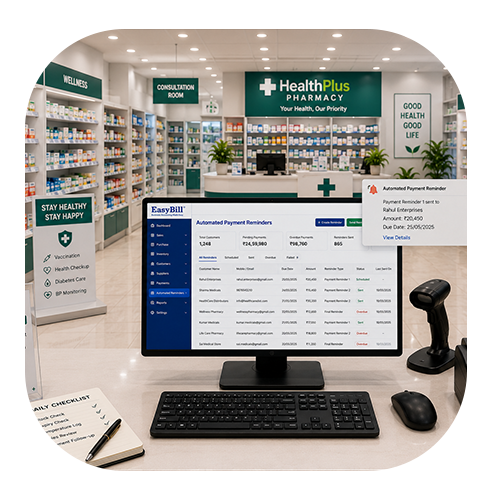
What Is Medicine Expiry Date Tracking Software?
Medicine expiry date tracking software helps a pharmacy maintain expiry information alongside medicine, batch and quantity records. Instead of checking separate registers or spreadsheets, staff can review expiry-sensitive inventory as part of the normal stock-management process.
For a medical store, chemist shop, hospital pharmacy or pharmacy chain, expiry tracking is most useful when it is connected to purchasing, sales and inventory reporting. This creates a clearer workflow from receiving a medicine batch to monitoring its remaining stock and expiry status.
Why Is Medicine Expiry Tracking Important?
Expiry dates are important because medicine quality and stability depend on the labelled shelf life and storage conditions. The U.S. FDA explains that expiration dates reflect the period during which a drug is known to remain stable when stored according to its labelled conditions. FDA: Expiration Dates – Questions and Answers
- Review batches approaching their expiry date.
- Identify expired or ageing stock that needs attention.
- Keep batch and expiry information connected to inventory records.
- Use stock reports to support purchasing and inventory decisions.
- Reduce dependence on manual expiry-date checks.
How Does Medicine Expiry Date Tracking Work?
A practical expiry-tracking workflow starts when a medicine is added through purchasing or stock entry. The product, batch number, expiry date and quantity are recorded. As stock moves through sales and adjustments, the available quantity can be reviewed together with the batch information.
- Add the medicine: Maintain the product name and relevant stock information.
- Record the batch: Store batch-specific information when the same medicine arrives in different batches.
- Record the expiry date: Associate the expiry date with the relevant medicine batch.
- Review ageing stock: Check batches that are approaching expiry and require attention.
- Update stock movement: Keep purchases, sales and adjustments connected with inventory records.
- Use reports: Review stock and expiry information regularly to support operational decisions.
Batch-Wise Expiry Management
Batch-wise expiry management is important when the same medicine is purchased more than once with different expiry dates. Recording the expiry date at batch level gives pharmacy staff more useful information than keeping only one expiry date for the entire product.
With EasyBill ERP, pharmacy inventory workflows can connect medicine, batch and stock information so users can review the records needed for day-to-day inventory management.
FEFO: First-Expired, First-Out Inventory Management
FEFO (First-Expired, First-Out) is an inventory practice in which stock with the earliest expiry date is prioritized before stock that expires later. For pharmacies carrying multiple batches of the same medicine, FEFO can make expiry-sensitive stock easier to manage because the decision is based on expiry date rather than simply on the date the stock arrived.
- Record the expiry date against each medicine batch.
- Identify batches with the earliest upcoming expiry.
- Prioritize appropriate stock during dispensing according to pharmacy procedures.
- Review near-expiry quantities regularly.
- Keep older or short-dated batches visible to the team.
FEFO should be implemented alongside applicable pharmacy procedures, storage requirements and professional judgement. Software can organize the data and highlight batches that need attention, but the pharmacy remains responsible for deciding how stock is dispensed, quarantined, returned or disposed of.
Expired Medicine Alerts and Near-Expiry Stock
A good expiry-management workflow should make it easy to identify stock that has reached its expiry date as well as stock that is approaching expiry. Near-expiry review can help pharmacy teams prioritize inventory checks and make better purchasing decisions.
Software alerts and reports should support the pharmacy’s established operating procedures. They do not replace professional judgement, product-specific storage instructions or applicable disposal requirements.
Medicine Inventory Management
Expiry tracking works best when it is part of a wider medicine inventory system. EasyBill ERP brings medicine products, quantities, purchases, sales and stock reporting into a connected workflow so pharmacy owners can review inventory from a more organized system.
Purchase and Sales Tracking
Purchase records show incoming stock, while sales records help maintain visibility into stock movement. Connecting these activities with expiry and batch information makes it easier to understand which inventory is available and which batches need attention.
GST Billing for Pharmacies
EasyBill ERP connects pharmacy billing with inventory workflows and supports GST billing and invoice records. Keeping billing and stock information connected can reduce duplicate data entry and make routine pharmacy operations easier to manage.
Pharmacy Stock Reports
Stock reports can help pharmacy owners review inventory movement, purchases, sales and products that need attention. Regular reporting provides a practical way to monitor stock instead of depending entirely on manual calculations.
Medicine Expiry Tracking Software: Feature Comparison
When comparing medicine expiry date tracking software, focus on whether the system connects expiry information with batch-level inventory, purchases, sales and reporting. The following checklist can help a pharmacy evaluate the workflow before choosing a solution.
| Feature | Manual Records | Expiry Tracking Software |
|---|---|---|
| Expiry date recording | Registers or spreadsheets | Digital medicine and batch records |
| Batch management | Manual batch lookup | Batch-level inventory visibility |
| Near-expiry review | Periodic manual checking | Searchable reports and alerts where supported |
| FEFO workflow | Staff must identify batches manually | Expiry data can support FEFO-based stock decisions |
| Purchase and sales connection | Separate records may be required | Connected inventory workflow |
| Stock reporting | Manual calculations | Digital stock and expiry reports |
The exact features available depend on the software and plan. Before adopting a system, test it with real medicine batches, different expiry dates, purchase entries and sales transactions.
Who Should Use Medicine Expiry Tracking Software?
- Retail pharmacies and medical stores.
- Chemist shops managing multiple medicine batches.
- Hospital pharmacies with expiry-sensitive inventory.
- Pharmacy chains managing stock across locations.
- Pharmaceutical distributors and wholesalers that need batch-level stock visibility.
Medicine Expiry Tracking Checklist
Use this checklist as part of a regular pharmacy inventory review:
| Check | What to review |
|---|---|
| Batch number | Confirm the batch is recorded against the medicine. |
| Expiry date | Confirm the correct expiry date is recorded. |
| Near-expiry stock | Identify batches approaching expiry. |
| Expired stock | Flag and handle according to applicable procedures. |
| Stock quantity | Review remaining quantities for affected batches. |
| Purchase history | Check incoming stock and supplier records where needed. |
| Reports | Review inventory and expiry information regularly. |
What Should a Pharmacy Do With Expired Medicines?
Expired medicines should be handled according to the medicine’s label, local requirements and the pharmacy’s approved disposal procedure. For general drug-disposal guidance, the FDA recommends using appropriate take-back options for most unused or expired medicines and provides product-specific disposal guidance. Pharmacies in India should follow applicable Indian laws, regulations and authorized disposal channels rather than copying U.S.-specific disposal instructions.
Important: Medicine expiry tracking software helps identify stock that needs attention; it does not determine the legally correct disposal method for every medicine.
EasyBill ERP for Medicine Expiry Tracking
EasyBill ERP is designed to connect pharmacy billing and inventory workflows so businesses can manage medicine records, purchases, sales, batches, expiry information, GST billing and reports from a more organized system. The goal is to give pharmacy teams a practical way to keep operational information connected instead of maintaining separate records for every task.
- Medicine inventory management
- Batch-wise stock information
- Expiry-date tracking workflows
- Purchase and sales tracking
- GST billing and invoice records
- Pharmacy stock reports
Explore Related Pharmacy Software
For related workflows, explore Pharmacy Billing Software, Pharmacy Management Software, Chemist Inventory Software, Pharmacy Software with Batch Management, and Medical Store Billing Software.
Frequently Asked Questions
Key Takeaway
Medicine expiry date tracking software gives pharmacies a structured way to record batches and expiry dates, review near-expiry inventory and connect expiry information with stock, purchasing, sales and billing. For medical stores and pharmacies that want one connected workflow, EasyBill ERP combines these operational functions with pharmacy inventory and reporting.