
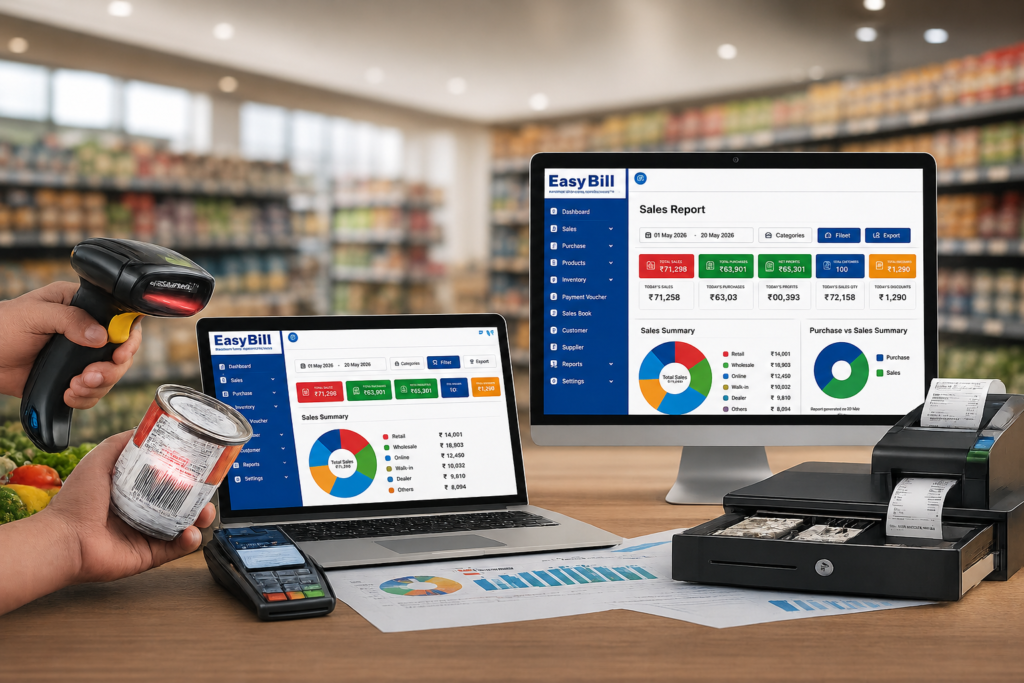
Online billing software is a web-based system for creating invoices, recording sales, tracking payments, and connecting billing with inventory and business reports. For a small retailer, pharmacy, grocery store, optical shop, or distributor, the real value is not the word “online”; it is having billing data available in one place instead of maintaining separate records.
What is online billing software?
Online billing software moves routine billing work into a connected digital system. Instead of creating invoices manually and then updating stock or payment records separately, the sale becomes the starting point for related business records.
For example, a retailer can create a GST invoice, record the sale, update stock, and keep the transaction available for later reporting. That connected workflow is what buyers should evaluate—not simply whether the software has a browser login.
What are the main benefits of online billing software?
The strongest reason to move from manual billing or disconnected spreadsheets is control. A business owner should be able to see what was sold, what is in stock, what customers owe, and which transactions need attention without rebuilding the information from different files.
Billing becomes easier to track
Invoices, sales records, customer details, and payment information can be kept together. That reduces the need to search through paper invoices or separate spreadsheets when checking an old transaction.
Inventory stays connected to sales
When billing and inventory are connected, a sale can update the relevant stock record instead of leaving the inventory count as a separate manual task. This matters most for businesses with many products or frequent daily transactions.
Business reports become more useful
Sales and purchase records are more valuable when they can be reviewed through reports. A business can use these records to understand sales activity, stock movement, payments, and other routine operations.
Access is easier across devices
An online system is designed for connected access rather than keeping the working data on one billing computer. That can be useful for owners or teams who need to check business information away from the counter.
Which features should you expect?
Do not choose billing software because the feature list is long. Start with the jobs your staff perform every day.
GST invoicing
A business that sells taxable goods needs invoice and tax information to be handled accurately. Look for GST-ready invoicing, configurable invoice details, and easy access to sales records.
POS billing
For a retail counter, speed matters. POS billing should make it straightforward to select products, apply the correct pricing or tax information, complete the transaction, and produce or share the invoice.
Inventory management
Product records, stock movement, purchases, and low-stock information belong close to the billing workflow. If staff have to update stock manually after every sale, the software is solving only half the problem.
Purchase management
Businesses that buy stock need more than sales invoices. Purchase records should help maintain product quantities and provide a clear history of incoming stock.
Payment and customer tracking
For credit sales, customer-wise dues and payment records are especially useful. The aim is simple: the business should be able to see what has been received and what remains outstanding without reconstructing the answer manually.
Business reports
Reports should answer practical questions: What was sold? What was purchased? Which products moved? What payments are pending? The best report is not the most complicated one; it is the one your team actually uses.
How does online billing software work?
The workflow is simpler than it sounds.
- Add your business and products. Set up the business details, products, customers, suppliers, tax information, and opening stock that your workflow requires.
- Create the sale. Select the products, quantities, prices, and relevant tax information, then generate the invoice.
- Record the transaction. The system keeps the sale in the business records and, where inventory is connected, updates the related stock information.
- Record the payment. Mark the payment received or maintain the outstanding amount for credit transactions.
- Review the data. Use sales, purchase, inventory, payment, and other available reports to review business activity.
The exact screens and workflow vary by software, so test the process with a real example before buying.
Online billing software vs manual billing: what actually changes?
Manual billing is not automatically wrong. A very small operation with few transactions and no inventory complexity may manage with a simple process.
The problem starts when the business grows and the same information has to be entered repeatedly. An invoice may sit in one file, stock in another, and payment information somewhere else. That makes reconciliation harder and increases the chance of inconsistent records.
Online billing software is most useful when you want those records connected.
Is online billing software right for every business?
No. A buyer should be honest about the operating environment.
If your business has unreliable internet access and the chosen product has no suitable offline workflow, an online-first system can create friction. If you issue only a handful of invoices and have almost no inventory or payment tracking requirements, a full business-management system could also be more than you need.
For retailers, pharmacies, grocery businesses, optical shops, wholesalers, and distributors with regular transactions, the case is stronger because billing, inventory, purchases, and reporting are closely connected.
What should you check before choosing one?
Run a real transaction instead of watching only a sales demo. Add a product, create an invoice, complete a sale, check the stock record, record a payment, and open the relevant report. If your business handles returns, credit sales, or multiple product categories, test those too.
Also check the practical details: what data you can export, how users are managed, what support is available, what happens during an internet outage, and whether the workflow fits your staff without unnecessary steps.
Where does EasyBill fit?
EasyBill is positioned as billing and business-management software for retail, pharmacy, grocery, optical, wholesale, and distribution businesses. Its feature set covers GST billing, POS, inventory, sales, purchases, payments, and business reporting.
If you are evaluating EasyBill, start with your own workflow rather than the feature list. Test the products you actually sell, the invoice format your business uses, the way your team handles stock, and the reports you check regularly.
Explore EasyBill ERP or use the site’s demo option to test the workflow.
Final recommendation: test the workflow, not the brochure
The right online billing software should make a normal business day easier to record and review. Before committing, test one complete sale from product selection to invoice, stock update, payment, and report. If that process feels natural to your team, you have a much better basis for the buying decision than a long feature checklist.
Sources and confidence notes
The article uses general software/workflow knowledge and EasyBill’s publicly stated product positioning. No unsupported statistics, customer stories, prices, study names, or fabricated personal experience have been added. The specific capabilities described for EasyBill should be checked against the current product/demo configuration before publication.
Suggested external reference: For GST-related terminology and official tax-system information, see the official GST portal.
Internal-link opportunities: Add contextual links to your existing Pharmacy Billing Software, Grocery Billing Software, Optical Shop Management Software, and Accounting/Small Business Software pages where those topics are discussed in the article.