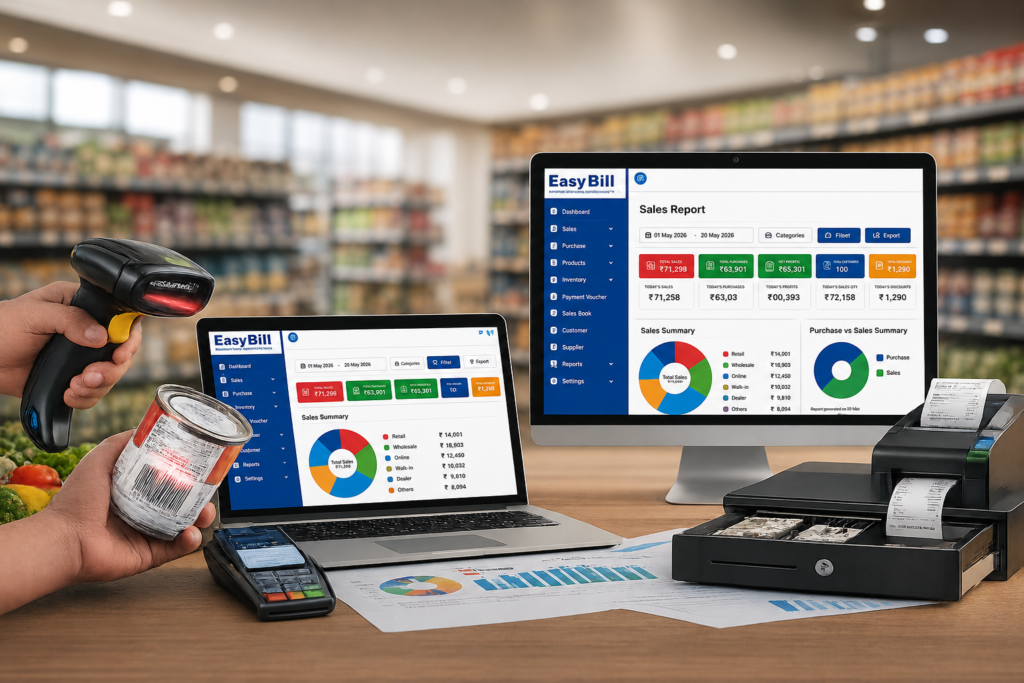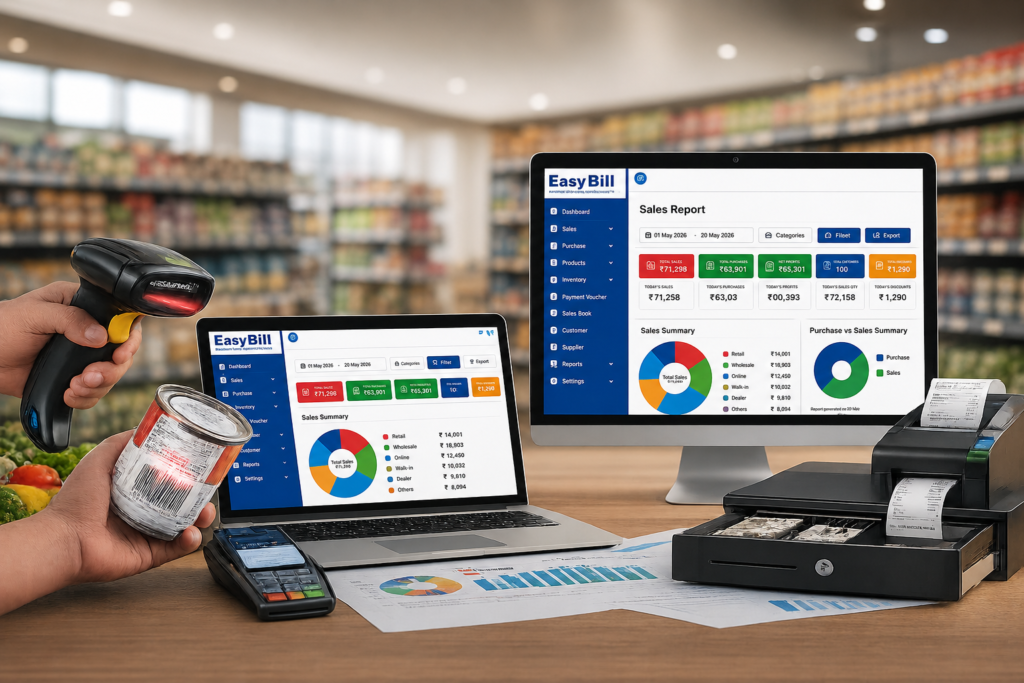
Retail POS billing software brings checkout, inventory, customer records, payments, and sales reporting into one working system. For a retail store, the real benefit is simple: the sale made at the counter should update the business records you need to manage the store, without forcing staff to repeat the same information in different places.
What is retail POS billing software?
A retail POS system is the software used at the point where a customer purchase is recorded. A typical workflow starts with selecting or scanning a product, calculating the bill, accepting payment, and recording the transaction.
Modern retail POS billing software goes further. It connects that sale with inventory, customer information, purchases, and reports. That connection is what makes POS software useful for store management rather than simply replacing a cash register.
What does a retail POS system actually simplify?
Start with the counter. If a cashier has to search for products, calculate totals manually, write an invoice, then update stock in another system, the software has not solved the whole problem.
A connected POS workflow keeps these tasks close together. Barcode scanning, GST billing, payment recording, stock updates, and sales reports are common capabilities across current retail POS products in India. citeturn0search0turn0search3turn0search19
Faster checkout without unnecessary data entry
Barcode billing reduces the need to search through a long product list manually. The cashier scans the item, confirms the transaction, takes payment, and moves to the next customer.
That sounds basic. In a busy shop, it is exactly the part worth testing in a demo.
Inventory updates become part of selling
A retail POS should connect sales with stock records. When an item is billed, the inventory record should reflect the transaction according to the system’s workflow.
This matters because stock accuracy is not a back-office problem only. A wrong stock count affects what staff tell customers, what the owner purchases, and what products appear available.
GST billing stays inside the sales workflow
For Indian retailers, GST information needs to be handled as part of invoicing rather than treated as a separate spreadsheet exercise. Current retail POS products commonly include GST invoicing, tax calculations, and related reporting features. citeturn0search0turn0search19
For official GST information, use the Government of India GST portal rather than relying on a software vendor for tax advice.
Payments and customer records stay connected
Retail stores may accept different payment methods and may also sell on credit. A POS system should make it clear how the transaction was settled and, where supported, maintain the related customer or outstanding-payment record.
Which features should a retailer actually look for?
A long feature list is not a buying reason. The useful question is whether the software handles your real store workflow.
Barcode POS billing
For stores with many SKUs, barcode scanning is one of the first things to test. Check how quickly products are found, what happens when a barcode is missing, and how easily a cashier can correct an item or quantity.
Retail inventory management
Look for product-wise stock, purchase records, stock movement, and low-stock visibility. If your store carries variants such as size, colour, model, or multiple units, test those specific cases rather than accepting a generic inventory demonstration.
Purchase management
Retail inventory starts before the sale. Purchases need to enter the system accurately so the available stock reflects what actually arrived at the store.
Returns and corrections
This is where many demos feel easier than real life. Ask the vendor to demonstrate a return, an exchanged product, a cancelled bill, and a correction. The software should leave a usable transaction trail instead of creating another manual workaround.
Sales and inventory reports
Daily sales totals are useful, but store owners usually need more context: product movement, stock position, purchases, payments, and other business records. Current retail POS offerings commonly combine sales analytics with inventory and reporting. citeturn0search3turn0search8
Multi-store support
If you operate more than one outlet, the question changes. You need to know how products, prices, stock, users, and reports are handled across locations. Multi-store control is a common feature in retail POS systems aimed at growing businesses. citeturn0search0turn0search7
How does a retail POS billing workflow work?
- Set up products: Add products, prices, tax information, barcodes, and opening stock relevant to your business.
- Start the sale: Scan or select the products and verify quantities and pricing.
- Create the invoice: Apply the required billing and tax information and generate the customer invoice.
- Take payment: Record the payment according to the available payment methods.
- Update records: The transaction is stored and the connected inventory/payment records are updated according to the software’s workflow.
- Review reports: Use sales, stock, purchase, and payment reports to review store activity.
The exact workflow differs between products. That is why a live test with your own products is more useful than judging a POS from screenshots.
What problems does POS software solve beyond billing?
Billing is only the visible part.
A connected retail POS system reduces the gap between what happened at the counter and what the owner sees later. Sales records feed reporting. Sales can connect to stock. Purchases explain incoming inventory. Customer and payment records provide context around outstanding transactions.
That gives the owner a clearer operational picture without rebuilding it manually from separate records.
Where retail POS billing software is not the right answer
POS software is not automatically better for every shop.
If you issue very few invoices, carry very little inventory, and have a simple cash-only workflow, a full retail POS system could add complexity you do not need. Likewise, if your internet connection is unreliable, check whether the specific POS product supports offline billing before choosing a cloud-first system. Offline operation is a selling point used by several current Indian retail POS products, but it is not universal. citeturn0search1turn0search2turn0search6
For a store with regular walk-in sales, a sizeable product catalogue, inventory movement, GST billing, or multiple outlets, the connected workflow becomes much more useful.
How should you test a retail POS before buying?
Do not stop at “the software has barcode billing.” Run a real store scenario.
Add five or ten products that your shop actually sells. Scan them. Change a quantity. Apply the normal tax setup. Take a payment. Then check the stock record and sales report.
Next, test a purchase, a return, and a credit transaction if those are part of your business. For a multi-store operation, test an inter-store stock movement or whatever equivalent workflow the product provides.
This exposes the friction that a polished demo can hide.
Who is EasyBill retail POS software for?
EasyBill is positioned for retail and related businesses that need GST billing, POS, inventory, sales, purchases, payments, and business reporting in one system. Its broader business categories include retail, grocery, pharmacy, optical, wholesale, and distribution.
For a retailer, the sensible way to evaluate EasyBill is through the actual counter workflow. Use your own product catalogue, check how billing works, review inventory after a sale, and inspect the reports your business needs.
Explore EasyBill ERP or use the site’s demo option to evaluate the workflow.
What should you do before choosing a POS?
Make the decision from the counter outward.
Test billing first, then inventory, purchases, payments, returns, and reporting. If your staff can complete those jobs without unnecessary duplicate entry, you have found something worth considering. If the demo looks impressive but your everyday workflow feels awkward, keep looking.
Sources and confidence notes
The article uses current public descriptions of retail POS capabilities from several Indian POS providers to identify common market features and buyer considerations. citeturn0search0turn0search1turn0search3turn0search19 No unsupported statistics, customer stories, prices, study names, or fabricated personal experience were added.
Confidence note: Vendor feature sets change over time. Claims about what is “common” describe the current pages reviewed during research, not every POS product in the market. EasyBill-specific positioning should be checked against the current product/demo configuration before publication.