

Last updated: August 25, 2026
Medical stores in Delhi can have very different workloads, from neighborhood chemists to busy pharmacies serving large residential and commercial areas. Across all of them, staff need accurate billing, dependable stock records and quick access to medicine information.
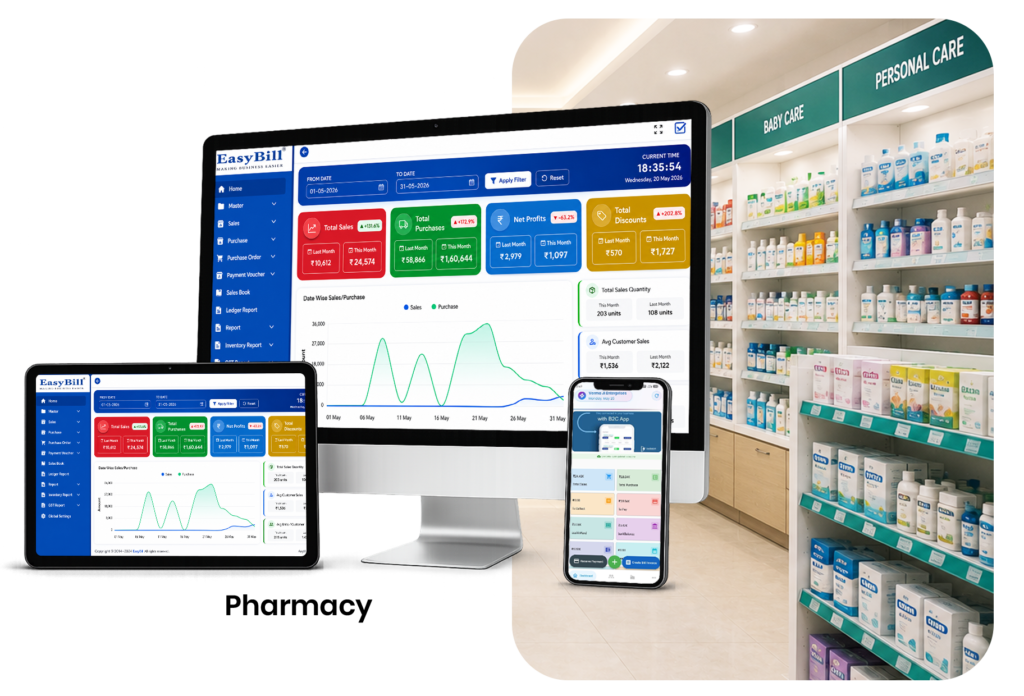
Pharmacy Software in Delhi helps connect these daily tasks. EasyBill provides a digital workflow for billing, inventory, purchases, batches, expiry information and reports.
Quick answer: The right pharmacy system for a Delhi medical store should bring billing, medicine inventory, batch and expiry tracking, purchases, supplier records, GST-related invoicing and business reports into one workflow. The main benefit is not simply faster invoice creation; it is having more reliable information available when staff need to sell, purchase, check stock or review business performance.
What Is Pharmacy Software in Delhi?
Pharmacy software is a business management system designed to organize the routine work of a medical store or pharmacy. In Delhi, this can include counter billing, product search, inventory updates, purchase entry, supplier management, batch records, expiry review, customer records and sales reporting.
Instead of keeping these activities in disconnected registers or spreadsheets, a connected system can make the same transaction useful across multiple parts of the business. For example, a completed sale can update stock records and contribute to sales reporting, while purchase entries can help maintain supplier and inventory information.
Why Delhi Pharmacies Need Organized Records
A store serving Rohini, Dwarka, Lajpat Nagar or another busy locality may see a different mix of customers, but manual stock and billing work creates the same basic challenges. Staff may need to find a medicine quickly, identify the correct batch, check available stock, review an expiry date or confirm a previous purchase while the counter is busy.
A structured pharmacy workflow reduces the amount of repeated manual work and gives owners a clearer view of day-to-day operations.
Important Workflows
- Fast medicine billing
- Barcode product selection
- GST-related invoices
- Medicine inventory management
- Batch and expiry tracking
- Purchase and supplier records
- Sales and stock reports
- Customer and prescription records where appropriate
7 Practical Benefits of Pharmacy Software in Delhi
1. Faster Counter Work
Quick product search and barcode support can reduce repeated data entry during busy periods. Faster lookup is particularly useful when customers are waiting and staff need to process several items in one invoice.
2. Better Inventory Visibility
Connecting sales and purchases with stock records makes current inventory easier to review. Owners can use the available information to identify low-stock products and plan replenishment instead of relying only on physical checks.
3. Batch Control
Batch details help staff identify particular deliveries when the same medicine has multiple lots. This gives the store a more organized way to review stock movement and maintain product-level records.
4. Expiry Review
Digital expiry information provides a structured way to review stock that needs attention. Near-expiry products can be identified during routine inventory checks, helping staff take action before stock becomes difficult to manage.
5. Purchase and Supplier Tracking
Supplier history makes previous orders and incoming stock easier to check. A connected purchasing workflow can help pharmacy owners review what was purchased, from whom and when, subject to the records entered into the system.
6. Business Reporting
Digital transaction records can support sales, purchase, inventory, expiry and other business reports. These reports help owners understand performance without manually combining information from several registers.
7. Improved Customer Service
When staff can find product information quickly, routine customer requests can be handled more smoothly. Faster billing and better stock visibility can also reduce avoidable delays at the counter.
Key Features to Look for in Pharmacy Software
When comparing pharmacy software in Delhi, focus on the workflows your store actually uses. A useful system should be practical for daily staff operations rather than simply offering a long list of features.
- Billing: Look for quick medicine search, barcode support, invoice printing and configurable tax information.
- Inventory: Check whether sales and purchases can update stock records and whether low-stock information is easy to review.
- Batch and expiry: Make sure the system can record batch details and expiry dates and supports regular expiry review.
- Purchasing: Supplier records, purchase history and stock replenishment workflows can simplify procurement.
- Reports: Sales, purchase, stock, expiry, GST-related and profitability reports can support business decisions.
- Customer records: Where required by the business workflow, customer and prescription information should be organized and accessible to authorized staff.
- Usability: The interface should be simple enough for counter staff to learn and use consistently.
How Pharmacy Software Works: A Simple Workflow
- Add products: Enter medicines with relevant product, pricing, tax, batch and expiry information.
- Record purchases: Add incoming stock and supplier details so inventory records stay current.
- Create sales: Search or scan medicines and generate the customer invoice.
- Update stock: Sales and purchase entries help maintain the recorded inventory position.
- Review exceptions: Check low-stock items, batches and expiry information as part of routine store management.
- Analyze reports: Review sales, purchases, inventory and other available reports to understand business performance.
GST Billing for Delhi Medical Stores
EasyBill supports GST-related billing workflows. Configure tax details according to your business requirements and verify current tax requirements with the official GST Portal. Software should support the billing process, but the pharmacy remains responsible for using correct business and tax information.
Who Can Use Pharmacy Software in Delhi?
This type of system can be useful for different pharmacy business models, including:
- Independent neighborhood medical stores
- Retail pharmacies with busy billing counters
- Pharmacies managing a large medicine catalogue
- Medical stores that need batch and expiry visibility
- Businesses that want connected purchase and sales records
- Pharmacy owners who need regular operational reports
The right setup depends on store size, transaction volume, staff responsibilities and the level of inventory control required.
EasyBill for Delhi Pharmacies
EasyBill Pharmacy Billing Software connects pharmacy billing and inventory workflows. You can also review expiry tracking and batch management to understand related capabilities.
What Should You Check Before Choosing a Pharmacy System?
Before selecting pharmacy software in Delhi, ask a few practical questions:
- Can staff create a bill quickly during peak hours?
- Can medicines be searched or scanned without unnecessary manual entry?
- Are batch and expiry details easy to record and review?
- Do purchase entries connect with inventory information?
- Can the business generate the reports it actually needs?
- Can staff learn the system without a complicated training process?
- Does the software fit the store’s existing hardware and workflow?
A short product demonstration using real pharmacy workflows can be more useful than choosing a system based only on a feature list.
Frequently Asked Questions
What is Pharmacy Software in Delhi?
It is software that helps Delhi medical stores and pharmacies manage billing, inventory, purchases, batches, expiry information and business reports in a connected workflow.
Can a small Delhi pharmacy use pharmacy software?
Yes. A small store can use the functions that match its actual daily workflow, such as billing, inventory, purchase records and basic reports.
Does pharmacy software manage medicine inventory?
Yes. Pharmacy systems can connect recorded sales and purchases with stock information and may provide tools for batch, expiry and low-stock review.
Can it help with GST billing?
EasyBill provides GST-related billing functionality, subject to correct configuration and the business information entered by the user. Always verify current tax requirements from official sources.
Why are batch and expiry features important?
They help pharmacies maintain more detailed medicine records, identify specific lots and review stock approaching expiry.
Is pharmacy software useful for a busy medical store?
Yes. Faster product lookup, barcode billing, connected inventory and reporting can reduce repetitive work and give staff better access to operational information.
Key Takeaway
The best Pharmacy Software in Delhi should make routine pharmacy work easier to control, not simply add more screens. Compare solutions based on billing speed, inventory accuracy, purchase management, batch and expiry handling, reporting, usability and fit with your store’s daily workflow. EasyBill brings these core pharmacy processes into a connected system so owners and staff can work from more organized records.